
Latest PowerToys Update Adds New Shortcut Guide, Improves Command Palette & More


 2 min. read
  Published on

Microsoft has officially released PowerToys 0.100, and it introduces an entirely new Shortcut Guide, expands Command Palette with long-requested features, and brings meaningful upgrades across several popular utilities. The release also marks a milestone for the project itself, as PowerToys now runs on .NET 10 while receiving performance, reliability, and installer improvements behind the scenes.
PowerToys gets a smarter shortcut guide
One of the biggest additions in version 0.100 is the redesigned Shortcut Guide. Instead of simply displaying generic Windows shortcuts, the new tool now recognizes the active application and surfaces shortcuts that are actually relevant to what you’re doing at that moment.
Microsoft says the utility can also display Windows shortcuts alongside shortcuts from supported PowerToys modules, creating a more contextual experience than before.
Meanwhile, Command Palette continues getting improved. The standout addition is a new Extension Gallery that lets users browse, install, update, and remove extensions directly from within PowerToys. No extra downloads or manual hunting required.
The Dock experience is also becoming much more flexible. Users can now create separate Dock layouts for different monitors, making multi-display workflows easier to manage.
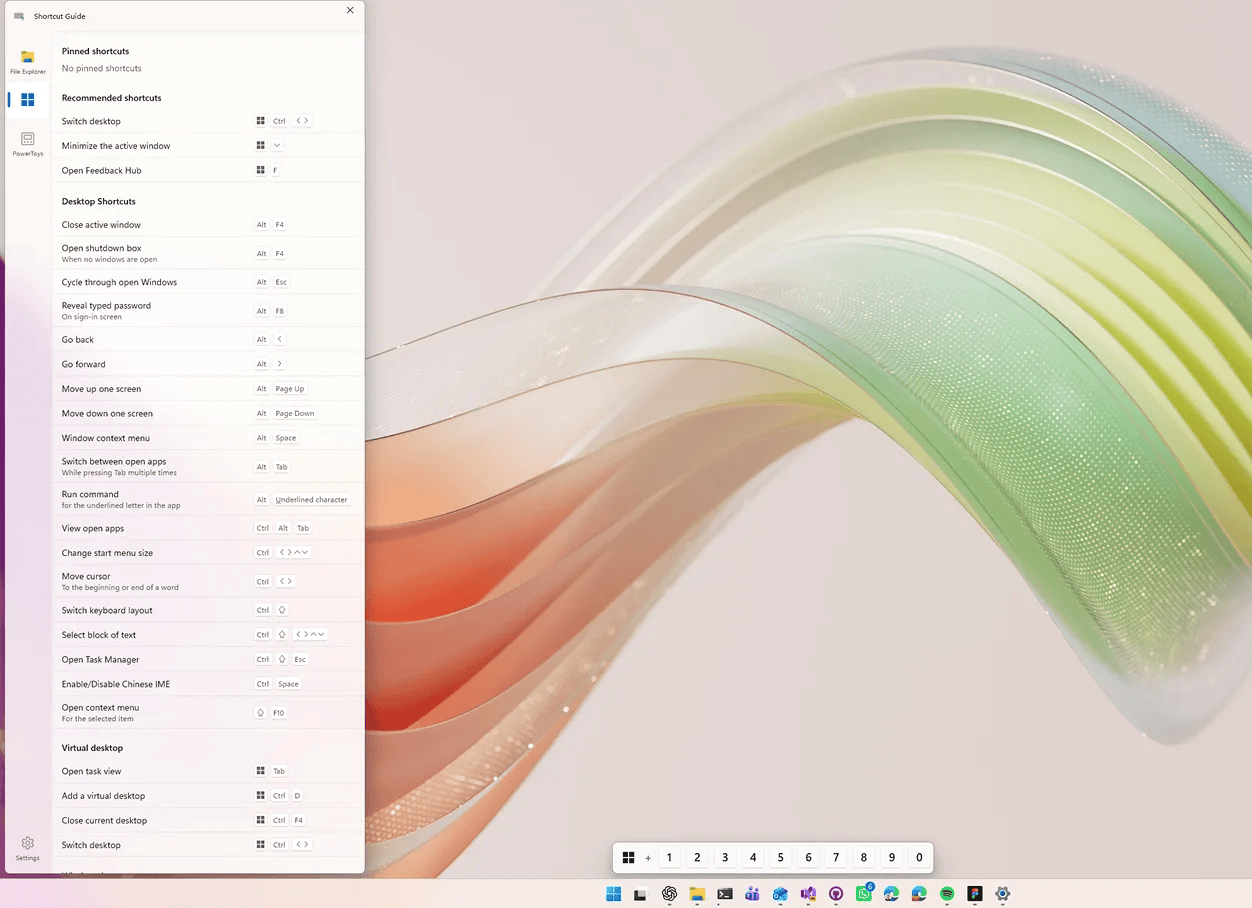
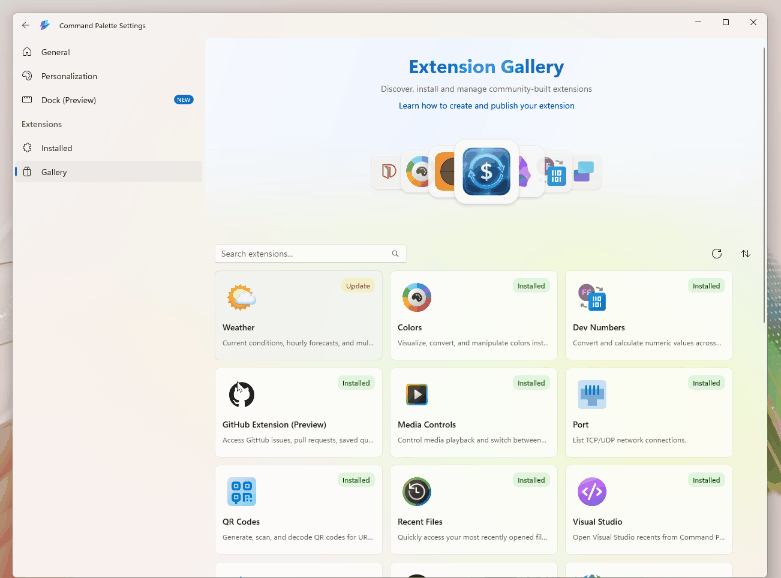
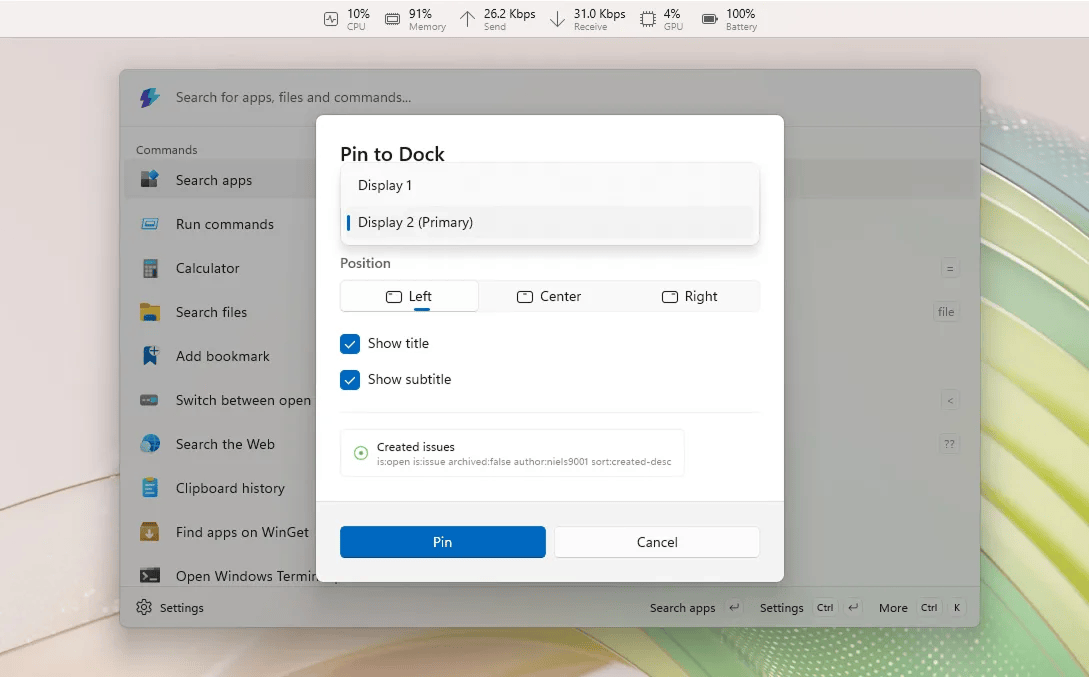
Image credit: Microsoft
More improvements across the entire suite
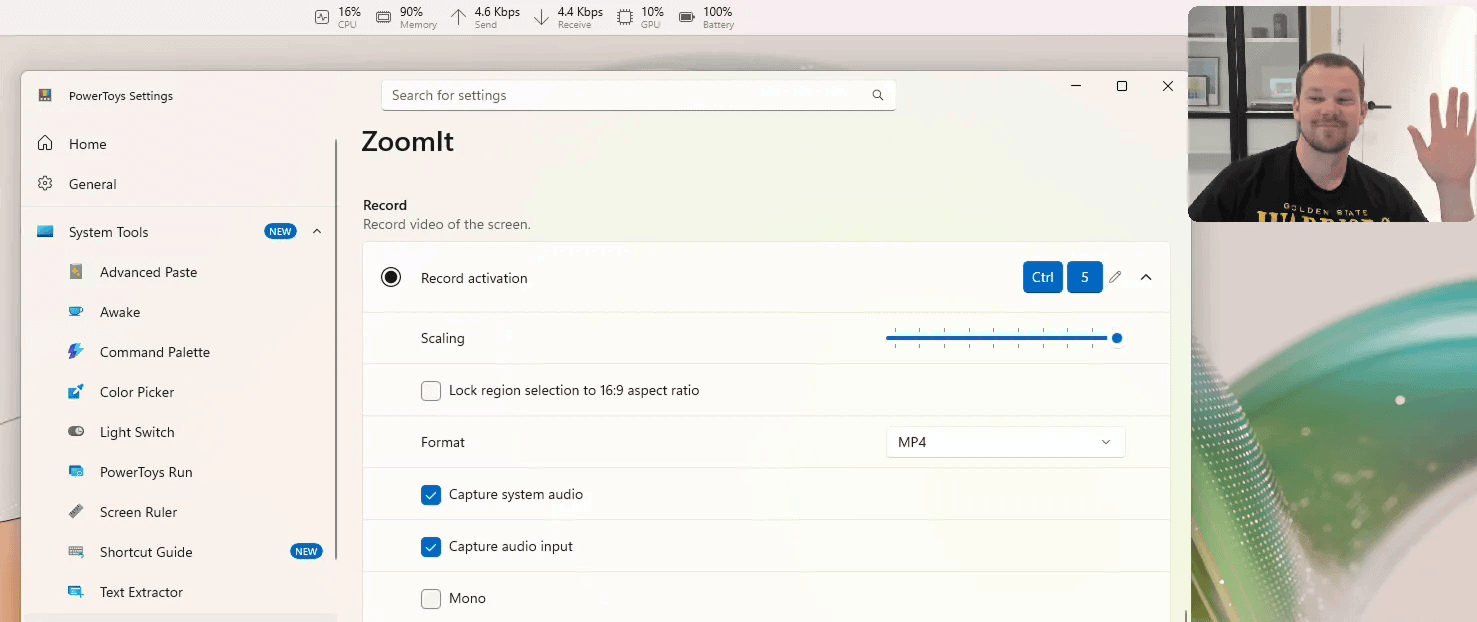
Microsoft says Power Display’s startup times are faster, monitor detection is more reliable, and compatibility has improved for displays that previously struggled with DDC communication. ZoomIt also picked up some useful features. Users can now include webcam overlays during recordings and stitch together multiple clips with transitions.
Under the hood, PowerToys now occupies less space as well. Microsoft says installer size has been reduced by roughly 15%, while auto-updates have become more reliable thanks to better relaunch handling and configuration backups.
Moving on, Keyboard Manager’s new WinUI 3 editor is now enabled by default, Mouse Without Borders gains a Refresh Connections option, Image Resizer can detect settings changes without restarts, and Quick Accent improves support for high-DPI setups and Greek Polytonic characters.
Putting it simply, PowerToys 0.100 is one of the biggest updates released in quite some time. Check complete changelog for the update here.

Read our disclosure page to find out how can you help Windows Report sustain the editorial team. Read more



Improve this guide




User forum
0 messages