
Microsoft Upgrades Edge for Business with New AI Security and DLP Features


 4 min. read
  Published on

Microsoft has expanded the security capabilities of Edge for Business with new protections designed to help organizations secure corporate data, control AI usage, and defend against modern browser-based attacks.
The company says Edge for Business now includes many enterprise security features by default, allowing IT administrators to manage browser sessions across both managed and unmanaged devices while integrating closely with Microsoft’s broader security ecosystem.
Edge for Business adds deeper enterprise security
Microsoft positions Edge for Business as a secure enterprise browser that works alongside Microsoft Defender, Microsoft Purview, and Microsoft Entra. Because these services integrate directly with the browser, organizations can enforce security policies without relying heavily on third-party browser management tools.
On managed corporate devices, browser sessions are automatically governed by organizational policies. For employees working on personal or unmanaged devices, companies can apply many of the same protections through dedicated Edge work profiles.
According to Microsoft, this approach helps organizations protect corporate data regardless of where employees access company resources.
One of the biggest additions focuses on the growing problem of “shadow AI”, where employees use unauthorized AI services to process company information.
Microsoft targets shadow AI in the browser
If employees attempt to access AI applications that their organization has not approved, administrators can redirect them toward sanctioned services such as Microsoft 365 Copilot instead. The feature is available through a pay-as-you-go licensing model.
Microsoft says the goal is to keep sensitive business information within the data protection boundaries already defined through Microsoft Purview, reducing the chances of confidential information leaving the organization’s approved environment.
New DLP protections for contractors and unmanaged devices
Microsoft has also expanded Data Loss Prevention (DLP) capabilities inside Edge for Business.
For contractors using an Entra ID work profile, organizations can prevent files from being downloaded directly to local devices. Instead, documents can be saved to the contractor organization’s OneDrive, helping companies maintain control over sensitive information.
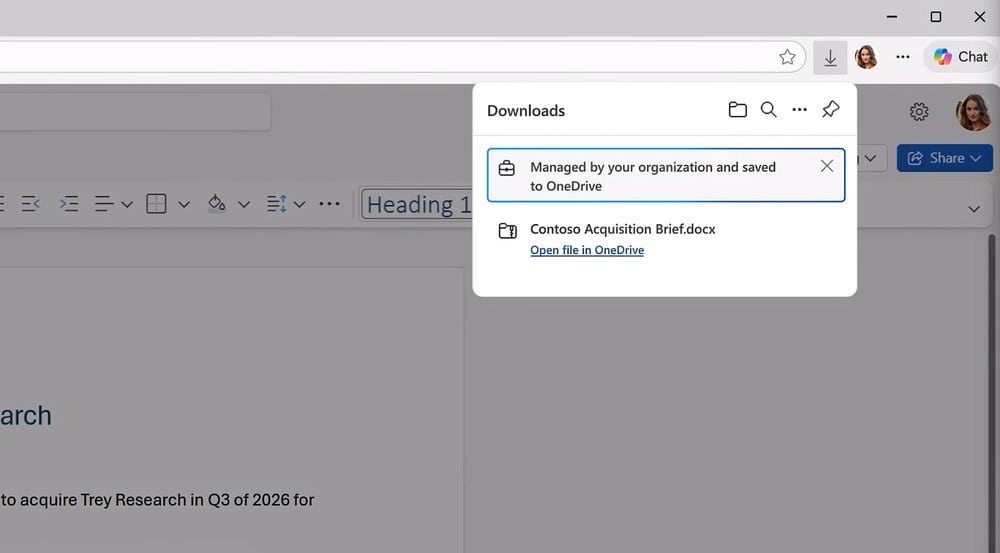
Additional browser controls allow administrators to block copying and pasting between managed and unmanaged apps, prevent screenshots in protected environments, and restrict downloads from selected websites.

They can also block extensions, themes, hosted apps, and custom scripts, while limiting extension installation to approved add-ons and still allowing users to request additional extensions through IT.
These controls aim to reduce accidental data leaks while giving administrators more flexibility over how employees interact with corporate resources.
Edge now uses on-device AI to detect browser scams
Microsoft is also introducing a new AI-powered protection against browser-based scams and scareware.
Unlike traditional reputation-based protection that checks websites against known malicious lists, the new feature analyzes what appears on the user’s screen using an on-device computer vision model.
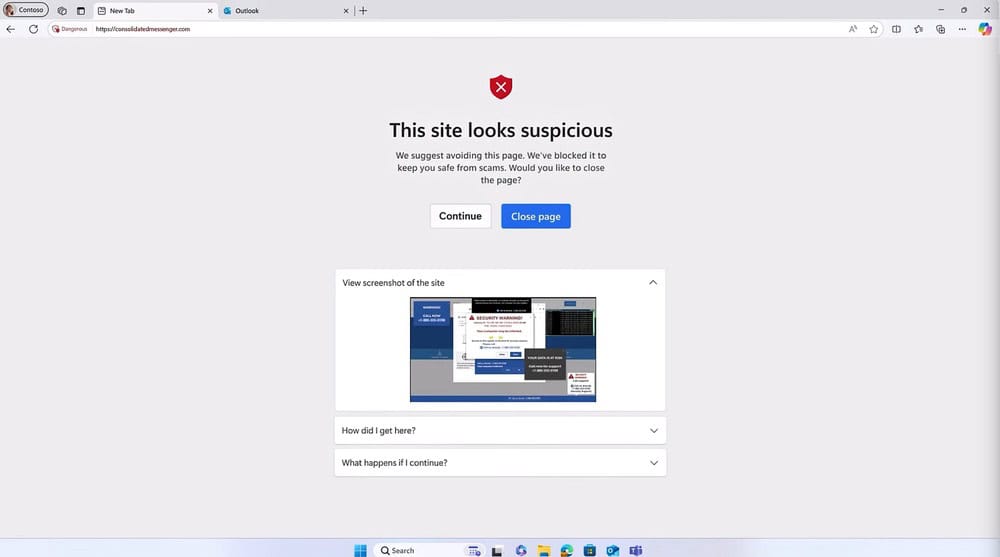
Because the AI runs locally, it can identify suspicious scareware pages or fake security alerts even if they originate from previously unknown websites.
Running the model locally also means the feature consumes system resources. Microsoft therefore enables it by default only on devices equipped with at least 2GB of RAM and four CPU cores.
The company says local processing also improves privacy since content analysis does not depend on sending browsing data to cloud services.
In separate announcements, Microsoft recently confirmed it is removing the AI Search History feature from the browser. Edge has also received renewed praise from many users after years of criticism, with recent performance improvements helping reshape its reputation among both Windows and Mac users.
For enterprise customers, however, Microsoft’s latest focus is clearly security, combining browser management, AI governance, and data protection into a single platform aimed at reducing risks across modern workplaces.

Read our disclosure page to find out how can you help Windows Report sustain the editorial team. Read more



Improve this guide




User forum
0 messages