
Windows 11 26H1 Release Preview Enhances Start Menu, File Explorer, and Windows Update


 3 min. read
  Published on
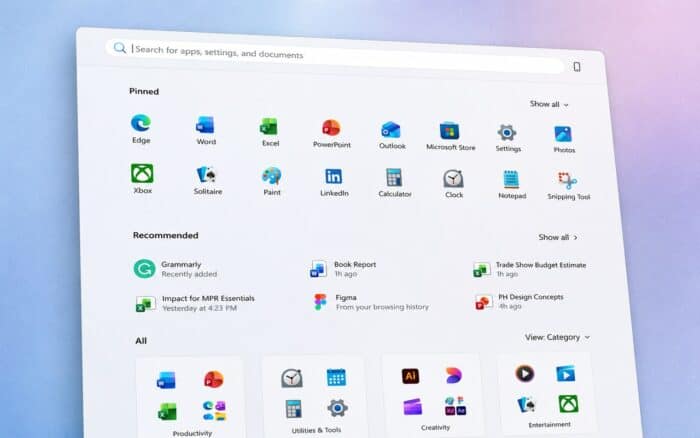
Windows 11 26H1 Insider Release Preview Build 28000.2597 is now available with improvements for File Explorer, Bluetooth, Voice Typing, Taskbar, and system reliability.
The update also introduces interface changes and expands support for external fingerprint readers on compatible devices.
Start Menu and Account Control Improvements
Microsoft improved the reliability of saved Start menu view preferences and keyboard navigation within the apps list.
The Start menu account control also has a refreshed design and now displays a badge showing the user’s Microsoft account subscription status.
Voice Typing and Accessibility Changes
Fluid dictation now remains disabled by default for new users. Windows displays a teaching tip when users activate the feature for the first time.
Microsoft also disabled Magnifier touch panning bars by default to prevent them from obstructing magnified content.
Windows Hello Supports External Fingerprint Readers
Enhanced Sign-in Security now supports compatible external fingerprint readers.
This change expands secure fingerprint authentication to desktop computers, Copilot+ PCs, and other supported Windows 11 devices.
Font Rendering Improvements
The update restores Unicode variation sequence support in the Myanmar Text font.
Microsoft also improved character shaping and rendering when using the Mongolian Baiti font.
Taskbar and System Tray Reliability
Microsoft improved system tray loading reliability, particularly during startup.
The update also addresses reliability problems affecting the Start menu and taskbar while Windows loads.
Image Generation Component Can Be Removed
Users with supported Copilot+ PCs can now remove the Image Generation AI component.
This option gives users more control over which AI-related Windows components remain installed on their devices.
New Parental Controls Notice
Windows Setup now includes a parental controls notice that highlights Microsoft family safety features.
The notice introduces available tools for managing child accounts, screen time, and family settings during device setup.
Power and Battery Improvements
Changes to display, sleep, hibernate, power button, and lid-close settings now apply across all power plans.
Microsoft also improved the persistence of power settings and restored the option to choose when Energy Saver activates automatically.
Windows Update Improvements
Windows Update now calculates installation progress more accurately.
Microsoft also improved post-update cleanup to remove unnecessary files and maintain system performance after installing updates.
Sound, Date, and Time Improvements
System sounds have been improved when Windows 11 uses dark mode.
The update also improves the detection of time zone changes, helping Windows adjust the system clock more reliably when users travel or change locations.
Network and Bluetooth Improvements
Microsoft improved DHCP renewal reliability, including on devices using Modern Standby.
The build also includes Bluetooth improvements intended to provide more reliable device connectivity and performance.
Printing Improvements
Internet Printing Protocol Secure printer performance has been improved.
The change should provide more reliable and responsive printing when using compatible IPPS printers.
Clipboard Improvements
Microsoft improved clipboard reliability in Remote Desktop and Azure Virtual Desktop sessions.
This change should reduce issues when copying and pasting content between local and remote environments.
File Explorer and General Reliability Improvements
The update improves explorer.exe reliability across jump lists, recent files, sharing, Task View, and multiple desktops.
Microsoft also improved Windows sign-in and Lock screen reliability, along with Start menu and taskbar performance during startup.
Microsoft has also released a Windows 11 Insider Beta 26H1 build for users who want to test upcoming features earlier.

Read our disclosure page to find out how can you help Windows Report sustain the editorial team. Read more



Improve this guide




User forum
0 messages