
Chrome Tests 'Listen to This Page' for Desktop After Android
Chrome Canary includes a new shortcut to start Read Aloud directly from the page context menu.


 2 min. read
  Published on
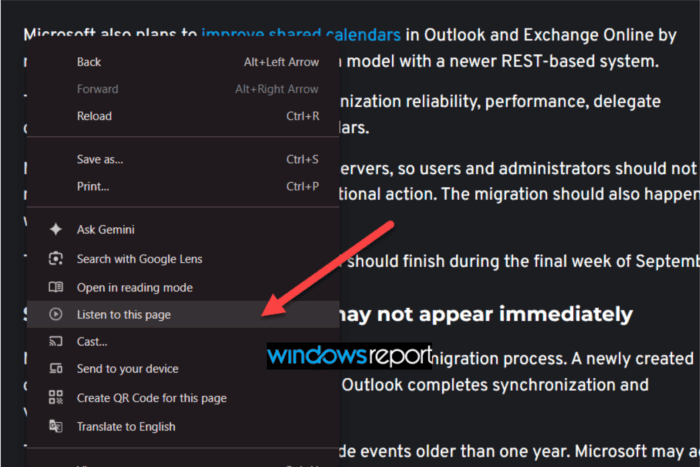
Google is testing Chrome’s “Listen to this page” feature on desktop in Chrome Canary. The shortcut, already available on Chrome for Android, lets users start listening to webpages directly from the page context menu instead of opening Reading Mode first. It works through Chrome’s Reading Mode side panel.
Right-clicking on a webpage now shows a “Listen to this page” option below “Open in reading mode”. Selecting it opens the Reading Mode side panel and automatically starts reading the page aloud. The reader highlights text as it reads. The on-screen controls let users pause playback or adjust the reading speed. They can also jump between sections.
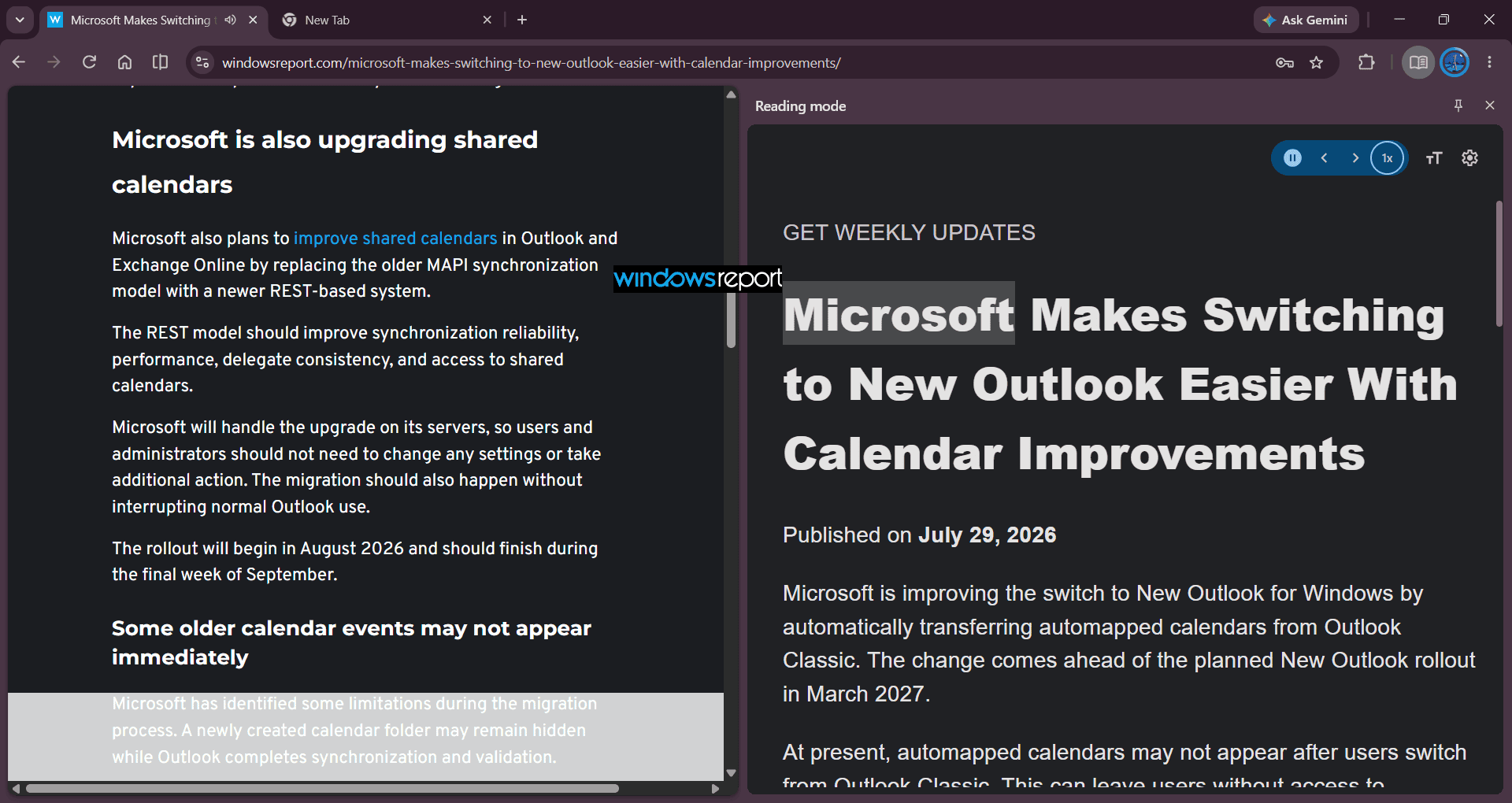
The new shortcut removes an extra step for users who prefer listening to articles instead of reading them. Before this change, starting Read Aloud on desktop required opening Reading Mode first. The context menu entry launches the feature directly from the webpage.
The addition is backed by Chromium’s Reading Mode Improved UI (#read-anything-improved-ui) flag. Its description says it enables “menu grouping for Reading Mode and the listen to this page entry point.”

A related Chromium change also replaces the previous ImprovedReadAloud dependency with a dedicated ReadAnythingImprovedUi flag, allowing Google to test the updated Reading Mode interface independently from Read Aloud.
The feature is still under development and is currently available in Chrome Canary. Playback worked on supported webpages during our testing. As with other Canary features, Google may change or remove it before it reaches the stable release.


Read our disclosure page to find out how can you help Windows Report sustain the editorial team. Read more



Improve this guide




User forum
0 messages