
Twitch Now Lets Streamers Opt Out of Amazon AI Training, But the Setting Is On by Default


 2 min. read
  Published on
Amazon can now use Twitch streamer’s channel content for generative AI training unless creators opt out. Yes, you read that correct. The setting to opt-out of AI training appeared on August 12, with Twitch confirming the new control through its support account.
What Amazon can use for AI training
The policy covers more than livestream footage. Twitch says eligible channel material includes streams, VODs, clips, highlights, chats, images, and text. The training can support Amazon models designed to generate or synthesize text, audio, images, or video. Twitch’s FAQ gives captions as one possible example of how training could improve AI systems.
There is an unusual catch for viewers, though. A message posted inside another creator’s chat can fall under that channel’s training preference. That means your own opt-out does not necessarily control every Twitch interaction involving your content. The channel owner’s setting can determine how those messages are handled.
Twitch explains why the switch is opt-out
The controversy largely centers on consent. The setting is enabled by default, rather than requiring creators to actively approve Amazon’s AI training. During a Twitch livestream, chief product officer Mike Minton gave a blunt explanation. He said an opt-in system would likely attract almost nobody.
Twitch also acknowledged that the setting is not prominent. Creators were shown how to find it inside their account’s security and privacy controls. The company has not said exactly which Amazon models are involved. It also has not clarified whether older Twitch content was already used for training before this setting appeared.
Opting out does not shut down Twitch AI
Creators who disable generative AI training are not removing their content from every AI-powered Twitch system. Features including AutoMod, recommendations, captions, sponsorship tools, and safety systems can continue using automated processing. Twitch separates those functions from training models that generate new media.
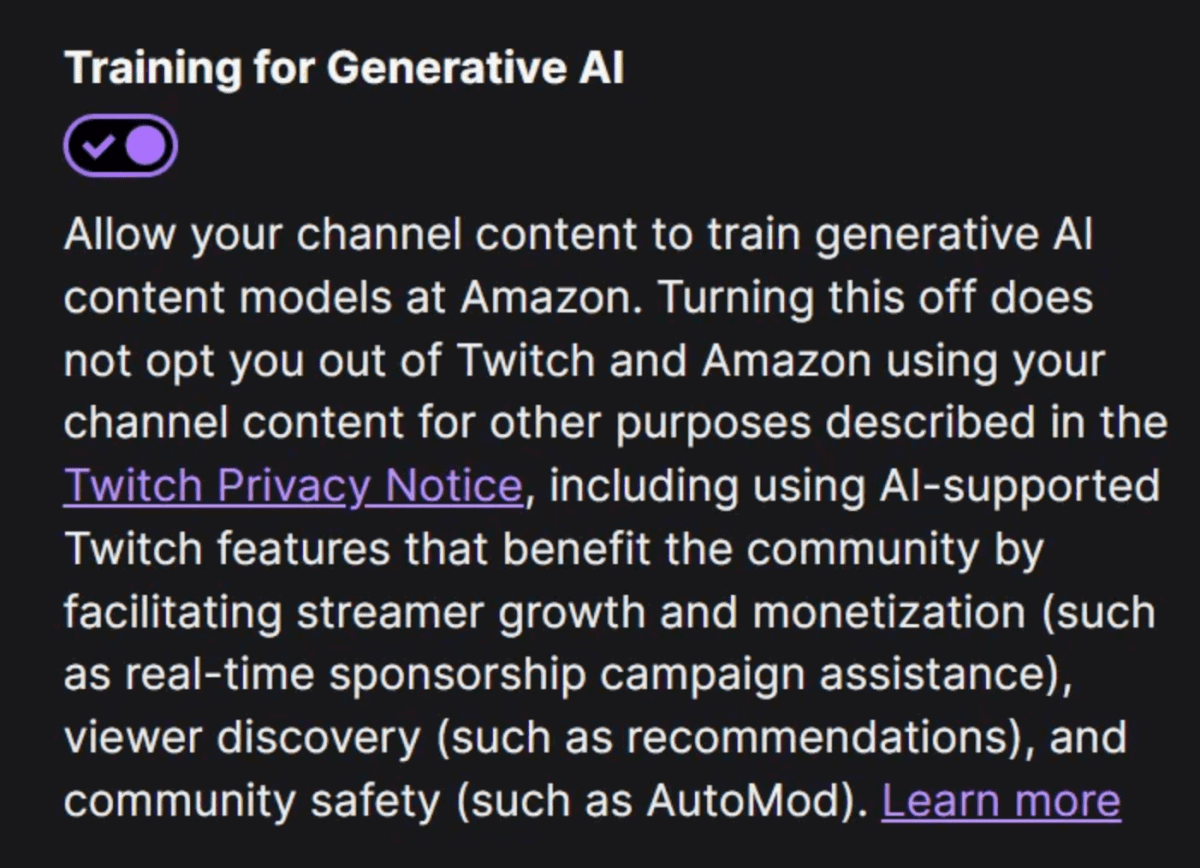
If you are willing to opt-out, you can check the option by going to Settings > Security and Privacy > Training for Generative AI.

Read our disclosure page to find out how can you help Windows Report sustain the editorial team. Read more



Improve this guide


User forum
0 messages