
Xbox Disc-to-Digital: How to Convert a Physical Game Disc into a Digital Version


 3 min. read
  Updated on
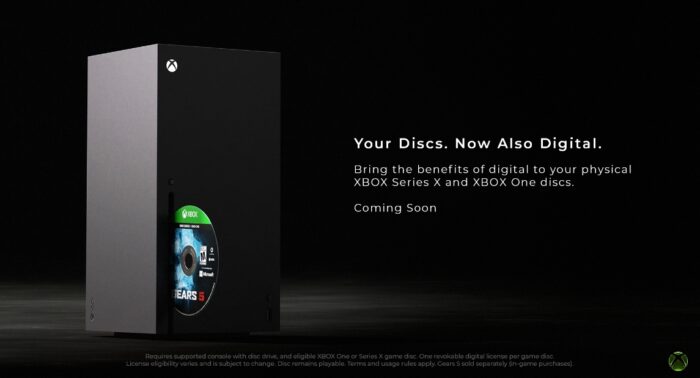
Xbox recently announced its new disc-to-digital feature, giving Xbox Insiders a way to turn eligible physical game discs into digital licenses without purchasing the game again. The feature is designed to make supported physical Xbox games easier to access, particularly if you want to install and play them without repeatedly using the disc. If you have been wondering how Xbox disc-to-digital works, in this guide, we will walk you through the steps required to convert a physical Xbox game disc into a digital license version.
1. Insert the physical disc
Microsoft says most Xbox One and Xbox Series X disc-based games are eligible, although thousands of titles are being supported initially rather than every game.
- Sign in to the Microsoft account you want to associate with the game.
- Insert the physical game disc into an Xbox One or Xbox Series X with a disc drive.
- Wait for Xbox to recognize the game.
- Highlight the game’s tile on the Home screen.
- Press the Menu (☰) button on your controller.
- Look for Claim digital license.
You can also launch a supported game from the disc, which may automatically trigger the license-claim process.
2. Claim the digital license
Once Claim digital license appears, the rest takes only a few seconds.
- Select Claim digital license.
- Read the confirmation message.
- Select Claim.
- Wait for Xbox to confirm that the digital license has been unlocked.
- Remove the disc once the process finishes.
The game should then appear in your library as a disc-to-digital entitlement, allowing you to install and play it without keeping the disc inside the console.
What you need to know
This does not permanently separate the digital license from the physical copy. Microsoft’s rules say the digital entitlement remains conditional on continued possession of the qualifying disc. Not every game or disc qualifies, and Xbox 360/original Xbox discs aren’t included in the current program.
If you’re looking to try this, the company has expanded access to this feature, and it’s now available to all Xbox Insiders.
FAQs related to Xbox Disc-to-Digital feature
1. Can I sell the disc afterward?
Your digital access can be affected because the entitlement remains tied to the qualifying physical disc.
2. Do I need the disc to play afterward?
No, once successfully claimed, supported games can be played without inserting it.
3. Is Xbox Disc-to-Digital feature available to everyone?
Not yet. The feature is currently being tested through Xbox Insider preview builds.
4. Does Xbox Dusc-to-Digital feature cost anything?
Microsoft describes the feature as providing digital benefits to supported physical discs rather than requiring another purchase.
5. What if “Claim digital license” doesn’t appear?
The disc may not be eligible, or your console may not have the required preview software.

Read our disclosure page to find out how can you help Windows Report sustain the editorial team. Read more



Improve this guide


User forum
0 messages