
Chrome for Android may soon let you open web pages directly in Chrome instead of Custom Tabs


 2 min. read
  Published on
Chrome for Android is testing a new setting that let users open web pages in the full Chrome browser instead of Custom Tabs.
Custom Tabs are designed to let Android apps open web pages without taking users completely out of the app. This can be useful for quickly viewing a link, but users who prefer to keep their web browsing in Chrome may want links from different apps to appear as regular Chrome tabs instead.
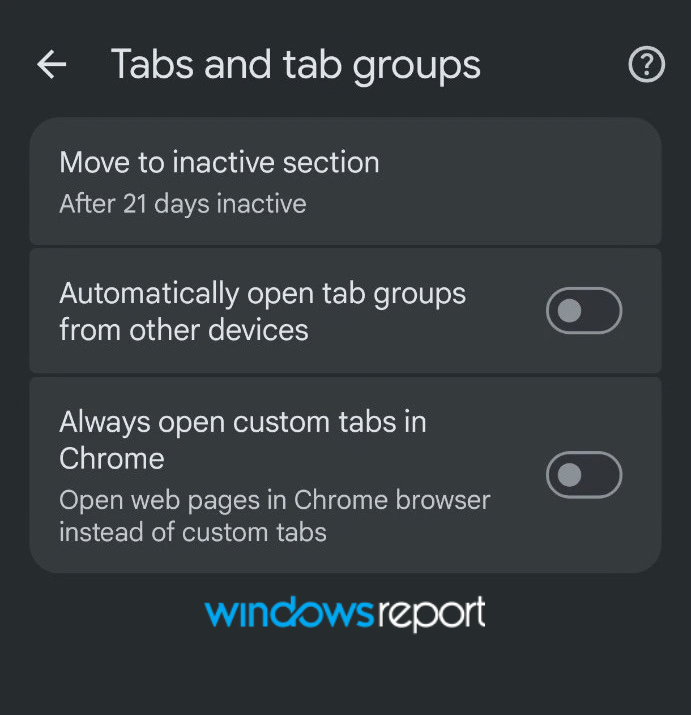
Spotted in the latest Chrome Canary, “Always open custom tabs in Chrome” appears under Settings > Tabs and tab groups. Its description says, “Open web pages in Chrome browser instead of custom tabs.”
For example, when you open a story from the Google app, the page can open in a Custom Tab that runs within Chrome. You can then use the “Open in Chrome browser” option from the menu to send the page to a regular Chrome tab. With the new setting enabled, Chrome skips that extra step and opens the page directly in the full browser.
The setting works in the latest Chrome Canary build we tested. After enabling “Always open custom tabs in Chrome,” links that would normally open in a Custom Tab instead open directly in a regular Chrome tab.
For now, the feature is available in Chrome Canary, and Google has not said when it plans to bring the setting to the stable version of Chrome for Android.
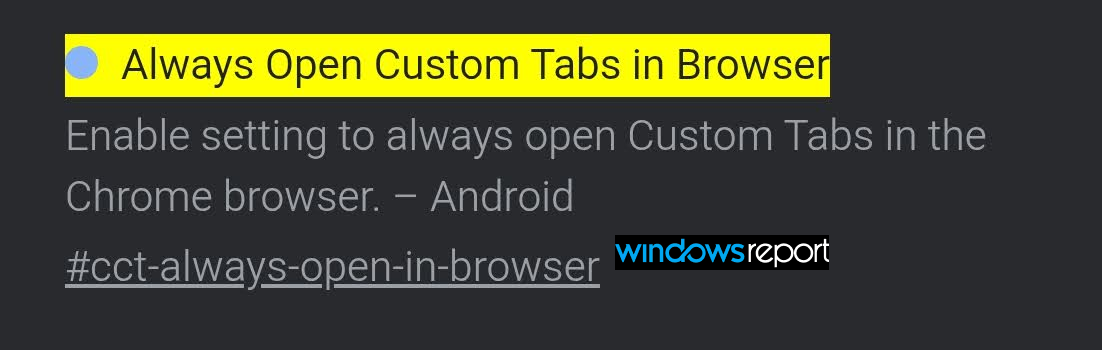
The feature is tied to a flag called “Always Open Custom Tabs in Browser.” Its description reads: “Enable setting to always open Custom Tabs in the Chrome browser.”


Read our disclosure page to find out how can you help Windows Report sustain the editorial team. Read more



Improve this guide


User forum
0 messages