
Southwest Travel App Not Working Today? Check for Outage & Try Easy Fixes


 4 min. read
  Published on
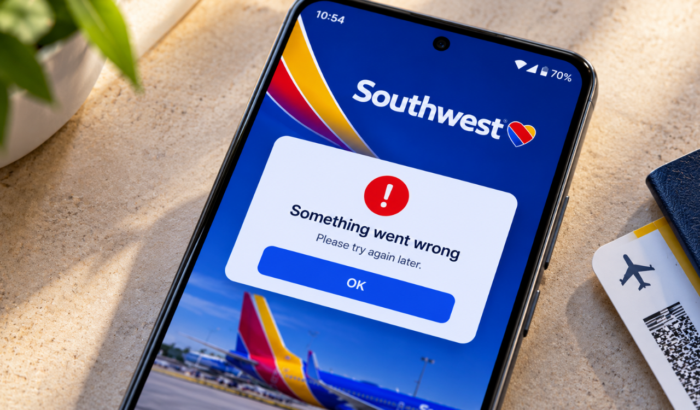
If the Southwest app is not working, freezing, or failing to load your flight details, a server outage, outdated app, or connection issue could be the cause. Before trying the fixes below, check whether Southwest Airlines is experiencing a service outage. Just in case Southwest Airlines’ systems are running normally, the problem may be limited to your device. If that’s the case, try the following troubleshooting steps to fix the Southwest app issues.
5 easy ways to fix the Southwest app when it’s not working
1. Close and Reopen the App
Temporary app glitches can prevent Southwest from loading properly. Close the app completely, wait a few seconds, and open it again. If it still freezes, restart your phone.
2. Check Your Internet Connection
A weak Wi-Fi or mobile data connection can stop the app from loading flight details or signing you in. Switch between Wi-Fi and mobile data, then reopen Southwest to check whether the issue is resolved.
3. Update the Southwest App
An outdated app version may contain bugs that prevent Southwest from loading properly or displaying your flight details. Check the relevant app store for updates and install the latest version available.
On Android:
- Open the Google Play Store.
- Search for Southwest Airlines.
- Select the official Southwest Airlines app.
- Tap Update if the option is available.
- Once the update finishes, open the app and check whether it works.
On iPhone:
- Open the Apple App Store.
- Search for Southwest Airlines.
- Select the official app.
- Tap Update if available.
- Open Southwest again and see if the problem is resolved.
4. Clear the App Cache on Android
Corrupted temporary files can sometimes cause the Southwest app to freeze, load slowly, or stop responding. Clearing the app cache removes these temporary files without normally deleting your login details or booking information.
- Open Settings on your Android phone.
- Tap Apps or Apps & notifications.
- Find and select Southwest Airlines. Tap See all apps if necessary.
- Select Storage & cache or Storage.
- Tap Clear cache.
- Reopen the Southwest app and check whether it works.
Note: Avoid tapping Clear storage or Clear data unless necessary, as this may remove locally stored app information and sign you out.
5. Reinstall the Southwest App
If nothing else works, reinstalling the app may resolve persistent software problems. Here’s what you can do:
- Uninstall Southwest Airlines Travel app
- Restart your phone
- Then, download it again from the official app store (Android & iOS).
Finally, make sure you know your login details before proceeding. Once you have logged in, check if the Southwest Airlines travel app is working properly or not.
What to do when Southwest app doesn’t load boarding pass?
At the time of writing, we have come across multiple reports that suggests Southwest Airlines is experiencing a system outage, disrupting operations and digital services. If you’re flying today, don’t rely solely on the app. Visit Southwest.com or ask an airport agent for help with check-in and your boarding pass.
Final Thoughts
Usually, issues with the Southwest app can be resolved by checking service availability, refreshing your connection, updating the app, or clearing its cache. However, if the airline’s systems are down, you may need to wait for service to return or seek help at the airport, which seems to be the case today. We also have a separate guide for times when you encounter Southwest error code 500120309; make sure to check it.
FAQs related to Southwest app not working
1. Why is the Southwest app not opening?
A temporary outage, outdated app, or software glitch may prevent it from opening. Check for service updates before trying other fixes.
2. Can I check in without the Southwest app?
Yes. You can visit Southwest’s website or ask an airport agent for assistance with check-in.
3. Why is my Southwest boarding pass not showing?
A service disruption, connection problem, or booking issue may prevent your boarding pass from appearing. Check your reservation online or contact Southwest staff.
4. Does reinstalling the Southwest app delete my booking?
Reinstalling the app generally does not cancel your flight reservation. Keep your confirmation number handy and sign in again after reinstalling.
5. How do I contact Southwest for app problems?
Visit the official Southwest Help Center to find assistance for app, booking, and travel issues.

Read our disclosure page to find out how can you help Windows Report sustain the editorial team. Read more



Improve this guide



User forum
0 messages