
Windows 11 KB5127648 Triggers Errors 0x800f0845 and More


 2 min. read
  Published on
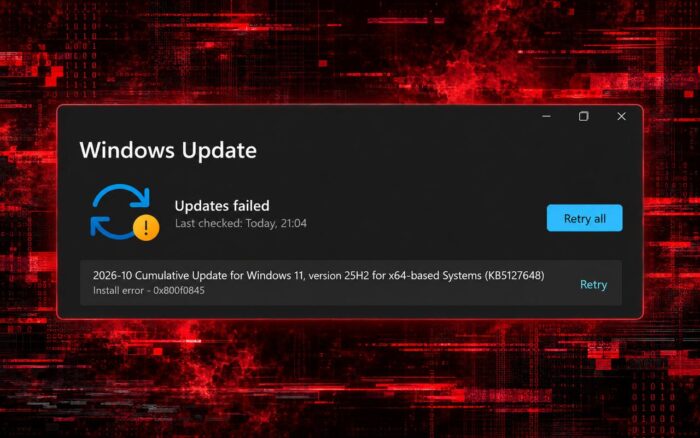
Some Windows 11 users are reporting installation failures with the October 2026 Patch Tuesday update KB5127648, encountering error codes 0x800f0845, 0x80070306, and 0x800f0989.
Microsoft released KB5127648 as part of its October 2026 Patch Tuesday updates. The update includes important security fixes, making installation failures particularly concerning.
The October release addresses numerous security vulnerabilities, meaning affected users could miss important protections.
Windows 11 KB5127648 fails with multiple installation errors
According to user reports on Microsoft Learn, KB5127648 fails to install with error 0x800f0845.
Other users report installation failures involving errors 0x80070306 and 0x800f0989. The reports also involve devices running Windows 11 version 26H2.
For affected users, Windows Update cannot complete the installation, preventing them from applying the latest security patches.
Microsoft has not officially acknowledged these specific installation errors or published a dedicated fix.
What can affected users do?
Microsoft has not provided a confirmed solution for these KB5127648 installation failures. However, users can try standard Windows Update troubleshooting methods.
First, open Command Prompt as administrator and run the following commands:
DISM /Online /Cleanup-Image /RestoreHealth
sfc /scannow
These commands can repair damaged Windows components and system files that might interfere with updates.
Another option is to use Windows 11’s built-in recovery feature by navigating to Settings > System > Recovery > Fix problems using Windows Update.
This feature reinstalls the current version of Windows while preserving personal files, applications, and settings.
However, neither method is a confirmed fix for errors 0x800f0845, 0x80070306, or 0x800f0989. Users who continue experiencing installation failures may need to wait for Microsoft to investigate.
KB5127648 has other reported problems
Installation failures are not the only concern surrounding this update, as Microsoft has also announced changes affecting ReFS volumes on USB drives.
Meanwhile, users have reported that KB5127648 and KB5127694 trigger Xbox Live sign-in error 0x87dd0005.
Microsoft has also confirmed that KB5127648 and KB5126646 cause Wi-Fi and VPN share problems and provided a fix.
For now, Microsoft has not confirmed when it will address the installation failures involving KB5127648.
Via Neowin

Read our disclosure page to find out how can you help Windows Report sustain the editorial team. Read more



Improve this guide

User forum
0 messages