
Firefox’s new Mini Window can float tabs and webpage sections


 2 min. read
  Published on
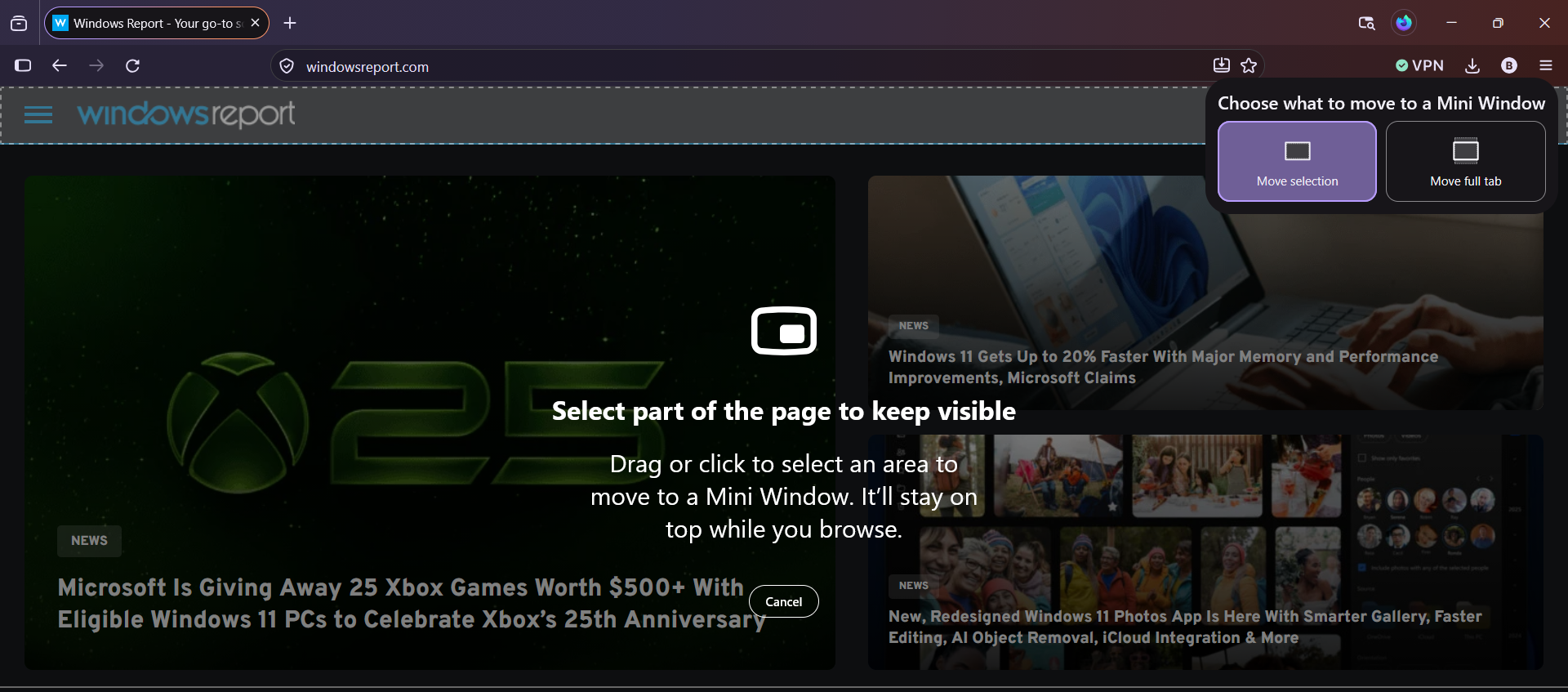
Firefox Nightly is testing a new “Mini Window” feature that lets you move an entire tab or a selected section of a webpage into a smaller, always-on-top window. Unlike Firefox’s existing Picture-in-Picture mode, which focuses on video playback, Mini Window also works with regular webpage content.
You can access the tool in two ways. Right-clicking a tab gives you the Move Tab to Mini Window option, while right-clicking a webpage lets you choose “Move Selection to Mini Window”.
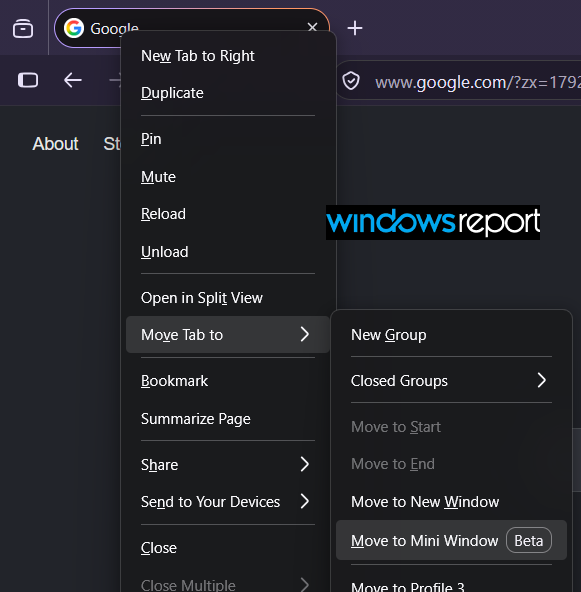
How the two modes work
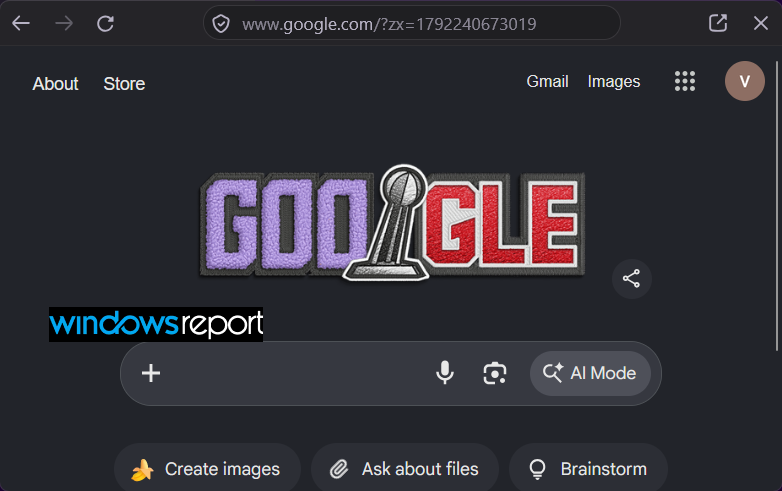
The first option moves your entire tab into a separate, smaller window with a simplified toolbar. The window stays on top of other apps, letting you keep a page visible while you work elsewhere.
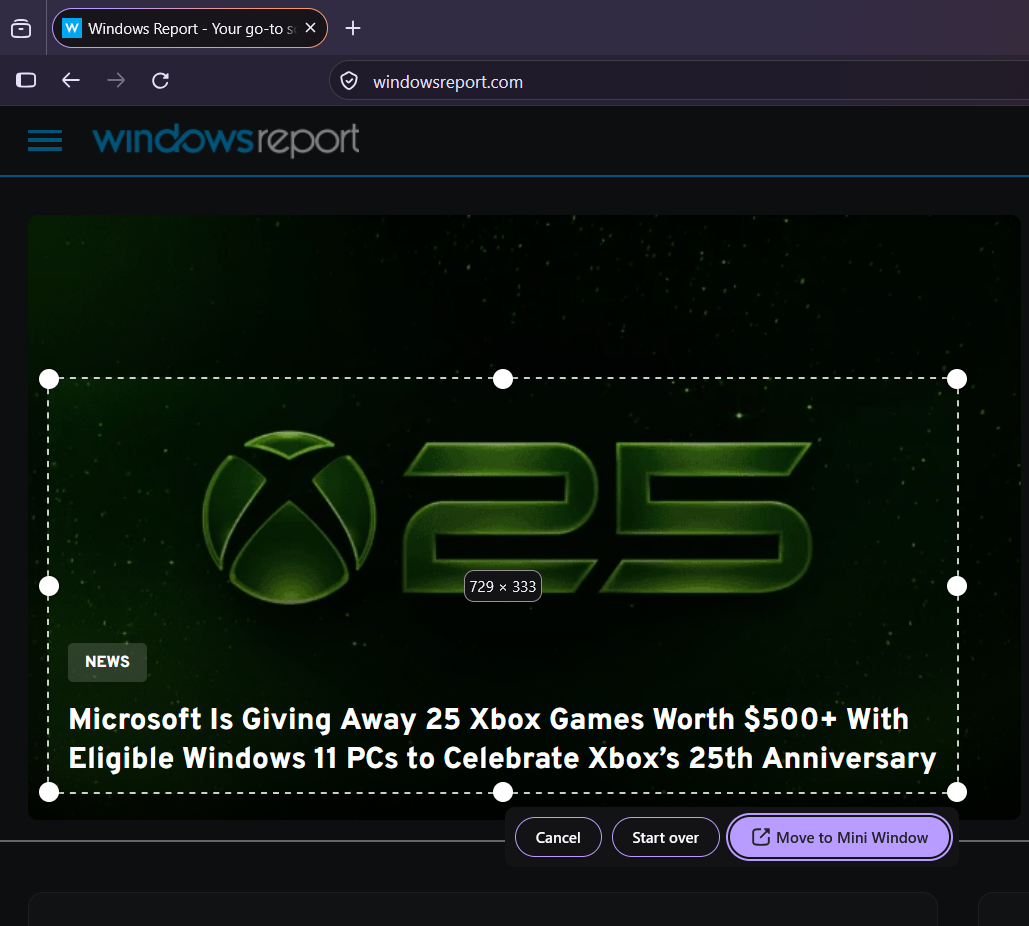
The second option opens an area picker, similar to Firefox’s screenshot tool, so you can select a specific part of a webpage. This is useful when you only need a small section of a site on your screen.
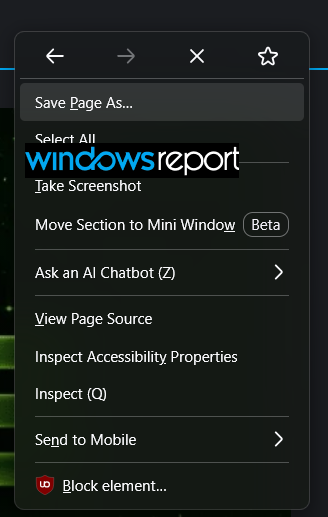
We tested both options in Firefox Nightly. The full-tab mode moved the entire page into a smaller, always-on-top window with a simplified toolbar. In the cropped mode, the selected content remained fully interactive. Resizing the Mini Window scaled the content without affecting its functionality.
When you’re done, an arrow button lets you return to the regular browsing view.
More flexible than Picture-in-Picture
Firefox’s traditional Picture-in-Picture mode focuses on video playback, while Mini Window works with webpage content. This could make it useful for keeping a live chat, dashboard, or comparison table visible without repeatedly switching tabs.
The feature is currently available for testing in Firefox Nightly. Mozilla has not yet shared when it will reach the stable version of the browser.


Read our disclosure page to find out how can you help Windows Report sustain the editorial team. Read more



Improve this guide


User forum
0 messages