
Windows 11 Insider Experimental (26H1) Build Improves Search, Xbox Mode, and AutoPlay


 3 min. read
  Published on
Microsoft has released Windows 11 Insider Preview Build 28120.3393 for the Experimental (26H1) channel, introducing improvements to Windows Search, File Explorer, Xbox mode, and AutoPlay.
According to the official release notes, the update also includes interface changes, bug fixes, and a warning about the upcoming retirement of certain Data Protection API (DPAPI) operations.
Microsoft is rolling out most of these features gradually to Windows Insiders.
Windows Search gets more actions and phone controls
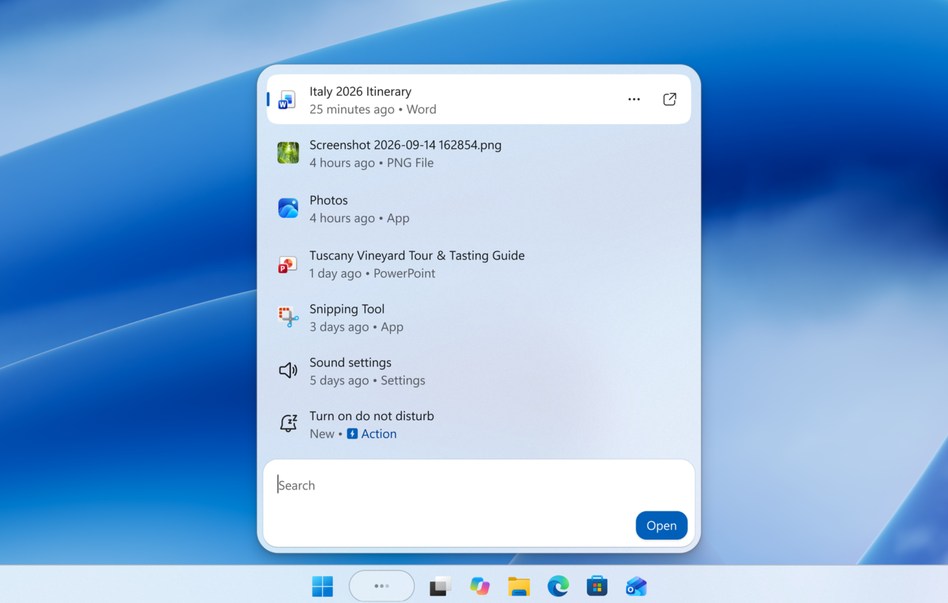
Microsoft is expanding the new Windows Search experience, allowing users to perform more tasks without opening separate applications.
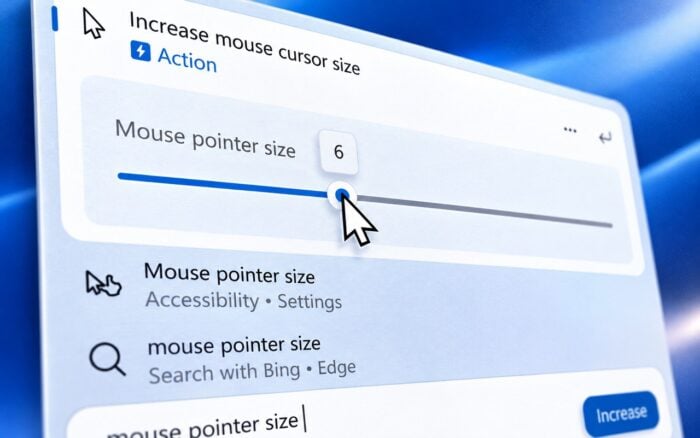
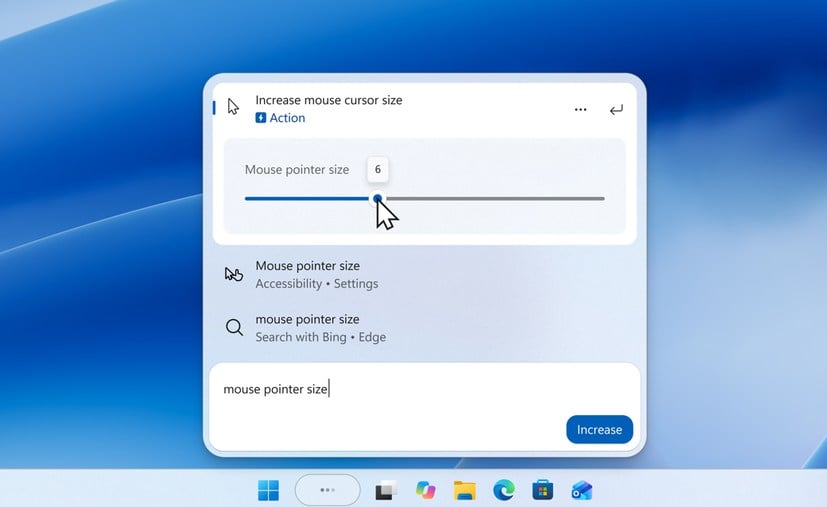
Users can now change Windows 11 settings directly from Search, including adjusting volume, screen brightness, and cursor size through inline sliders.
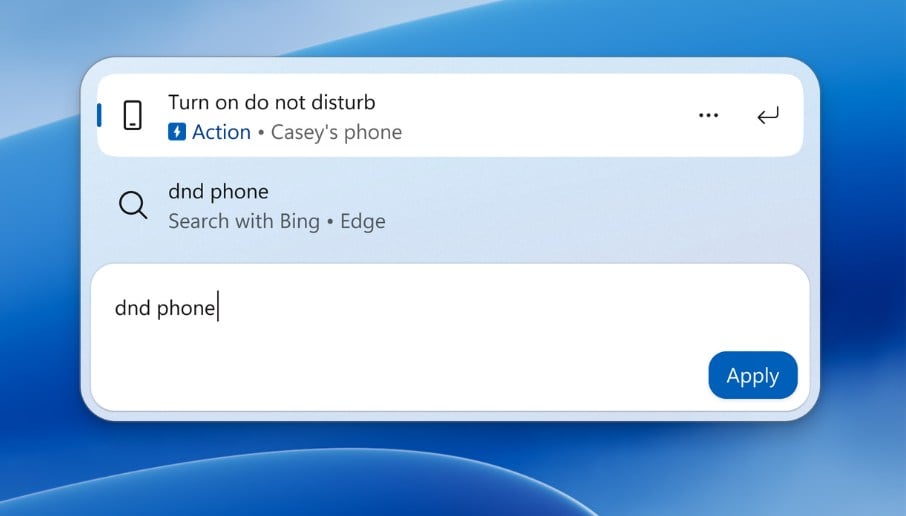
The update also expands Phone Link integration, allowing users to make calls, send messages, and manage Do Not Disturb on connected Android phones. Microsoft plans to introduce iPhone support in early 2027.
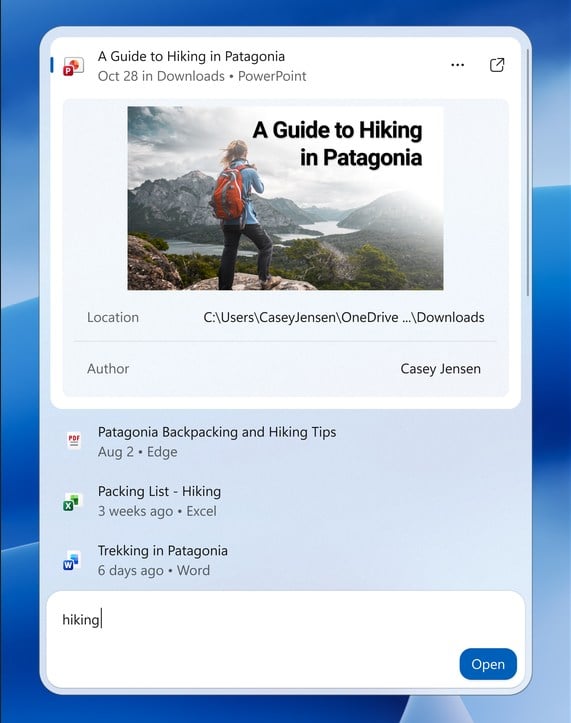
Search results now offer richer file previews, document details, web answers, and Microsoft Store recommendations. New filters help users narrow results by files, settings, actions, and other categories.
Microsoft has also introduced thumbs-up and thumbs-down feedback options and controls for removing unwanted suggestions.
The company continues to work on adapting the Search experience to different taskbar positions and Start menu searches.
File Explorer receives performance and navigation improvements
Build 28120.3393 introduces several File Explorer improvements, including faster loading and better responsiveness on the Home page.
The Recommended section now supports touch scrolling, while Details view displays file sizes using more appropriate units, including KB, MB, and GB.
Users can also middle-click folders in the Address Bar or Home page to open them in new tabs.
Microsoft has improved cloud file thumbnail reliability and reorganized file properties in the Details pane.
The update also fixes an issue that caused Address Bar contents to disappear when users entered edit mode.
AutoPlay gets a modern redesign, while Xbox mode improves navigation
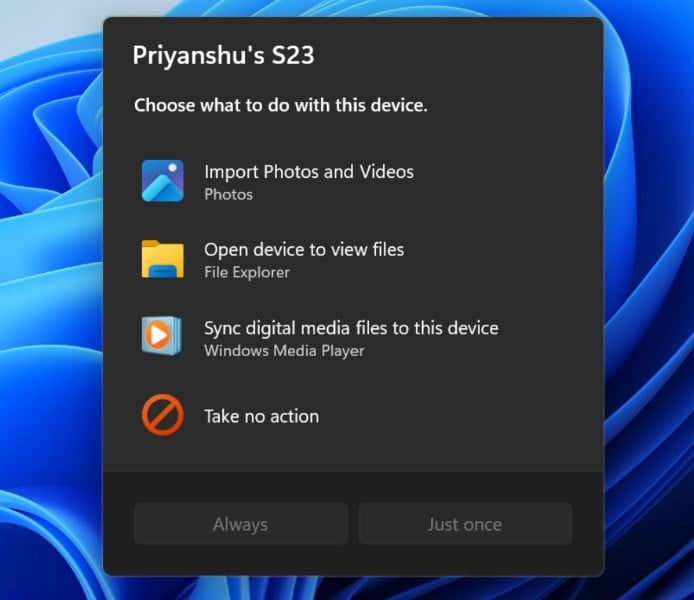
Microsoft is introducing a redesigned AutoPlay dialog built with WinUI.
The new interface follows Windows 11’s visual design, supports dark mode, and offers improved text scaling and responsiveness. AutoPlay notifications also appear in Notification Center.
Meanwhile, Xbox mode receives improvements to its Gaming Task View navigation bar.
The updated navigation bar provides quicker access to Exit to Desktop and Power Options, making it easier to switch between gaming and standard desktop use.
Microsoft has also simplified security key sign-in by removing the Other user icon from the PIN entry screen.
Microsoft confirms DPAPI retirement in April 2027
Microsoft has added a warning about the retirement of prompt-based Data Protection API (DPAPI) protection and unprotection operations in April 2027.
Developers and affected users should stop creating prompt-protected data and migrate or decrypt existing information before the deadline.
DPAPI operations that do not rely on prompt-based protection will continue working normally.
Microsoft has also temporarily rolled back the new solid donut-style loading animations that appear during startup, shutdown, restart, sign-in, and Windows updates.
The company identified a bug affecting these animations and plans to resume their rollout after fixing the issue.
Windows 11 Insider Preview Build 28120.3393 is available in the Experimental (26H1) channel, although individual features may not appear immediately because Microsoft is using a gradual rollout.
For more updates on Windows 11 Experimental builds, check out Build 29698.1000, which introduces privacy and File Explorer improvements. You can also explore Build 26340.9843, which brings new search actions and phone controls.

Read our disclosure page to find out how can you help Windows Report sustain the editorial team. Read more



Improve this guide


User forum
0 messages