
AT&T Login Not Working? 7 Ways to Fix It


 5 min. read
 Published on

If your AT&T login is not working, you may have an incorrect password, outdated browser data, an app problem, or a temporary sign-in error. Follow these steps to restore access to your AT&T account.
How to fix AT&T login not working?
1. Check your AT&T login credentials
AT&T requires the correct user ID and password to access your account. If you manage multiple accounts, make sure you use the correct ID.
- Open the AT&T sign-in page.
- Enter your AT&T user ID and password.
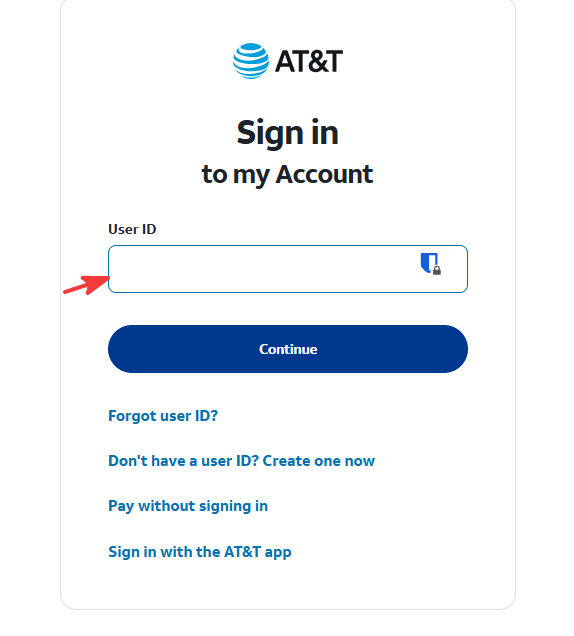
- Check for typing mistakes and make sure Caps Lock is off.
- Click Sign in.
- If you have multiple AT&T accounts, try the ID associated with the account you want to access.
2. Reset your AT&T password
If AT&T displays an incorrect password error, reset your password.
- Open the AT&T password reset page.
- Enter your AT&T user ID.
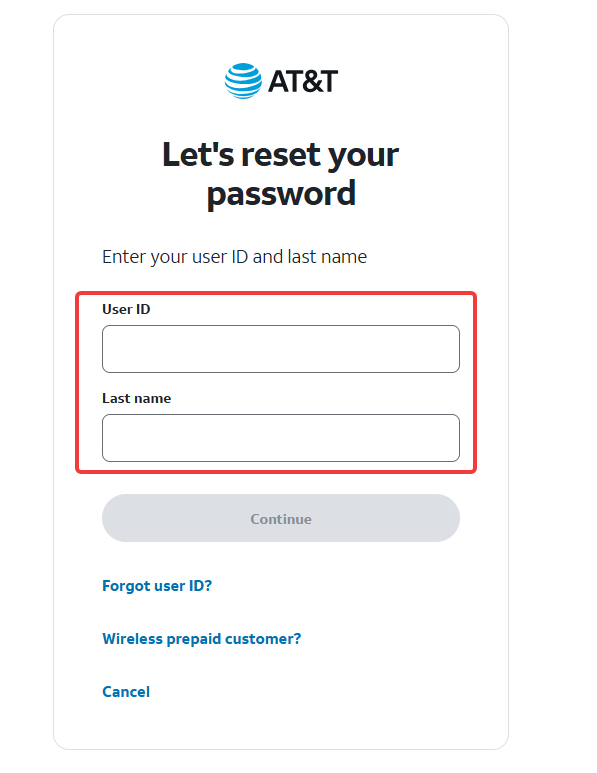
- Follow the prompts to verify your identity.
- Create a new password.
- Return to the login page and sign in with your new password.
If you cannot remember your username, use the AT&T ID recovery page to recover it.
3. Clear your browser cache and cookies
Corrupted cookies or outdated browser data can prevent the AT&T login page from working properly.
- Open Chrome, Edge, or Firefox.
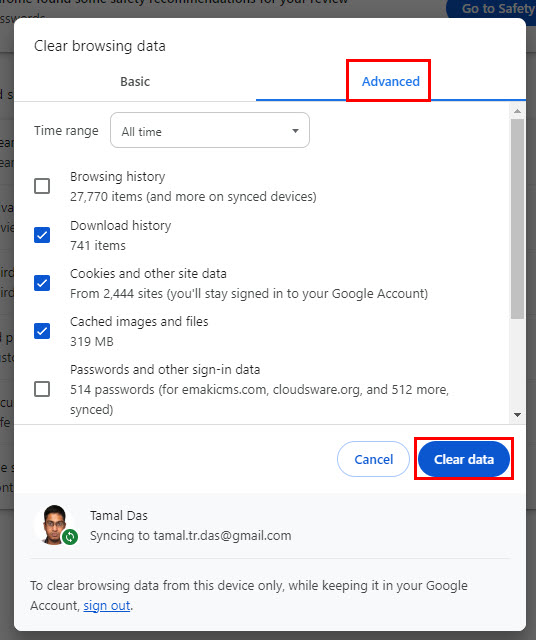
- Press Ctrl + Shift + Delete.
- Select Cookies and other site data and Cached images and files.
- Click Clear data or the equivalent option.
- Restart your browser and try signing in again.
You can also open AT&T in a private or incognito window to check whether browser extensions or stored data cause the issue.
4. Disable VPN and browser extensions
VPN connections, ad blockers, or privacy extensions may interfere with login redirects or verification pages.
- Disconnect your VPN temporarily.
- Disable ad blockers and privacy extensions.
- Refresh the AT&T login page.
- Try signing in again.
- Re-enable your extensions one at a time to identify the cause.
5. Fix AT&T app login problems
If the AT&T app won’t let you sign in, update it and clear its temporary data.
- Open the Google Play Store or Apple App Store.
- Search for the official AT&T app.
- Install any available updates.
- Restart your phone.
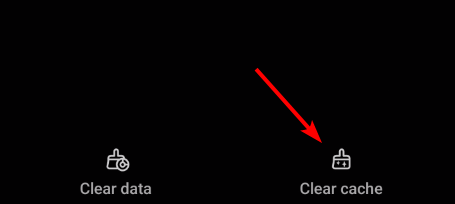
- On Android, open Settings > Apps > AT&T > Storage & cache and select Clear cache, if available.
- Reopen the app and try logging in.
If the issue continues, uninstall and reinstall the app. You can also use the AT&T website until the app works again.
6. Fix AT&T verification code problems
AT&T may require an additional verification code or security passcode before allowing access.
- Check that your phone has an active cellular or Wi-Fi connection.
- Verify that AT&T has your correct recovery number or email address.
- Request a new verification code if the previous one expired.
- Enter the latest code without extra spaces.
- If you cannot receive the code, use another verification option if AT&T offers one.
Avoid requesting multiple codes repeatedly, as this can make it difficult to identify the latest valid code.
7. Check for AT&T service problems
If the login page keeps loading, displays an error, or fails across multiple devices, AT&T may be experiencing a temporary service problem.
- Switch between Wi-Fi and mobile data.
- Try signing in on another device.
- Check AT&T’s official support page for service information.
- Try again later if the problem affects multiple devices and networks.
- Contact AT&T support if you still cannot access your account.
Most AT&T login problems involve incorrect credentials, browser cookies, or app issues. Start with a password reset, then try another browser or device if you still cannot sign in. If the problem involves your home network, check how to access your AT&T router or fix AT&T Wi-Fi issues. If you can sign in through a browser but not your phone, follow these steps to fix the AT&T app.
FAQ
Why is my AT&T login not working?
Your AT&T login may fail because of an incorrect user ID or password, outdated browser data, app issues, or a temporary service problem. Check your credentials and try signing in from another browser or device.
How do I reset my AT&T password?
Open the AT&T password reset page, enter your user ID, and follow the verification steps. Create a new password, then return to the AT&T sign-in page and try again.
Why am I not receiving my AT&T verification code?
Check your phone’s network connection and confirm that AT&T has the correct recovery number or email address. Request a new code and enter the most recent one before it expires.
What should I do if the AT&T app will not let me sign in?
Update the AT&T app, restart your device, and clear the app cache if you use Android. If the problem continues, reinstall the app or sign in through the AT&T website.

Read our disclosure page to find out how can you help Windows Report sustain the editorial team. Read more


Improve this guide


User forum
0 messages