
ChatGPT Not Working Today? Here's Why & How to Fix Common Issues
High traffic can sometimes cause this and other problems to appear


 4 min. read
  Updated on
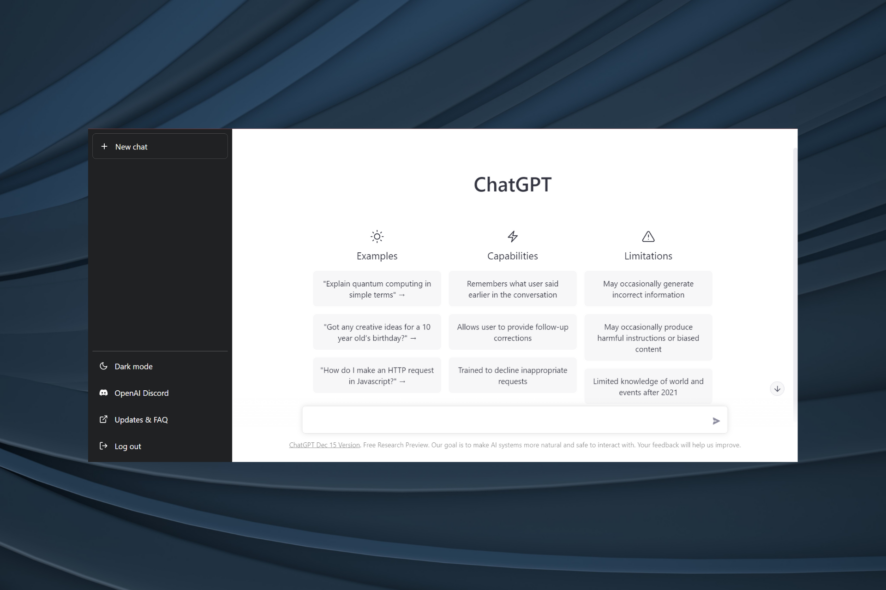
If ChatGPT is not working right now, it might be due to server outage, ChatGPT being resricted in your country or interfering cookies and extensions.
Error messages and loading screens on ChatGPT show up on all devices, but some people claim it is not working on desktop while access on mobile is completely fine. So if you want a quick fix, try your phone.
But let’s address the root causes and make ChatGPT work. Here’s how you fix it if it’s not responding.
How to fix ChatGPT if it’s not working?
1. Clear the cookies
- Click on the ellipsis near the top-right corner, and choose Settings.
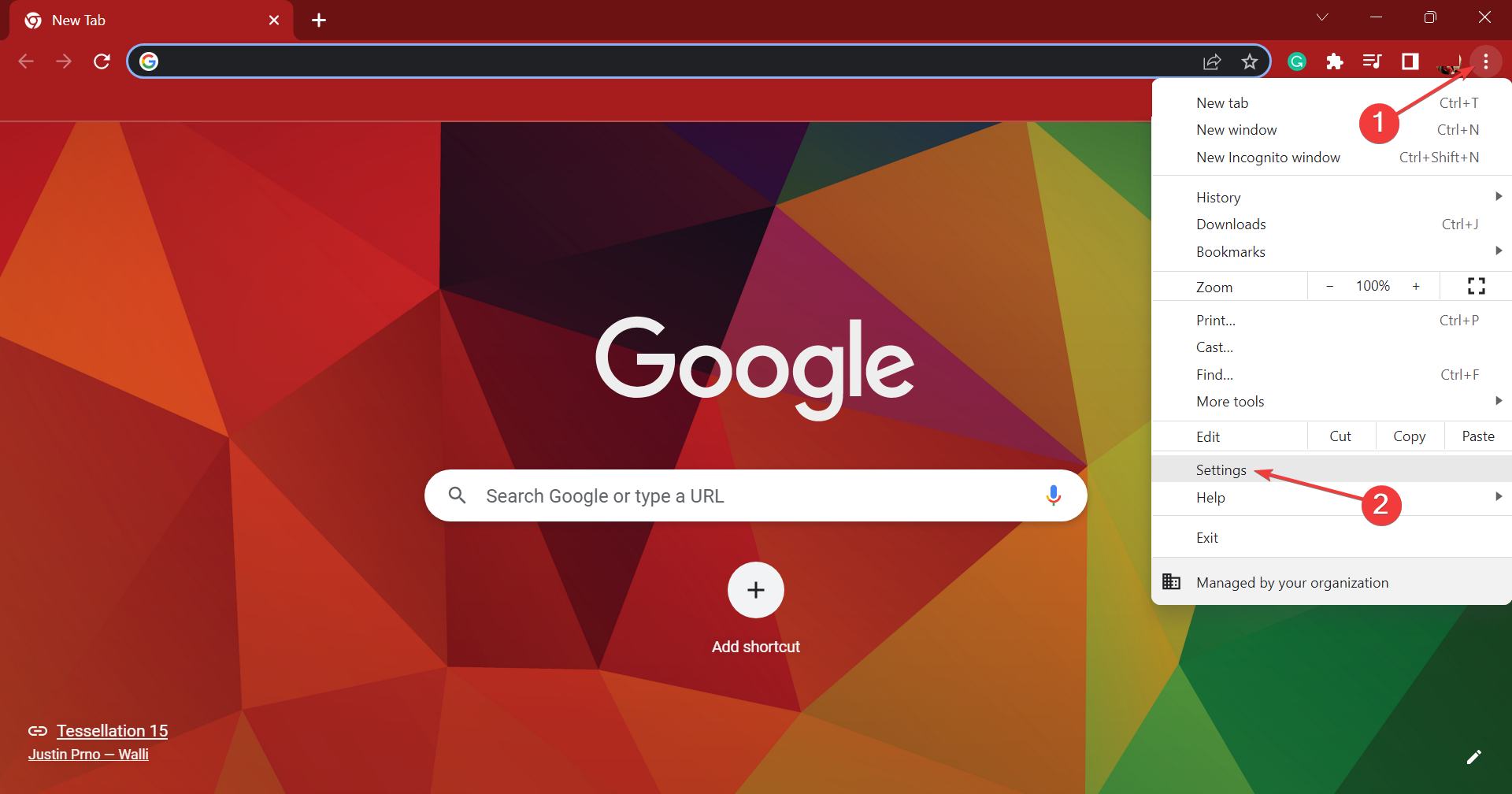
- Select Privacy and security from the navigation pane, and click on Cookies and other site data.
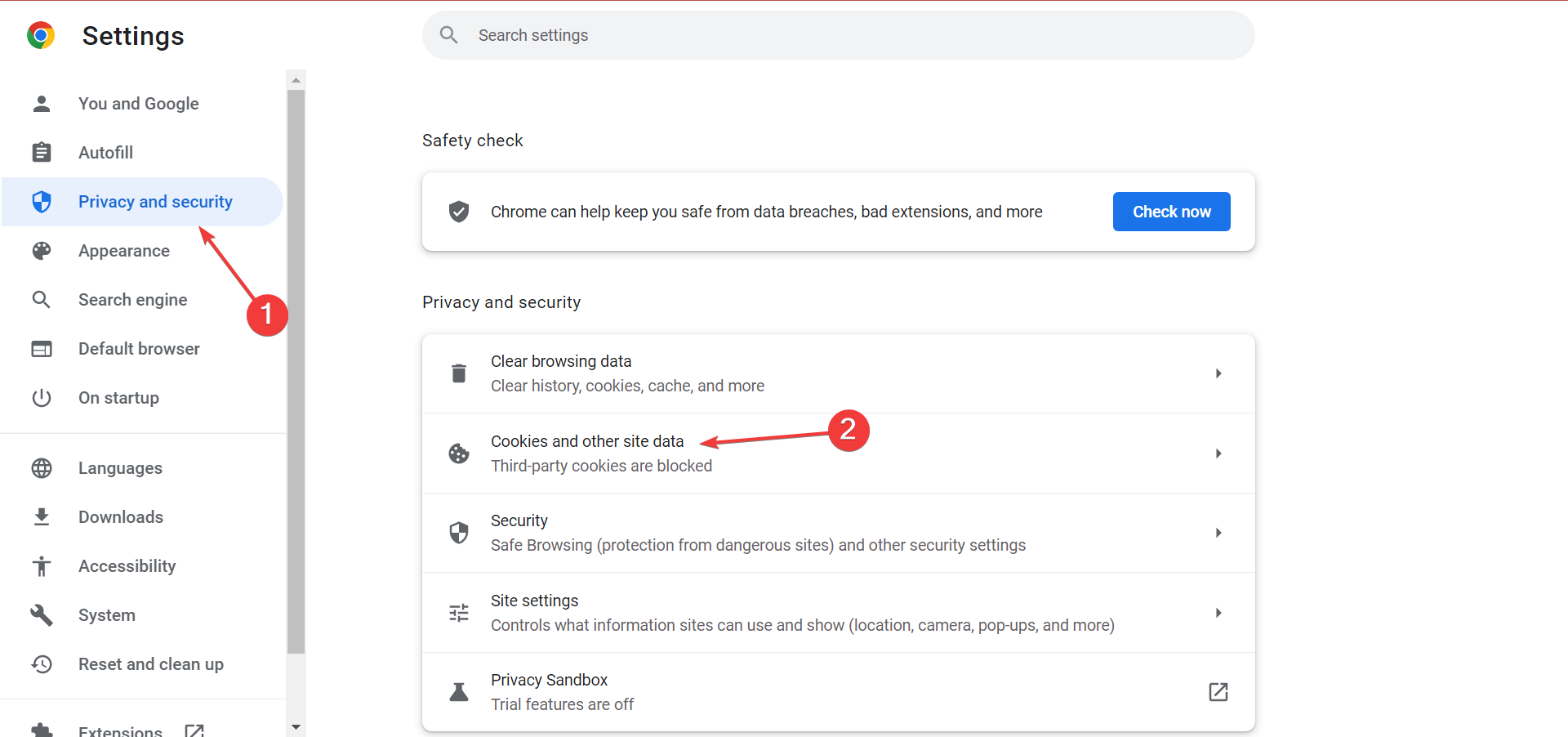
- Click See all site data and permissions.
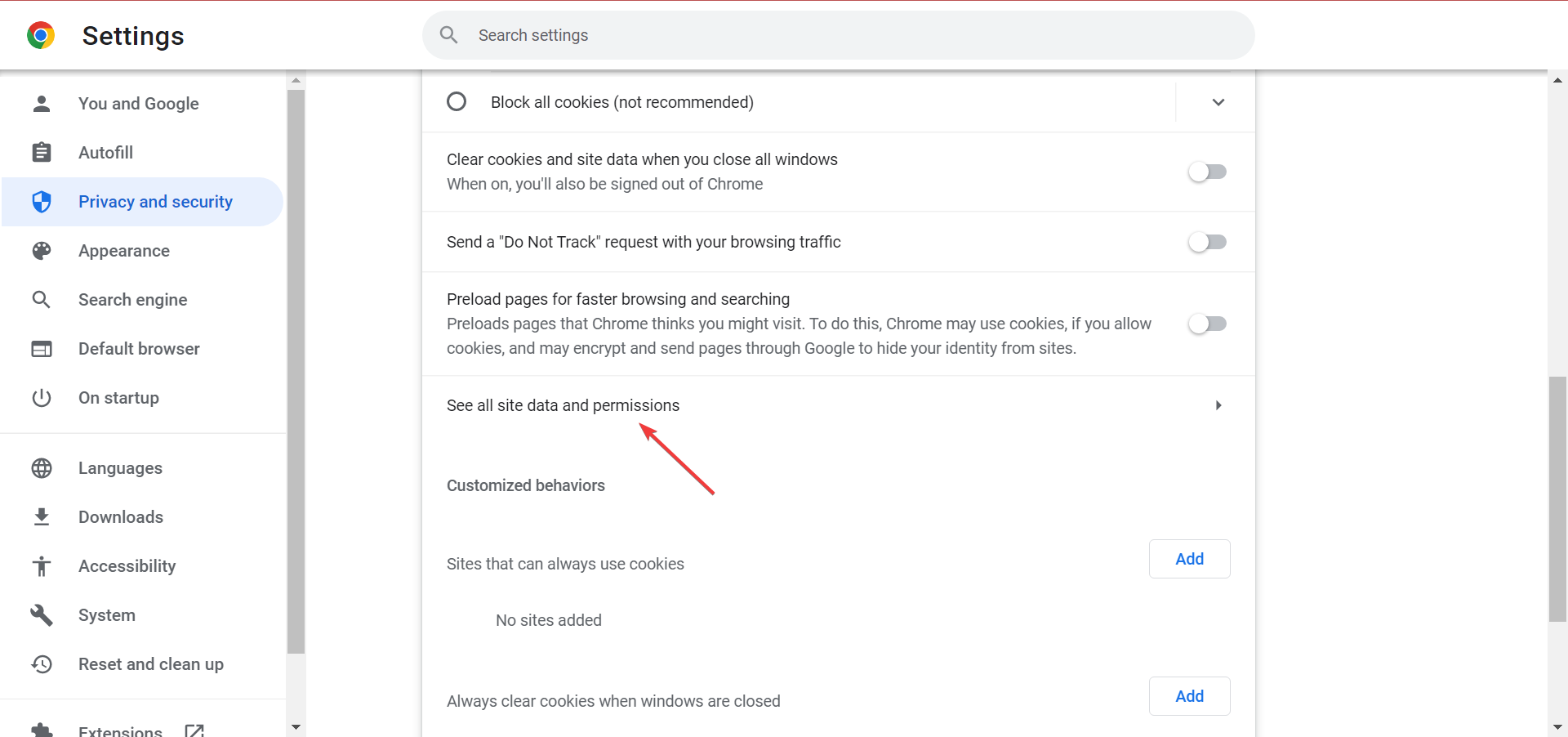
- Search for openai.com in the text field, and click on the Delete icon for the website.
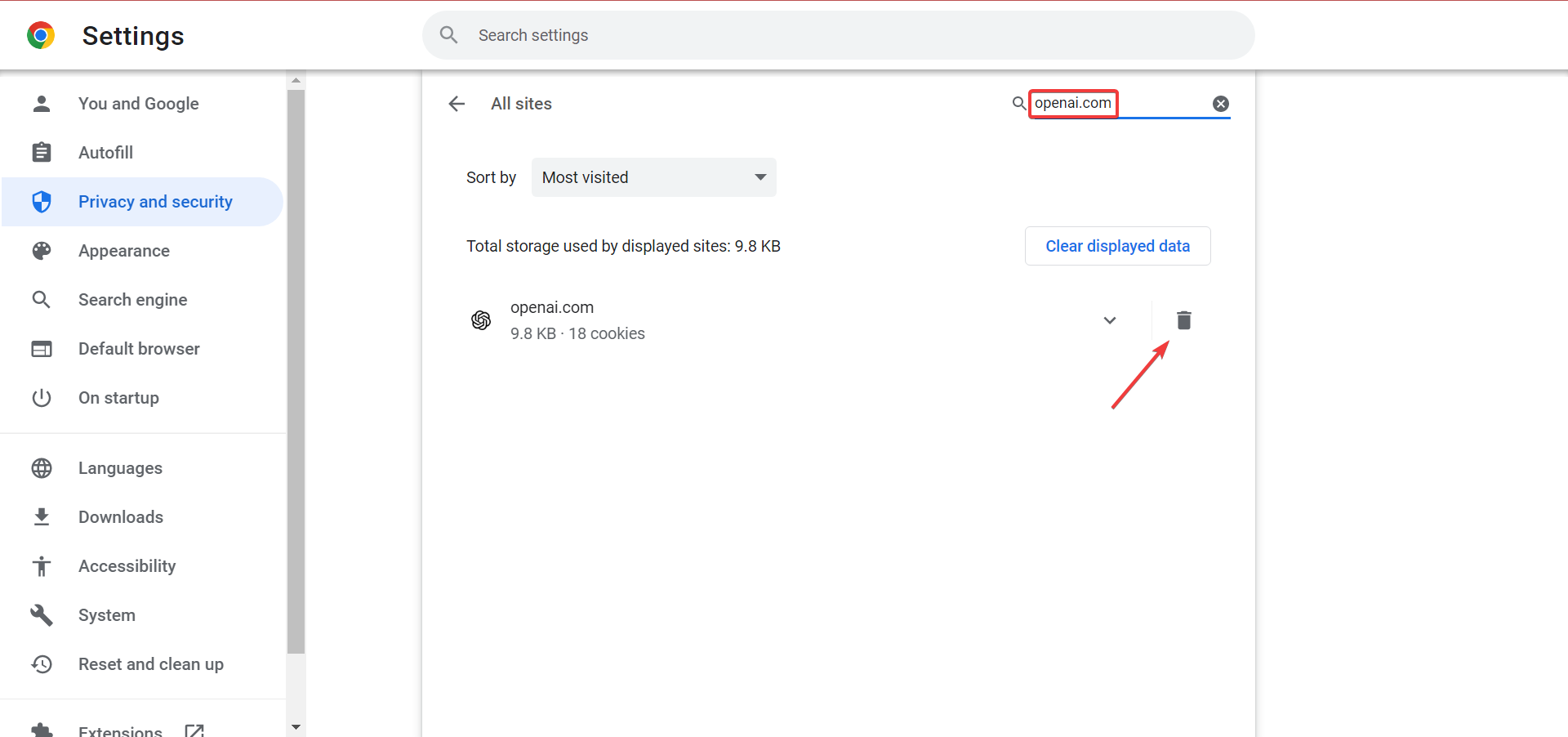
- Again, click Clear in the confirmation prompt.
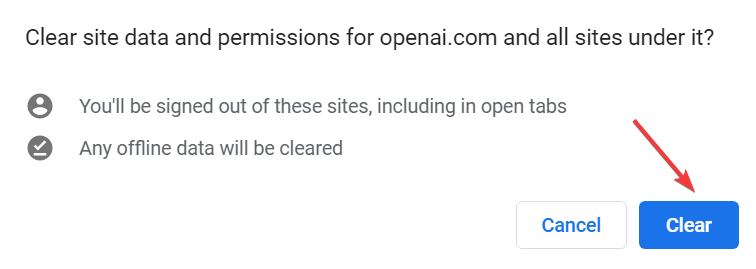
Clearing cookies of your browser and usage of simple prompts can also help you fix similar issues like Error in Moderation; read this guide to learn more.
2. Disable all extensions
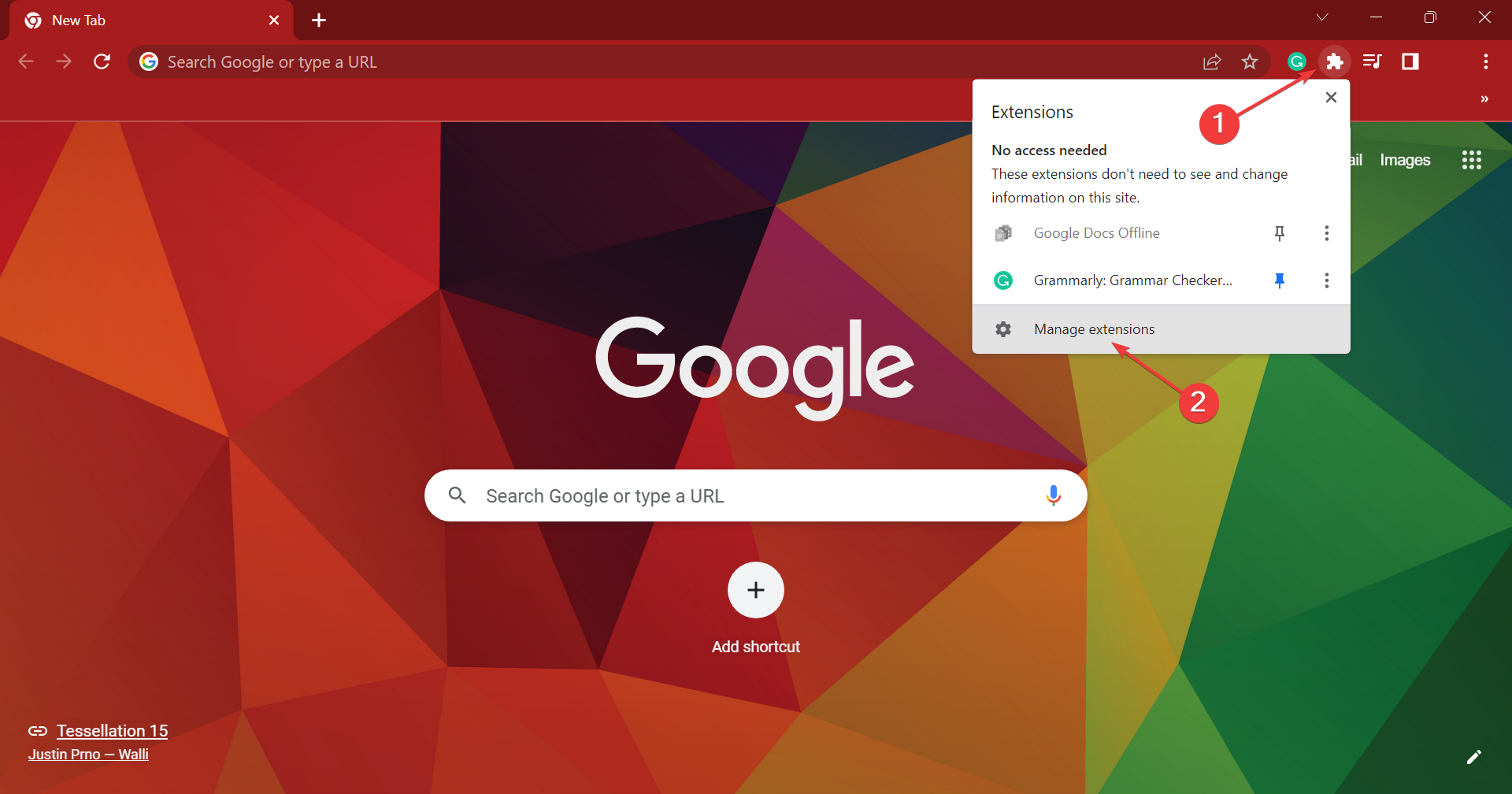
- Click on the Extensions icon, and then select Manage extensions from the flyout menu.
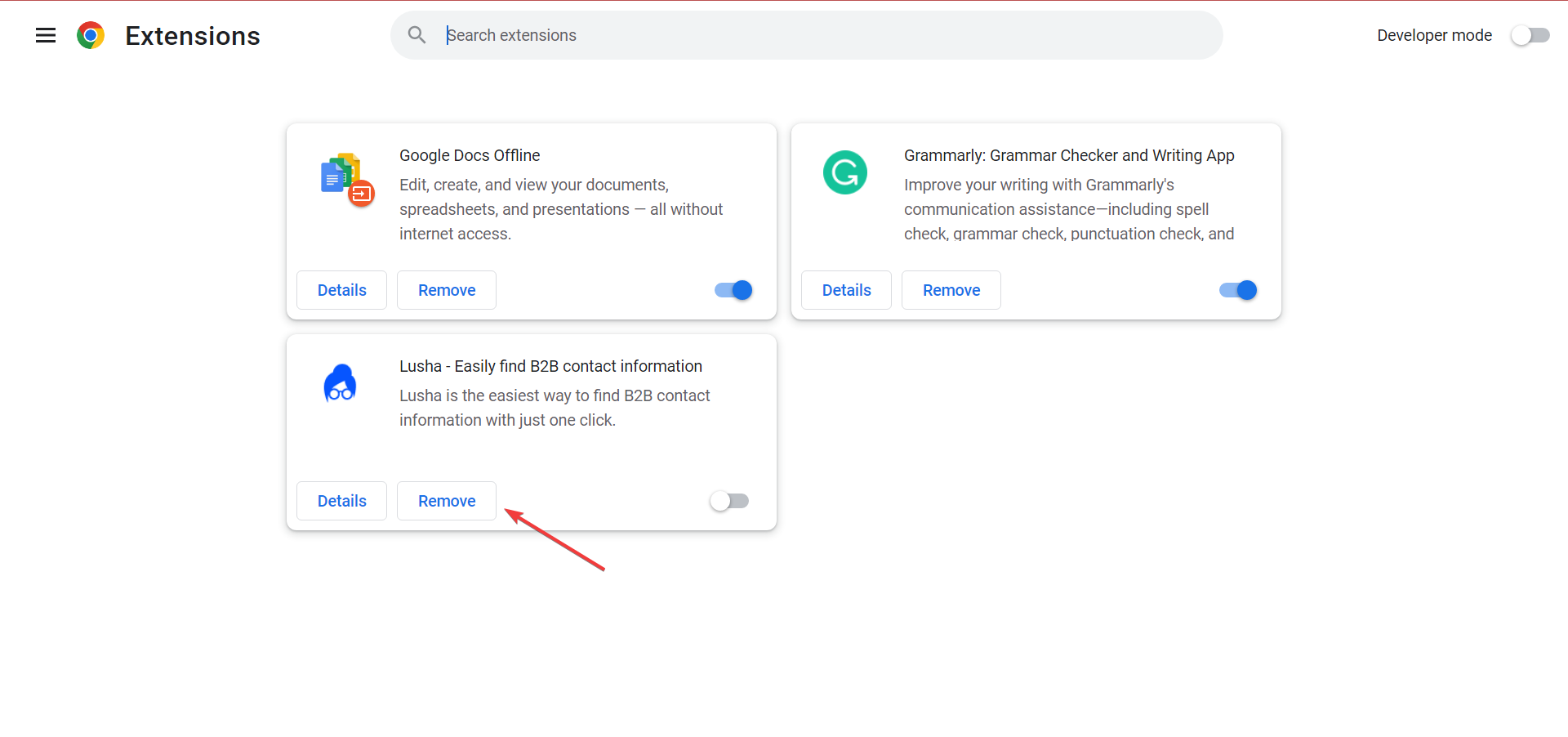
- Now, disable the toggle for all the extensions listed here.
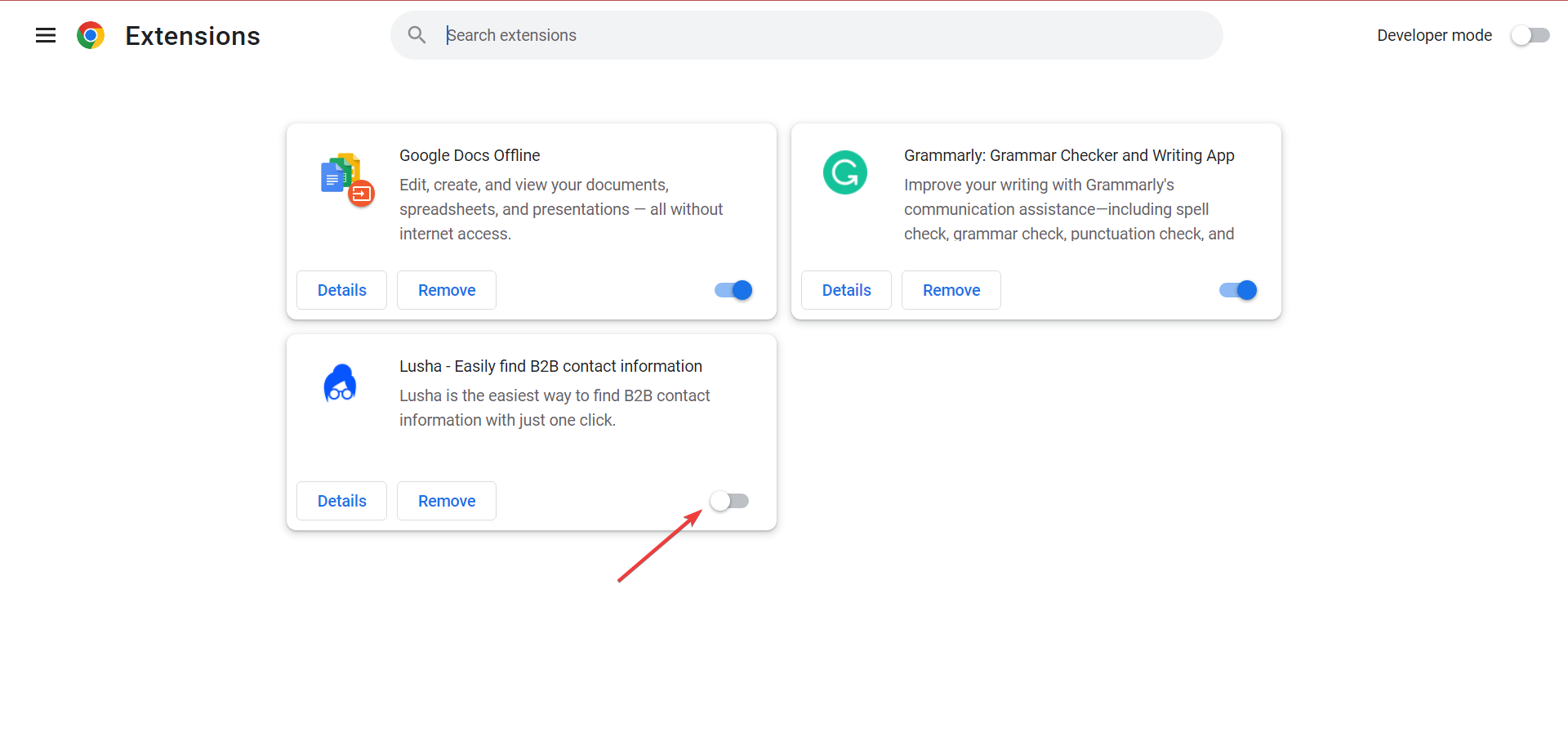
- Check whether ChatGPT now works. If it does, start enabling them one at a time until the problem reappears. As soon as it does, the extension enabled last triggered the issue.
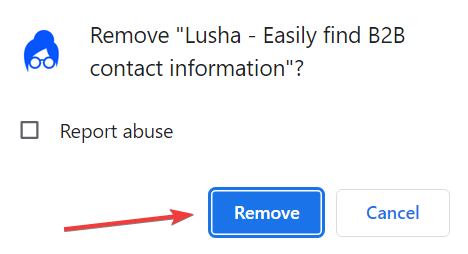
- So, click on the Remove button under it.
- Again, click on Remove in the confirmation prompt.
3. Contact the ChatGPT support
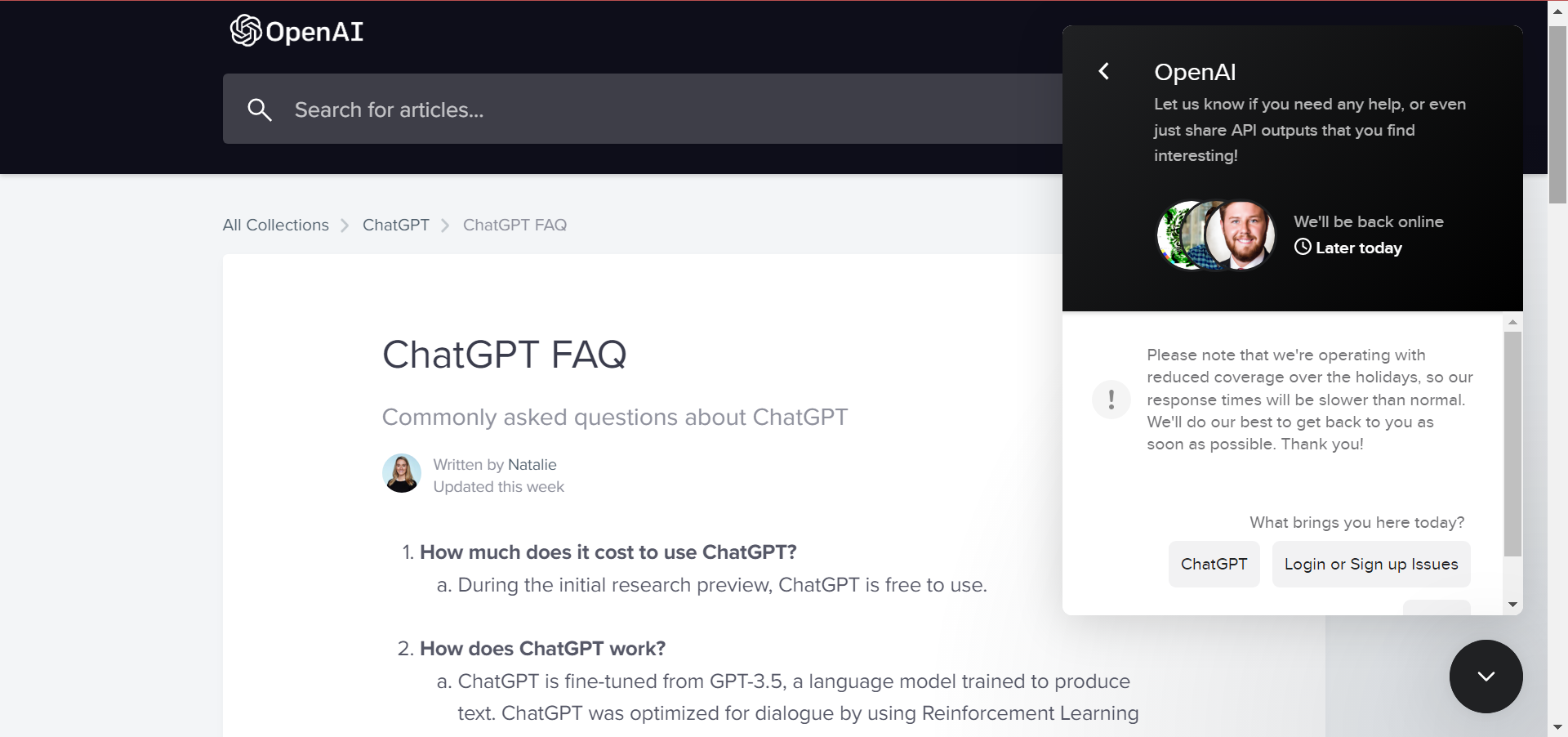
If nothing works, you should contact ChatGPT support and ask them for advice. There’s a chat box on the support website to raise a ticket, though don’t expect a quick response from their end.
That’s it! With these solutions, you can improve things if ChatGPT is not working.
And if you’re looking for a quick way to fix Error in Moderation on ChatGPT, take a closer look at our dedicated guide. We also have a guide on what to do if you encounter a ChatGPT network error that you shouldn’t miss.
These aren’t the only issues. Many reported errors while validating credentials, and some even get a message saying that ChatGPT is not available in their country.
Before you go, don’t miss our guide on Searching knowledge error in ChatGPT for more information about ChatGPT issues.
FAQs related to ChatGPT not working
ChatGPT may not be working due to an OpenAI server outage, scheduled maintenance, high traffic, browser issues, or problems with your internet connection.
Try refreshing the page, clearing your browser cache, disabling VPNs or browser extensions, or signing out and back into your OpenAI account. If the issue continues, check whether OpenAI is experiencing an outage.
Occasionally, OpenAI experiences service disruptions or elevated error rates that can affect ChatGPT. Checking the official OpenAI status page is the fastest way to see if there’s an ongoing issue.
Cloudflare may temporarily block access if it detects unusual traffic, VPN usage, browser security settings, or network activity that triggers its protection systems. Disabling your VPN or switching networks can sometimes resolve the issue.
Not necessarily. If ChatGPT won’t load or keeps showing errors, it could be a local issue or a temporary outage. Checking the OpenAI status page can help confirm whether the service is down.
A slow internet connection, browser cache problems, overloaded servers, or temporary OpenAI issues can cause ChatGPT to get stuck on the loading screen.
This error usually appears because of temporary server issues, network interruptions, browser problems, or expired login sessions. Refreshing the page or trying again later often fixes it.
Browser extensions, corrupted cache files, cookies, or VPNs can sometimes prevent ChatGPT from loading properly. Trying a different browser or using Incognito mode can help identify the cause.
Restart your browser, clear your cache, disable VPNs and extensions, check your internet connection, and verify whether OpenAI has reported an outage. If the problem persists, try again later or contact OpenAI Support.
Remember to share your ChatGPT review in the comments section below. Also, drop any other solutions that you may know of.

Read our disclosure page to find out how can you help Windows Report sustain the editorial team. Read more



Improve this guide



User forum
15 messages