
Chrome for Android adds “Send to your device” shortcut to address bar
Google is testing a new address-bar shortcut for Chrome’s existing cross-device tab-sharing feature, spotted in Chrome Beta for Android.


 2 min. read
  Published on
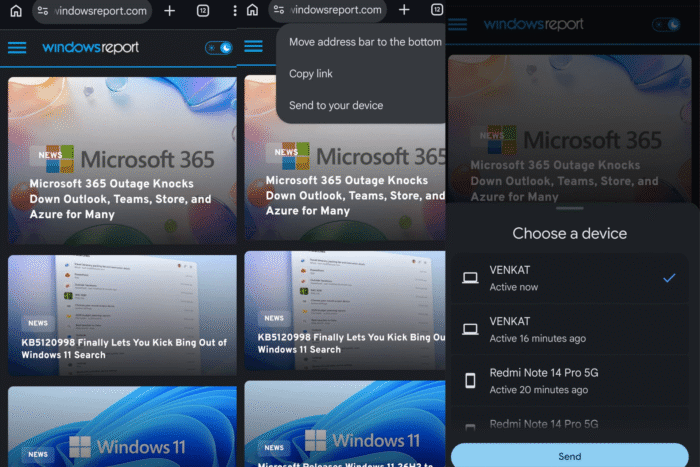
Google appears to be testing a faster way to send the current Chrome tab to another signed-in device on Android. Chrome’s address-bar long-press menu can display a “Send to your device” option, giving users a shortcut to the browser’s existing cross-device tab-sharing feature.
The new entry appears after a long press on the address bar. It’s available alongside “Copy link” and “Move address bar to the bottom,” adding tab sharing to the menu of actions for the current page.
Tapping “Send to your device” opens Chrome’s device picker, where users can select another phone, tablet, or computer connected to the same Google account. Chrome then sends the open webpage to that synced Chrome installation.
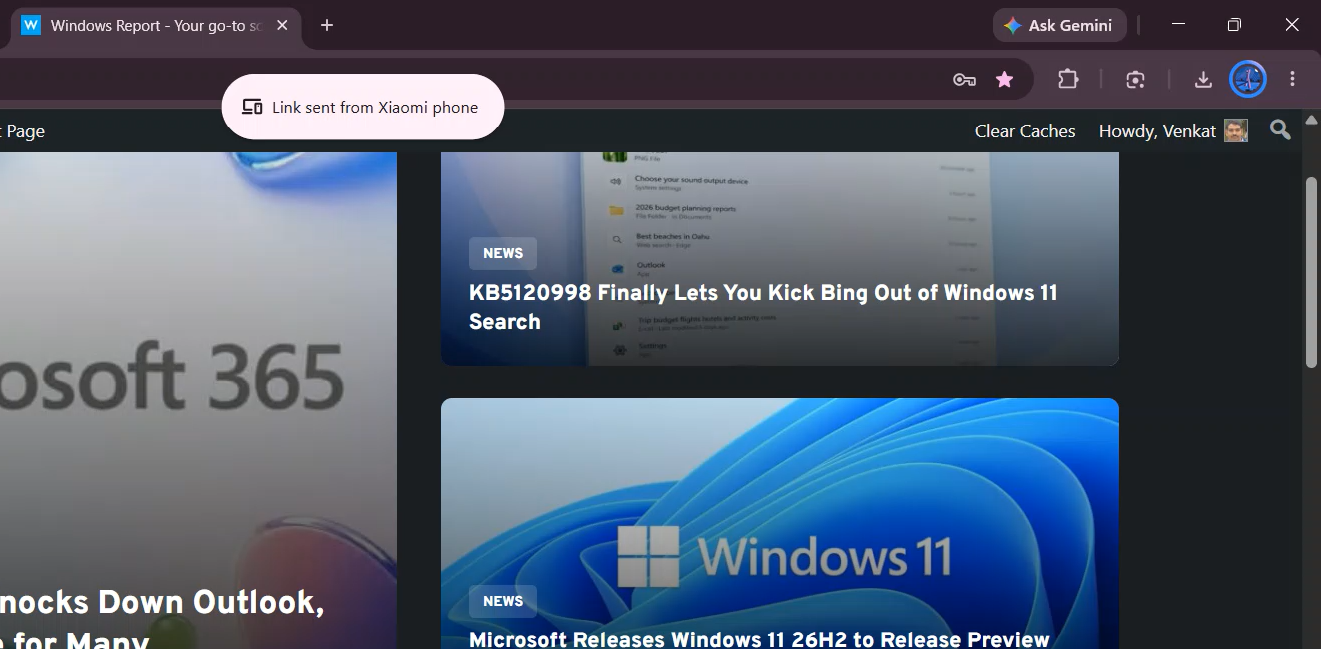
A shortcut for an existing feature
Chrome has supported tab sharing between devices for years, so Google is not introducing an entirely new sharing system. The change is a new entry point in Android’s address-bar menu.
Previously, users could access the tab-sharing feature through Chrome’s Share interface. The new shortcut puts it one long press away while a page is open, without requiring users to open Chrome’s broader sharing menu.
Tied to an experimental flag
In our testing, the address-bar option appeared in Chrome Stable for Android after we enabled the experimental “Send Tab To Self enhanced handoff” flag in chrome://flags. We also spotted the shortcut in Chrome Beta, Dev, and Canary.
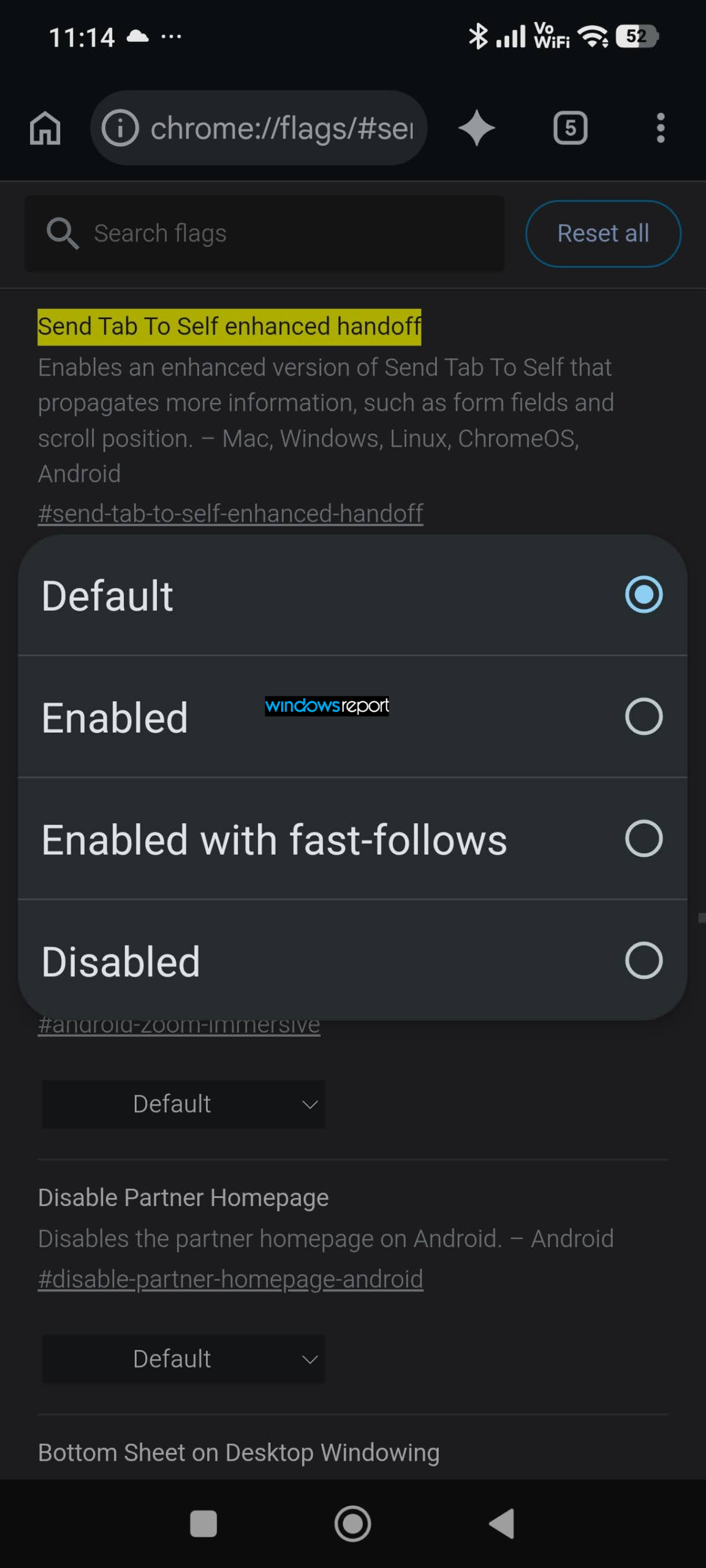
Chrome describes the flag as an enhanced version of Send Tab to Self that can propagate additional context, such as form fields and scroll position. The address-bar menu is the visible change relevant here, giving users a quicker way to send the current page to another Chrome device.
Google has not announced a wider rollout for the address-bar shortcut. Its availability may vary by Chrome version, account and Sync configuration, eligible receiving devices, and experiment status.


Read our disclosure page to find out how can you help Windows Report sustain the editorial team. Read more



Improve this guide


User forum
0 messages