
Chrome Now Shows Scroll Buttons When You Have Too Many Tabs, You Can Hide Them Too


 2 min. read
  Published on
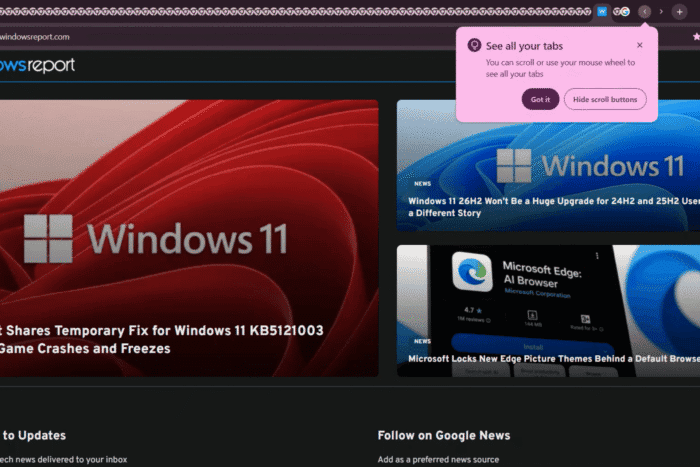
Chrome Canary is testing tab scroll buttons on the horizontal tab bar, along with a new Appearance setting that controls when Chrome automatically shows them.
The setting, “Automatically show tab scroll buttons when needed,” allows Chrome to display left and right tab scroll buttons when open tabs no longer fit across the horizontal tab strip. The controls let users move through tabs that sit outside the visible part of the tab bar.
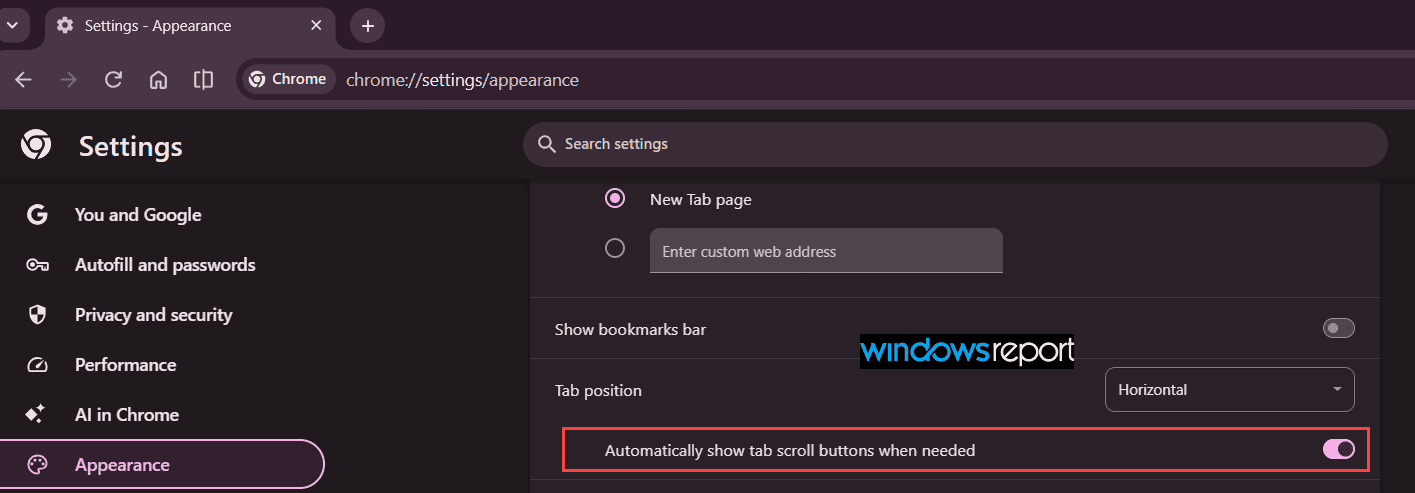
Chrome has tested scrollable tabs and tab scroll buttons in the past, so the controls themselves are not new. What is new in the latest Canary implementation is the dedicated setting that lets users control whether Chrome automatically shows the tab scroll buttons when the tab strip becomes crowded.
When the buttons first appear, Chrome may also display a “See all your tabs” message. It explains that users can scroll or use the mouse wheel to access tabs outside the visible part of the tab strip. The message also includes a “Hide scroll buttons” action that lets users remove the controls immediately.
Chrome’s new setting appears in the browser’s tab-related Appearance options, alongside controls such as Tab position and the tab search button. Users who keep a large number of tabs open can leave the option enabled so Chrome shows the scroll buttons when needed. Those who prefer a cleaner horizontal tab bar can hide the buttons from the message or turn off the automatic behavior in Settings.
The change is tied to Google’s Tab Strip Unification work. Chromium introduced a feature flag for the project in June, titled “[Unified TabStrip] Create feature flag for tab strip unification work.” The project initially looked like infrastructure work, but the latest Canary changes show that it is also producing user-facing changes for the horizontal tab strip.
Chrome is still testing the feature in Canary, so its wording, behavior, and eventual availability could change before it reaches the Stable channel.
To try the feature in Chrome Canary, first enable the Unified Tab Strip flag from chrome://flags. Once enabled, navigate to Settings > Appearance and turn on “Automatically show tab scroll buttons when needed.”



Read our disclosure page to find out how can you help Windows Report sustain the editorial team. Read more



Improve this guide



User forum
0 messages