
Chrome will let Gemini turn your voice into polished text
Google is testing Gemini AI for Chrome Canary's upcoming Voice Typing and dictation experience.


 2 min. read
  Published on
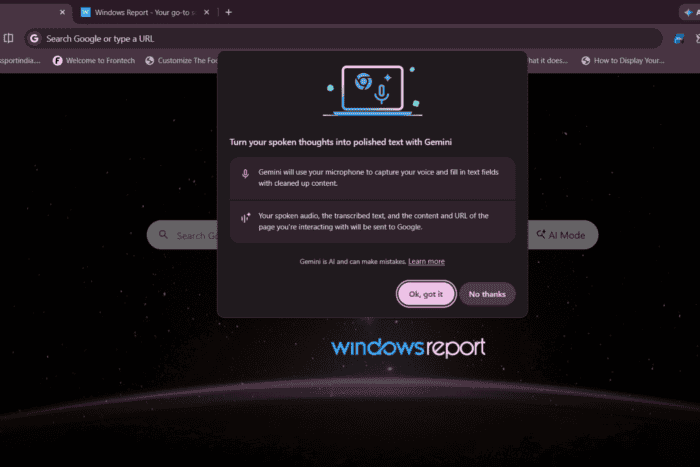
Google is rebranding Chrome’s upcoming Voice Typing feature around Gemini. The latest Chrome Canary replaces the earlier Chrome branding with Gemini and asks users for consent before they start dictating.
We first reported on Chrome’s built-in Voice Typing feature several weeks ago. The latest Chrome Canary now greets users with the message: “Turn your spoken thoughts into polished text with Gemini”.
The dialog explains that Gemini uses the microphone to capture speech and fill supported text fields with polished text. It also states that users’ spoken audio, transcribed text, and the page’s content and URL are sent to Google, while noting that Gemini can make mistakes.
After accepting the dialog, using Chrome’s Gemini-powered Voice Typing feature is straightforward. Right-click inside a supported text field and select “Voice typing.” A compact Voice Typing bar appears at the top of the browser. Click Start and begin speaking. Animated waves show Chrome is listening while Gemini processes the dictation.
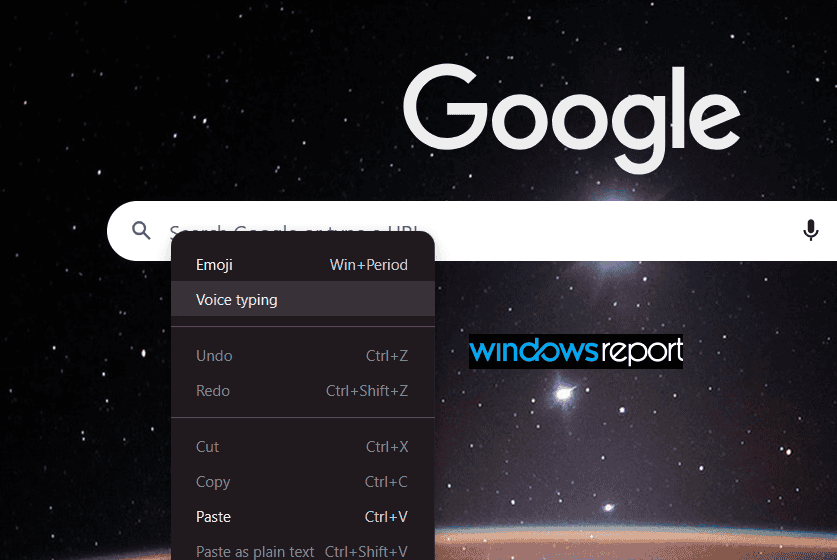
When you finish, click Done. Chrome inserts the polished text directly into the selected input field, returns focus to it, and lets users review or edit the text before submitting it.
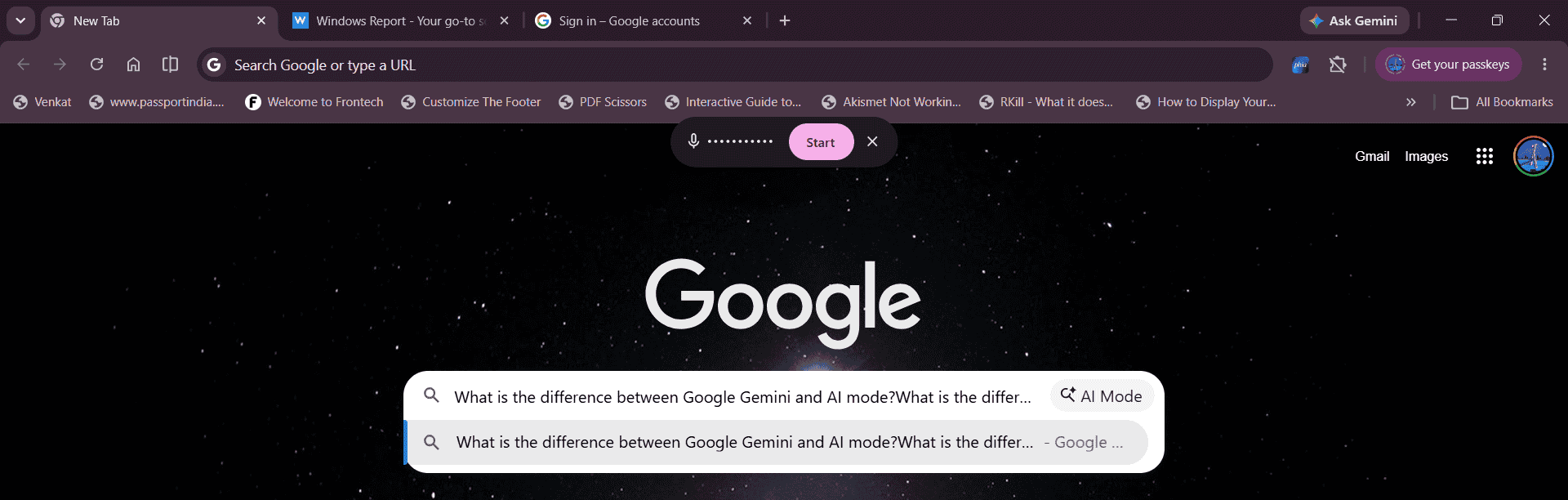
The feature also handles interruptions. If users switch to another tab while dictating, Chrome stops listening and displays a toast notification reading “Voice typing stopped.”
A Chromium commit spotted by Windows Report also reveals that Google is preparing a dedicated Voice typing page under “AI in Chrome” settings. Although the page is not available in Chrome Canary yet (at the time of writing), the underlying code points to Voice Typing preferences and a customizable keyboard shortcut, with options to edit or clear the shortcut directly in Settings.
Microsoft has already introduced Fluid dictation for Voice Typing in Edge on Copilot+ PCs, using on-device AI to refine speech with automatic grammar and punctuation corrections. By comparison, Chrome’s Gemini consent dialog states that spoken audio, transcripts, and webpage content and URLs are sent to Google for processing. Google has not indicated that the feature will require Copilot+ PC hardware.
While Voice Typing is still under development, the new consent prompt shows that Google is continuing to integrate Gemini into the feature.


Read our disclosure page to find out how can you help Windows Report sustain the editorial team. Read more



Improve this guide




User forum
0 messages