
DocuSign Login: How to Sign In on Web and Mobile


 4 min. read
  Published on

DocuSign lets you access your eSignature account, manage documents, check envelopes, and send agreements for electronic signatures, and in this guide we’ll show you how to log in to DocuSign.
How do I log in to DocuSign?
1. Use the web browser
The fastest way to access your DocuSign account is through the official login page.
- Open the DocuSign login page.
- Enter your email address and select Next.
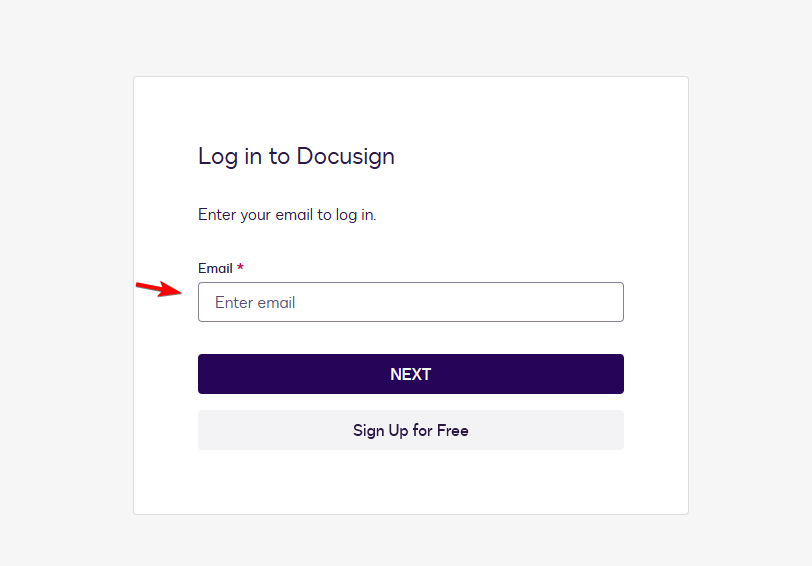
- Enter your password or continue with your company’s SSO login.
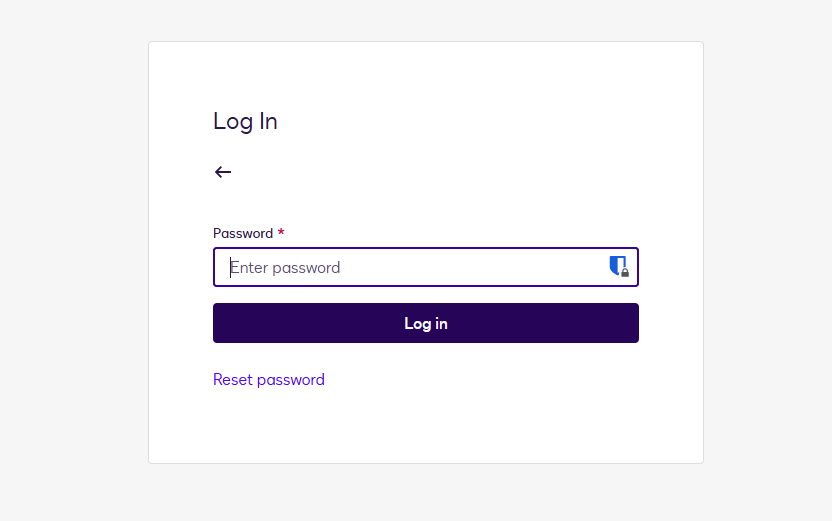
- Complete verification if DocuSign asks for a code, authenticator approval, security key, or biometric check.
- Access your account and manage documents, envelopes, and signatures from the dashboard.
2. Use company login
Some businesses configure DocuSign to use single sign-on (SSO) instead of a separate DocuSign password.
- Open the DocuSign sign-in page.
- Enter your work email address and select Next.
- Choose your company login or SSO option if DocuSign displays it.
- Complete authentication through your organization’s identity provider.
- Contact your IT administrator if the company login fails or you cannot access your account.
3. Use mobile app
You can also access your DocuSign account through the DocuSign eSignature mobile app.
- Open the DocuSign app on your phone or tablet.
- Select the login option.
- Enter the email address connected to your account.
- Enter your password or complete your company authentication.
- Complete any required verification step.
Existing customers can use the same account credentials with the mobile app. DocuSign offers its eSignature app for iPhone, iPad, and Android devices.
How to fix DocuSign login problems
If the DocuSign login page doesn’t work or you can’t access your account, try these fixes:
- Check your email address – Make sure you entered the email linked to your DocuSign account, especially if you use separate personal and work accounts.
- Reset your password – Select Forgot Password if DocuSign rejects your password or you can’t remember it.
- Try a private browser window – Open DocuSign in Incognito or private browsing mode to avoid problems caused by old cookies or cached login data.
- Clear your browser cache and cookies – Remove stored browser data if DocuSign keeps loading an old session or refuses to sign you in.
- Check your verification method – Make sure you can access the phone number, email account, authenticator app, security key, or other method linked to your account.
- Check DocuSign service status – Visit the official DocuSign Status Center if the login page won’t load or several DocuSign features stop working.
- Contact DocuSign support – Use the DocuSign Support Center and choose I can’t access my account if the other fixes don’t solve the problem.
As you can see, logging in to DocuSign is straightforward once you know which sign-in method your account uses. If you also use other online services, check out our guide on how to log in to a Microsoft account on any device.
For email access, you can also learn how to sign in to Outlook with a QR code, which can make the process faster on supported devices. And if you work with Google’s productivity tools, see our guide on how to sign in to Google Docs on the web and mobile app.
FAQs regarding DocuSign login
How do I log into my DocuSign account?
Open the official DocuSign login page, enter your registered email address, select Next, and enter your password or complete your organization’s company login.
What is the official DocuSign login page?
The main account sign-in page is account.docusign.com. It asks for your email address before continuing with authentication.
Why can’t I log into DocuSign?
Incorrect credentials, cached browser data, two-step verification problems, company SSO settings, or a DocuSign service issue can prevent access. Reset your password, try a private browser window, and check the DocuSign service status.
Can I sign a DocuSign document without logging in?
Yes. In most cases, recipients don’t need a DocuSign account when someone sends them a document through DocuSign. They can open the email request and complete the signing process directly.
Why does DocuSign keep asking for a verification code?
DocuSign can request additional verification when you enable two-step verification or when the service detects an unrecognized browser or device.
Can I use the same DocuSign login on my phone?
Yes. Existing DocuSign customers can use their account credentials with the DocuSign eSignature mobile app on supported iPhone, iPad, and Android devices.

Read our disclosure page to find out how can you help Windows Report sustain the editorial team. Read more



Improve this guide




User forum
0 messages