
Edge Is Now Up to 33% Faster on Windows 11 Thanks to Accelerated App Launches, Microsoft Confirms


 2 min. read
  Published on

Microsoft has introduced Accelerated app launches, a new Windows 11 feature that helps applications open faster. According to Microsoft, the technology makes Microsoft Edge launch 15% faster under normal conditions and up to 33% faster during heavy multitasking.
The feature arrives with the October 2026 optional preview update KB5127936 for Windows 11 25H2 and 26H2.
How Accelerated app launches make Microsoft Edge faster
Normally, opening Microsoft Edge requires Windows to start an intermediary process that checks whether the browser is already running. This additional step can delay the browser’s launch, particularly when the system is handling several applications simultaneously.
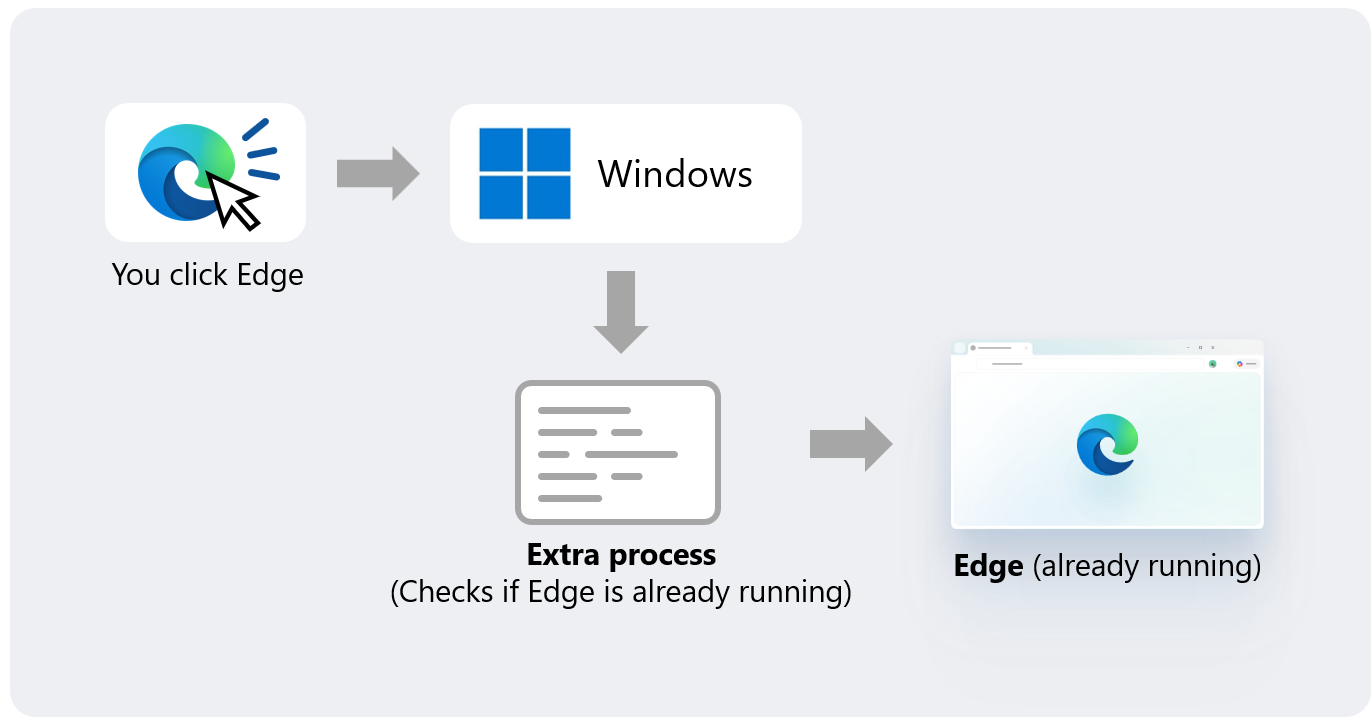
Accelerated app launches remove that extra step. After Edge registers itself with Windows during its initial launch, Windows can locate the existing browser process directly when users open it again.
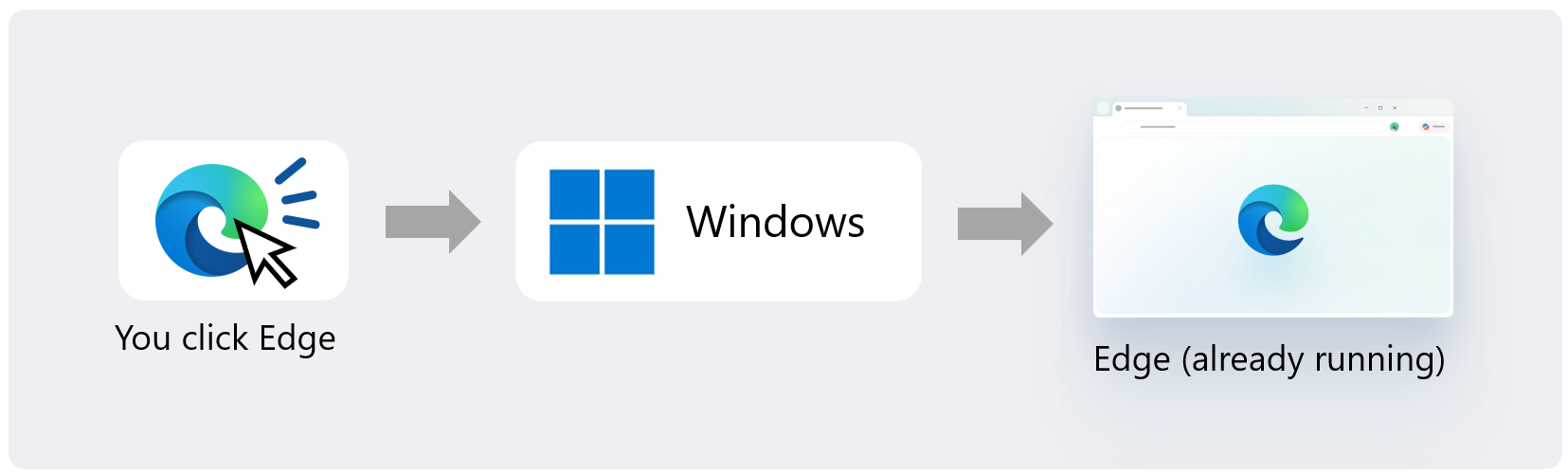
The improvement applies when users open Edge from the Start menu, taskbar, or supported links.
However, the feature only speeds up subsequent launches after Edge has already opened and remains running in the background. It does not improve the initial browser startup.
Other Chromium browsers could get the same improvement
Microsoft Edge is the first browser to support Accelerated app launches, but Microsoft plans to bring the technology to other Chromium-based browsers.
The company is contributing the necessary changes to Chromium, allowing developers to implement similar launch improvements in their own browsers. However, those browsers will need additional work to support the feature.
Microsoft is also exploring ways to extend Accelerated app launches to PDF files.
For now, users need a compatible Windows 11 version and an application that supports the technology to benefit from faster launches.
In other Edge news, some users are experiencing problems with the Copilot sidebar as Microsoft transitions to a new experience.

Read our disclosure page to find out how can you help Windows Report sustain the editorial team. Read more



Improve this guide



User forum
0 messages