
Edge's Upcoming AI "Fix an issue” Settings Collects Diagnostic Data Only After User Consent, Microsoft Clarifies


 3 min. read
  Published on
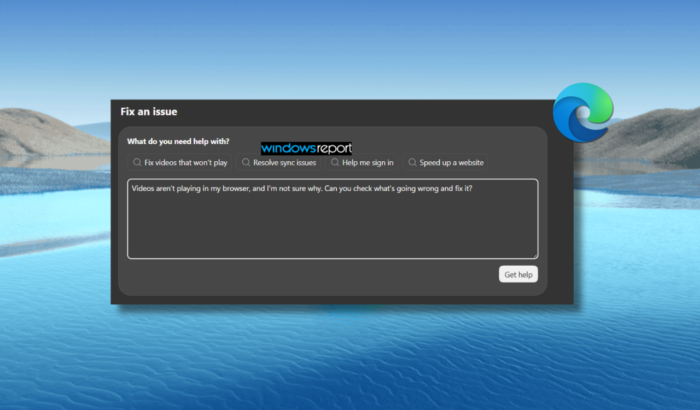
Last week, we reported about Microsoft Edge’s new “Fix an issue” feature. In case you’re unaware, it is an AI troubleshooter. Microsoft has now detailed some important information around it, precisely the data collection and its usage to offer the troubleshooting experience. The company says that the feature can collect optional diagnostic data and Settings information, but only after users initiate the experience and provide consent.
Microsoft Edge collects diagnostic data only after user consent
If you use Microsoft Edge, you must be aware of how useful built-in troubleshooting tools can be. However, when AI gets involved, the bigger question is what information the browser collects to diagnose problems.
Speaking of which, Microsoft’s Responsible AI FAQ explains that Edge’s “Fix an issue” feature may collect optional diagnostic data and relevant Settings state (via Neowin). This information helps the AI generate explanations and recommendations for problems involving performance, media playback, or sign-in.
Notably, Microsoft says data collection happens only when users initiate the troubleshooting flow. The collection is also limited to the active troubleshooting session, rather than running continuously in the background. The company further clarifies that this data is used to generate guidance for the specific issue being addressed. If users decline consent, Edge will not collect the optional diagnostic and Settings data for this experience.
Microsoft gives users control over Edge’s AI data collection
Microsoft says users can turn off this data collection under Settings > Copilot and AI. The company also emphasizes transparency, with descriptions explaining when and why information is used. Another important detail is that the feature does not access or use work-related resources. Microsoft positions the tool as a user-initiated troubleshooting experience, not a background monitoring system.
That said, privacy controls do not guarantee that every AI recommendation will be correct. Microsoft acknowledges that generated guidance can be inaccurate or incomplete, and some issues may still require manual troubleshooting.
What does Microsoft say about the feature’s safety?
Microsoft says “Fix an issue” underwent testing and reviews before rollout. These evaluations covered potentially misleading responses, failure scenarios, and privacy risks associated with data handling.
As Edge continues expanding its AI capabilities, the company is putting more emphasis on explaining how those features work. For users, the key takeaway is that optional diagnostic data collection requires both user initiation and consent. If you prefer not to share this information, review the controls under Settings > Copilot and AI before using the feature. This gives you a clearer understanding of the data involved before requesting AI-powered troubleshooting.

Read our disclosure page to find out how can you help Windows Report sustain the editorial team. Read more



Improve this guide




User forum
0 messages