
Google quietly expands Chrome’s On-device AI Help page with 20GB free disk space requirement
The revised help page details eligibility, download requirements, and how Chrome manages on-device AI models.


 3 min. read
  Published on
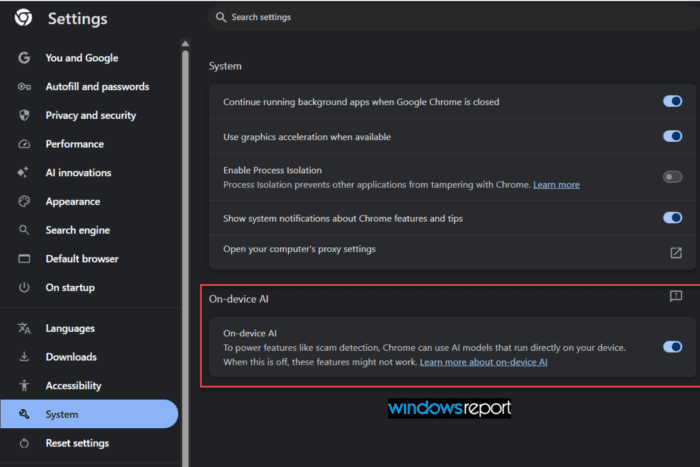
Chrome’s revised Help documentation now explains which devices can download on-device AI models, what those downloads require, and how users can manage them through the On-device AI setting.
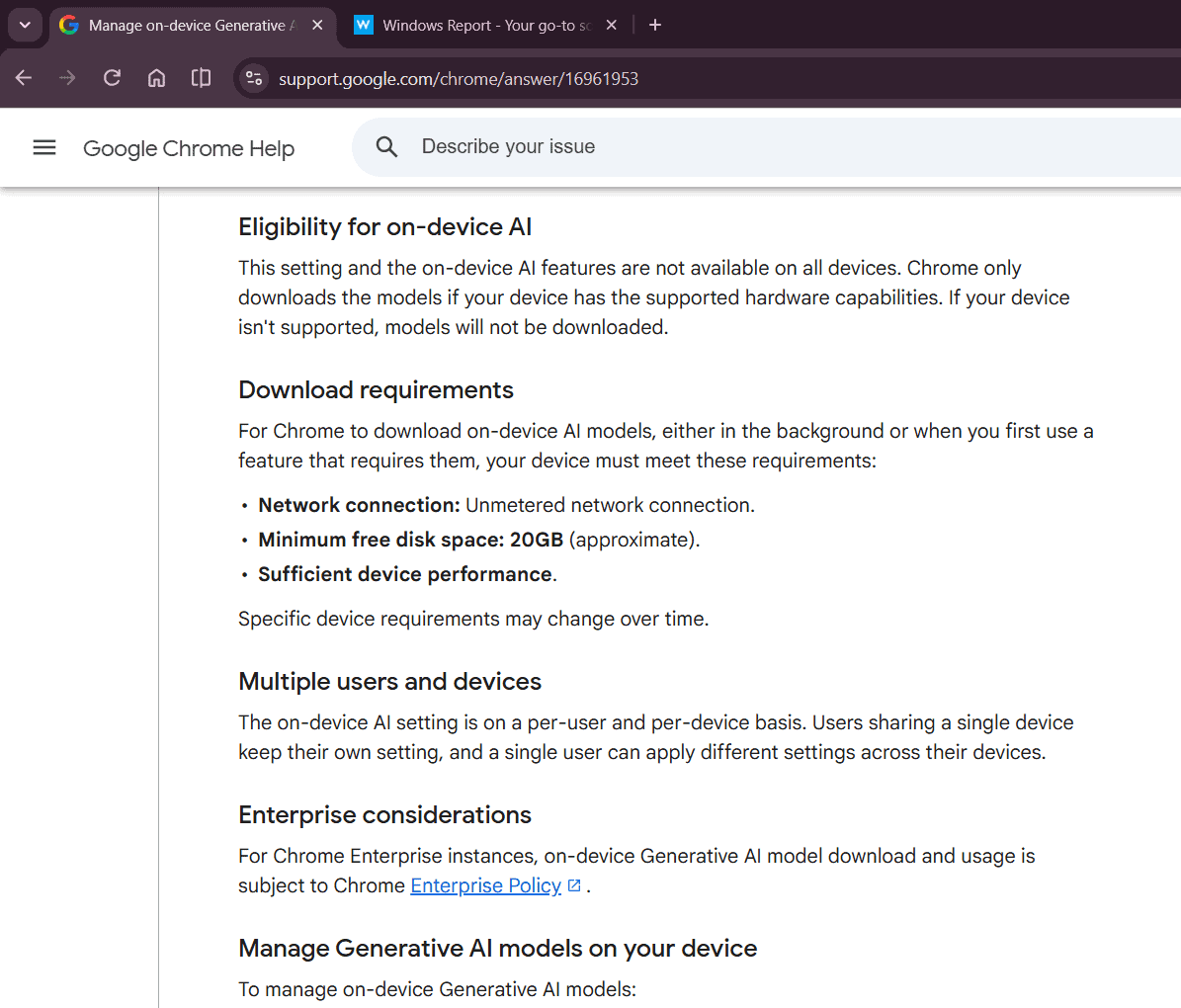
According to the documentation, Chrome downloads on-device AI models only when a device meets several conditions, including an unmetered network connection, 20GB of free disk space (approximate), and sufficient device performance. Google also notes that these requirements “may change over time.”
Comparing archived snapshots of the help page, we found that Google added these details in the August 1 version. The July 29 snapshot didn’t include the new sections on “Eligibility for on-device AI,” “Download requirements,” “Multiple users and devices,” or “Enterprise considerations.”
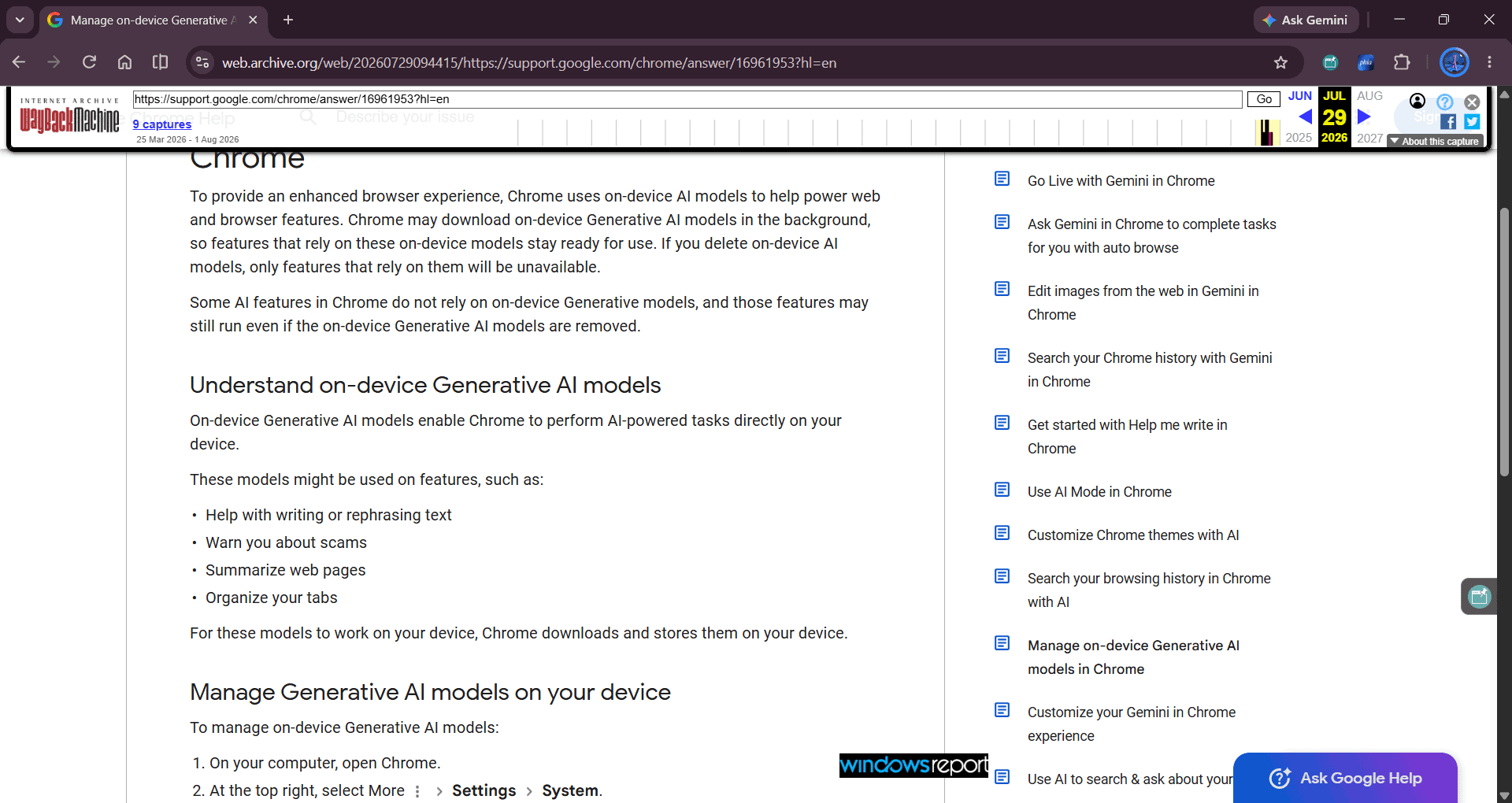
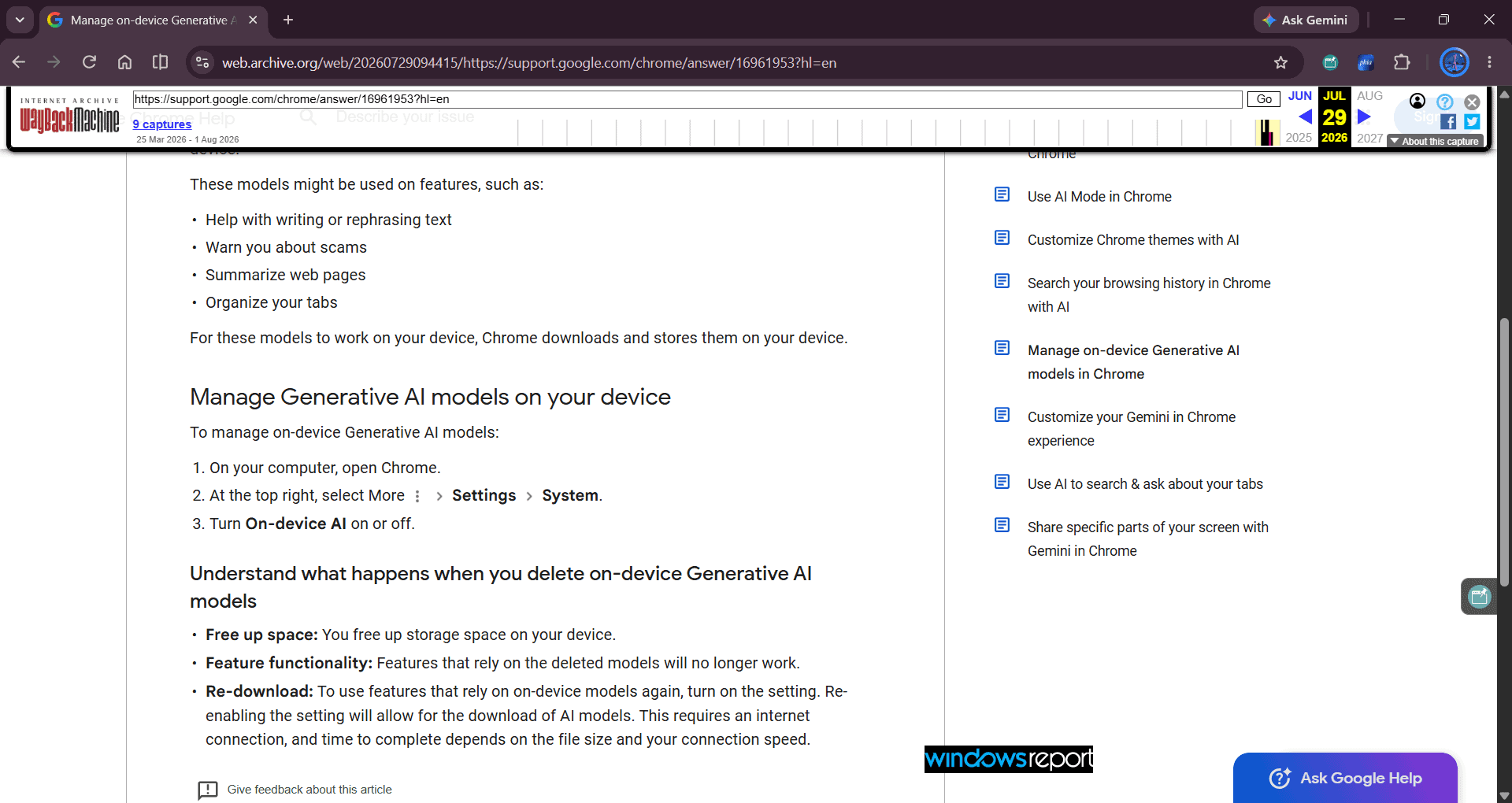
The new Eligibility for on-device AI section says Chrome doesn’t offer the feature on every device:
“This setting and the on-device AI features are not available on all devices. Chrome only downloads the models if your device has the supported hardware capabilities. If your device isn’t supported, models will not be downloaded.”
The revised documentation also says Chrome downloads on-device AI models “only on eligible devices.”, adding another clarification about when Chrome downloads them.
The documentation further explains how users can manage downloaded AI models through Chrome’s built-in On-device AI setting instead of manually deleting model files.
“This toggle in Chrome settings is the only supported method for managing generative AI models. Attempting to locate and delete model files manually or through other means is not recommended and may not prevent future downloads controlled by this setting.”
The guidance also explains what happens after users turn the setting off. Chrome deletes downloaded AI model files, disables features that rely on them, and doesn’t download the models again until users turn the setting back on.
When users turn the setting back on, Chrome checks whether the device meets the documented requirements before downloading the necessary AI models again.
The documentation also notes that the On-device AI setting works on a per-user, per-device basis, while Chrome Enterprise Policy governs downloads and usage in managed environments.
The expanded guidance comes months after Chrome’s background downloads of on-device AI models drew attention from users concerned about storage usage and bandwidth consumption. Chrome uses Gemini Nano, an on-device AI model that’s roughly 4GB in size to power several AI features.
While Google hasn’t linked the documentation changes to those discussions, the revised help page now explains when Chrome downloads AI models, the requirements devices must meet, and how users can manage future downloads through the On-device AI setting.


Read our disclosure page to find out how can you help Windows Report sustain the editorial team. Read more



Improve this guide




User forum
0 messages