
Hands-on: We tried Chrome's scheduled restart feature for updates on Windows 11
Chrome Canary now lets users schedule browser restarts when their screen is unused for five minutes. We tested the feature and found that Chrome had automatically restarted to install an update while we were away.


 3 min. read
  Published on
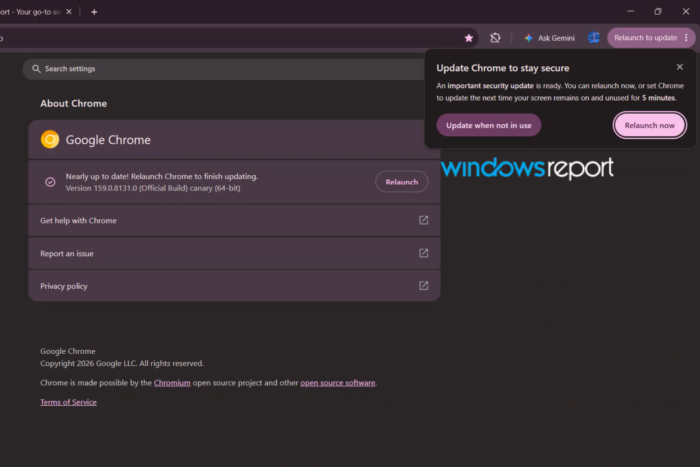
Back in September, we reported that Google was working on a new Scheduled Restart feature for Chrome that would let users decide when the browser should restart to install pending updates. At the time, the feature was still in development, with its existence revealed through a Chromium commit.
Things have moved forward since then. The feature is now working in Chrome Canary, and we tested it on Windows 11. Chrome lets users schedule an update for when their screen remains on and unused for five minutes. We also found that the browser can restart automatically to install the update while users are away from their computers
Here’s how it works in Chrome Canary on Windows.
Chrome lets you schedule updates for when you’re not using your PC
When Chrome Canary has an update ready to install, the browser displays the usual Relaunch to update notification. However, instead of immediately restarting Chrome, users can select the Relaunch later… option.
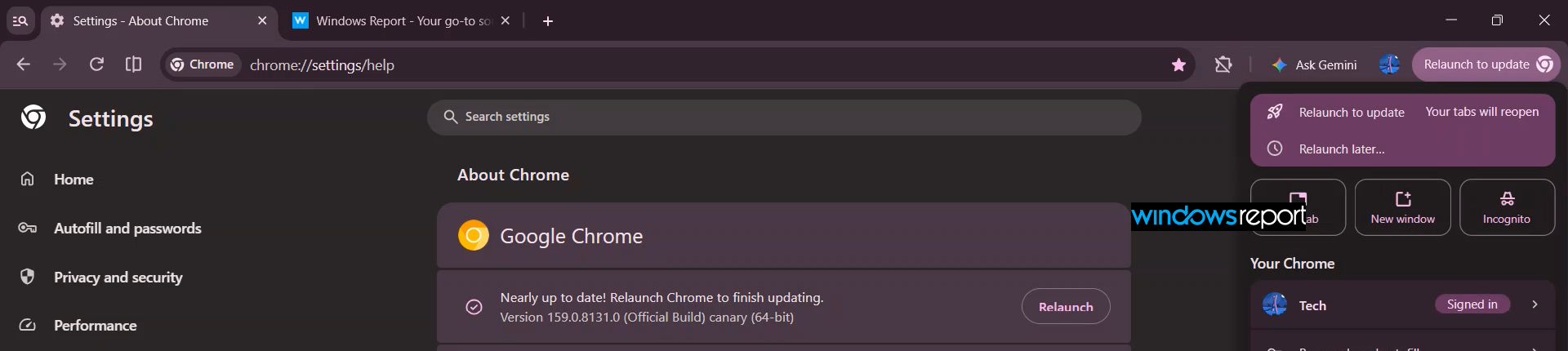
This opens a larger notification titled Update Chrome to stay secure. The notification reads:
“An important security update is ready. You can relaunch now, or set Chrome to update the next time your screen remains on and unused for 5 minutes.”
Chrome offers two choices: Update when not in use and Relaunch now.
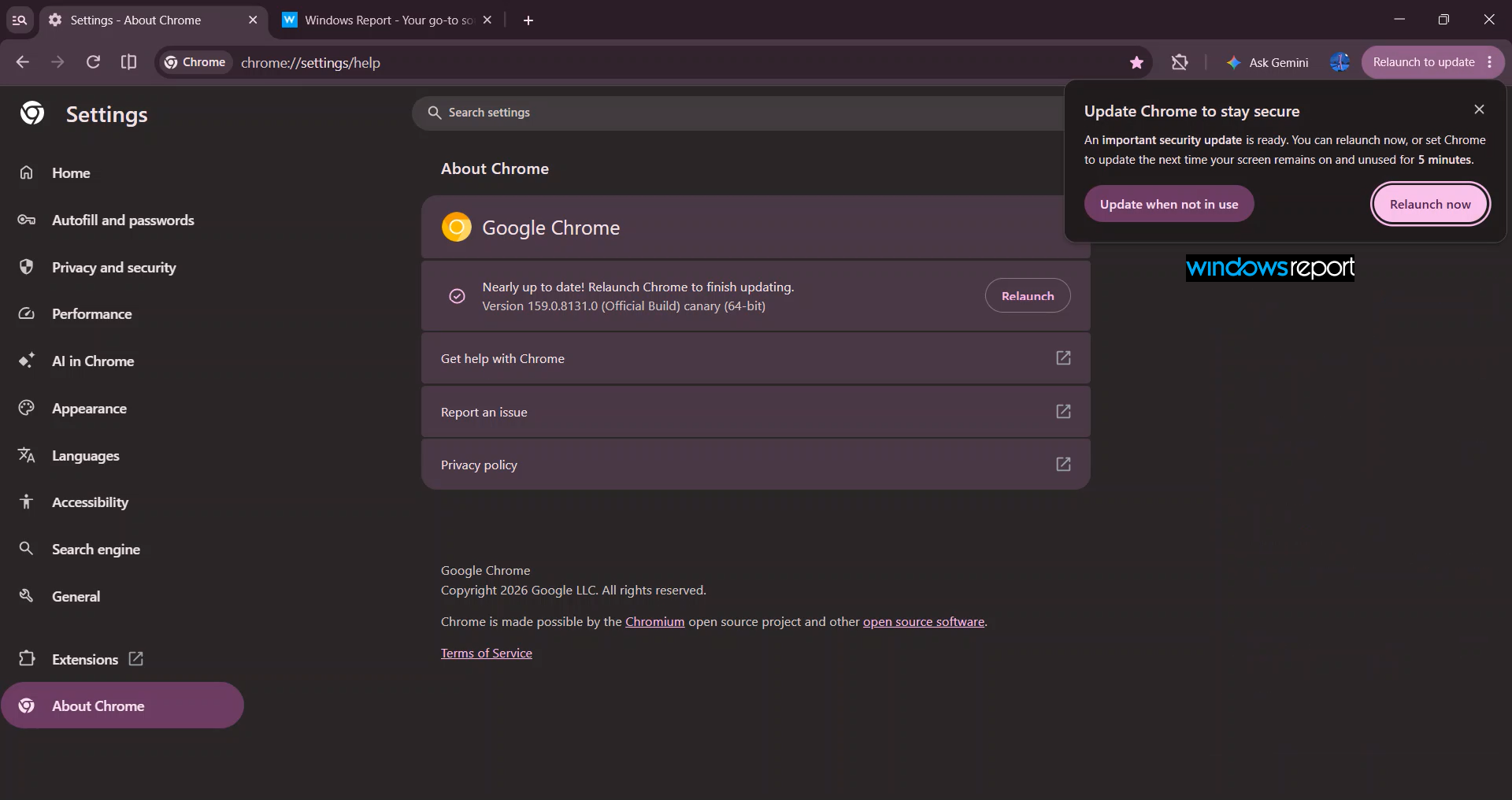
The first option is the new addition. Chrome explains that it can relaunch the browser the next time the screen remains on and unused for five minutes. This gives users a way to install pending updates without having to interrupt their current browsing session.
We selected Update when not in use to see how the feature works. Chrome immediately displayed a confirmation message saying, “Chrome will update when your screen is unused.”

The update indicator in the browser’s toolbar also changed to Update scheduled, confirming that Chrome had accepted the request.
Chrome automatically restarts to install the update
We left the computer and returned a few minutes later. When we returned, Chrome had restarted and installed the pending update.
We didn’t have to return to the browser and manually select the Relaunch option. Chrome had handled the update while we were away.
This is particularly useful for users who tend to postpone browser updates because they don’t want to lose their current browsing session or interrupt their work. Instead of repeatedly asking users to restart Chrome, the browser can wait until the computer is idle before installing the update.
It’s worth noting that Chrome’s prompt specifically mentions the screen remaining on and unused for five minutes. This is different from simply closing Chrome or turning off the computer.
Google hasn’t announced when the Scheduled Restart feature will reach the stable version of Chrome.


Read our disclosure page to find out how can you help Windows Report sustain the editorial team. Read more



Improve this guide




User forum
0 messages