
Google Chrome is testing a way to turn off Safe Browsing for 24 hours
The new option would restore users' previous protection level after one day while still letting them disable Safe Browsing permanently.


 2 min. read
  Published on
Google Chrome is testing a new option that automatically restores Safe Browsing protection after 24 hours when users choose to turn it off.
Safe Browsing is Chrome’s built-in security feature that protects users from dangerous websites, downloads, and extensions. It warns users about potential threats and helps them avoid malicious content.
Chrome offers three Safe Browsing options under Settings > Privacy and security > Security:
Enhanced protection checks information about potentially dangerous sites, downloads, and extensions with Google to provide faster protection against emerging threats.
Standard protection checks sites and downloads against a list of known dangerous items and warns users about potential risks.
No protection turns off Safe Browsing checks, leaving users without these safeguards.
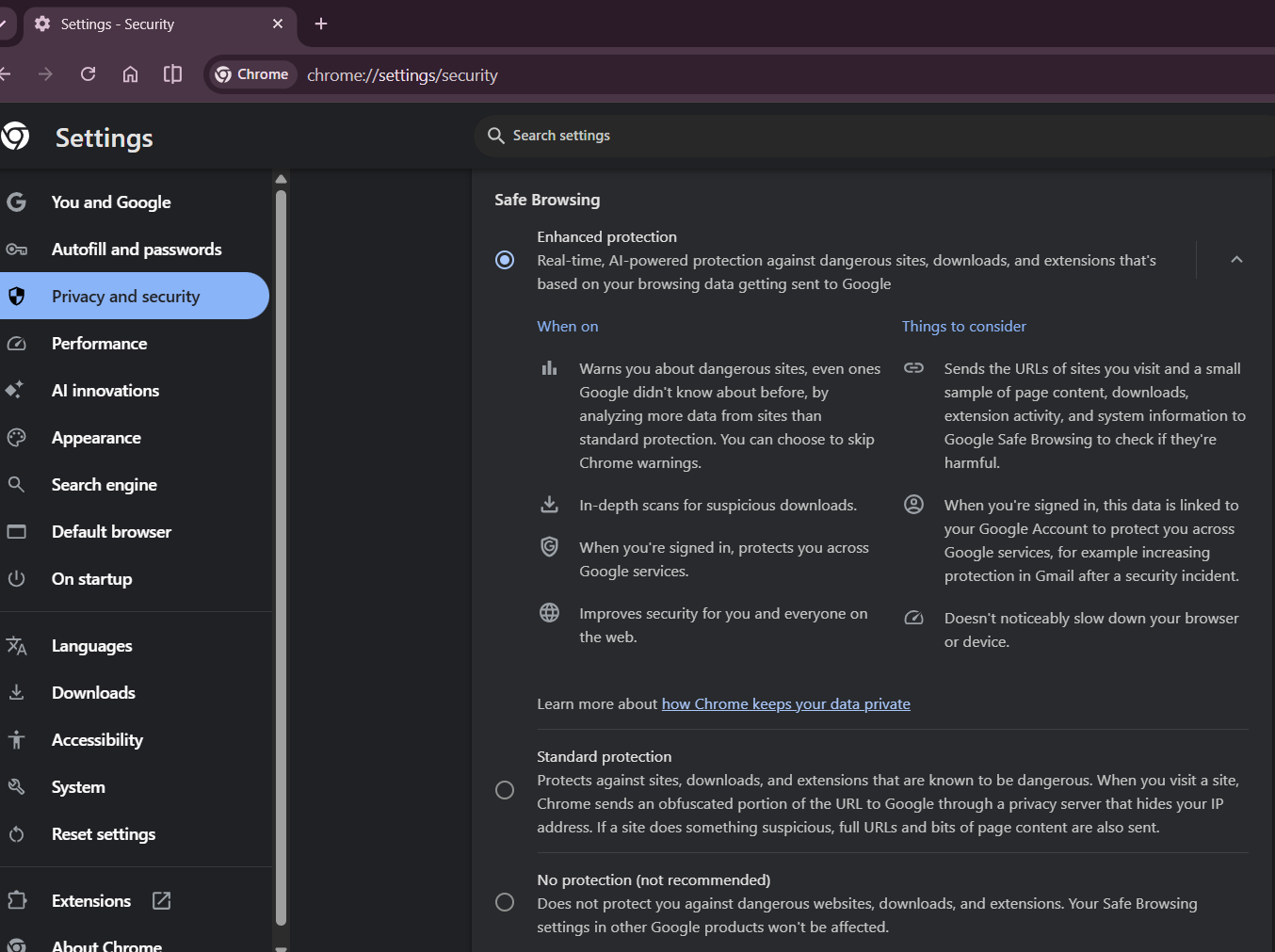
According to Chromium commits spotted by Windows Report, Google is developing a confirmation dialog that gives users two choices when they select No Protection in Chrome’s Security settings: disable protection for 24 hours or disable it permanently
Chrome could automatically restore Safe Browsing after 24 hours
The change addresses a problem with the current No Protection setting. Users may disable Safe Browsing to get around a blocked download or a false positive and then forget to turn it back on. Since Safe Browsing preferences can sync across devices, leaving protection disabled can also affect other devices signed in to the same Google account.
With the new option, Chrome would automatically restore the user’s previous protection level, Standard or Enhanced, after 24 hours.
The implementation also accounts for computers that sleep or hibernate past the expiration time, restoring protection when the system resumes. Chrome would display a notification confirming that protection is back on.
Users who want to keep Safe Browsing disabled can still choose the permanent option. If users close the confirmation dialog or select Cancel, Chrome will keep their previous protection setting.
The feature is behind the experimental #safe-browsing-no-protection-temporary flag. In our testing, enabling the flag didn’t reveal the new confirmation dialog, so we couldn’t verify the feature’s interface or behavior firsthand.



Read our disclosure page to find out how can you help Windows Report sustain the editorial team. Read more



Improve this guide




User forum
0 messages