
Petlibro App Not Working? Try 5 Fixes for Login, Loading & Connection Issues


 3 min. read
  Published on
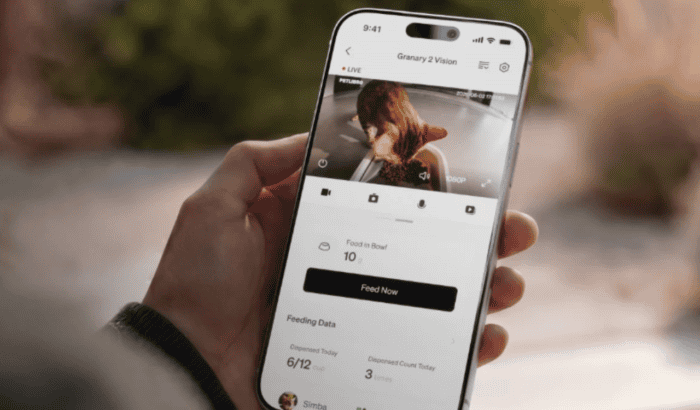
Did you just open Petlibro app to check your feeder, only to see a message that reads, “Server request error. Please try again later?” That’s especially frustrating because outage tracking site, Downdetector, is currently reporting that Petlibro app isn’t working and throwing errors. Since, you are here, we’re assuming that you’re looking for solutions. Keep reading!
How to fix Petlibro app not working
If the app is completely unavailable, the problem may not be your phone. That being said, these fixes are worth trying before assuming Petlibro’s servers are down.
1. Switch between Wi-Fi and mobile data
- Turn off Wi-Fi and open Petlibro using cellular data.
- If that fails, try another Wi-Fi network or a mobile hotspot.
- Restart the phone and try again.
Petlibro specifically recommends changing networks when the app cannot load or a device will not connect.
2. Restart the feeder and router
- Unplug the Petlibro device.
- Wait about 30 seconds.
- Restart your router.
- Plug the feeder back in and reopen the app.
Petlibro recommends keeping the feeder within roughly 15 feet of the router during reconnection.
3. Check app permissions
On iPhone, make sure Petlibro has access to Local Network and cellular data. Android users should check nearby-device, Bluetooth, location, and network permissions where applicable.
4. Update or reinstall Petlibro
Check the App Store or Google Play for an update. If the app still refuses to load, reinstalling it can clear corrupted app data.
5. Reconnect the feeder
If the app opens but your device says offline, reset the feeder and add it again. Petlibro recommends holding the appropriate reset button until the device enters Wi-Fi connection mode.
Why is the Petlibro app not working?
The likely causes include a Petlibro server problem, unstable Wi-Fi, incorrect app permissions, outdated software, or a feeder that has lost its network connection. Recent Reddit reports make a server-side problem particularly plausible right now, although Petlibro has not confirmed a widespread outage.
FAQs related to Petlibro app issues
1. Is PETLIBRO currently down?
Recent users are reporting server errors, but an official widespread outage has not been confirmed.
2. Will reinstalling delete my feeder?
Reinstalling the app does not normally factory-reset the physical feeder, although you may need to sign back in.
3. Why does PETLIBRO work on cellular but not Wi-Fi?
Your router, DNS settings, firewall, or network restrictions may be interfering with the connection.
4. How long do server problems take to fix?
There is no guaranteed timeframe; it depends on the cause and scope of the outage.
5. What if nothing works?
Contact Petlibro support and include your device model, phone type, error message, and network details.

Read our disclosure page to find out how can you help Windows Report sustain the editorial team. Read more



Improve this guide


User forum
0 messages