
Woodforest Banking App Not Working? 7 Fixes for Login & Other Issues


 4 min. read
  Published on
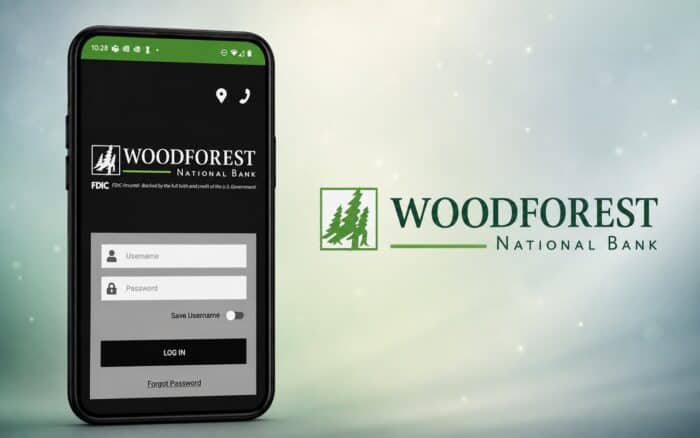
Is Woodforest Mobile Banking app not working for you right now? It’s apparently not just you. There are times when you want to check your bank account balance or send a payment, but you only find that it won’t open, keeps crashing, gets stuck on the login screen, or shows an error. Well, many users have shared similar problems on Reddit and banking forums, especially after app updates, during scheduled maintenance, or when network connectivity changes.
What to do when Woodforest app isn’t working
1. Check if Woodforest’s servers are down
First, make sure the problem isn’t on Woodforest’s end. Banking apps occasionally experience maintenance or unexpected outages that prevent customers from logging in.
- Visit Woodforest’s official website or social media pages for maintenance notices.
- Check outage reporting websites like DownDetector for recent reports.
- See if other users are reporting the same issue on Reddit or community forums.
- If there’s a confirmed outage, wait until Woodforest restores service.
2. Restart your phone
Many temporary app glitches disappear after a simple restart.
- Close the Woodforest Mobile Banking app completely.
- Restart your Android or iPhone.
- Open the app again and try signing in.
3. Check your internet connection
An unstable connection can prevent the app from loading securely.
- Switch between Wi-Fi and mobile data.
- Turn Airplane Mode on for 30 seconds, then turn it off.
- Restart your router if you’re using Wi-Fi.
- Try loading another secure website to confirm your connection is working.
4. Update the Woodforest Mobile Banking app
Older versions may stop working after backend changes.
- Open Google Play Store or Apple App Store.
- Search for Woodforest Mobile Banking.
- Install any available updates.
- Reopen the app after updating.
5. Clear the app cache (Android)
Corrupted cached files can cause login or loading issues.
- Open Settings > Apps > Woodforest Mobile Banking.
- Tap Storage.
- Select Clear Cache.
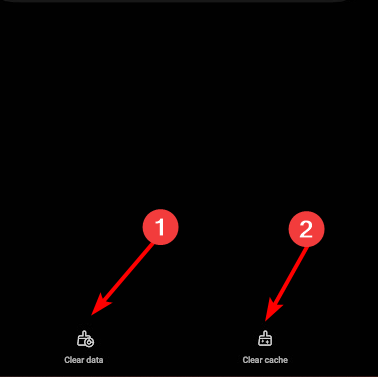
- Restart the app.
Note: On iPhone, you’ll typically need to offload or reinstall the app instead, since iOS doesn’t provide a cache-clearing option for individual apps.
6. Verify app permissions
The app may not work properly if required permissions are disabled.
- Go to Settings > Apps > Woodforest Mobile Banking.
- Open Permissions.

- Allow any permissions the app requires, such as network access or notifications if prompted.
- Relaunch the app.
7. Disable VPN or proxy services
Some banking apps restrict access through VPNs for security reasons.
- Disconnect any active VPN.
- Disable proxy settings.
- Try logging in again.
8. Reinstall the app
If app files have become corrupted, reinstalling often resolves the problem.
- Uninstall the Woodforest Mobile Banking app.
- Restart your phone.
- Download the latest version from your device’s app store.
- Sign in with your banking credentials.
Why is this issue happening?
The Woodforest Mobile Banking app may stop working because of:
- Temporary Woodforest server outages or scheduled maintenance.
- An outdated version of the app.
- Corrupted cache or app data.
- Poor or unstable internet connectivity.
- VPNs or security software interfering with secure connections.
- Compatibility issues after a recent Android or iOS update.
Summing up
That’s all we have for fixing the Woodforest mobile banking app not working issue. In most cases, checking for a server outage, updating the app, clearing the cache, or reinstalling it resolves the problem. If the issue continues even after trying every method, contact Woodforest customer support, as there may be an account-specific or server-side issue that only they can investigate.
Banking services can run into occasional problems, including issues with the M&T Bank and PNC Bank apps or payment errors such as “Your Bank Couldn’t Authorize This Payment.”
FAQs related to Woodforest app issues
1. Is Woodforest Mobile Banking currently down, or is it just me?
It could be either. If many users are reporting problems at the same time, it’s likely a server outage or scheduled maintenance. If no widespread reports exist, the issue is probably related to your device or network.
2. Will clearing data or reinstalling the app delete my account?
No. Your bank account remains safe on Woodforest’s servers. However, you may need to sign in again after clearing data or reinstalling the app.
3. Why does the app only stop working on Wi-Fi or mobile data?
This usually points to a network issue. Your Wi-Fi may be blocking secure connections, or your mobile carrier may be experiencing temporary connectivity problems. Switching networks can help identify the cause.
4. How long does Woodforest usually take to fix server-side issues?
Minor outages are often resolved within a few hours, while larger incidents may take longer depending on the underlying problem. Watch for official updates from Woodforest if an outage is confirmed.
5. What should I do if none of these methods work?
Contact Woodforest customer support and provide details about your device, operating system version, app version, and any error messages you receive. This information can help them diagnose the issue more quickly.

Read our disclosure page to find out how can you help Windows Report sustain the editorial team. Read more



Improve this guide



User forum
0 messages