
Facebook Login Guide: How to Access Your Account on Any Device


 6 min. read
  Published on
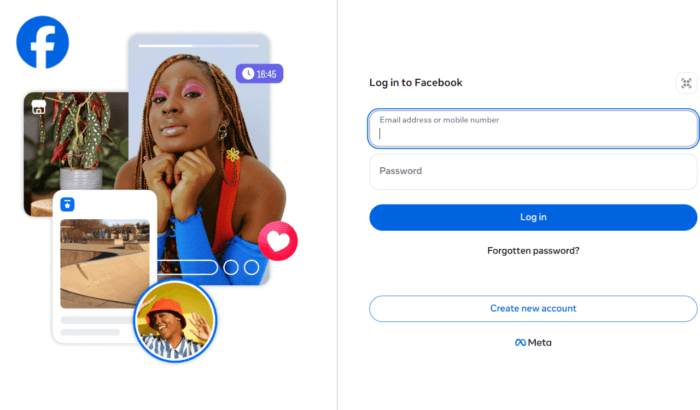
If you have landed here after searching for how to log into Facebook, chances are you’re setting up a new phone, switching computers, or simply trying to regain access to your account. The good news is that signing into Facebook only takes a minute once you know where to go. Whether you prefer the Facebook app, a web browser, or another sign-in method, here we have discussed every option available for Facebook login.
Table of contents
- What are the different ways to log in to Facebook?
- How to log in to Facebook on desktop or web?
- Log in to Facebook web & desktop by scanning a QR Code from Mobile
- How to log in to Facebook using the app on Android and iPhone?
- When might you need to log in to Facebook from another device?
- Common Facebook login issues and how to fix them
- Why people still search for Facebook login today?
- FAQs related to Facebook login
What are the different ways to log in to Facebook?
Facebook offers several sign-in methods depending on how you created your account or which device you’re using.
- Log in to Facebook with your email address: Enter the email linked to your Facebook account and your password.
- Log in to Faccebook with your mobile phone number: If your phone number is connected to your account, use it instead of your email.
- Log in to Facebook with your username: If your account has a Facebook username, you can use it to sign in instead of your email or phone number.
How to log in to Facebook on desktop or web?
- Open your preferred web browser and visit Facebook’s official website.
- Enter your email address, mobile phone number, or username linked to your Facebook account.
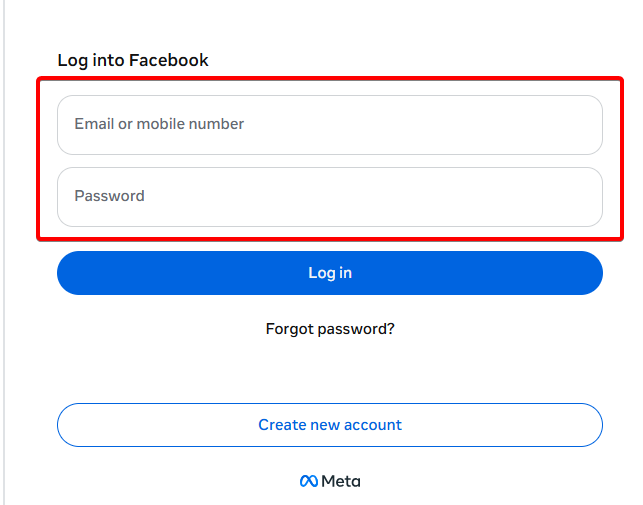
- Type your password.
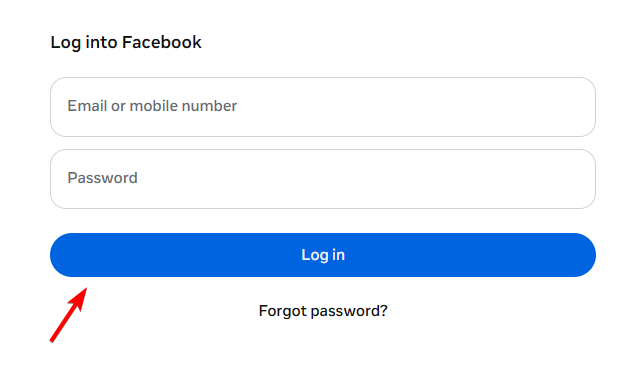
- Click Log In to access your account.
Tip: Always check that you’re on the official Facebook website before entering your login details. Look for the padlock icon and make sure the address is correct. If you’ve enabled two-factor authentication (2FA), Facebook will ask for a verification code from your authenticator app, SMS, or another approved device before completing the login.
Log in to Facebook web & desktop by scanning a QR Code from Mobile
If you’re already signed in to the Facebook app on your phone, Facebook may show a QR code on the web login page.
- Visit the official Facebook website on your browser or desktop app
- Choose the option to log in using a QR code if it’s available.
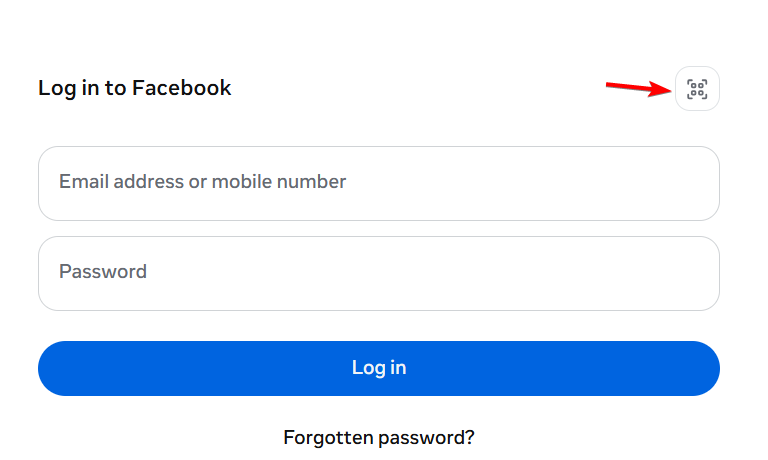
- Open the Facebook app on your phone and scan the QR code.
- Approve the login request on your phone.
- Your browser will automatically sign in to your Facebook account.
This feature is only available when Facebook offers it for your account and device. If you don’t see the QR code option, simply sign in using your email address, phone number, or username and password instead.
Note: This feature is region-specific.
How to log in to Facebook using the app on Android and iPhone?
Option 1: Android or iPhone App
- Install the official Facebook app from the Google Play Store or Apple App Store.
- Open the app.
- Enter your email, phone number, or username.
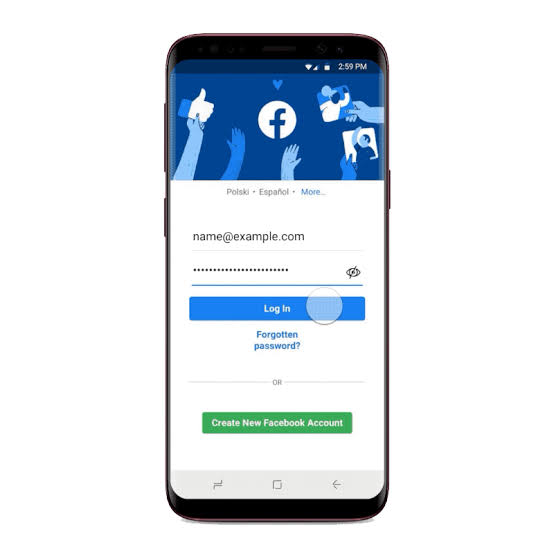
- Enter your password.
- Tap Log In.
If your account is already saved on the device, you may only need to tap your profile.
Option 2: Mobile Browser
If you don’t want to install the app:
- Open Chrome, Safari, Edge, or another browser.
- Visit https://m.facebook.com/ or https://www.facebook.com/.
- Enter your login credentials.
- Tap Log In.
The browser version offers nearly all major Facebook features. Alternatively, you can try using the Facebook desktop version on mobile instead.
Do keep in mind that various errors can occur on Facebook, and users often report Sorry, something went wrong error, but we have a guide that addresses that.
When might you need to log in to Facebook from another device?
People sign into Facebook from different devices every day. Common situations include:
- Buying a new smartphone.
- Recovering access after resetting your phone.
- Using a work or school computer.
- Traveling without your usual device.
- Accessing Facebook while your app isn’t working.
- Managing multiple Facebook Pages or business accounts.
Common Facebook login issues and how to fix them
- Facebook log in says incorrect Password: Double-check your spelling, capitalization, and keyboard layout. Reset your password if needed
- Can’t sign into Facebook, forgot email or phone number: Use Facebook’s Find Your Account tool and search for your account using your name if possible.
- Facebook log in fails due to Two-Factor Authentication Issues: Check your mobile signal, try your backup codes, use an approved device, or wait a few minutes before trying again.
- Facebook keeps logging out when trying to log in: Clear your browser cache, update the Facebook app, or sign out of unused sessions from your Security settings.
- Facebook login page won’t load: Check your internet connection, temporarily disable browser extensions, or try a different browser or device.
- Facebook login failed, account locked or suspended: Follow Facebook’s on-screen verification steps and complete any required identity verification to restore access.
Why people still search for Facebook login today?
Facebook remains one of the world’s largest social platforms, serving billions of users across personal messaging, Marketplace, Groups, Pages, and business tools. Many people search about Facebook login methods when switching devices, recovering forgotten accounts, accessing Meta services, or helping family members sign back in.
Do keep in mind that sometimes issues can occur, and sometimes you might be unable to log in to Facebook. Even
FAQs related to Facebook login
1. Can I log into Facebook using my phone number?
Yes. If your mobile number is linked to your Facebook account, you can use it instead of your email address.
2. Can I stay signed into Facebook?
Yes. On personal devices, you can choose to remain logged in. Avoid doing this on shared or public computers.
3. How to log in to Facebook when I forgot both my email and password?
Use Facebook’s account recovery tools and provide any information you remember, such as your name or phone number.
4. Is Facebook login free?
Yes. Creating an account and logging into Facebook is completely free.

Read our disclosure page to find out how can you help Windows Report sustain the editorial team. Read more



Improve this guide



User forum
0 messages