
Is Nvidia Shield Remote Not Working? 7 Fixes to Try


 4 min. read
  Published on
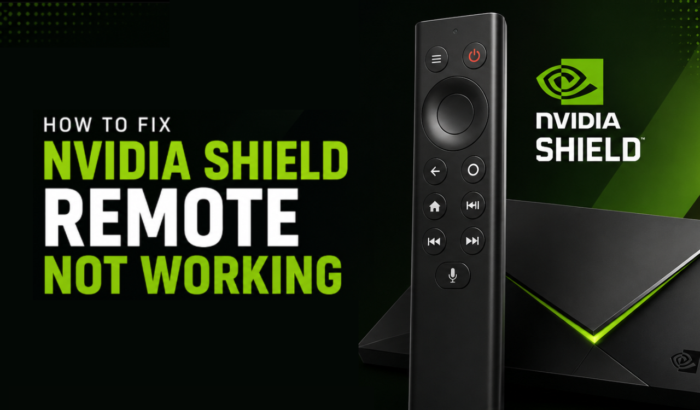
Few things are more annoying than settling in to watch something only to find your Nvidia Shield remote isn’t working. Sometimes the remote could suddenly stopped responding while you were browsing Netflix, won’t pair after you replaced the batteries, has no LED light when you press a button, or stopped connecting after a recent Shield TV update. These are all common issues that many Shield TV users run into.
In most cases, the problem isn’t a faulty remote. It usually comes down to something simple, like drained batteries, a Bluetooth pairing glitch, outdated Shield TV software, or a temporary bug introduced by a recent update. The good news is that you can often fix the issue in just a few minutes by following a few straightforward troubleshooting steps.
Why Is My Nvidia Shield Remote Not Working?
If your Nvidia Shield remote is not working after changing batteries, with new batteries, after an update, or with your TV, one of these issues is likely responsible:
- Low or faulty batteries.
- Bluetooth pairing failure.
- Temporary Shield TV software bug.
- Outdated SHIELD Experience software.
- HDMI-CEC conflicts with your TV.
- Physical damage to the remote.
- A recent firmware or Shield update introduced a pairing issue.
If your Nvidia Shield remote has no light, the batteries may be depleted, installed incorrectly, or the remote may require a reset.
How to Fix Nvidia Shield Remote Not Working
1. Restart your Nvidia Shield TV
A simple restart fixes many temporary Bluetooth and pairing glitches.
- Hold the power button or unplug the Shield TV for 30 seconds.
- Turn it back on.
- Test the remote again.
2. Replace the batteries and check the contacts
If your Nvidia Shield remote is not working after changing batteries, verify that:
- Both batteries are fresh.
- They are installed correctly.
- The battery contacts are clean.
- Try another brand of batteries if the problem continues.
If there’s no light on the remote, this is the first fix you should try.
3. Re-pair the Shield remote
Bluetooth pairing can occasionally become corrupted.
- Open Settings > Remotes & Accessories.
- Select Pair accessory.
- Put the remote into pairing mode according to your remote model.
- Wait for the Shield TV to detect it.
This also helps if your Nvidia Shield remote is not connecting after a reboot or update.
4. Reset the Nvidia Shield remote
If pairing fails repeatedly, resetting the remote often resolves the issue.
- Remove the batteries.
- Press and hold the center Select button while reinserting the batteries.
- Continue holding until the LED flashes (if supported by your model).
- Pair the remote with your Shield TV again.
5. Install the latest Shield Experience update
Several Reddit users have reported remote issues after firmware updates that were later fixed by newer Shield Experience releases.
- Open Settings > Device Preferences > About > System Upgrade.
- Install any available updates.
- Restart the Shield TV afterward.
6. Disable HDMI-CEC temporarily
If your Nvidia Shield remote is not working with your TV, HDMI-CEC may be interfering.
- Go to Settings > Display & Sound > Power Control.
- Temporarily disable HDMI-CEC.
- Restart both the TV and Shield.
- Test the remote again.
7. Use the NVIDIA Shield TV app temporarily
If the physical remote still doesn’t respond:
- Install the NVIDIA SHIELD TV app on your Android or iPhone.
- Connect it to the same Wi-Fi network.
- Use your phone as a temporary remote while troubleshooting.
Additional Tips
Community reports on Reddit suggest some remote issues appeared after certain SHIELD Experience updates. If your Nvidia Shield remote is not working after an update, check whether newer firmware has already been released before replacing the remote. If multiple users are reporting the same problem, it may be a software issue rather than hardware failure. In case NVIDIA Shield ethernet isn’t connecting for you, try these fixes.
FAQs related to Nvidia Shield remote not working issue
Remove the batteries, then press and hold the center Select button while reinstalling the batteries. Once the remote resets, pair it again through Settings > Remotes & Accessories on your Shield TV.
The most common causes include depleted batteries, Bluetooth pairing failures, outdated Shield software, HDMI-CEC conflicts, or firmware bugs. Restarting the Shield TV and re-pairing the remote usually resolves the problem.
A failed Bluetooth pairing is the most common reason. Restart your Shield TV, put the remote back into pairing mode, and reconnect it through Remotes & Accessories. If it still won’t connect, reset the remote and install the latest Shield Experience update.

Read our disclosure page to find out how can you help Windows Report sustain the editorial team. Read more



Improve this guide

User forum
0 messages