
KB5084897 Emergency Update Fixes Bluetooth Missing from Settings in Windows 11


 2 min. read
  Published on
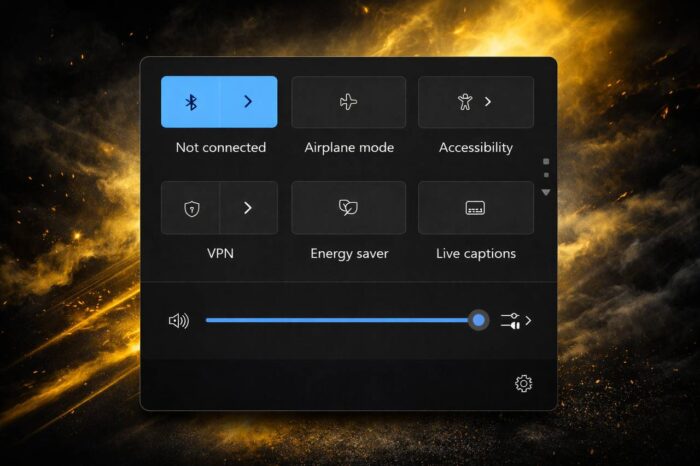
Microsoft has released a new out-of-band update to address a Bluetooth issue affecting Windows 11 users. The fix targets a bug that prevents Bluetooth devices from appearing in system menus, even when they are connected and working.
Bluetooth devices are missing in Windows 11 settings
According to Neowin, the issue impacts systems running Windows 11 24H2 and 25H2. Due to this bug, Bluetooth devices fail to appear in both Settings and Quick Settings, creating confusion for users.
Even when devices remain connected and functional, they do not show up in the interface. This behavior makes it difficult to manage connections or verify device status.
The problem also affects pairing, as new Bluetooth devices do not appear in the available devices list.
KB5084897 update delivers targeted fix
Microsoft has released update KB5084897 as an emergency patch to resolve the issue. The update addresses multiple problems related to Bluetooth visibility across the system.
According to Microsoft, the fix resolves cases where Bluetooth devices are missing from Settings under Bluetooth & devices. It also restores device visibility in the Quick Settings panel.
Limited availability for now
The update currently rolls out only to hotpatch-enabled systems running Windows 11 Enterprise LTSC 2024. On supported devices, the update installs automatically without requiring a restart.
Microsoft has not yet confirmed when the fix will expand to other Windows 11 editions.
Another quick response from Microsoft
This release marks another rapid response from Microsoft following recent issues affecting Windows 11 stability and security.
Recently, the company also released KB5084597 to address a critical network security vulnerability.
In addition, recent Dev and Beta builds introduced the ability to change the user folder name during setup. Microsoft also confirmed that the Samsung Galaxy Connect caused a separate bug affecting C drive access.
Microsoft continues to roll out fixes and improvements as it prepares future updates for Windows 11.

Read our disclosure page to find out how can you help Windows Report sustain the editorial team. Read more



Improve this guide




User forum
0 messages