
Latest Nintendo Switch 2 Update Adds VRR Support in TV mode, Full Data Transfers, Game Chat Upgrades, and More


 2 min. read
  Published on
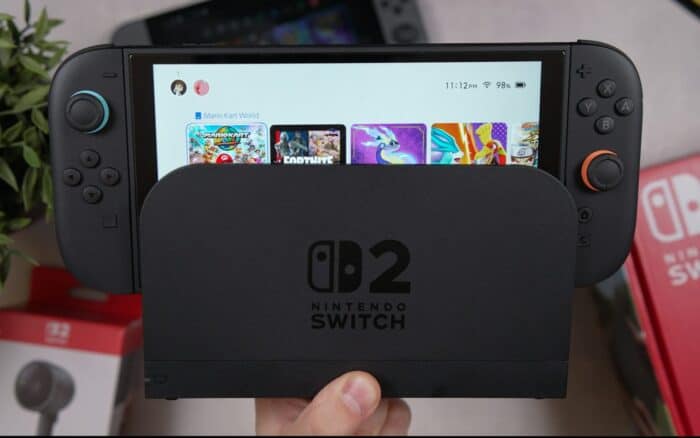
Nintendo has rolled out Switch 2 system update 23.0.0 with bunch of useful changes. The latest Switch 2 update includes VRR support in TV mode, complete data transfers between Switch 2 consoles, expanded Game Chat features, and new virtual game card options. This comes just a day after Xbox announced bunch of features and improvements for Insiders out there.
Nintendo Switch 2 system update 23.0.0 is pack with some handy features
One of the highlights of the update is Variable Refresh Rate (VRR) support in TV mode. When supported by both the game and TV, the Switch 2 can now match the display refresh rate to the game’s processing speed, although users will need an updated Switch 2 Dock to enable the feature.
Nintendo is also making it easier to move everything to a new console. The new complete data transfer option can transfer save data, screenshots and other data between two Switch 2 systems.
Meanwhile, Game Chat has received several upgrades as well. Players can now see chats they previously joined, enter a new chat without selecting friends, and adjust the screen size directly from the C-button menu.
The update also adds a Settings option to the Virtual Game Card screen, while an online-license option lets owners temporarily play software when a virtual game card cannot be transferred because another console is offline.
More quality-of-life changes
Nintendo has also added Brazilian Portuguese support for text-to-speech features, TV-specific audio settings, a new VRR Settings menu, Mii QR codes, and an option to control Handheld Mode Boost from Quick Settings. Mii editing also gets background music controls.
Another useful change allows players use other controllers while Joy-Con 2 controllers are attached during Handheld Mode Boost. Playtime records are also now combined when the same software has been played across multiple consoles.
You can check the full changelog for system update 23.0.0 here.

Read our disclosure page to find out how can you help Windows Report sustain the editorial team. Read more



Improve this guide


User forum
0 messages