
Microsoft 365 Apps Get Redesigned Copilot-inspired Icons


 2 min. read
  Published on
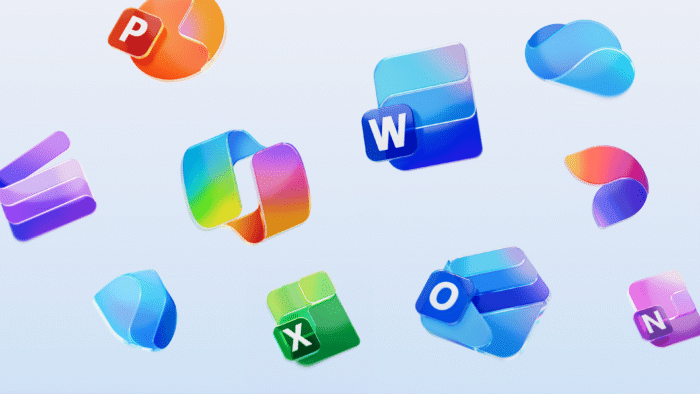
Microsoft is giving its Microsoft 365 suite a bold visual refresh, as it is now rolling out new app icons designed for what it calls “the AI era.” The redesign, announced by Microsoft’s Apple Ecosystem team, brings modern, Copilot-inspired visuals to Word, Excel, PowerPoint, Outlook, and other key apps across Windows, macOS, Android, iOS, and the web.
According to product managers Jessica Hu and Priya Mehta, these new icons symbolize Microsoft 365’s transformation into a connected, AI-powered ecosystem. “The newly designed app icons reflect a strategic shift in Microsoft 365: unified, intuitive, and designed for flow across every canvas,” the company said.
Each icon has been updated with cleaner shapes, vivid colors, and a more cohesive aesthetic that subtly nods to Copilot’s integration throughout the suite.
Microsoft says the new icons represent how Copilot is bringing together individual productivity tools into a single, intelligent experience. From Word and PowerPoint to newer additions like Designer and Clipchamp, the refreshed design language emphasizes connection and creativity while maintaining familiarity.
Users will begin seeing the new icons roll out over the next few weeks. The update applies to both personal and business users running Microsoft 365 on supported builds, including:
- Windows version 2509 (Build 19231.20200) or newer
- macOS version 16.102 (Build 25100710) or newer
- Android build 16.0.19328.20000 or newer
- iOS apps like Word, Excel, PowerPoint, and OneNote version 2.102 (Build 25100611) or later
The redesign continues Microsoft’s ongoing effort to make Microsoft 365 feel more fluid, consistent, and AI-ready. Each icon now better aligns with the design direction set by Copilot. Moreover, it’s worth noting that the company also gave us a look at rejected Microsoft 365 apps icons before it reached the final design you see in the article’s banner image.

Read our disclosure page to find out how can you help Windows Report sustain the editorial team. Read more



Improve this guide




User forum
0 messages