
Microsoft 365 Gets Watermarking Controls to Clearly Label AI-Generated Content


 2 min. read
  Published on

As AI models continue to become more capable, Microsoft is stepping up to enure transparency around AI-generated content. Today, Microsoft has announced that it is rolling out new watermarking controls across Microsoft 365. The update adds both “visible and audible signals” to clearly indicate when content has been created or modified using AI.
Microsoft 365 gets AI watermarking options
According to Microsoft, the idea is to improve trust and clarity as users increasingly depend on tools like Copilot and other AI features. Watermarks are designed to help distinguish AI-generated content while still keeping workflows flexible for both individuals and organizations.
The company notes that even when visible marks are not applied, Microsoft 365 will still attach AI-related metadata in the background. This adds an extra layer of context about how a piece of content was created or modified. Google has something simiar, which it calls Sythentic ID.
How watermarking works across Microsoft 365
For enterprise users, watermarking behavior is partly controlled by IT admins. Videos and audio generated or edited using AI can include visible or audible watermarks, depending on policy settings. This includes tools like Clipchamp for video creation and Copilot-generated audio features.
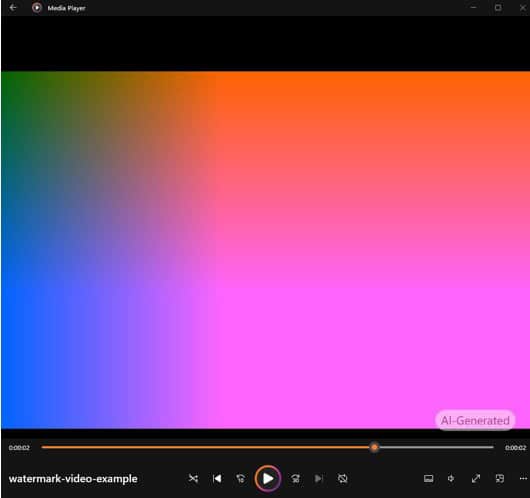
Images, however, follow a different approach. You can enable watermarking through a “Show watermark” toggle in Settings and Privacy. Once enabled, new AI-generated images or edited visuals will carry a watermark automatically.
For home users, Microsoft also offers a simpler opt-in system. Watermarks and metadata can be enabled through the Microsoft privacy dashboard under Copilot settings, where users can toggle AI content labeling on or off.

Read our disclosure page to find out how can you help Windows Report sustain the editorial team. Read more



Improve this guide



User forum
0 messages