
Microsoft Confirms Windows 11 Shutdown Bug After Latest Patch Tuesday


 2 min. read
  Published on

Microsoft has confirmed that some Windows 11 PCs fail to shut down or enter hibernation after installing the latest Patch Tuesday cumulative update, KB5073455, as Neowin writes. The issue affects systems running Windows 11 version 23H2 and appears after the update installs.
Secure Launch systems trigger restarts instead of shutdowns
According to Microsoft, the bug impacts devices configured with Secure Launch. When users choose Shut down, the affected PCs restart instead. Hibernation also fails to work as expected on these systems.
Microsoft acknowledged the behavior publicly, confirming it as a known issue under investigation. Reports indicate the problem ties directly to the Patch Tuesday update rather than user settings or hardware faults. While not all Windows 11 devices show the issue, enough cases prompted an official confirmation.
Official workaround available now
Microsoft shared a temporary workaround to power off affected devices using Command Prompt:
- Type cmd in the Search bar.
- Open Command Prompt from the results.

- Enter the following command and press Enter:
shutdown /s /t 0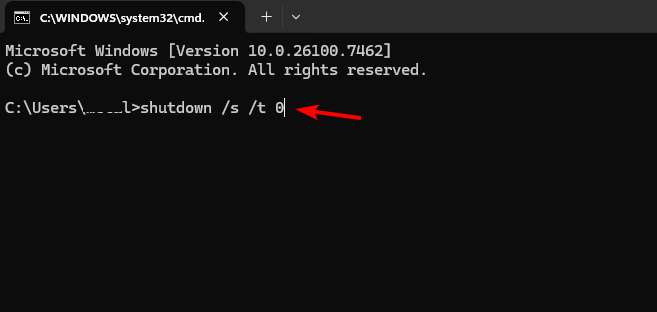
This command forces an immediate shutdown and bypasses the faulty behavior.
The shutdown bug adds to a growing list of post-update problems. KB5074109 has already disrupted Azure Virtual Desktop connections, and some NVIDIA users report black screen issues after recent updates.
Microsoft continues to investigate and plans to address the shutdown and hibernation problem in a future update. Users affected by the issue should rely on the workaround until a fix arrives.

Read our disclosure page to find out how can you help Windows Report sustain the editorial team. Read more



Improve this guide




User forum
0 messages