
Microsoft Edge Builds on AI Mode Test With Context-Aware Copilot Search
Edge Canary is testing Contextual Tasks, which could connect searches with Copilot and make the browser more context-aware.


 2 min. read
  Published on
Microsoft Edge is taking another step toward Google’s AI Mode with its Copilot Search experience. After first testing an AI Search feature that resembled AI Mode in Chrome, Microsoft has renamed the feature AI Mode and later started showing Copilot Search results. Now, Edge Canary is testing Contextual Tasks, another feature that could bring the experience closer to Google’s approach.
This is particularly interesting because Contextual Tasks is also part of Google’s work on Chrome’s AI-powered search experience. A Google icon associated with the feature provides another clue about its connection to Google’s Chrome work, although it does not confirm that Edge is using Google’s implementation.
However, Edge is not using Google’s search engine or sending users to Google’s AI Mode. Instead, the Contextual Tasks experiment connects to Microsoft’s own Copilot Search experience.

Windows Report tested the feature in Edge Canary with the Edge AI Search” experiment enabled. After enabling Contextual Tasks, we searched for “test”. Edge opened its edge://bing.com/copilotsearch .. page and returned an AI-generated answer.
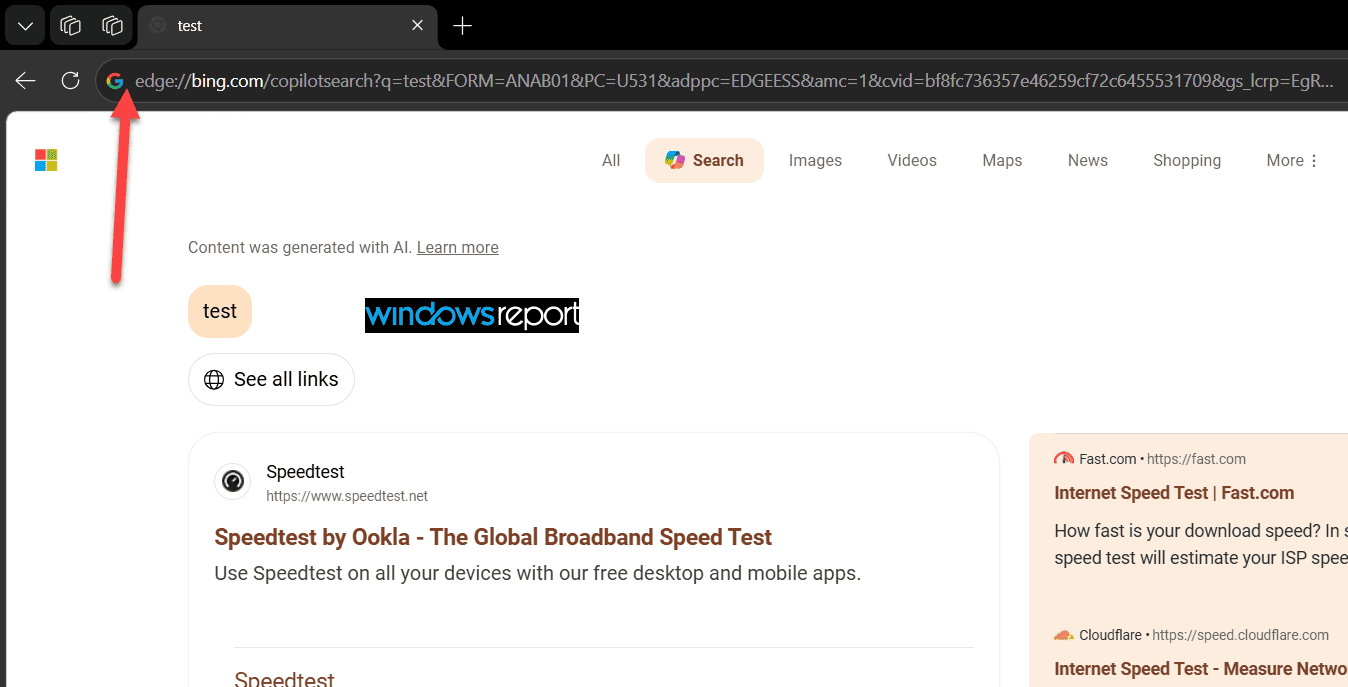
This confirms that the Contextual Tasks experiment can connect a search query to Edge’s Copilot Search experience. Instead of simply showing a conventional list of search results, the page places an AI-generated response at the center of the experience.
Microsoft appears to be building its own version of this AI search experience around Copilot Search rather than directly using Google’s AI Mode.
For Edge users, that could eventually mean Copilot Search can do more than answer a standalone search query. It could understand what users are doing in the browser and use that context when producing an answer. Copilot Search can already create images, conduct in-depth research on topics, and offer response modes such as Thinking and Quick, although we don’t know what powers these models behind the scenes.
To try Copilot Search that uses AI Mode, click the AI Mode entry point in Edge’s address bar and type your search query. You can also click the + button to choose from the available options before starting your search.
When we contacted Microsoft about Edge AI Mode recently, the company declined to comment.


Read our disclosure page to find out how can you help Windows Report sustain the editorial team. Read more



Improve this guide




User forum
0 messages