
Microsoft Edge tests a new toggle to manage on-device AI features
Microsoft’s new Canary setting mirrors Chrome’s approach, but Edge does not say which features use its on-device AI models.


 2 min. read
  Published on
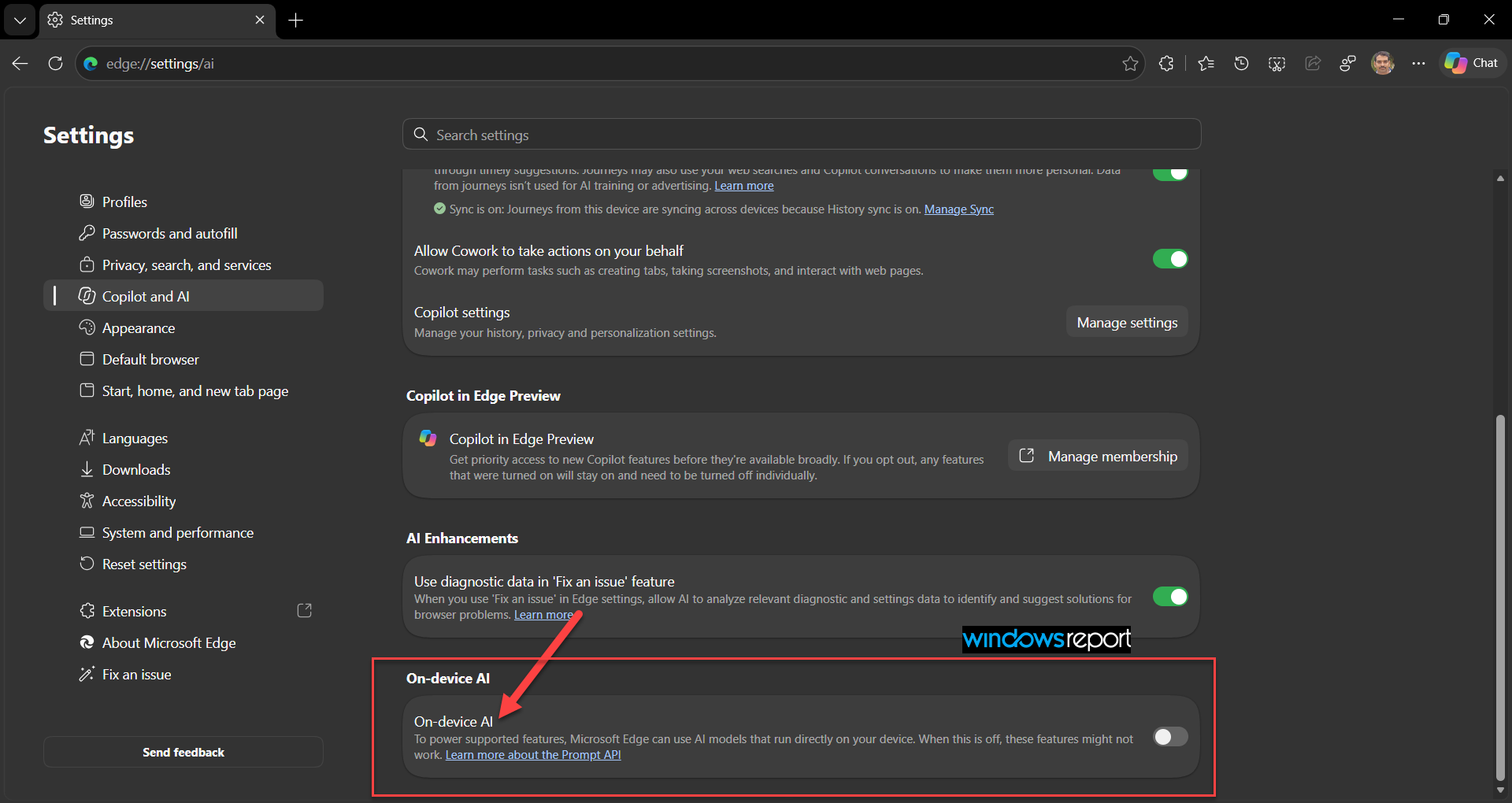
Microsoft Edge Canary is testing a new “On-device AI” setting that lets users control whether the browser can use AI models running locally on their devices. The toggle appears on Edge’s AI settings page, but Microsoft doesn’t identify the features it powers.
The setting’s description reads: “To power supported features, Microsoft Edge can use AI models that run directly on your device. When this is off, these features might not work.” It also links to Microsoft’s Prompt API documentation, which explains how websites and extensions can access Edge’s built-in language model.
We found the toggle under Settings > Copilot and AI, near the bottom of the page. You can also open edge://settings/ai directly.
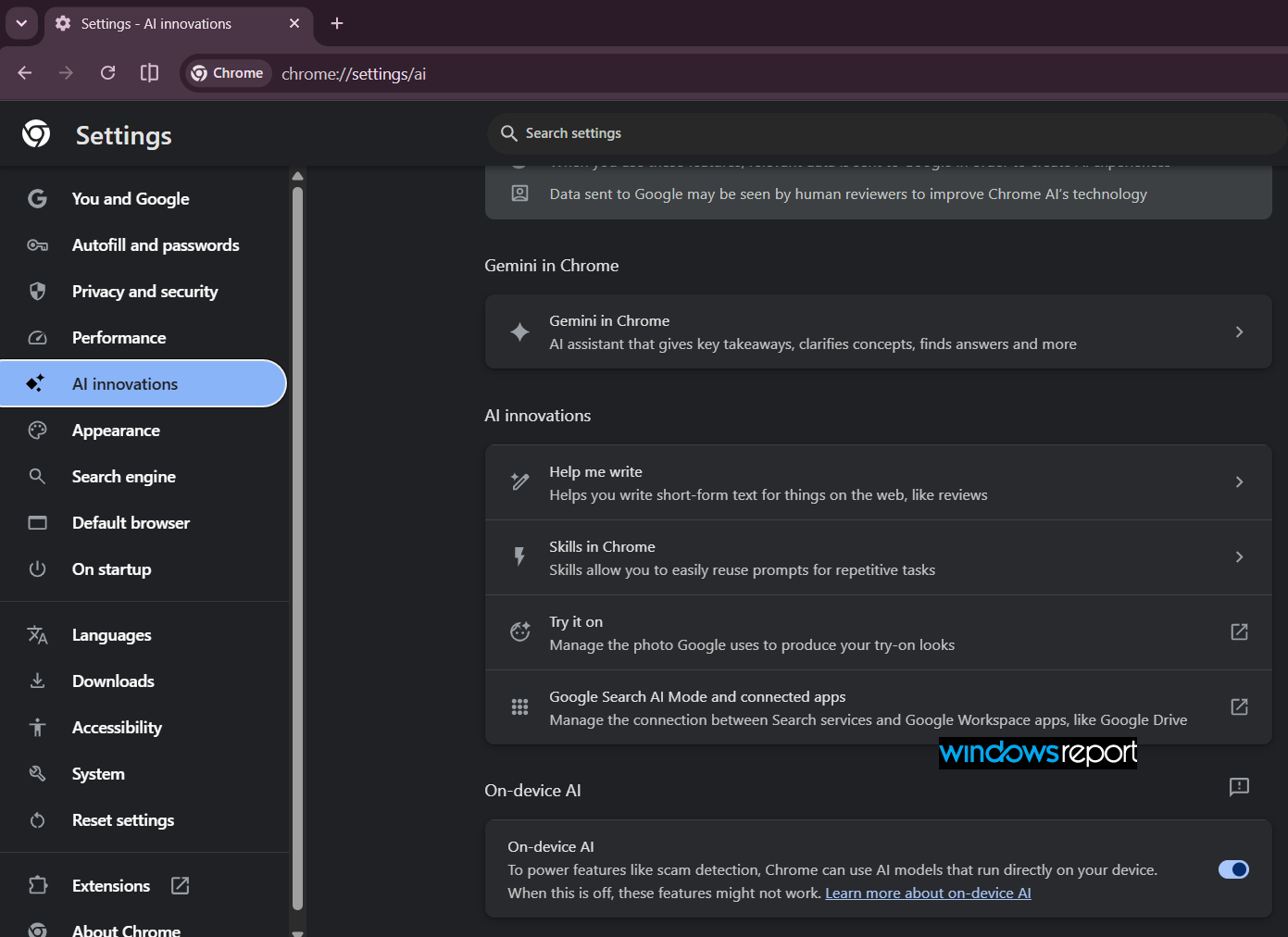
Google Chrome offers a similar setting under chrome://settings/ai. Its description names scam detection as one feature that can use on-device AI models and warns that disabling the setting might prevent those features from working.
Microsoft already supports experimental on-device AI APIs in Edge. The Prompt API lets websites and extensions send prompts to a built-in small language model for tasks such as summarizing, classifying, and rewriting text. Edge also offers experimental APIs for language detection and translation.
Microsoft hasn’t confirmed whether the new toggle controls these APIs or other browser features.
Following Chrome, Edge’s new toggle could give users more control over the AI models used by browser features. Microsoft could also make the setting more useful by explaining which features rely on these models and what users can expect when they switch the toggle off.


Read our disclosure page to find out how can you help Windows Report sustain the editorial team. Read more



Improve this guide




User forum
0 messages