
Microsoft Edge Can Now Translate Entire PDFs Into New Copies
Edge Canary lets users translate an entire PDF from the context menu and opens the translated copy in a new tab.


 2 min. read
  Published on
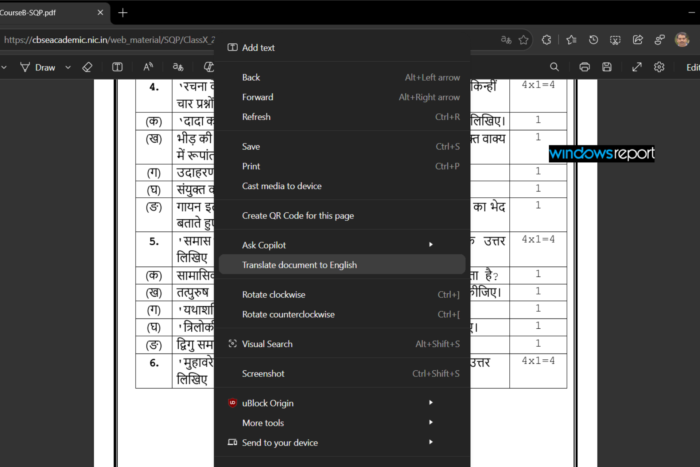
Microsoft Edge already lets users translate selected text inside PDF documents, but the current workflow only works with individual selections. Users can highlight text and choose the Translate option from the PDF toolbar, or right-click the selection and choose the translation option. The translated text appears in a side pane without leaving the current tab. Microsoft says Edge supports PDF text translation in more than 70 languages.
Microsoft announced a broader PDF translation feature at Build 2025, saying Edge would let users translate entire PDF documents with a few clicks. The company said Edge would create translated copies and make it easier to understand lengthy PDFs without translating them line by line. Microsoft also said users could try the feature in Edge Canary.
I was able to test the whole-document translation feature in the latest Edge Canary build today.
I opened a 10-page PDF written in Hindi and right-clicked inside the document. Instead of selecting a portion of text first, Edge showed a new “Translate document to English” option in the PDF’s context menu.
Selecting the option opened a new tab. Edge first showed the message, “Translating a copy of your document,” followed by “This may take a moment.” The browser then completed the translation and opened the translated copy of the PDF.
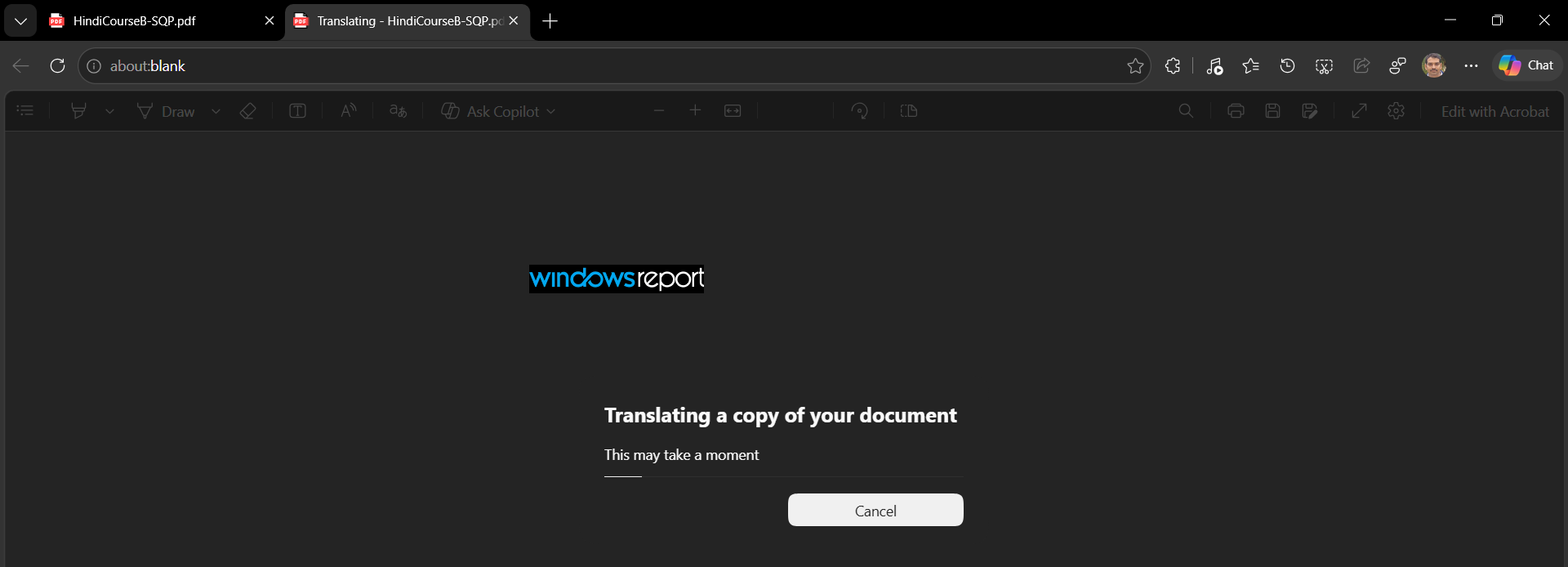
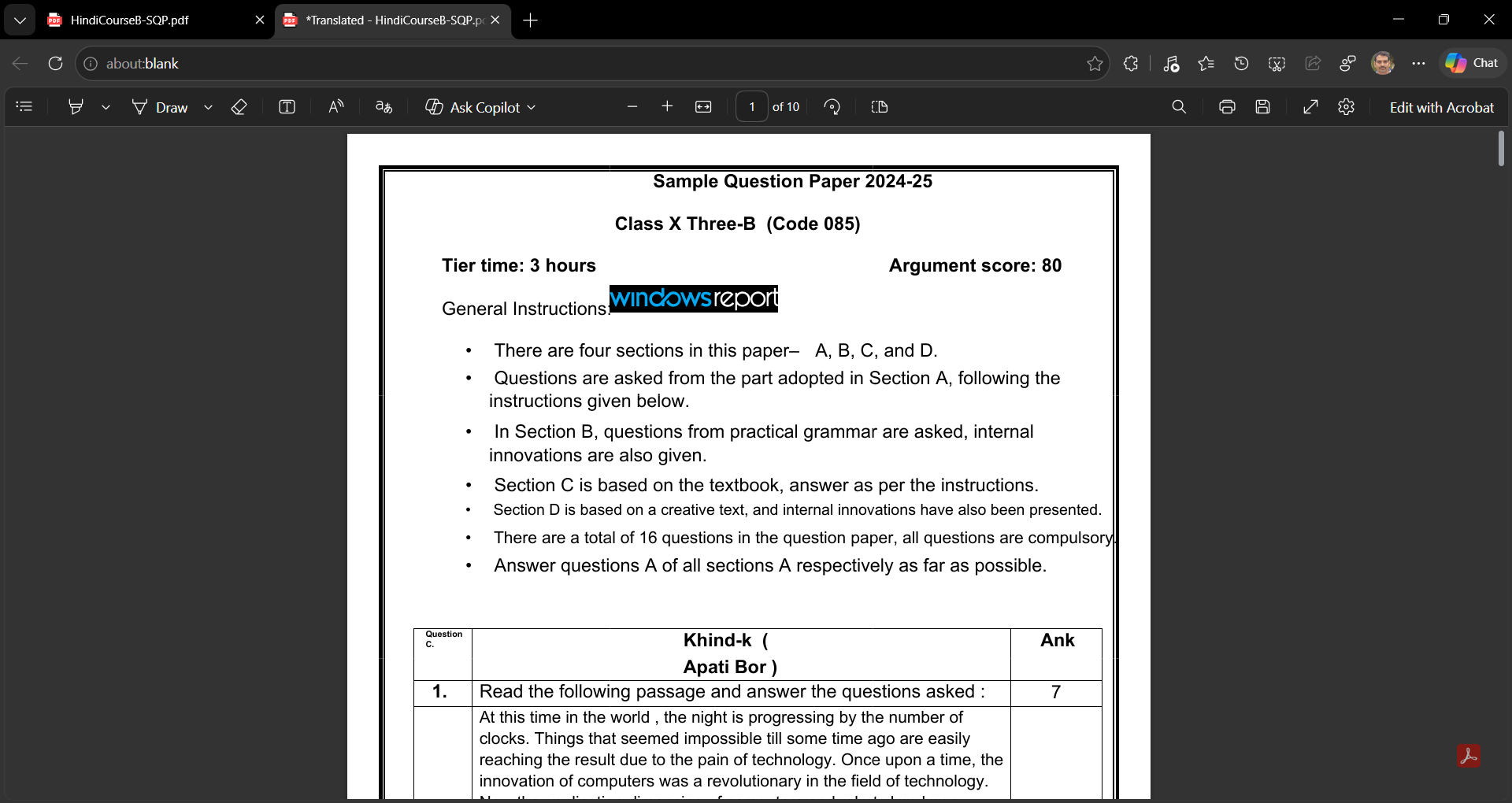
I didn’t have to highlight text, translate individual sections, or copy the content into another translator. Edge translated the entire PDF and created a separate copy, while the original PDF remained available in its original language.
In my test, the 10-page Hindi question paper was translated successfully, and the translated document appeared in the new tab shortly afterward.
This also puts Edge’s experiment alongside Google’s recent work on PDF translation in Chrome Canary, although the two browsers currently take different approaches. Chrome’s experiment uses Reading mode to display translated PDF text, while Edge’s implementation creates a separate translated copy of the entire document.
This could be useful for manuals, study materials, reports, and other lengthy documents. Instead of translating one passage at a time, users can translate the entire PDF while keeping the original document available separately.
The feature is still being tested in Edge Canary, so the interface and the “Translate document” option could change before Microsoft rolls it out more widely.


Read our disclosure page to find out how can you help Windows Report sustain the editorial team. Read more



Improve this guide



User forum
0 messages