
Microsoft Excel Can Now Store Multiple Values in One Cell


 2 min. read
  Published on
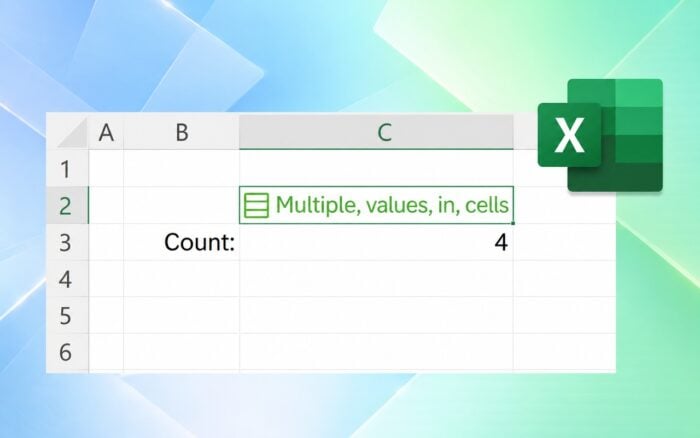
Microsoft is testing a major Excel upgrade that lets users store multiple values inside a single cell using new Lists and array capabilities.
Users can create a List through Insert > List or Ctrl+J, then enter multiple items separated by commas or semicolons. Excel treats each item as an individual value, allowing users to filter, edit, and use them in calculations without converting the entire cell into one text string.
Excel can now store complete arrays inside cells
Excel can also store arrays of any size or shape directly inside a cell, either as fixed values or formula results.
The update adds support for nested arrays, meaning one array can contain other arrays. This can prevent truncated results and some #CALC! errors that previously appeared in more complex formulas.
When users reference a List or array, Excel can return its individual values and spill them into other cells or use them directly in calculations.
Microsoft adds four new array functions
Microsoft is also introducing four functions designed for the new data structures: FLATTEN, HAS, HASANY, and HASALL.
FLATTEN removes nesting levels from arrays, while HAS, HASANY, and HASALL check whether specific values appear inside an array.
The new Excel features still have limitations
Nested array calculations generally require Compatibility Version 3, which can affect how some existing formulas behave.
PivotTables, Power Query, charts, data validation, conditional formatting, and Find & Replace currently offer limited or no support for working with individual values stored inside arrays.
Microsoft is gradually rolling out the features to Microsoft 365 Insider Beta Channel users running Windows Version 2610 Build 20520.20000 or later and Mac Version 16.114 Build 26092111 or later.
In other Excel news, Microsoft will remove Power Query as a Python data source in Excel for the web.
Microsoft has also rolled out Claude Opus 5.5 and GPT-6 Sol to Copilot across Word, Excel, and other Microsoft 365 apps.
Meanwhile, the Microsoft Excel copy and paste issue is fixed.

Read our disclosure page to find out how can you help Windows Report sustain the editorial team. Read more



Improve this guide




User forum
0 messages