
Microsoft launches Channel Agent in Teams for smarter collaboration
The agent has some limitations, though


 2 min. read
  Updated on
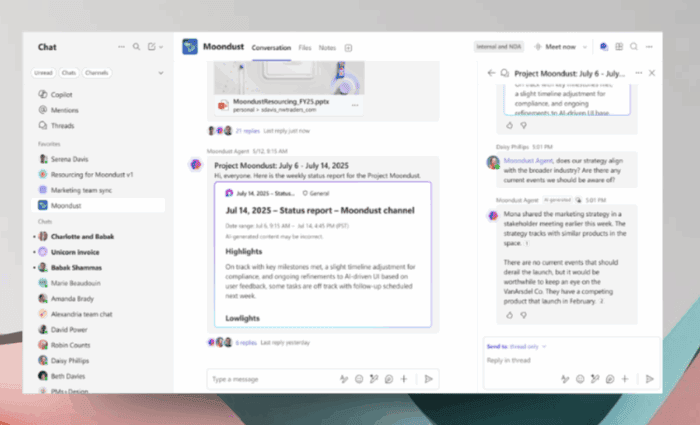
Microsoft has just launched Channel Agent, a new AI-powered assistant built directly into Teams channels. The feature is first rolling out to Teams Public Preview on Windows, Mac, iOS, Android, and the web.
Well, all new Teams channel will now include a dedicated agent that takes on the channel’s name. Thinking about what this agent can do?
Well, Channel Agent can generate structured Loop reports, answer questions using meeting and Planner data. You can also use it to capture and track tasks, and even draft and schedule meetings. It can also be invited to meetings and group chats, making it a super useful tool for collaboration.

How Channel Agent works in Microsoft Teams
The setup process is pretty much straightforward. You can simply open the Add people, agents, and bots menu in a channel. Then, select Add agents and bots, and confirm the addition. Once created, the Channel Agent mirrors the channel name and becomes available for project support.


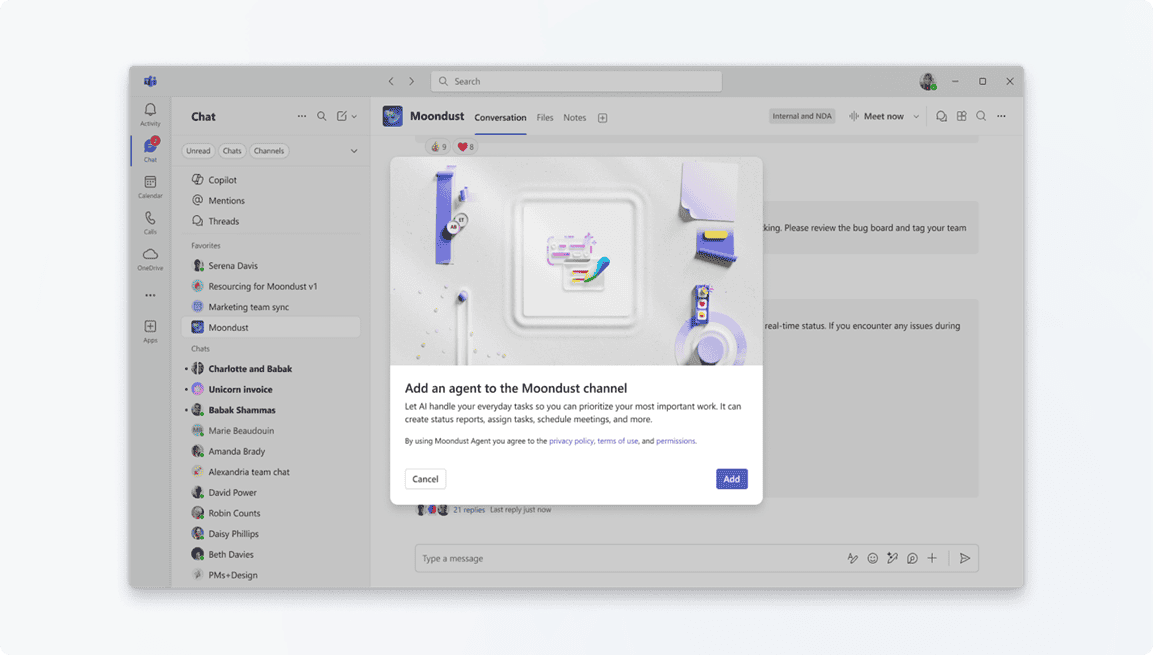
It’s worth noting that existing agents can be added to conversations the same way, and they can be removed if needed. That’s not all; Microsoft further notes a few limitations as well.
For example, Channel Agent is restricted to its home channel and can’t be used in private chats. Meeting access is limited to members with full chat history, wihile organizer restrictions continues to apply. The tool also requires a Microsoft 365 Copilot subscription, though users without Copilot can view responses and generated content.
As for the availability, IT admins can enable preview features in the Teams Admin Center. And for that, Microsoft has published a full support documentation.

Read our disclosure page to find out how can you help Windows Report sustain the editorial team. Read more



Improve this guide


User forum
0 messages