
Microsoft Plans to Fix Windows 11 Search With Faster, More Accurate Results
Diego Baca signals major improvements to Windows 11 search


 2 min. read
  Published on
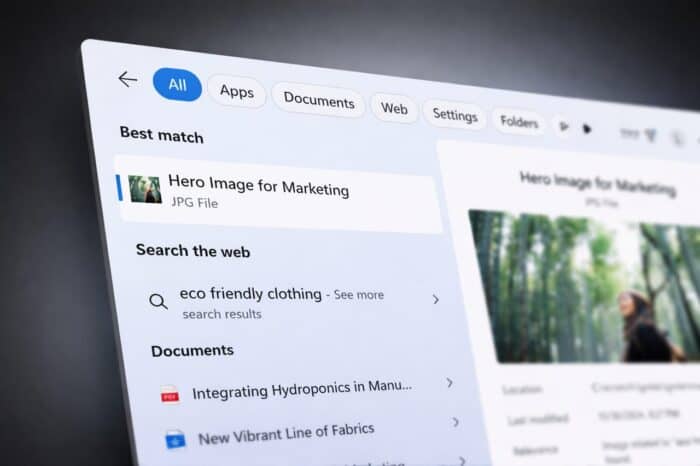
Microsoft is preparing a major overhaul of Windows 11 search, aiming to fix long-standing issues that frustrate users daily.
According to Windows Latest, the company is actively working on improving Start menu search, with a strong focus on speed, accuracy, and consistency across the system.
Search issues Microsoft wants to fix
Users have reported several problems with the current Windows 11 search experience. These include incorrect app suggestions, noticeable delays before results appear, and results shifting while users try to click them.
Another common complaint involves the mixing of apps, files, and web results, which often leads to confusion instead of quick access. This directly impacts the popular “Win key + type” workflow used by power users.
Microsoft acknowledges the problem
Diego Baca, Windows Design Director, confirmed that Microsoft is aware of these issues and is already working on improvements internally.
The company aims to make search results more predictable, faster to load, and more consistent across different parts of Windows.
What improvements are coming
Microsoft plans to refine how apps appear in search results, making them easier to find and more accurate. The company also wants to improve indexing and response times, reducing delays when typing queries.
Another key goal is consistency, ensuring that search behaves the same way in Start, File Explorer, and Settings.
Overall, the focus is on delivering clearer and more trustworthy results, addressing one of the most criticized parts of Windows 11.
Search isn’t the only area getting attention. Microsoft is also working on bringing back Taskbar customization, a feature many users have requested since Windows 11 launched.
The company recently teased this capability in a video, suggesting that more personalization options could return soon.

Read our disclosure page to find out how can you help Windows Report sustain the editorial team. Read more



Improve this guide




User forum
0 messages