
Microsoft Teams Starts Rolling Out ‘Video Recap’ to Catch Up on Meetings
The rollout is gradual, so not everyone will see the feature right away


 2 min. read
  Published on
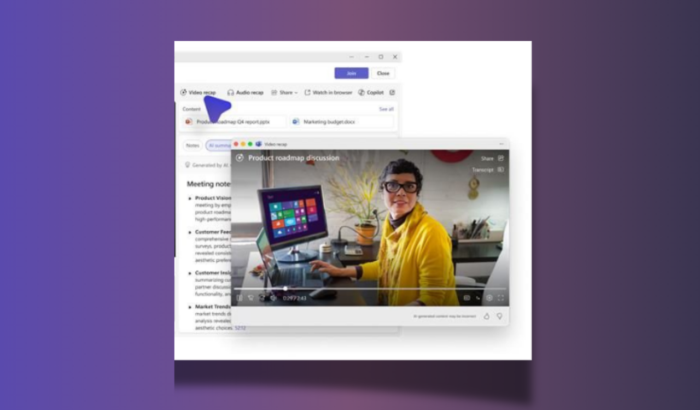
Microsoft Teams just got a smarter way to replay meetings without you having to watch long meeting recording. The company has started rolling out a new video-based feature called video recap, which focuses on turning full meetings into short, watchable highlights.
Teams video recap turns long meetings into quick highlights
The new video recap feature is designed to help users quickly revisit meetings without going through the entire recording. Rather than scrubbing through long videos, Teams now creates narrated highlight clips that focus on key moments and discussions.
As noted by Microsoft in the official announcement, video recap combines short video segments with a summary-style narration. That means you not only see what happened but also get a sense of the tone and context of the meeting. It’s basically a quicker way to understand what was discussed without sitting through an hour-long call.
You can expect it to highlight things like shared slides, visuals, and important discussion points. The idea here is simple. Rather than watching everything, you just get the parts that matter the most.
How video recap works and what to expect
Using the feature is fairly straightforward. Once a meeting recording is available, you can head to the recap page in Teams and tap on the video recap option. The system then generates a condensed version of the meeting with selected clips.
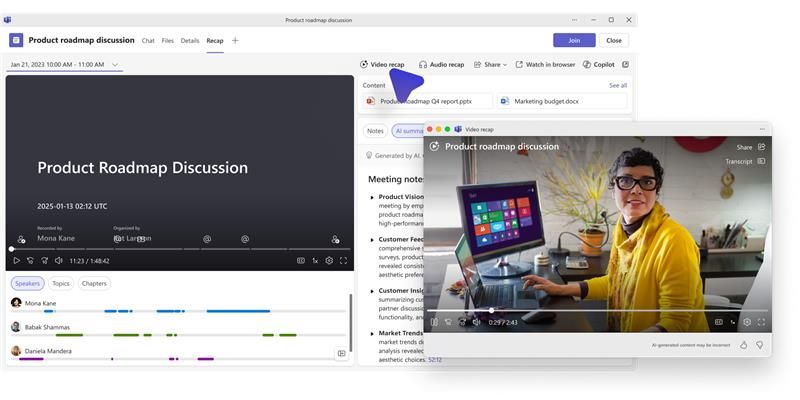
That said, there are a few limitations for now. The feature only works for meetings between 10 and 90 minutes long. Also, meetings that only have transcripts without recordings won’t support video recap. Another thing to note is that the recap doesn’t show up instantly. It can take around 10 to 15 minutes after the recording is uploaded before the video recap becomes available.
As of now, the feature is rolling out gradually on Teams on Windows, Mac, and the web. That also means not everyone will see video recap in Teams right away. Microsoft also notes that some parts of the experience could change as it continues testing performance and quality.

Read our disclosure page to find out how can you help Windows Report sustain the editorial team. Read more



Improve this guide



User forum
0 messages