EA Sports UFC 2 now free to play on Xbox One through July 11

As a celebration of fifth annual UFC International Fight Week, the Xbox One video game EA SPORTS UFC 2 is opening up to a free trial throughout the rest of the weekend until Monday, July 11. The demo lets players pit themselves into the ring for five full hours to experience all of the features available through the complete 20.1 GB game.

Having just released earlier this year in March, the fighting game debuted at 2nd place in the UK sales charts. The game description reads:

EA SPORTS™ UFC® 2 innovates with stunning character likeness and animation, adds an all new Knockout Physics System and authentic gameplay features, and invites all fighters to step back into the Octagon® to experience the thrill of finishing the fight.

The timing corresponds with the upcoming live event where the growing e-sport will crown its first World Champion at the UFC 200 competition finals between Cormier vs. Jones 2. Both are duking it out for a grand prize of $10,000 and the World Champion title. According to the UFC news release, this event is the culmination of over 495,000 fights involving 43,000 fans from 25 different countries. You can watch the competition finals on the official EA SPORTS Twitch stream as it happens on July 8, 2016, at 1:30 PST.

It’s worth noting that the free demo only pertains to the standard edition, not the deluxe edition bundle. However, if you enjoy your time in the virtual ring, the game is currently available for the Xbox One Ultimate Game Sale for as low as $30 for Xbox Gold subscribers. Some retailers are also jumping into the festivities by offering up discounts as high as 50% to the purchase of EA SPORTS UFC 2.

Averaging a rating of 4.5 stars through the Xbox Store with over 6,000 reviews, EA SPORTS UFC 2 is a fighting game worth looking into for the free trial period. Download it from the Xbox Store to hop in the Octagon and put ’em up against the best.


Excel 2016 getting faster OLAP PivotTables in June 2016 update

Microsoft is tweaking its Excel product to bring customers faster PivotTables on OLAP servers. According to a post issued today, July 7, 2016, on the Office Blogs, customers should see improvements to their PivotTables due to some caching improvements, thanks to the Office team.

More to the point, the updates, which are being made to Office 365 subscribers, for now, include the following details on exactly what and how the improvements benefit customers directly.

About the improvements

We have made significant improvements in three major areas while querying OLAP servers.

  • Improved query efficiency—Excel will query for subtotals only if they’re required to render the PivotTable results. This means you wait less for the OLAP server to finish processing the query and spend less time waiting for the results to transfer over your network connection.
  • Reduced the number of queries—Excel is smarter when refreshing your data. It now uses the LAST_SCHEMA_UPDATE property of a connection to limit schema requests to those times when it has, in fact, changed.
  • Smarter caches—When the schema is retrieved, it is now shared across all of the PivotTables on that connection, further reducing the number of queries.

Also, the Office team walks customers through how they can tweak their PivotTables to squeeze even more performance out of the tool while working with larger data environments. Apparently, adjusting or disabling the subtotals and grand totals of pivots will also lead to an additional boost in performance. Visit the Office Blogs to see the easy step-by-step process that helps increase the effective speed of PivotTables in the latest update for Excel 2016.

Microsoft releases Visual Studio “15” Preview 3 with IntelliSense and other fixes

If you’re a developer, then you’re likely looking forward to the official release of Visual Studio “15,” as it’s being called. The previews keep coming, adding in new fixes and pushing the official release closer and closer to reality, and today, Microsoft announced on the Visual Studio Blog that another preview is now available.

Here’s the official word:

Today I am happy to share Visual Studio “15” Preview 3 (which is different from Visual Studio 2015 Update 3). This is still a Preview and is unsupported, so my recommendation is to not install it on your production environments. That said, it should install right on top of any previous Visual Studio “15” Previews and side by side with previous versions of Visual Studio. Here are the Visual Studio “15” Preview Release Notes, and Visual Studio “15” Preview 3 Known Issues.

We’re still laying some of the foundational groundwork, but we do have some new features, including some improvements in IntelliSense to help you filter the member list by type and a new Exception helper that gives you instant non-modal view in to inner exceptions. The IntelliSense tray is disabled by default but can be easily turned on in Tools > Options. > Text Editor > C#/VB > IntelliSense. Preview 3 also includes Xamarin 4.1, which includes bug fixes as well as support for tvOS and improved iOS Assets Catalog support. For more information, see the Xamarin release notes.

Microsoft also released Team Foundation Server “15” Preview, and you can get the details here. If you’re a developer, give Preview 3 a try and let us know in the comments what you think of Microsoft’s progress toward an official release.

Resident Evil 4 to hit Xbox One, PS4 on August 30

Earlier this year, Capcom announced that it would bring its survival horror classics Resident Evil 4, 5 and 6 on both the Xbox One and PS4. Following the release of Resident Evil 6 in March which was followed by the fifth opus last week, Capcom announced today that Resident Evil 4 will be available on both consoles on August 30, a few weeks before the previously announced fall timeframe (via Polygon).

If you’re not familiar with the title, Resident Evil 4 has been critically acclaimed for successfully moving the franchise from the survival horror genre to a more mainstream third-person shooter adventure with a great story, iconic characters and creepy enemies to fight off. In its blog post today, Capcom may have well described why Resident Evil made such an impact when it was first released on the Nintendo Gamecube in 2005:

This potent combination of exotic weaponry and dynamic enemy encounters is part of why RE4 was not only incredibly innovative for the wider video game industry, but has stood the test of time. There are many examples of paradigm-shifting video games throughout history, but not all of them have the benefit of being as fun to play today as when they first released. Resident Evil 4 is one of the best examples of this rarity.

Similarly to previous releases, the game will include all the preexisting bonus content and will be sold for $19.99 in North America, €19.99 in Europe and £15.99 in the U.K. Let us know in the comments if you plan to get this game on your Xbox One.

What is Microsoft AppSource?

Microsoft AppSource helps enterprise users find and gauge line-of-business (LoB) software-as-a-service (SaaS) apps from Microsoft and its partners. AppSource apps are built on top of Microsoft Dynamics, Project Madeira, Power BI, Office 365, Cortana Intelligence Suite, and Azure, and include all of their existing app add-ins and content packages.

Yesterday, Microsoft officially announced Dynamics 365 and AppSource. Microsoft hopes that AppSource will be the go-to place for businesses looking for the best apps to drive growth, productivity, and profit.

AppSource has more than 200 SaaS apps, add-ins, and content packs available, including new and exclusive industry-specific business apps such as:

  • “AFS™ “Retail Execution” – An end-to-end solution for CPG organizations to use as they engage with their customers in the field, covering visit and merchandising, sales, asset management, and audit as well as a full suite of BI and analytics.
  • AvePoint “Citizen Services” – Government organizations can automate incident reporting, response, and resolution, so employees can solve issues faster and serve citizens better.
  • Veripark “Next Best Action” – Financial institutions can maximize the lifetime value of each customer and deliver a first-class customer-centric experience by making the right offer, at the right time, via the right channel.”

Depending on their business needs, AppSource allows users to access apps from Dynamics AX, Dynamics CRM, Dynamics NAV, Project Madeira, Power BI, Office 365, or Azure. Searching through all the apps offered by AppSource can be narrowed down by category, industry, or by Microsoft product. Microsoft sees AppSource as “a place to find new apps and better ways to get things done.” Microsoft hopes that AppSource will be a big hit for enterprise customers as Microsoft pushes more apps and services to the cloud using Azure.

Microsoft, AppSource
“Find the right app for your business needs.”

In a post by the engineers behind Dynamics 365 and AppSource, Dynamics 365 and AppSource represent a new approach to handling business processes. Customers and independent software vendors (ISVs) alike will benefit from listings on Microsoft AppSource:

“Microsoft AppSource provides a modern discovery and provisioning system for these solutions. For customers, Microsoft AppSource is your destination to easily find and evaluate the apps from Microsoft and our partners that drive your business. For ISVs, Microsoft AppSource is your destination to market line-of-business (LoB) SaaS apps to business users. Drive discoverability and usage of your apps within an existing global network of business customers through co-marketing opportunities, lead generation and the support of Microsoft’s worldwide ecosystem and sales force. Harness Azure’s leading, secure and intelligent cloud services platform and tools to deliver differentiated apps to customers.”

Starting in Fall 2016, when Dynamics 365 is released, AppSource will likely be able to take advantage of Dynamics 365 apps. Currently, AppSource offers most apps to businesses to try-before-you-buy to see if the apps help enterprise customers in their daily operations. Microsoft plans to reveal more information to its partners about Dynamics 365 and AppSource at WPC 2016 next week.

Skype for Web on Chromebooks now handles voice calls

The Microsoft Skype team has been working hard to support every significant platform with a client or other sort of support. In the past, the one platform that has been left out in the cold for some more advanced Skype functionality is Google’s Chromebook, which serves as the lowest-priced competition to Windows 10.

According to PC World, one of the more needed features–voice calling–now works on Chromebooks:

This feature should “just work.” Head to the Skype for Web website, sign in with your Skype account, and click the voice call button for one of your Skype contacts. Chrome will ask if you want to share your microphone with Skype. Agree and the call will happen normally, just like it would via the Skype client application on a desktop PC or phone. It now uses standards-based web technologies instead of the plugin it initially required on Windows.

While audio calls work and work well, video features don’t yet seem to be working on Chrome OS. Skype for Web already offered solid text-messaging support for Chromebook users.

Now, even if you opt for one of the cheapest (and arguably most limited) computing options out there, you can still make Skype calls. It’s likely only a matter of time before video calls are supported as well. Let us know in the comments if you’re glad to see the Skype team lending their support the Google Chromebook owners.

Microsoft renames Enterprise Mobility Suite to Enterprise Mobility + Security

In lesser company shakeup news, Microsoft is reintroducing its Enterprise Mobility Suite by renaming it to Enterprise Mobility + Security. The Microsoft Enterprise Mobility Suite or EMS for short will remain roughly the same Identity-driven security solution current customers have become familiar with.

For those unfamiliar with EMS, Microsoft has provided a brief overview of the service as follows:

Protect at the front door

Our solution starts with identity protection capabilities to secure access at the “front door” of your company’s apps and data. Azure Active Directory Identity Protection leverages billions of signals to provide risk-based conditional access to your applications and critical company data, including the option of multi-factor authentication. We also help you manage and protect privileged accounts with Azure Active Directory Privileged Identity Management so you can discover, restrict and monitor privileged identities and their access to resources.

However, with the name change does come a handful of planned additions to EMS in the future that include:

 1.Enterprise Mobility Suite becomes Enterprise Mobility + Security

  1. The existing Enterprise Mobility Suite becomes Enterprise Mobility + Security E3, with no change for existing EMS customers.
  2. A new expanded plan will be generally available in Q4 2016 and known as Enterprise Mobility + Security E5.

2.Azure Active Directory Premium

  1. The existing Azure AD Premium becomes Azure AD Premium P1, with no change for existing customers.
  2. Azure AD Premium P2, generally available later in Q3 2016, includes all the capabilities in Azure AD Premium P1 as well as the new Identity Protection and Privileged Identity Management capabilities.

3.Azure Rights Management + Secure Islands becomes Azure Information Protection

  1. The existing Azure Rights Management Premium becomes Azure Information Protection Premium P1, generally available in Q4 2016, with no change for existing Azure RMS customers.
  2. The P2 offer adds automatic classification, on top of the manual classification, labeling and everything else included in P1.

As personal online security continues to grow in both commercial and consumer consciousness, products such as EMS become major points of differentiation for cloud service providers. Fortunately, it looks as though Microsoft is forging ahead with its efforts and continually evaluating the internet landscape to provide the most up-to-date security solutions.

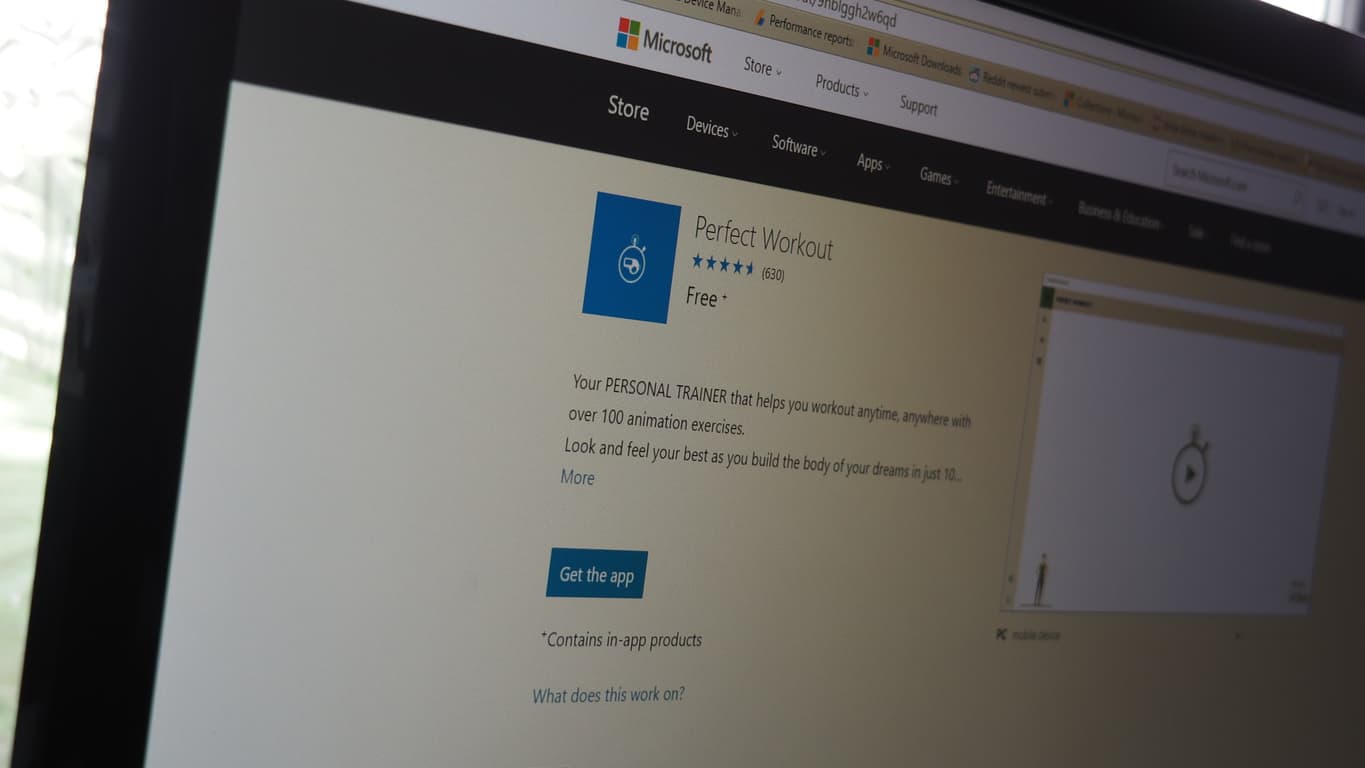
Windows Insider team picks Perfect Workout as the Continuum App Contest winner

Microsoft Windows Insider chief Dona Sarkar mentioned a fun little contest being held in Redmond. The Continuum App Contest has been soliciting new Windows 10 apps, and she announced the finalists in the blog post introducing Windows 10 Insider Preview build 14379.

Winner of the Continuum Developer Contest!
Dona Sarkar and Continuum App Contest winner Vuong Chung.

Today, Dona announced the contest’s winner, and the app looks to be a good fit for today’s increasingly technology-oriented fitness craze:

We wanted to share with you the winner of the Continuum app contest from last week. It was a super hard decision, but we went with Vuong Chung from Vietnam. His app, Perfect Workout, can be found here. You can check out the finalists’ apps from my blog here. We were really happy to have heavy involvement from our engineering team for coaching and judging as well as sponsorship and support from HP for this event. Vuong took home quite a haul for his work. He received a Lumia 950, a Continuum Display Dock, an Office 365 Subscription, a copy of Visual Studio Pro, an HP Elite XP3 phone, $1,000 Advertising Credit on the Microsoft Store and my fave: A Surface Book.

Our congratulations to Mr. Chung (for the app and all that nice Microsoft tech), and we’re always happy to see new Windows 10 apps being developed by whomever, for whatever reason. If you’re so inclined, check out the app and let us know in the comments what you think.

Perfect Workout
Perfect Workout
Developer:
Perfect Thumb
Price:
Free

Windows 10 build 14383 for PCs brings fixes for Edge extension downloads, keyboard shortcuts for Cortana and more

Windows 10 Insiders have been teased all week by program lead Dona Sarkar, that new builds for PC and mobile would be released sometime this week. Well, the time has come and Dona has pressed her big red release button, seeding new Windows 10 Insider Preview build 14383 for both PC and mobile to Insiders on the Fast Ring.

With rumors that the Windows team has begun signing off on the final release of the Windows 10 Anniversary Update, builds being delivered to Insiders will probably be nothing more than a list of fixes and tweaks to the already existing feature set.

With that being said, here are the improvements and fixes for PC build 14383:

Improvements and fixes for PC

  • The link to “Get more extensions from the Store” under the Extensions pane in Microsoft Edge now takes you directly to the Store to download available extensions.
  • We have changed the keyboard shortcut to invoke Cortana in listening mode to Win + Shift + C based on feedback from Insiders experiencing a large number of unintended activations of Cortana while in listening mode. Speaking “Hey Cortana”, when enabled in Cortana Settings, continues to invoke Cortana in listening mode as it always has.
  • Going forward from this build, updates to the Quick Action area of Action Center will be preserved across upgrades.
  • We fixed an issue where disconnecting the Surface Book from an external monitor set as primary might result in the Surface Book screen showing in portrait rather than landscape until having detached and reattached the screen.
  • We fixed an issue where the Settings app was showing media controls in the taskbar preview window.
  • We fixed an issue where dragging the file comparison or manage library dialogs between two monitors with different DPIs would result in the dialog content no longer displaying correctly
  • We fixed an issue where the checkmark used to indicate a selected state in app bar toggle buttons wasn’t visible in high contrast, for example in the Photos menu under “…”.
  • We fixed an issue where connecting to a PC using Remote Desktop when a maximized window is immediately behind the Remote Desktop dialog would result in the subsequent the Credential UI window being displayed behind the maximized window.
  • We fixed an issue where, with certain monitor configurations, Explorer.exe would hang after a tooltip is displaying.
  • We fixed an issue resulting in certain Bluetooth mice, such as the Microsoft Arc Touch Mouse, sometimes accelerating erratically when moving the cursor across the screen.
  • We fixed an issue where on certain webpages in Microsoft Edge when Narrator was in Scan mode and going line by line through a list of hyperlinks, Narrator wouldn’t announce the fact that these were hyperlinks.
  • We fixed an issue with certain websites potentially causing a memory leak and becoming unresponsive in Microsoft Edge when the LastPass extension had been enabled.

There it is, a long list of welcome fixes for Insiders leading towards the finish line of the Windows 10 Anniversary Update release.

Head over to your Update Settings page to grab the latest build of Windows 10 Insider preview.

Happy downloading, Insiders.

Windows Device Recovery Tool updated, adds support for NuAns NEO

Microsoft is not focusing on Windows 10 Mobile right now; that much is clear. That’s not to say the company is neglecting its users however: case in point, an update has jus been released for its Windows Device Recovery Tool, reports Windows Central.

Specifically, the update is bringing support for addition third-party Windows Phone (read: non-Lumias), including the NuAns NEO – a curious design-focused handset from Japan. Another interesting phone from Japan whose support was added is the VAIO Phone Biz, a business device from the former great laptop maker (some argue the new laptops are the company’s return to form). Other additions include the Unistrong T536, and the Yezz Billy.

To jog your memory a bit, Windows Device Recovery Tool is a PC-based software from Microsoft, that helps supported smartphones’ owners to restore their device OS in case something goes wrong, like during an Insider Preview build installation. The update is a good indicator of Microsoft’s continued commitment to Windows on Mobile, the champion of which may have to be the upcoming rumored “Surface Phone”.

New Windows 10 Task View features coming with Anniversary Update

The Anniversary Update for Windows 10 is bringing a slew of new features and improvements to Microsoft’s OS, among which will be enhancement to Task View, reports Windows Central.

Specifically, Task View will get two new options to pin an open window, so that they appear on all virtual desktops being opened. The new options is added to the context menu when you right click the title bar of any Windows Application.

You can either choose to pin only the currently opening window, or all windows from the app itself. There is reportedly also an option to pin a window to one particular monitor, that seems to only appear in a multi-monitor setup, and should be a boon for such users.

Also related to Task View is a new gesture Microsoft is adding in the Anniversary Update for precision touchpads. Specifically, swiping left and right with three fingers in the new update will reportedly allow you to switch between different virtual desktops with ease.

This is one step less than the current method of swiping up with three fingers to get an overview of virtual desktops then choose, similar to Expose on OSX. Things may get clunky if you have many virtual desktops opening at once, however, requiring many swipes; it is also not clear what the current function for the gesture, which is switching between opening apps (like pressing Alt+Tab), will be assigned to.

Overall, these two new features sound like some nice additions to Windows 10’s user experience. We can’t wait until when the Anniversary Update gets released for all to try them, and many other new things, out; in the meantime, stay tuned for more exciting discoveries and news regarding the update, Windows, and Microsoft.

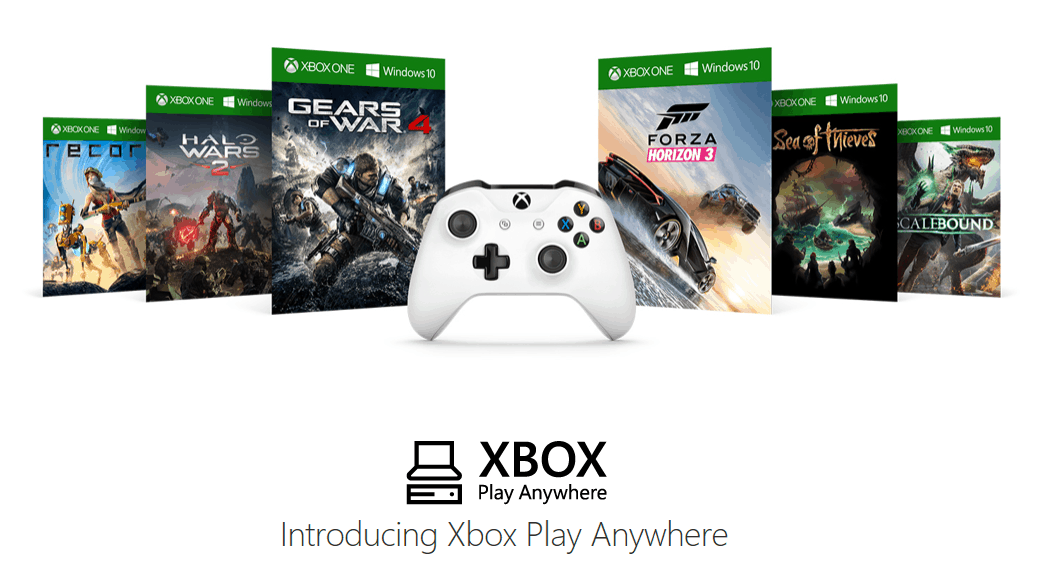
Xbox Play Anywhere coming to titles “shown at E3” as Microsoft modifies claims

During its E3 2016 conference nearly a month ago, Microsoft made headlines by announcing Xbox Play Anywhere, a new initiative that will allow gamers to buy a game once and play on either a Windows 10 PC or Xbox One with shared progress, game saves and achievements. The feature will reportedly launch on September 13, a few weeks after the release of the Windows 10 Anniversary Update for PCs, phones and the Xbox One.

Last week, Microsoft’s Corporate Vice President for Windows and Devices Group Yusuf Medhi shared more details about Xbox Play Anywhere in a blog post, adding at the time that “every new title published from Microsoft Studios will support Xbox Play Anywhere and will be easily accessible in the Windows Store.” However, PC Gamer is reported today that Microsoft has since edited the blog post to add a slight but important modification to that quote (emphasis mine):

Every new title published from Microsoft Studios that we showed onstage at E3 this year will support Xbox Play Anywhere and will be easily accessible in the Windows Store.

Xbox Play Anywhere
A sample of upcoming Xbox Play Anywhere titles.

According to this new statement, Microsoft is no longer promising that all upcoming Microsoft Studios titles will support Xbox Play Anywhere going forward. This could probably mean different things: Microsoft could still want to make some of its games exclusive to the Xbox One, or the company could also ship new Microsoft Studios titles on both the Xbox One and Windows 10 without enabling Xbox Play Anywhere. Still, the company may be right to test the market and see how its Xbox Play Anywhere initiative affects game sales.

While Xbox Play Anywhere is great news for consumers, it’s also not clear what it means for the future of its gaming console. Does Microsoft still needs Xbox One exclusive games to sell new Xbox One units, or does the company need to turn Xbox into a cross-platform global gaming platform and push game developers to release games where the consumers are? We may have to wait to see if other game developers will embrace Xbox Play Anywhere or not later this year.

Microsoft reportedly begins sign-off process for final Windows 10 Anniversary Update build

It looks like Microsoft is now settling on which build will the official Windows 10 Anniversary Update. A report by Windows Central says Microsoft is beginning the sign off process on potential candidate builds for the Windows 10 Anniversary Update.

The report states that the first Release to Manufacturing (RTM) candidate build is numbered 14384. Microsoft will begin internally testing this build for both PC and mobile. If the build does not pass internal vetting, then a new candidate build will be compiled and put through the ringer. So the final sign off process could be quick, or it might go through a few builds over the course of the next few weeks.

Recent Insider builds have been mostly absent of new features. Instead, Windows engineers have been focused on fine tuning and polishing Redstone builds in preparation for the Windows 10 Anniversary Update. The update is scheduled to be released on August 2nd, shortly after the free upgrade offer ends. So we are bound to know soon which Redstone build will be selected as the Windows 10 Anniversary Update.

Though the development of Redstone 1 builds is almost over, Dona Sarkar recently assured Windows Insiders that new builds will continue to be released after the Windows 10 Anniversary Update. Windows Central’s report also states that Redstone 2 builds will start with a number of 148XX. Stay tuned for more news as we get closer to the next big update for Windows 10.

Microsoft Research, University of Washington set DNA data storage record

Microsoft has just published a new post to announce a new breakthrough in data storage made by its researchers, using a relatively new medium: DNA storage.

Specifically, Microsoft researchers, in collaboration with the University of Washington, were able to store 200 megabytes of data on synthetic DNA strands, at a combined size “much smaller than the tip of a pencil”, according to Douglas Carmean, project leader and partner architect at Microsoft.

“It’s one of those serendipitous partnerships where a strong understanding of processors and computation married with molecular biology experts has the potential of producing major breakthroughs.”

– Douglas Carmean, project leader and partner architect, Microsoft

For easier imagination, that’s reportedly the digital data from more than 600 basic smartphones. Other data stored include work of arts, top books from Project Gutenberg, and seed database. The goal will be to be able to store data the size of data centers in sugar cube-sized space, or even the whole Internet, which is estimated at around 5 million terabytes (or 5 trillion megabytes, to compare with the above number).

“It’s essentially a test tube and you can barely see what’s in it. It looks like a little bit of salt was dried in the bottom.”

– Karin Strauss, principle researcher, Microsoft

There are, of course, a few technical difficulties to overcome before we reach that point (scale and cost being two major hurdles). DNA, however, has shown remarkable promise as a storage medium: long-lasting (thousands-year-old intact samples have been recovered from extinct animals), compact, always relevant.

It explains why researchers from the project, which is only one among multiple groups around the world striving for the same goal, are optimistic, despite having a long while to go. With milestones like the one today, we may hope to see the internet in a shoebox-size storage in our lifetime yet; for now, we cheer the science people on.

Feature image: DNA in test tube. Credits: Tara Brown Photography/University of Washington

The first UWP app for Xbox One is the new Blu-ray Player app

Microsoft’s Xbox One video game console has had the capability to run Universal Windows Platform (UWP) apps for a few months now ever since it upgraded to a version of the Windows 10 operating system. Since the upgrade though, no UWP app has debuted on the platform. That changes today with the gradual rollout of the new Xbox One Blu-ray Player app.

The new Blu-ray Player app will replace the existing one automatically after an app update is implemented. The update is currently only being pushed out to 20,000 Xbox One Preview members as part of a test but more Preview members will eventually gain access before it’s properly launched to the general public soon afterwards. The new Blu-ray Player app is apparently not that different from the existing one with all of the changes being mostly under the hood with the coding.

A special post concerning the app was posted on the private forums used by Preview members. Here’s what it said:

Hey everyone,

You’ve likely heard about the new universal apps platform for Windows 10, which also includes Xbox, and the Xbox Universal Store introduced in the latest Xbox One update.

Tonight, we’re excited to launch the first universal app on Xbox One to a subset of Preview users: Blu-Ray Player.

Beginning tonight, the top 20,000 Preview participants (based on total Preview award points) will see a new app update become available for the Blu-Ray Player. The app update will not be available to all 20,000 top Preview participants immediately, but should become available over the next 24 hours for those selected. There will be few if any noticeable differences between the old Blu-Ray Player app and the new Blu-Ray Player universal app. Primarily, we’re looking for feedback on problems or any unexpected behavior.

If you do encounter any problems or unexpected behavior with the new Blu-Ray Player universal app, please use Report a problem (hold down the Xbox button on the controller and select Report a problem) and let us know.

Thanks so much for being part of Preview and helping us test our first universal app!

The main perk of the UWP app format is that it allows developers to write one batch of code for an application that can be re-used on different hardware running Windows 10. For example, the same app code could function on a Windows 10 PC like a Surface Pro or Surface Book, an Xbox One, a Windows phone, a Microsoft Band, and HoloLens. This differs greatly from the previous method where developers had to design completely different apps for each type of hardware. Several companies such as FitBit, Nickelodeon, Dailymotion, NASCAR, and Hulu have all confirmed that they are working on UWP apps for the Xbox One however the apps’ release dates remain ambiguous since their initial announcements.

Are there any Universal Windows Platform apps that you would like to see on the Xbox One? Let us know which ones you think should be released on the console in the comments below.

Special thanks to Peter for the tip!

Microsoft’s “bae interns” pitch a mistake, the company is taking steps to address it

We reported yesterday on a Microsoft recruiting pitch to potential interns that went viral. The story revolved around an email sent from the company’s recruiting team that was posted on Twitter and subsequently retweeted and liked by hundreds of astounded web denizens.

Here’s an example of the many tongue-in-cheek responses to the email:

We reached out to Microsoft to confirm the veracity of the email and to get their reaction, and they were kind enough to respond:

The email was poorly worded and not in keeping with our values as a company. We are looking into how this occurred and will take appropriate steps to address it.

And so, that should put the matter to bed. Every company has its share of online faux pas, and we appreciate the company setting the record straight and promising to address the issue. Let us know in the comments if you think Microsoft’s response is too little, too much, or just right.

Notion Ink introducing new Windows 10 2-in-1 Able 10 in India

Notion Ink made a name for itself with a unique Android tablet that was introduced in 2010 with a customized “Eden Interface” on top of Android 2.2. The Adam used a Pixel QI low-power display and was rather innovative at the time. The devices also suffered from a number of production delays and issues, and ultimately failed in the market.

Notion Ink Able 10 Windows 10 '2-in-1' Available Online at Rs. 24,990
Notion Ink Able 10.

Since then Notion Ink has experimented with a number of other form factors and platforms, and now they’ve apparently settled on Windows 10. Specifically, as noted by Gadgets 360, they’re introducing a new Windows 10 2-in-1 in India.

Here are the details:

Notion Ink’s new, the Able 10, with Windows 10 has gone on sale in India. The company will be launching the new Notion Ink Able 10 tablet in India later this week. The new Notion Ink Able 10 tablet is currently available via Snapdeal at a price of Rs. 24,990. The online retailer is touting the new Notion Ink Able 10 as a ‘2-in-1’.

The online retailer also lists some offers on the purchase of the Able 10 tablet such as extra Rs. 2,500 off on buying a Windows Laptop with Office 365 Personal, and some other vouchers as well discount on select cards.

The biggest highlight of the Notion Ink’s new Able 10 is that it comes with SIM card slot and supports 3G connectivity. The company is also offering one year Notion Ink onsite warranty with the purchase of Able 10 ‘2-in-1’.

The specs demonstrate the Able 10 to be a decidedly low-end device that competes better with the Surface 3 than the Surface Pro 4 and other high-end hybrids:

  • Intel Cherrytrail x5-Z8300 processor at 1.34GHz
  • 4GB SDRAM
  • 64GB SSD
  • SD Card support
  • 2MP front and rear cameras
  • 8100 mAh battery
  • USB 3.0 port
  • 262X166.4X9.4mm, 650 grams
  • Windows 10

Notion Ink is only shipping the Able 10 in India for now. The Windows 10 2-in-1 market continues to grow, which is a good thing for the ecosystem as a whole. Let us know in the comments if you think more low-end hybrids are a good idea.

Use Power BI to create a personalized Twitter Analytics Dashboard

Some Twitter users send a little 140 character message and never think a single thing about posting it across the internet. Then you have users that can’t help but constantly check likes, retweets, and impressions. Sometimes it’s for the sheer curiosity of knowing how many people in a massive pool of millions you’ve had just the slightest impact on. But Twitter can take it even one step further than desperately refreshing your Tweet’s stats.

On a commercial level, the ability to use Twitter as a main social impression of products and services has been realized by many of the largest brands. They utilize Twitter Analytics to review their audience’s statistics: When, where, and what are people interested in that this business can improve or take advantage.

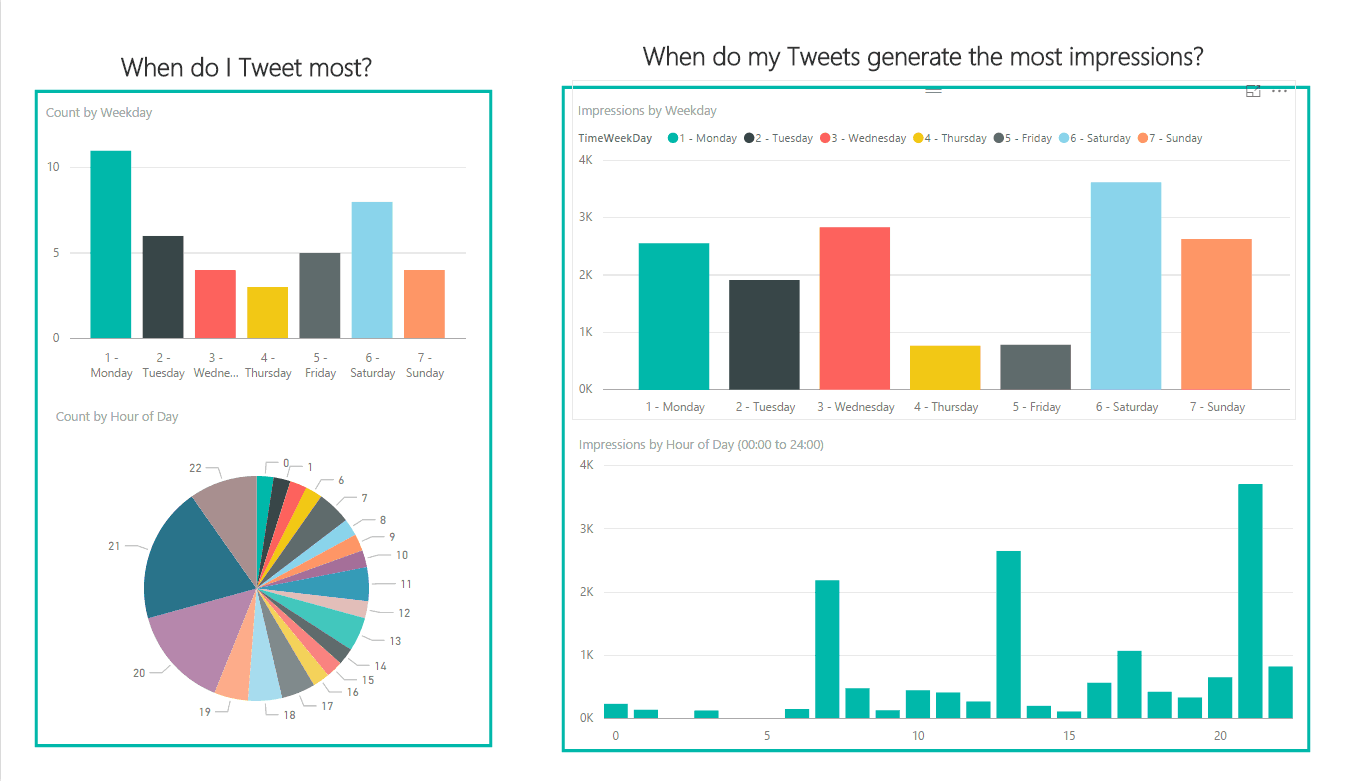
With Power BI, users can export their Twitter Analytics stats to a pre-built template that sorts all of this information into a clear and easy-to-read display. Using graphs to represent the statistics, Power BI provides one of the easiest ways to analyze Twitter post and media impressions.

Just visit the Twitter Analytics page, select the Tweet activity, and use the Export Data button at the top right of your screen. For more options, select a different date range. Make sure to download the Power BI Template, then follow the rest of these step by step instructions:Afterward, follow these step by step instructions:

  1. Download and open the attached TwitterAnalyticsDashboardTemplate.pbit file and open it in Power BI Desktop
  2. Click on “Edit Queries” in the top ribbon
  3. On the right side, you’ll see “Applied Steps”. Click on the gear icon next to the first step titled Source.
  4. Change the file path to point to your exported stats and click on OK
  5. Click “Close & Apply” in the top ribbon bar and your dashboard will be populated with your exported stats

There’s no doubt that the recent update to Power BI has opened up a lot more improvements for users, and the Twitter Analytics is only one way to take advantage of the software. It’s just what commercial businesses needed–a new way to play with numbers!

Microsoft’s Project Murphy chatbot extending support to Kik and Slack “soon”

One of the more-covered technologies at Microsoft’s Build 2016 event was machine intelligence, specifically those coming in the way of “chatbots,” technology that integrates into various communications services to provide answers to user queries. One of Microsoft’s newest chatbots is Project Murphy, which seeks to answer “what-if” questions using the company’s Cortana Intelligence Suite.

At first, Project Murphy was available on Skype, Facebook Messenger, and Telegram. Now, it looks like Microsoft is extending support to Kik and Slack (via MSPU).

Project Murphy Kik Slack
Project Murphy’s Kik and Slack support is “coming soon.”

The buttons can’t be clicked yet, but at some point Kik and Slack users will join the rest in chatting with Project Murphy. If you’ve used this particular Microsoft chatbot, let us know in the comments what you think of its machine intelligence so far. We’ll let you know as soon as the “robot with imagination” is available on Kik and Slack.

Microsoft Store celebrating Anime Month with free episodes and big savings on purchases and rentals

If you’re an anime fan, then you likely spend a few bucks on keeping up with your favorite titles. The anime world is a vast one, and delving deep into it can be an expensive proposition. Microsoft apparently understands, because they’re celebrating Anime Month with a whole host of free and reduced-price options over at the Microsoft Store.

Microsoft is offering a number of options:

There’s a ton of anime to check out, and so if you’re a fan, you can head over the Microsoft Store and get started. Let us know in the comments if you plan to take advantage of any of these offers.

Windows 10 build 14371 for the Surface Hub leaked

The Surface Hub, Microsoft’s giant interactive whiteboard designed for team collaboration currently runs an optimized version of Windows 10 adapted for touch screen interactions. Since this Windows SKU is currently only available on the Surface Hub, we didn’t know much about the OS until now, but that could change soon as Windows 10 build 14371 for the Surface Hub has leaked today and it appears that the origin could be Microsoft’s own Windows Update servers. The leaked build appeared on the MDL forum (first spotted by Windows Central).

As you can probably guess from the build number, this is a pre-release Redstone build, though according to the report this is a nearly full-featured build which should probably include all the features currently available on the Surface Hub including the optimized Windows 10 UI elements. However, the leaked build is in ESD format and would need to be turned into an ISO to be installed on a Surface Hub.

India Supreme Court concludes that Microsoft, Google, and Yahoo violate sex determination laws

India has laws governing medical procedures and products meant to determine the sex of a fetus, intended to help avoid abortions conducted to avoid the birth of a given sex. As CNET has reported, the major search engines have been determined by the Indian Supreme Court to have violated these laws by serving up ads for sex determination tools, kits, and clinic.

According to CNET:

Lawyers from the companies insist that resolving the Court’s issue is not technically feasible, adding that blocking all such keywords will also affect content that is only remotely related to the topics, The Economic Times reports.

The apex court is having none of it, going as far as to suggest the companies leave India entirely if they are unable to resolve such issues.

“You have to do something about this [such ads on search engines]. This has become a social evil,” Justice Dipak Misra said. “You have to abide by the law. You can’t say that you are not technically equipped. If you say you are, get out of the market.”

The Indian Supreme court has given the companies 10 days to confer with technical experts and determine methods for eliminating the offending ads. As expected, none of the companies have responded. We’ll be keeping our eye on this development, and let us know in the comments what you think of the challenges that search companies face in meeting the regulatory requirements of so many different jurisdictions.

Microsoft brings Dynamics to Office 365, officially introduces AppSource

Microsoft made two significant announcements today regarding the tech company’s drive to reinvent productivity for enterprise customers.

The first announcement was concerning Dynamics, Microsoft’s cloud-based Customer Relations Management and Enterprise Resource Planning software. Just like Office’s transition to the cloud five years ago, the various Dynamics apps and services are evolving into a singular cloud service called Dynamics 365.

Dynamics 365

One of the big points Microsoft made was about Dynamic 365’s flexibility. Enterprises will be able to pick and choose precisely which Dynamics 365 apps they need. Small companies can pick only a few services to start, and as their company grows they can expand their Dynamics 365 apps to fit their new needs.

Dynamics365Image
The new Dynamics 365 via the Microsoft Blog

Companies also have the option to purchase licenses for their employees based on their roles. This helps companies not overpay for apps and services they don’t need as they can tailor Dynamics 365 to each individual user’s needs.

Dynamics 365 will also deeply integrate with other Microsoft cloud services such as Power BI, Cortana Intelligence, and Office 365. Power BI and Cortana Intelligence can help companies gain predictive insights from all of their Dynamics 365 data. Some of the examples in today’s announcement were Cortana Intelligence can make cross-sell recommendations for sales reps or use field data from IoT devices to predict when a machine needs maintenance.

And Dynamics 365 will share the same data model with Office 365. This will allow businesses and developers to more easily build apps which utilize and connect a company’s data in Office 365 and Dynamics 365.

Microsoft AppSource

And this naturally leads into the next announcement. Today, Microsoft unveiled AppSource. We learned about AppSource last week when an incomplete version of the website was published early.  The Rick Astley video is now replaced with the real thing and the website is up and running.

AppSource is Microsoft’s listing for cloud-based apps that enterprises can use with Office 365, Azure, Power BI, and Dynamics. These third party apps can be added into Microsoft’s cloud services to customize or enhance functionality. Businesses can also try out apps before they commit to anything.

From AppSource, companies can search for apps by categories such as Analytics, Customer Service, or Productivity. They can also search by what industry they are in or specifically which Microsoft product they want to add apps to.

AppSource is up and running as of today, but Dynamics 365 won’t launch until the fall.

These two announcements, along with many other recent updates, continue to show Microsoft is dedicated to providing robust cloud offerings for business. And by running all of their apps on a common data model, Microsoft is building a strong cloud platform that businesses can use to run almost every aspect of their business.

Thinga.me from Microsoft Garage is a new Pinterest competitor

Microsoft Garage, the crazy inventive division of Redmond, is coming out with another curious product, and this time it’s a social media app. Meet Thinga.Me, the latest effort from Microsoft to dethrone image sharing service Pinterest, reports Engadget.

Ok, that’s a bit of hyperbole, since Thinga.Me, being a Garage app, is much more of an experiment than a full-blown social network the scale and popularity of Pinterest (after all, the app is an early release, and only available on iOS on a sign-up basis at the moment.)

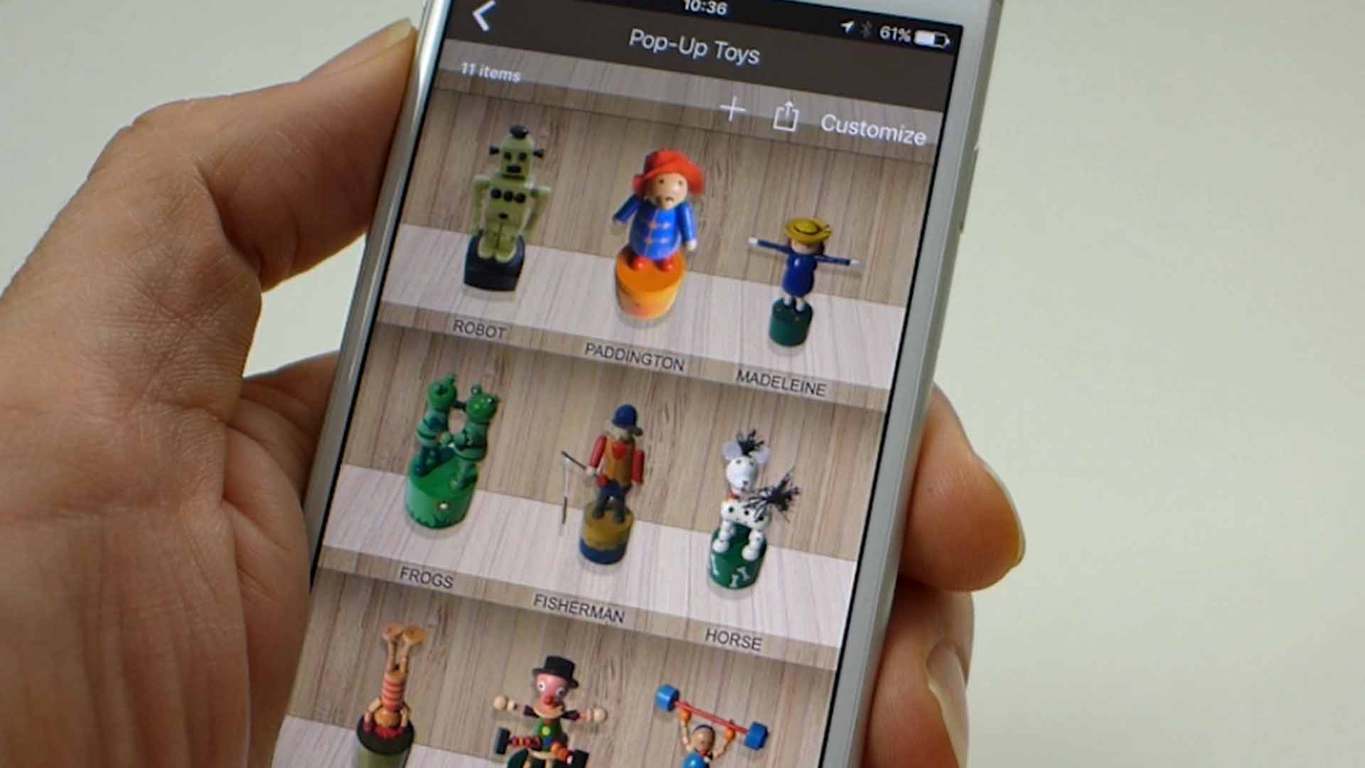
Nevertheless, the idea sounds like the dream of collectors of all things physical: take photos of your thing, and the app will cut out the background, leaving only the intended object of worship to be put into galleries, themed to your liking. You can even tweak the look of the cutout a bit for that extra flair, like finding the perfect outline for your collection of football badges.

thingame example 1
Examples of Thinga.Me collections.
ff4fac65-0cec-47d3-8c04-0ae407e4c479
Lego characters is another nice collection idea.

Overall, Thinga.me looks like a cool app that scratches a special itch for those who wants to digitalize their physical collections. While Microsoft Garage is clearly using it as a way to get user feedback, we hope the idea will get enough traction to get a more full-fledged release on other platforms as well (Microsoft’s own, even.) For now, if you’re a collector and on iOS, go to Thinga.Me’s homepage, sign up to get the app, and start photoshooting.

Microsoft Recruiter pitch to “bae interns” going viral on Twitter (Updated: Microsoft is addressing)

Like almost all tech firms, Microsoft is battling to recruit the best and brightest from this year’s college class to come and work for the Redmond giant, only it appears that Microsoft recruiters may have gone a little far. A Twitter user posted an email his roommate purportedly got from a Microsoft recruiter yesterday, and it’s been getting quite a bit of attention on Twitter, already with over 600 retweets and over 1,000 likes:

The email is littered with every “cool kids” catch phrase the recruiter could think of, apparently, addressed to “bae intern! <3”, and inviting the interns to a recruiting event and an exclusive after party with “hella noms, lots of dranks, the best beats, and just like last year, we’re breaking out the Yammer beer pong tables!”

The tweet is understandably getting lots of comments, some of them quite hilarious:

Still, we doubt that many college seniors, even ones in Microsoft intern programs, would turn down a chance at playing “Yammer beer pong,” but maybe that’s part of the problem.

Have you been subjected to over-the-top recruiting tactics? Did Microsoft go too far? Let us know in the comments below.

Update: Microsoft responded to our query with the following:

The email was poorly worded and not in keeping with our values as a company. We are looking into how this occurred and will take appropriate steps to address it.

App-V to be bundled with Windows 10 Anniversary update

It seems like we find new things everyday in Microsoft’s upcoming Anniversary Update for Windows 10: this time, it’s a couple of enterprise-focused virtualization tools, reports ZDNet.

Specifically, the tools in question are Microsoft’s application-virtualization client (App-V) and User Environment Virtualization (UE-V), which will be bundled in the Enterprise and Education versions of Windows 10, as part of the Anniversary update. The information was reportedly mentioned in a webinar earlier this year, before being confirmed with an official blog post from Microsoft yesterday.

App-V and UE-V are part of Microsoft Desktop Optimization Pack (MDOP), a suite of virtualization and management tools for business customers, that come with the Software Assurance contracts, or as add-ons to Intune. The inclusion of these two components into Anniversary Update will reduce the hassle of separate deployment for enterprises. All other components will remain part of MDOP.

If your organization is running App-V and UE-V on Windows 10 Pro, however, things may get a bit more complicated.  Apparently, starting with the Anniversary update, all future updates to these two clients will be reserved only for Windows 10 Enterprise and Education, meaning that you’ll need to upgrade.

Next Windows 10 Insider Preview builds will provide a workaround for expiration notices

Over the last few months, Microsoft has been delivering Windows 10 preview builds more frequently to Windows Insiders on both PCs and phones. Last week, we even got two new builds in the Insider Fast ring to play with, starting with the build 14376 on June 28 which was followed by the build 14379 two days later. As we’re gearing towards the release of the Windows 10 Anniversary Update on August 2, we expect the company to release a few more preview build in the coming weeks.

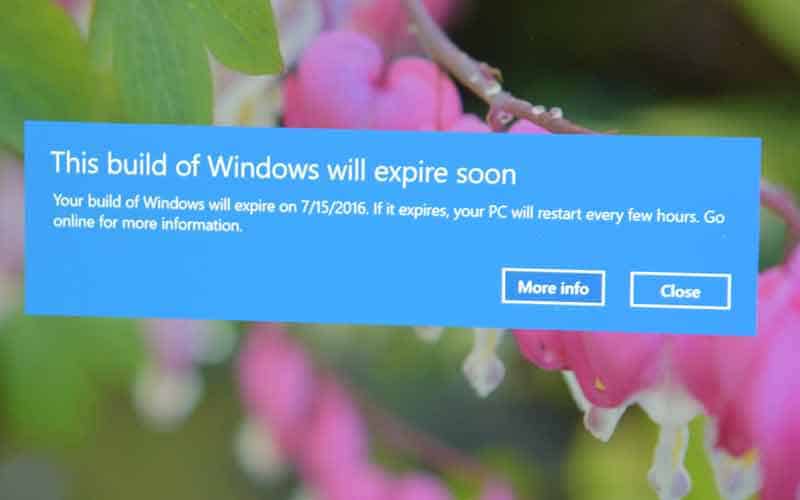
If you have already installed preview builds on your Windows 10 PC, you may be aware that these builds actually have an expiration date. After a while, if you don’t update your PC to the newer Insider bits then your current build will expire, which means that your system will no longer be supported. However in the most recent builds, these notices have been popping up immediately, something that hasn’t happened in the past, and giving Insiders a bit of a pause.

Windows 10 expiration notice

Yesterday, head of the Windows Insider program Dona Sarkar acknowledged it after a Twitter user pointed it out to her. In her answer, Sarkar explained that Microsoft has a workaround, and we should get more details in an upcoming blog post:

We hope to get more details pretty soon, but Windows Insiders can already look forward to enjoy a more pleasant experience using the latest Windows 10 preview builds.

Windows 10 Groove app updated for Fast Ring Insiders

(Updated to clarify that 3.6.2298.0 was released on June 30th, and today’s release is just bug fixes)

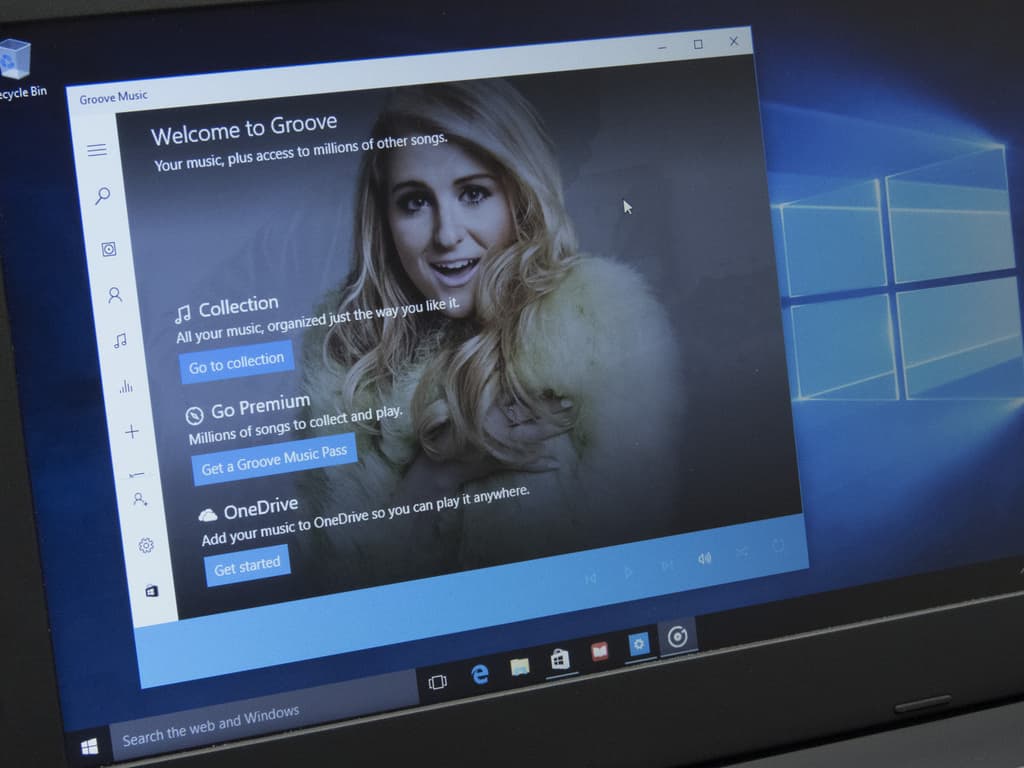
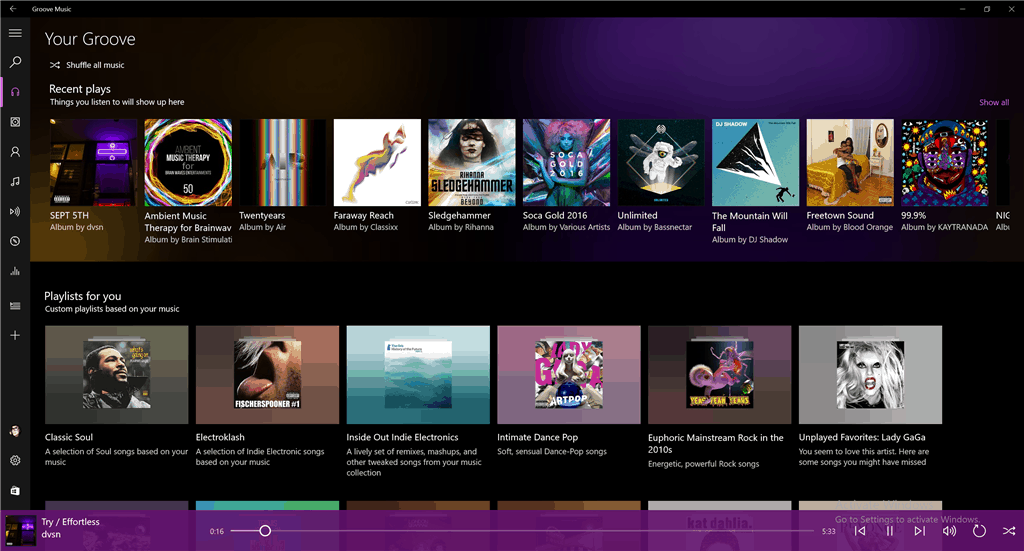
There weren’t any new builds for Windows Insiders today, but that didn’t stop the folks working on Groove Music from releasing an update to their Windows 10 app. The new version, 3.6.2301.0, fixes a few bugs from last week’s release of version 3.6.2298.0, which  included a number of new UI and UX improvements, including a new “more colorful and vibrant” look:

Groove Music
Groove Music

Here’s the full changelog, as posted on Answers.Microsoft.com:

– Design improvements to make Your Groove and Explore more colorful and vibrant.

– Unplayable tracks won’t be added to Now Playing to give you a better playback experience.

– The app retries loading streaming songs a few times when it used to try only once.

– 23 UX tweaks including messaging improvements, updates for Narrator, and updates to the accuracy of playlists lengths.

– Fixes for crashes when using scroll wheel while viewing an artist detail page and when clicking on “more” in artist details.

The update is in the process of rolling out, we’re not seeing it here just yet but it should be avaialable soon.

Halo 6 possibly coming to Windows PC

Microsoft has been quite firm about Halo being a console-only title, but there is still a high chance this will finally change. With Microsoft’s discounted Xbox One console up against flourishing PS4 sales, things are getting quite desperate for the American multinational technology company headquartered in Redmond, Washington. Now, new rumors which suggest Halo 6 will not be an exclusive anymore for the Xbox One console. Instead, it will be available for PC gamers, as well.

It makes sense that it would want to bring this game to PCs as a good number of gamers are represented there. The downside of being a PC user is the prevalence of cheaters on this platform, along with the fact that you’ll need to invest a sizable amount of money for a good processor and graphics card to handle the latest-gen games.

According to TrueAchievements, Yusuf Mehdi from Microsoft wrote a blog post about Microsoft’s upcoming Anniversary Update for Windows 10, in which he insisted that Play Anywhere would be available for all new Microsoft Studio games. In other words, thanks to the Xbox Play Anywhere program, you will be able to purchase the game and be able to play on both your Xbox One and Windows 10 PC with shared game saves, progress and achievements. Mehdi added that every new game that will be published by Microsoft Studios will support Xbox Play Anywhere.

Here are the list of games that will support Xbox Play Anywhere:

– Gears of War 4
– Forza Horizon 3
– Halo Wars 2
– Sea of Thieves
– Recore
– Crackdown 3
– Killer Instinct Season 3
– We Happy Few
– Cuphead
– Phantom Dust
– Dead Rising 4
– Scalebound
– Ark: Survival Evolved.

RELATED STORIES TO CHECK OUT:

Windows 10’s popularity on Steam is rising high

Windows 10 is now the most popular operating system on Steam, which isn’t too surprising at all seeing as DirectX 12 is exclusive to the operating system. According to new information from Steam’s Hardware and Software Survey,  42.94% of all Steam gamers favor the 64-bit version of Windows 10, an increase of 3.26%.

The 32-bit version of Windows 10 has a small share of 1.52%, and the 64-bit version of Windows 7 is sitting in second place with 30.61%. We expect this number to fall drastically before the end of 2016 as more games are released and more players upgrade their operating systems.

The survey information also shows how much NVIDIA and Intel command the PC gaming market as most gamers on Steam prefer their components over the likes of AMD and other competitors.

This is great news for Microsoft because it means more developers will take advantage of DirectX 12 along with the possibility of gamers giving the Windows Store a test drive. Steam’s community is one of the strongest, and one could say it trounces both Xbox Live and Sony’s PlayStation Network when it comes yearly game sales and usability.

Microsoft recently revealed that there are over 350 million Windows devices out in the wild running Windows 10. Furthermore, user engagement is impressive with over 135 billion hours spent using the operating system.

RELATED STORIES YOU NEED TO CHECK OUT:

  1. Valve creates Destinations Workshop tool for VR, available on Steam
  2. Import Steam games to your GOG library so that you don’t buy the games twice

Microsoft announces Australia Partner Awards finalists highlighting cloud transformation innovation

To showcase the primary examples of partner innovation with Microsoft’s Australian branches, the Australian Partner Conference will be held between September 5-8. The top finalists of the Australia Partner Awards have all showed clear strides to assisting Microsoft with new and emerging technologies. Most specifically, the Cloud and accessibility of products and services. ARNnet reported that Phil Goldie, the Director of Partner Development at Microsoft, said that the “partner network is transforming with the Cloud at its core and it’s having an incredible impact on our customers.”

“From the large national players located in metropolitan areas, to smaller yet equally vital partners in regional Australia; this year’s MAPA submissions are a real showcase of the diverse yet powerfully interconnected tapestry that is our partner network.”

The Microsoft Australia Partner Awards consist of a total of 20 outstanding awards for finalists, including:

  • Emerging Partner Award
  • Excellence in Business Insights and Data Award
  • Excellence in Cloud Customer Relationship Management Award
  • Excellence in Cloud Platform Award
  • Excellence in Cloud Productivity Award
  • Excellence in Customer Lifecycle Management Award
  • Excellence in Enterprise Social Award
  • Excellence in Industry and Platform Innovation Award
  • Excellence in Learning Award:
  • Excellence in Licensing Award
  • Excellence in Managed Service Award
  • Excellence in Marketing Award
  • Excellence in Mobility and Devices Award
  • Excellence in Regional Area Customers Award
  • Excellence in Small and Mid-Market Cloud Solutions Award
  • Excellence in Solution Sales Specialisation Award
  • Excellence in Surface Resale Award
  • Excellence in Technology Solutions Specialisation Award
  • Excellence in Wholesale Distribution Award
  • Technology for Social Impact Award

Of course, the prize jewel, Winning Together Award has a three-way standoff between Avanade & Sitecore, Modality Systems & Telstra and Velrada Capital Pty Ltd & Sodexo Remote Sites Australia.

With over 200 nominations across all categories, it couldn’t have been easy to narrow down to the few remaining. Winners will be announced during the presentation at the Australian Partners Conference directly after the keynote on September 5th to kick off the event. View the complete lists of finalists for every category on the official MAPA 2016 web page.


Power BI Desktop gets Visual Shape Map, added security, Azure Enterprise connector, and more in June 2016 update

Microsoft is bringing some new improvements to its Power BI Desktop software that includes new report views, improved data access and a new query experience among other tweaked features.

According to Filip Karadzic, the senior program manager on the Microsoft Power BI team, the updates came last week with a preview of a new mapping control to the software tool, but it looks like they are still hard at work adding newer features for another upcoming release.

In the upcoming releases, we’ll be looking to make a big improvement of our analytics abilities, including forecasting, reference lines, and grouping, as well as keep adding features to our visuals that make your lives easier.”

Here is a brief listing of the improvements customers using Microsoft’s Power BI tool can interact with today:

Report View:

  • New visual: Shape Map (preview)
  • Searchable slicers
  • Configurable line chart labels
  • New sign-in entry points

Data Access:

  • Row Level Security

Data Connectors:

  • New Connector: Azure Enterprise
  • Enhanced SAP BW and HANA connectors:
  • Allow multi-select of values for Variables/Parameters
  • Support for Hierarchies in SAP BW.
  • Enhanced OData connector – imports Open Type columns
  • Enhanced Access DB connector – Button to “Select Related Tables” in the Navigator dialog

Query Experience:

  • Templates: Option to Load or Edit
  • Query Parameter Enhancements:
  • Option to always allow Parameter specification
  • Create a new parameter directly in context
  • Option to generate Step Names in English
  • Descriptions for Query Steps
  • New Data Transformations:
  • Extract Week Day and Month Name from a DateTime column
  • Merging Dates and Times into a DateTime column
  • Extract Time.Start/End of Hour/Minute/Second

There are more details on each specific update for those more interested on exactly how the updates have been applied and what they offer for customers. Visit Microsoft’s Power BI blog to read the specifics of the team’s June update release.


Red Dead Redemption hitting Xbox One Backward Compatibility status on Friday, July 8

The Xbox One’s library of awesome gaming titles just keeps on growing, aided in part by the Backward Compatibility feature that allows the current console to play yesterday’s Xbox 360 titles. That list keeps growing as well, and on Friday, July 8, 2016, another Xbox 360 title will be added.

Thanks to Xbox Live’s Major Nelson, we see that Red Dead Redemption is next:

As we described the title in one of our writer’s list of favorite Xbox 360 games:

Red Dead Redemption is another console exclusive game in my list, and it’s one of my favorite open-world games. The game is a western action-adventure published by Rockstar Games, the guys best-known for their Grand Theft Auto franchise. I did not enjoy Grand Theft Auto IV that much as I felt there was too much to do and the gameplay wasn’t that great either. Red Dead Redemption is not the same beast. You’re set in a fictionalized version of the Western United States and Mexico and the gameplay is much better than GTA IV: first, hero John Marston automatically heals itself and gunfights also rely on the “Dead Eye” mechanism that allows you to slow down the action (similarly to Max Payne 3 “bullet time” system) and mark multiple shooting targets for easier gunslinging). Microsoft seems to be working to make this game backward compatible on the Xbox One and it definitely deserves it!
And to get your appetite whetted, here’s the launch trailer:

You still need to wait for a couple of days before running Read Dead Redemption on your Xbox One. Once it hits, though, we’re sure a few of you will be spending some time this weekend getting reacquainted with the title.

Fitness app Runtastic PRO gets Mirror’s Edge Story run in latest update

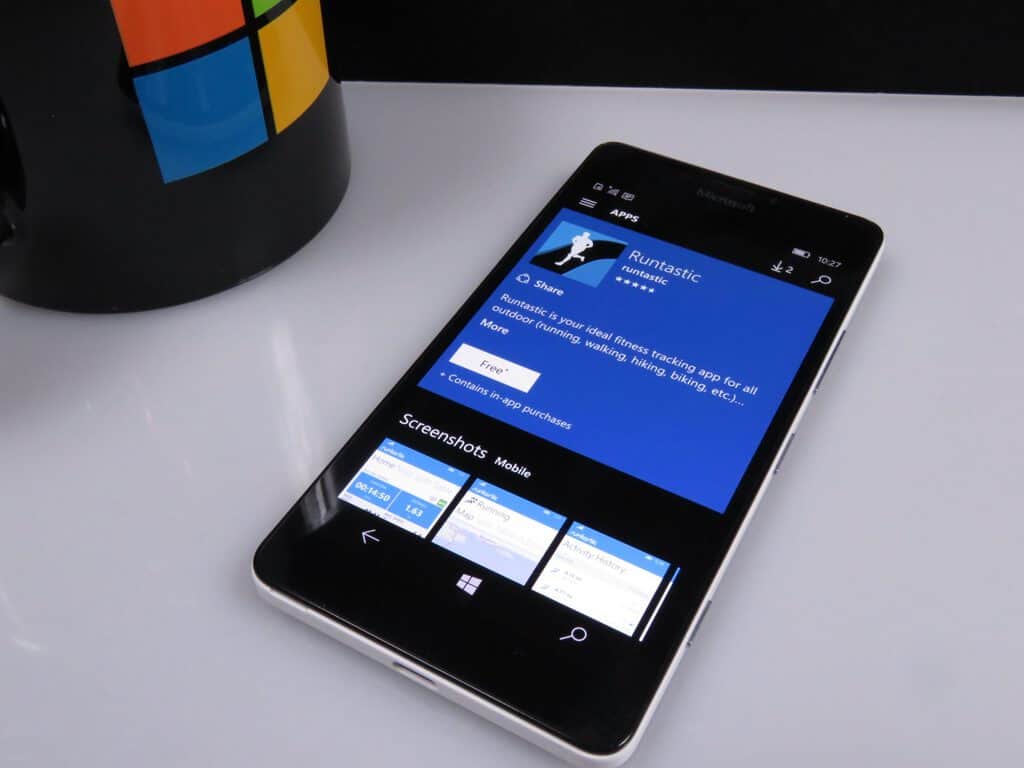
If you’re looking to get and stay in shape, now is a great time to do so. Numerous technology products exist to help you track your fitness activities and goals and keep you motivated. One of the more complete solutions is Runtastic PRO, which can tie in with your Microsoft Band to keep you up-to-date on all your fitness and health.

Today, the app received an update to version 3.3.1.0, adding a nice tie-in for Mirror’s Edge Catalyst fans:

New in Runtastic Fitness & Running
* NEW Story Run for interval training! Mirror’s Edge Catalyst: A Runner’s Destiny takes you through a thrilling Sci-Fi adventure. Will you be fast enough to escape the city of Glass?
* Your feedback counts: We’re constantly improving our apps to provide you with the best possible experience.

So, if you’re using Runtastic PRO and want to have some sci-fi fun while getting in shape, then go hit that update button in the Windows Store. If you’re not using Runtastic PRO, then you should be, and you can get it now from the link below.

Xbox Live Gold subscribers can get Battlefield Hardline Betrayal DLC for free

Every now and then an opportunity pops up for some free stuff, and all you have to do is be a little patient before pulling out that credit card. Today is just such a day, apparently, for Battlefield players, as the Battlefield Hardline Betrayal DLC is available for free right now.

The information comes thanks to reddit user Pvt_Rain over at /r/GameDeals. Here’s the scoop:

Another free DLC for one of the older Battlefield games, This is also free on the Xbox 360, PS3 and PS4 along with EA Origin once those stores update to show the new deals for the day.

Here are the relevant links:

Battlefield Hardline Betrayal for Xbox One: Free (was $14.99)
Battlefield Hardline Betrayal for Xbox 360: Free (was $14.99)

So, if you’ve been waiting to pull the trigger on this new Battlefield DLC, then now’s the time. Let us know in the comments if you’re taking advantage of this nifty free offer.

Zonos UWP Sonos client receives update on Windows 10, Cortana and Pandora support and more

If you’re a Sonos user, then perhaps you’re a bit disappointed in that company’s support of the Windows 10 platform. There’s a Windows Sonos Desktrop Controller app, but no official Windows 10 Universal Windows App. The Groove client supports playing to Sonos, and so that’s one way to play your music to the multi-room wireless audio system.

Another option is to use a third-party app, and one of the more popular is Zonos, which is a Universal Windows Platform app available in the Windows Store. And recently (via Nokiapoweruser) the app received an update with some new features.

Here’s the changelog:

• Voice control via Cortana in English or German
• Pandora and Amazon added as sources
(Also called “party mode”) full-screen mode –
• New volume knob for finer adjustment in the lower volume range
• Improved TV support
• New icons for various services
• Easier switching between different players
• Dark color scheme uses now in the entire App.

If you’re already using Zonos, then go to the Windows Store and hit the update button. If you haven’t given it a try yet, then click the link below.

Zonos
Zonos
Developer:
CatenaLogic
Price:
Free