Xamarin co-founder’s journey to Microsoft

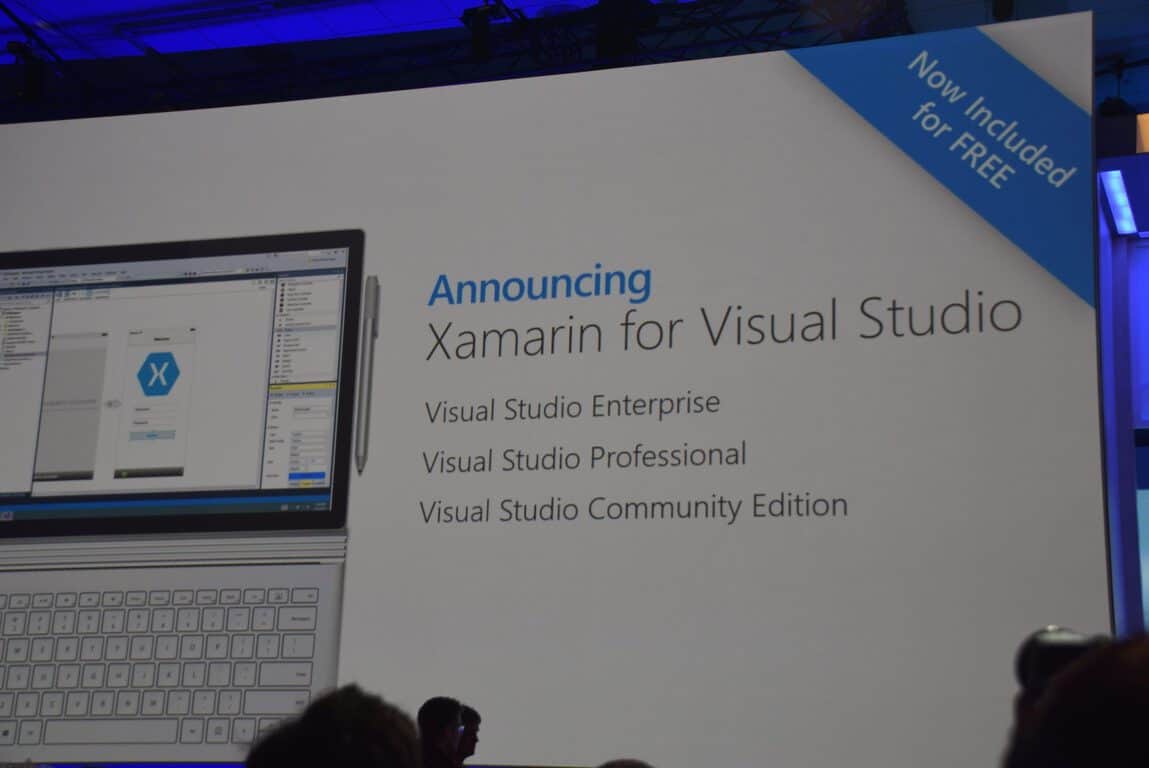
One of the biggest news to come out of Microsoft’s annual developer conference this year, Build 2016, is the fact that Xamarin is coming free to Visual Studio users. Geekwire managed to catch up to Xamarin’s co-founder, Miguel de Icaza–who went on stage during Build’s main keynote–for an interview.

de Icaza’s history with cross-platform development using Microsoft’s framework harkens back to more than a decade ago when he was the leader of the .NET-based open-source development platform Mono. Ten years later, de Icaza is helping developers build Android and iOS mobile apps using Microsoft’s C# programming language with Xamarin, which Microsoft acquired recently.

Like being a frog in the boiling water.

de Icaza credited the change in attitude towards open-source technology from Redmond to the rise of Scott Guthrie within Microsoft’s ranks. Long been an advocate for open systems, Guthrie brought the mentality along as he gained ever more influence, to finally leading all of the software giant’s cloud business, making incremental changes along the way.

I think all these acquisitions that maybe went wrong happened in a different world, in a different dimension with different dynamic. This, I think, is a perfect match.

Contrary to many’s doom and gloom attitude when it comes to acquisitions by Microsoft (who admittedly do not have a spotless history of keeping acquisitions afloat), de Icaza sounds infectiously optimistic about Xamarin’s prospect being part of Microsoft. He attributes this to the long history and wide connections his team and himself have had working with Microsoft to the fact that they are in the same ecosystem, the aligned goals, and also the fact that Satya Nadella is a good CEO.

I don’t know about the history of acquisitions at Microsoft. It is very clear that our team is excited about our mission. Our goals are very much aligned with Microsoft. We’re very much a complement. We had a chunk of the story they didn’t have, but we’re in the same ecosystem, so it was perfect.

As with some other recent acquisition, Xamarin will mostly stay independent with some added deliverables to fulfill from Microsoft. De Izaca in fact already has some ideas of what he may build for Microsoft beyond Xamarin, which will mostly focus on automating applications and make it easier for developers to learn.

The part Xamarin will play in Microsoft’s oncoming vision and strategy is immense, however, and developers’ response to the news shows the enthusiasm they have for the potential it brings. It almost moved De Izaca to tears, and we can only say: Great job, good luck, and welcome.

Microsoft highlights what’s new in Universal Windows Platform development at Build 2016

One of the things Microsoft talked about most extensively during the last two days of Build 2016, has been about the Universal Windows Platform (UWP) and why it is great for developers. The presentation about developing UWP apps have now been released as a video on Channel9.

In the presentation, Microsoft Group Program Manager Andrew Clinick goes over the UWP App Model – the first-ever concrete model for developing apps on Windows – in great detail, from how they are packaged and installed, how they store data and state, background process and multitasking capabilities, to lifecycle, navigation model, and uninstallation. UWP apps can be installed from any source, be it web, side-loaded and so on, so they will not work any different from win32 aps, with the added advantages of manageability in tasks like uninstallation – long been a nightmare to execute properly for any legacy Windows programs.

Apart from the core information about Universal windows Platform apps, Clinick also talks about Windows Store for Business, an overview of Project Centennial – Microsoft’s bridge for building UWP apps from desktop apps – a demonstration of the new “connective device platform”, as well as brief mention of Xamarin among others. Also introduced is the new Project Rome that provides a framework for adding in extensions to a UWP app: in fact, Edge extensions will be built using this framework. With the new UWP, Microsoft has also simplified multitasking for more battery efficient apps.

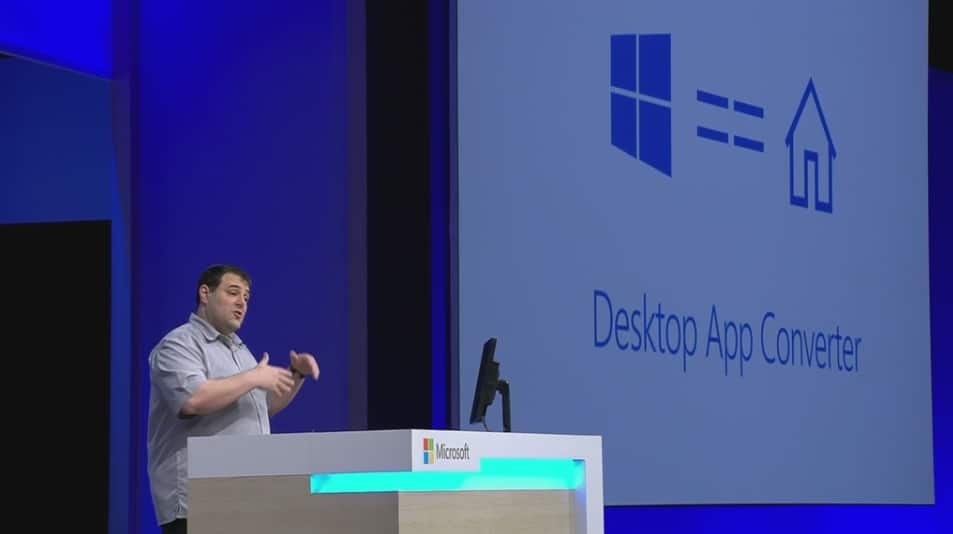
Microsoft is putting in a lot of effort to ensure that UWP is a proper evolution of legacy programs, and it shows. With all the capabilities being added, UWP apps are getting ever more powerful, with the same potential for expandability and ecosystem building. Developers can take advantage of UWP right away with the also-introduced Desktop App Converter to turn programs into apps, and we can’t wait to see more awesome UWP apps in the future.

Microsoft is making big changes to app submission and promotion

During Build 2016, Microsoft revealed several big changes to the Dev Center to help developers earn more money with their apps. They also added new features to help improve the app submission process and app promotion. Here are the big announcements:

  • Developers will now be able to push updates and data to specific groups of app users through app flighting.
  • App listings in the Store can now use different languages than those used in the app. This will allow for more flexibility with marketing and communication with consumers. This also means that developers now only have to submit screenshots and store listings in one language if they so choose.
  • Beginning this week, the Dev Center will begin showing the status of app packages and app metadata updates. This is useful for knowing what content users are seeing.
  • There is a new Windows Store submission API which is currently in preview and being rolled out to select developers in stages. This new API supports submitting updates, modifying metadata, and adding/removing in-app products when submitting apps for publishing.
  • The Dev Center dashboard has been redesigned to work faster and provide more data to developers. The new dashboard is currently available to those in the recently announced Dev Center Insider Program.
  • Microsoft has introduced a new concept for promotion called, Community Ads. These ads basically promote other apps within the marketplace and only display when regular paid ads are not available. Developers will earn credits each time their apps show one of these ads and the credits can be used to get their own apps promoted in other apps that are participating in the program.
  • Promotional codes have been revamped. The creation of codes now only takes a few seconds and starting next month, the Dev Center will begin managing advanced promotional codes which can be given expiry dates, have their redemption status checked, and even cancelled if needed.
  • The Dev Center now creates receipts for promote-your-app purchases.
  • The Windows Store will begin using new top lists to promote which apps are more popular. The Windows Store will finally also be made truly Universal.
  • Live Tile updates and notifications can now be targeted so developers can promote and engage with select demographics.

A lot of these new features are pretty substantial. Are you impressed or would you still like to see more Dev Center updates? Let us know in the comments and make sure to check out all of our other Build 2016 news.

Visual Studio 15 now up for download, here are its features

At yesterday’s Build conference, Microsoft presented a lot of innovative tools for developers. Besides new HoloLens and Xbox development tools, the company also unveiled new additions to its existing environments with the announcement of its new Update 2 for Visual Studio 2015 along with the new version of Visual Studio, titled Visual Studio 15.

Microsoft points out it’s still in the Preview phase for testing and feedback purpose and recommends not to install it on your main workstation. Still, it will be hard to: Visual Studio 15 is already available to download for all interested developers and comes with a slew of new features.

Visual Studio 15 features

With Visual Studio 15, Microsoft promotes its new lightweight installer, which makes installation of the program much faster. The new installer weighs in at just 300MB but like the program itself, it’s also in Preview which means that those who choose to install Visual Studio 15 using this installer won’t be able to install all of its features.

In addition, there’s also a regular installer which contains all the features and abilities of Visual Studio 15, so developers wanting to exploit the new tool to the fullest will probably choose this option.

The new version of Visual Studio supports over 20 programming languages with a lot of additional features including debugging, source control, .NET desktop development with WPF and WinForms, Python, C++, and Unity.

visual studio 15

Microsoft has been seeking out new developer participation ever since it introduced Windows 10 and the Windows 10 Store. The company knows that developers are still far more interested in other platforms despite the fact that the number of apps in the Store is on the rise. So, the company wants to provide developers with the best possible tools in order to persuade them to start developing more apps for its platform.

If you want to find out more about Visual Studio 15’s features, check out its release notes for more information. In case you’re interested in testing the new Visual Studio 15, you can download the fast installer from this link and the ‘regular’ one from this link. You can also share your impressions about the new tool with us in the comments below!.


Microsoft provides more details on Seeing AI project highlighted at Build 2016

If you were with us yesterday watching the coverage of the first Build keynote, there’s a good chance that you’d have seen the very end portion of the event. An ending where Microsoft employee Saqib Shaikh explained Seeing AI: the revolutionary program that he helped develop, aimed at making the world a better place for the vision-impaired. If you didn’t see the initial presentation of Seeing AI, you can go ahead and look at it right now – it’s most certainly worth your time, trust us.

If you’re done picking your jaw up off the floor, let’s take a moment to read over Microsoft’s follow-up post that digs into the Seeing AI app in a bit more detail. This post describes the Seeing AI app as a “Swiss Army Knife,” using the latest in technology to allow those without the ability to see a way to independently decipher the world around them. Seeing AI runs using a smartphone and the Pivothead smart glasses, and creates a constant stream of information for the wearer using an AI that decipher photos and gives out audio cues to describe the world around it.

The Seeing AI escalates to the realm of miraculous when you find out just how detailed it can be, and how meticulous the team behind it was when creating something that’s going to be user-friendly for the vision impaired. According to the post about Seeing AI from Microsoft, the app has “tools to recognize and accurately describe images.” This doesn’t just end at being able to identify images, however. As you saw in the video above, the glasses can to take a snapshot of your environment and read out important things, like the people around you and their emotions, and the items on a restaurant menu. The magic behind the Seeing AI comes from the fact that its designers are teaching it to be able to put things in context, and be even more accurate with its readings.

This comes down to Seeing AI being able to break free of the limitations that previous AI-like devices have been held back by. According to the article, “instead of just describing an image as “a man and a woman sitting next to each other,” the team is working to a point where Seeing AI would instead say that “Barack Obama and Hillary Clinton are posing for a picture.” It’s this amount of detail that makes this Seeing AI not just be a small compliment to the lives of the vision impaired, but will actually become an incredible asset. In a world where Seeing AI releases to the public and is adopted by the vision-impaired community, it seems like it could be an entirely new era of empowerment for these vision-impaired individuals.

There are already many tools out there to assist the vision-impaired, and passionate people will always be trying to use their talents to help these individuals live their daily lives. With Seeing AI, it seems like the bar is going to be raised for anyone who attempts to make these products in the future.

Windows 10 Universal Windows Platform generating future Xbox One apps, Hulu and NASCAR included

Microsoft’s Build 2016 developers event didn’t provide as much information on upcoming Universal Windows Apps as some Windows fans might have liked. In fact, while a number of sessions did deal with developing such apps, there was a relative dearth of specifics on apps that might be upcoming.

However, Xbox One users did get a bit of information on some upcoming apps that will be making it to Microsoft’s console via the Universal Windows Platform:

Xbox partners such as Nickelodeon, Dailymotion, NASCAR and Hulu LLC announced plans to bring Windows 10 Universal Windows apps to Xbox One later this year.

That’s not a huge list, but it shows that at least some major developers are taking the Xbox One seriously as a Windows 10 device. We’re sure we’ll hear much more about this and everything Windows 10 as the Anniversary Update approaches this summer.

Microsoft’s Build 2016 diversity report card

March 31, 2016 marks the end of Microsoft’s 2-day long keynote presentations for its Build 2016 developer conference. While Build 2016 will continue for another day for the actual developers attending the conference and breakout sessions, the main stage for Microsoft presenters and partners is effectively closed.

However, the faces and speakers who donned the stage at Build 2016 did more than show demos and weaved intricate stories for Microsoft’s developer ambitions. Many of them also helped add to the swelling tide of conversation of diversity that is slowly proliferating within the tech industry.

During Microsoft’s Build 2015, here at WinBeta, we noted the number of faces that bucked the trend of a traditionally white male populous that made up attendees as well as presenters at events such as these in the past. Last year, Microsoft made, what seemed like, a concerted effort to diversify their presenters on stage by not only adding women, but people of different ethnic backgrounds to represent the many faces of partners and employees that make up the Microsoft family. From having Office superstar Julia White on stage explaining Office apps on mobile to principle SDE at Microsoft, Lara Rubbelke talking code for over five straight minutes, Microsoft’s Build 2015 conference was an inspiring example for women in tech.

JuliaWhite
Julia White at Build 2015

Microsoft wasn’t alone in its inclusion effort as companies such as Google, Samsung, and Facebook all pitched efforts to make the tech industry more inclusive of women and minorities during their various events throughout 2015.

In 2016, Microsoft seemed to double down on the notion of inclusion by adding, even more, presenters of differing genders and ethnic backgrounds tell the company’s developer story. While tossing up a few female and minority faces could score some easy diversity points with socially conscious journalists; it’s the attention to detail that caught our eyes here at WinBeta.

Not only were there more women and minorities showcased during Build 2016, but the titles and positions of each on stage added to their presence and perhaps spoke more to the tide of change occurring in the industry.

During Microsoft’s opening keynote on Day One of Build 2016, developers and journalists were introduced to Ashley Speicher, the partner software engineering manager of the Windows and Devices Group at Microsoft, who spoke to the company’s plans for Universal Windows apps on the Xbox. Another impressive Day One presenter was Pamela B. Davis, M.D., Ph.D. and dean of the School of Medicine Case Western Reserve University who spoke at length about the medical capabilities of Microsoft’s HoloLens headset.

Next up was Lilian Rincon, the principal group program manager of the Skype Consumer division at Microsoft who walked attendees through, perhaps, Microsoft biggest bet this year with bot features coming to Skype. Following Rincon with a demo on Microsoft’s bot builder SDK using Domino’s Pizza was Lili Cheng a distinguished engineer at Microsoft who explained chat control and natural language with bots.

Senior PM at Microsoft Cornelia Carapcea also came on stage during the Day One keynote to walk developers through the various APIs that make up Microsoft’s Cognitive Services. While Microsoft made use of its highly talented female engineers, managers, and partners, it was perhaps the companies far reach to its physically challenged employee that had a lasting impact on attendees.

Rounding out the Day One keynote at Build 2016 was the heartfelt story of Saqib Shaikh, the blind developer and 10-year Microsoft employee who created an app that accompanies of smart glasses that enables him to interact with his surrounding world through detailed descriptions of events and people around him. After a beautifully crafted video showcasing Shaikh’s work, he was met on stage by the CEO of Microsoft, making for one the most inspiring moments in tech in the last few years.

devms2]
Saqib Shaikh developer with Microsoft CEO Satya Nadella

Again, just adding women to an event may seem like a thoughtless knee-jerk reaction to criticism. However, Microsoft’s careful placement of high ranking and knowledgeable females added to the parade of diversity and inclusive nature of its presenters. Other diverse presenter included African American senior program manager at Microsoft, Donovan Brown, Chinese American Qi Lu the executive vice president of applications and services group at Microsoft as well as Spanish American Yina Arenas the senior PPM manager at Microsoft during Day Two of Build 2016.

Build 2016 offered a brief glimpse into the diverse makeup of Microsoft’s employee and partnering family as well as provided an encouraging display for women and minorities interested in the tech industry.

After the lapse in judgment, the company showed during its Game Developers Conference two weeks ago, offering a stark contrast in how it employs and relates with females in the industry was sorely needed. Not only has Microsoft made an effort to showcase more women during its Build 2016 conference, but developers and journalists were also invited to a Women’s Leadership Panel that covered how women in tech began their careers and the advice they would recommend to others interested.

Hopefully, Microsoft continues to expand its diversity efforts at its events and conferences throughout the rest of the year. It would also be nice to see the crowds at developer conferences, gaming conventions and other tech related events begin to represent the diverse men and women that are finally gracing its stages.

Gabe Aul gives deeper insight into the Windows Insider Program at BUILD 2016

Microsoft’s Build 2016 event was chock full of information for developers across all of the company’s various product lines. Considering everything encompassed by “cloud-first, mobile-first,” that generates a ton of material. While most of the sessions focused on the tools being made available to developers, Windows 10 wasn’t ignored, and we learned quite a bit about what’s going on with the Windows Insider program.

As everyone who’s been following along is likely aware, Gabe Aul is the King of the Big Red Button for the Windows Insider program and is the face of everything that’s new and different with Windows 10. As the Windows Insider program gets merged with the Xbox Review program this summer, Gabe will gain even more notoriety.

Yesterday at Build, the Windows Insider team put together a talk that goes into a number of details behind the Windows Insider program and is well worth the time. For example, the program was initially developed to handle a total of 400,000 Insiders, which was switched at the last minute to be an open-ended program that has grown to millions of users–over 7,000,000, to be more precise. 

If you’re a Windows Insider, then you’ll appreciate the work that’s gone into make the program so successful. As we head into summer and the upcoming Windows 10 Anniversary Update, things will likely get even hotter and heavier. Stay tuned to WinBeta for ongoing coverage of everything of interest to the Windows Insider.

Cortana gets a lot of improvements in Windows 10: here they are

Today’s Build 2016  brought a lot of good news for all Windows users. During the event, Microsoft was very generous, offering a lot of information about the new features in the Windows 10 Anniversary Update scheduled to be released this summer. Let’s take a look and see what some of the new features Cortana will surprise us with in a few months’ time are — we bet you’ll fall in love with Microsoft’s assistant if you haven’t already.

There is no doubt that Cortana is a very useful app, helping you better organize your schedule, manage your calendar, or find that important file you lost track of. The new features revealed by Microsoft today will make Cortana even more popular:

A new app collection. In a world where most developers focus on Android-compatible apps, this is an excellent piece of news. More than 1,000 applications will be integrated into Cortana in order to make your life easier.

Cortana will help you to schedule your appointments. If you allow the app to access your emails and calendar, it will help you decide when is the perfect time to set up a meeting with your team. If you have conflicting events on your calendar, the app will reschedule them so that they don’t overlap.

Cortana will add valuable information to your conversations. After having detected what the topic of the conversation is, the app will present related information. Suppose you want to go to the museum tomorrow: once Cortana detects your intention, it will provide you with information about the museum’s opening hours, for example.

Multi-device interaction. Received an SMS on your Windows Phone, but not in front of your PC? No worries? Reply to that SMS from your computer.

Expandable database. With more than 1,000 apps integrated into its system, Cortana will benefit from an expanded database with which can use to perform various tasks. For example, you are looking for a salad recipe and want to know how many calories each ingredient has: transfer the data from a recipe app to a calories intake app and you’ll have your answer.

Location tracking information. The app keeps track of all the places you have been to so that you can go back to that great restaurant where you ate that delicious steak two months ago.

Cortana will be available on your lock screen. No need to unlock your desktop or laptop.

It seems like the battle of artificial intelligence is getting fiercer. One could say that the new Cortana represents Microsoft’s response to Apple’s Siri and Amazon’s Alexa. And judging by the features the team revealed, it seems that Microsoft has done a better job than its competitors. With this, the cooperation between man and machine will be taken to another level. As Microsoft’s CEO Satya Nadella stated:

 It is not going to be about man against machine. It’s about man with machine.

Microsoft has made a very interesting choice when they decided to bet on artificial intelligence for their products. It is one of the most difficult and challenging research and development areas, yet it always brings spectacular results. Science fiction is one step closer to reality thanks to Cortana.

General availability of Office 365 Connectors announced

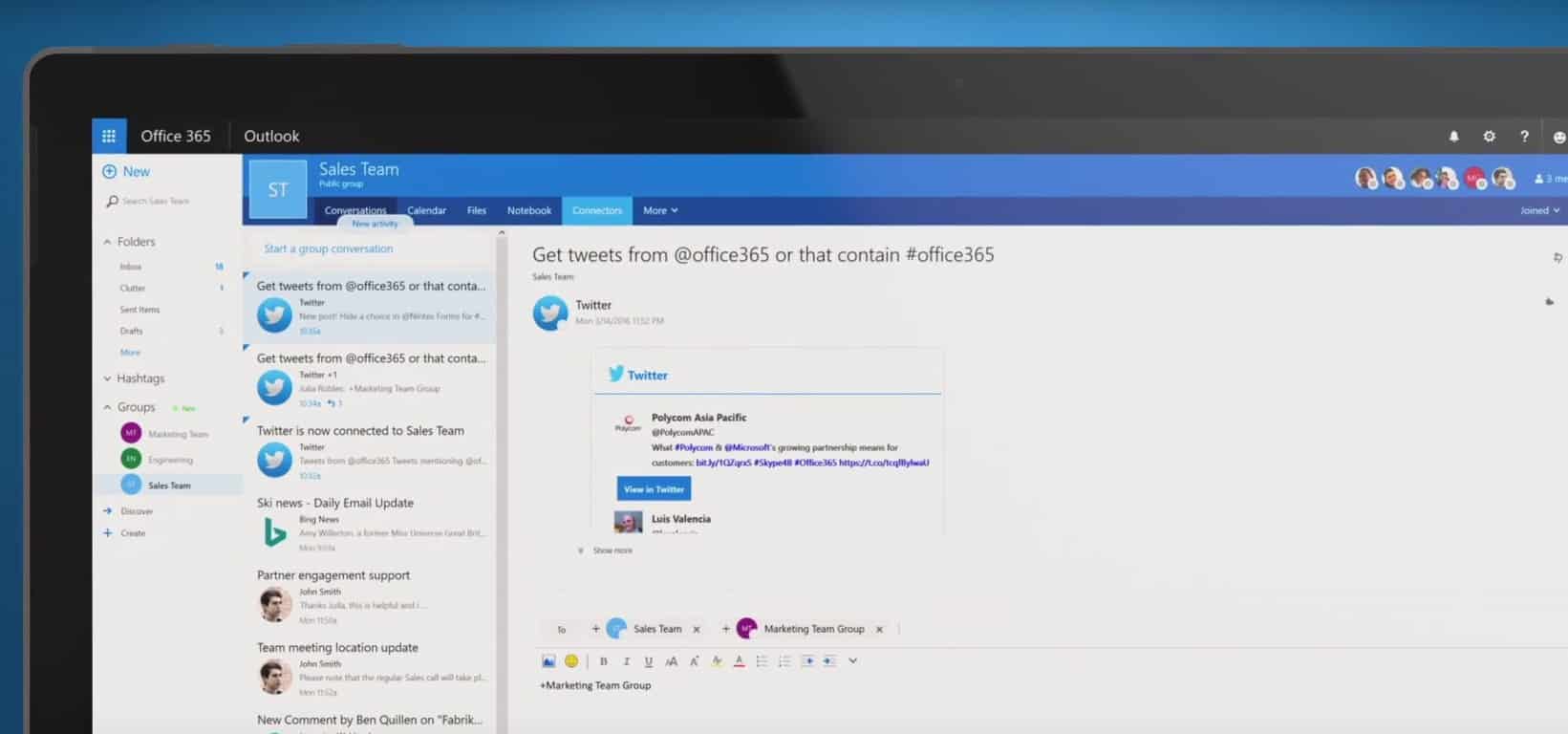
Microsoft has announced today during its Build 2016 developer conference the general availability of Office 365 connectors. If you don’t know what this is about, Office connectors are a set of app APIs that allow Office 365 users to bring in information and updates from Microsoft services and third-party sources such as RSS, Twitter, GitHub, SalesForce, MailChimp or Trello. It’s a really powerful feature that enables Office 365 to turn into a a platform or hub where users can track all their notifications from outside sources without ever having to leave Office 365.

Office 365 Connectors were first introduced in preview back in November 2015 before being released for First Release Office customers in March. Today, all Office 365 customers can try the feature, and Microsoft will work to bring more partners and more “Connectors” to customers in the future.

Developing story…

Newest Office Tools for Visual Studio being released today

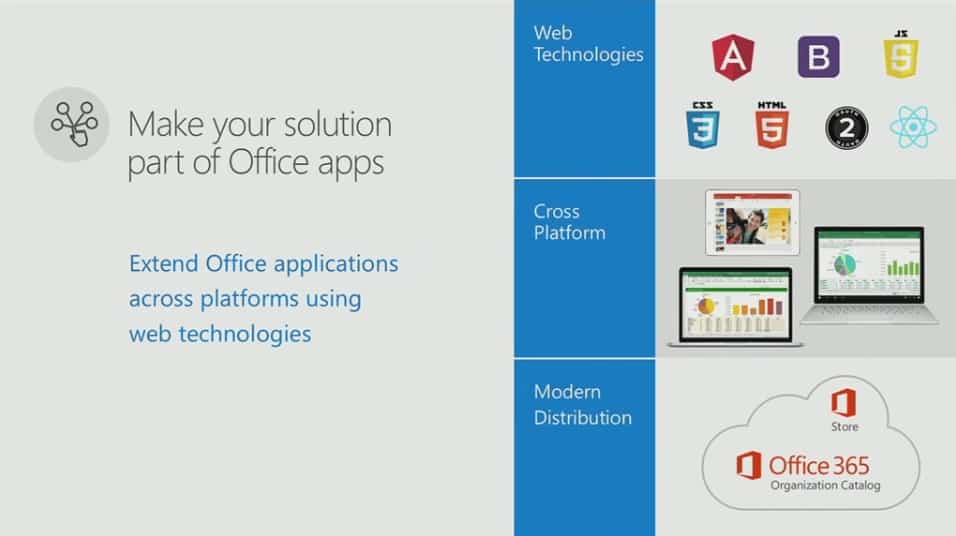
At Build this morning, Microsoft’s Office team announced they are releasing a new set of Office Tools on Visual Studio. These tools were demonstrated with services as different as Docusign and Starbucks building their own custom add-ins that can deeply reach into Office’s capabilities with simpler coding for developers.

These latest tools will make it easier for developers to build Office add-ins that have deeper integrations with Office cloud services, as well as more functionality for the add-ins’ ribbons and buttons in Office 2016 client applications. And the tools are also being extended to Office 2016 for Mac, extending the reach of Office 2016 apps and add-ins. The last half of the second day of Build is underway with a specific focus on Office, so stay tuned as the story develops.

Developing story…

PowerBI Embedded to reduce cost of powerful reporting, public preview free until May 1, 2016

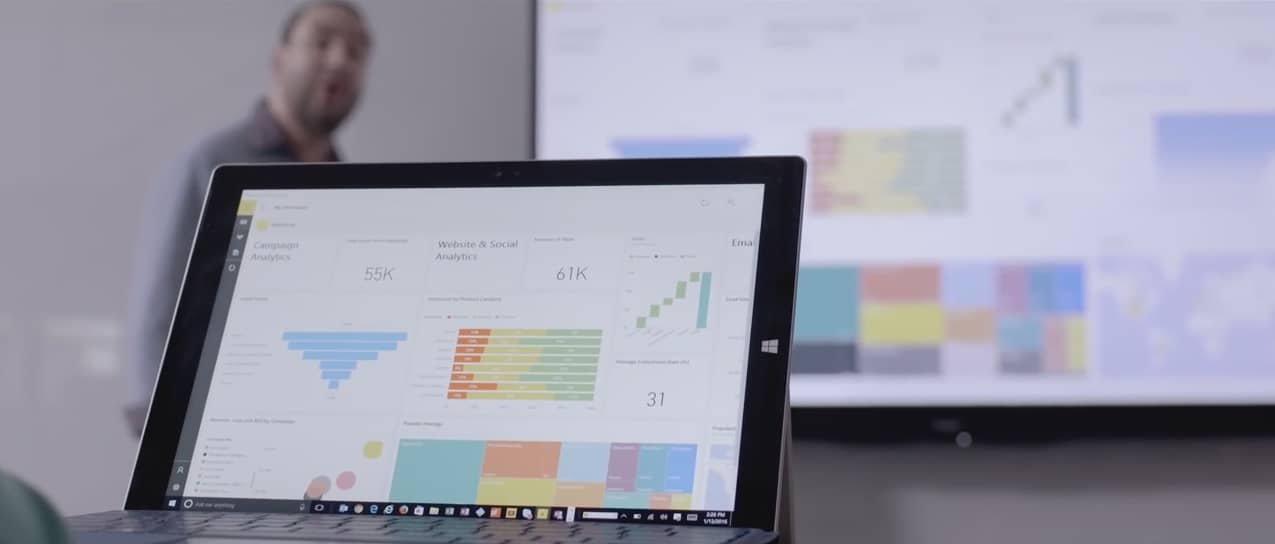
Microsoft’s Power BI is a powerful analytics tool for companies to track their data with rich visualizations and glean meaningful insights into their business. And at Build 2016 today, Microsoft announced a new way for companies to bring this data to life with Power BI Embedded. This new version of Power BI will allow you to embed your Power BI interactive visuals in your app with REST APIs and the Power BI SDK.

Microsoft also announced Power BI Embedded is available for free as a public preview until May 1, 2016. After that point it will revert to its normal pricing, which will be a scaled pricing model based on how much you actually use the service instead of set upfront cost. To learn more about how you can use Power BI Embedded in your company’s application, head over to the Azure website for Power BI here.

Developing story…

Microsoft makes Azure IoT Suite available to everyone

Microsoft has spent much of its Day Two keynote presentation at Build 2016 speaking about the power of its Azure Cloud platform. However, without a connection to the swath of Internet of Things (IoT) sensors and devices in the world today, the Azure Cloud is nothing more than a buzz word to most business.

To help with connecting businesses and their IoT sensors and devices to the pools of Azure data, Microsoft has just made its Azure IoT Suite available. While Microsoft’s executive vice president of Cloud and Enterprise was on stage introducing partners who have made use of the company’s Azure IoT Suite, across town at AzureCone, the company flipped the switch making it available to all customers.

Our mission is to empower every person and business on the planet to do more, and one of the most transformative trends affecting every business is the Internet of Things. We call that the Internet of Your things, and today at AzureCon, we made two announcements that will help our customers quickly and easily capture their untapped data, create new intelligence, and ultimately transform their business, including:

  • Availability of the Microsoft Azure IoT Suite: Now available to purchase, the Azure IoT Suite offers preconfigured solutions built on Microsoft’s cloud platform.
  • A new Microsoft Azure Certified for IoT Program: In order to get IoT solutions up and running quickly, Azure Certified for IoT program helps customers quickly identify hardware and software offerings verified to work with Azure IoT services.

For more details, visit Microsoft’s Internet of Things blog to find information on how the suite works, visualization tools, preconfigured solutions and certification for IoT devices.

Update to the latest Skype client to try out the new Skype bots

Microsoft kicked off its annual developer conference yesterday, Build 2016, and the company made a number of announcements around artificial intelligence, digital assistants, bots, and “conversation as a platform.” Indeed, Microsoft will soon integrate its Cortana digital assistant into Skype, but Skype itself is turning into a platform as the latest Skype clients on Windows, iOS, and Android are now welcoming bots.

Skype bots are currently in preview and only available in Australia, Canada, England, Ireland, India, New Zealand, Singapore, and US. Right now, you can only chat with the Bing Music, Bing News and Bing Images bots. If you want to chat with them, you have first to add them into your contact list: when you will try to add new contacts on your Skype app, you will now see 2 categories, “People” and “Bots”.

On the Windows desktop client, select the bot directory on the Skype toolbar.

As these bots are currently in preview, you cannot have real conversations with them right now. These bots work more like a limited search engine, and they will respond to your search queries if you use specific keywords. For example, try to say the title of a song to the Bing Music bot, and the bot will bring you up a link to a YouTube video. The Bing News bot will give you recent articles which titles include the keywords you said.

If you think that Skype bots are not very useful right now, just wait for Skype Video bots who are going to give Skype users the opportunity to interact with characters and businesses via a virtual personality through Skype video. But right now, Skype is inviting developers to join its Skype developer program to start building Bots right away, and the team will also hold a May hackathon to invite everyone to create innovative bots on the Skype Bot platform. Please tell us in the comments if you think Skype bots can turn the messaging app into a full-featured platform.

To access the bots, you’ll need to make sure you’re on the latest Skype clients. For Windows PCs, open Skype and go to Help > Check for updates. In iOS and Android, go to the relevant app store and hit update or download from a link below.

‎Skype
‎Skype
Price:
Free+


‎Skype for iPad
‎Skype for iPad


Skype
Skype
Developer:
Skype
Price:
Free

Microsoft brings real-time translation to custom apps with Speech Translation API

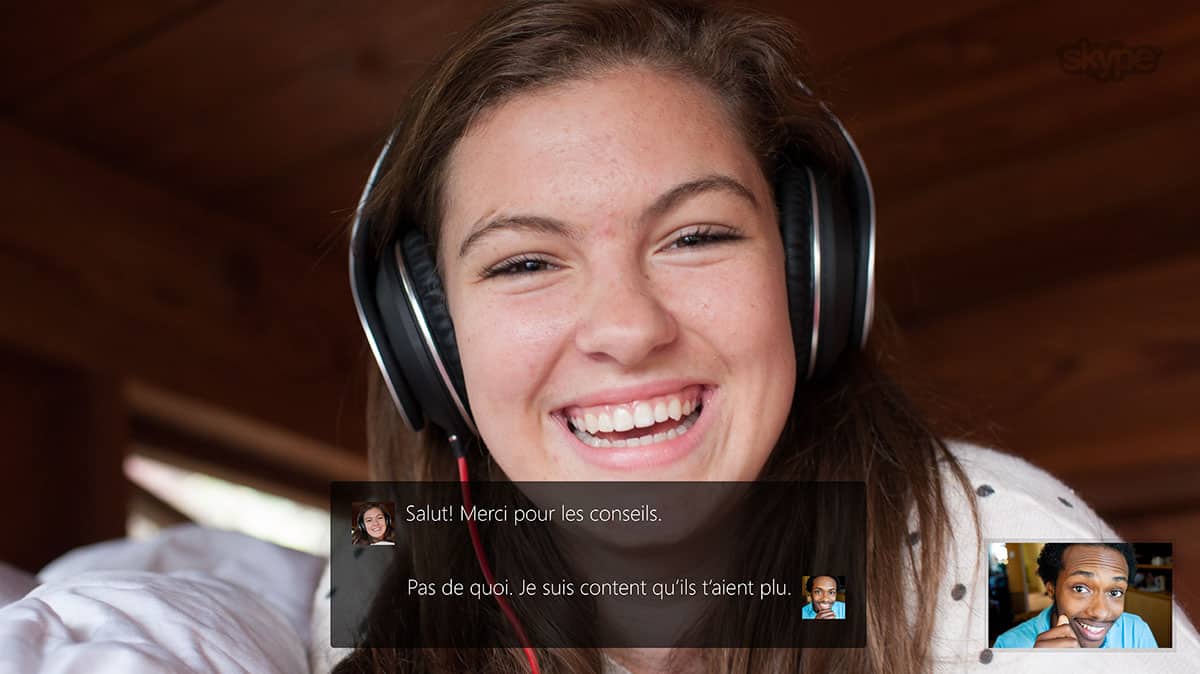
Microsoft’s artificial intelligence technologies have long powered the Microsoft Translator API in both the Skype and the Microsoft Translator app. Now, Microsoft is expanding on this and is releasing a new version of a Microsoft Translator API which will add real-time speech translation capabilities to the existing text translation API.

This means that businesses will be able to add speech translation capabilities to their own services and bring a better experience to their customers. Available in eight languages, and spoken in 18 languages, the new version is also the first end-to-end speech translation solution optimized for real life conversations.

This speech translation service can also be used in a numerous amount of situations, both person to person, or human to machine. Examples include personal translation, subtitling, or remote or in person multilingual communications. It even can be used in groups, such as in online gaming chatrooms or real-time presentations such as keynotes.

Nonetheless, the process of translation is very challenging. Microsoft claims that it uses the latest AI technologies and that there is no other fully integrated speech solution available in the market today that would support real-life speech translation scenarios.

A look at how the Microsoft Translator API works

The full details on how this technology works can be seen below.

  1. Automatic Speech Recognition (ASR) — A deep neural network trained on thousands of hours of audio analyzes incoming speech. This model is trained on human-to-human interactions rather than human-to-machine commands, producing speech recognition that is optimized for normal conversations.
  2. TrueText — A Microsoft Research innovation, TrueText takes the literal text and transforms it to more closely reflect user intent. It achieves this by removing speech disfluencies, such as “um”s and “ah”s, as well as stutters and repetitions. The text is also made more readable and translatable by adding sentence breaks, proper punctuation and capitalization. 
  3. Translation — The text is translated into any of the 50+ languages supported by Microsoft Translator. The eight speech languages have been further optimized for conversations by training on millions of words of conversational data using deep neural networks powered language models.
  4. Text to Speech — If the target language is one of the eighteen speech languages supported, the text is converted into speech output using speech synthesis. This stage is omitted in speech-to-text translation scenarios such as video subtitling.

If you’re curious about the technology, a free 2-hour trial of the API is available by clicking here. You can also learn more about the API, and also read the documentation by visiting Microsoft’s Swagger page. 

What is Windows Ink and when does it arrive on Windows 10?

After its reveal earlier today during Microsoft’s Build 2016 conference, a few more details have come to light regarding the new Windows 10 feature, Windows Ink.

What is Windows Ink?

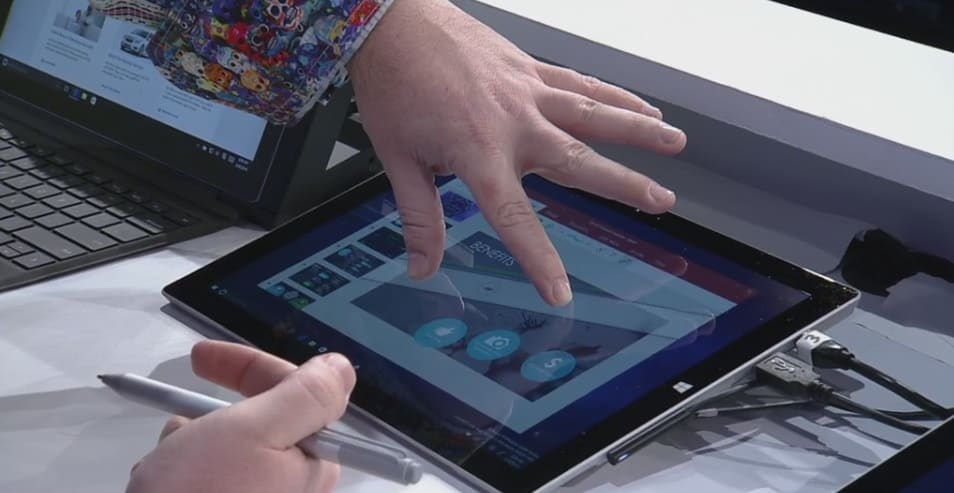
Windows Ink is basically a sort of alternative operating system that runs within Windows 10 that’s designed for navigation with a compatible stylus or pen (such as the Surface Pen). While a pen can be used to navigate both the Desktop and Tablet modes of Windows 10, Windows Ink overlays larger workspaces on top of the Windows 10 Desktop area that are designed exclusively with a stylus in mind.

Windows Ink
Windows Ink

Is Windows Ink a Different Operating System?

Windows Ink is not a separate operating system from Windows 10. It’s simply a new built-in alternative way to use the operating system like the separate Desktop and Tablet modes. From the images previewed, Windows Ink appears to be more along the lines of a newer, more functional Action Center or even the Desktop widgets which were used in older Windows operating systems.

What apps will work with Windows Ink?

Popular apps such as Maps, Photoshop, Microsoft Edge, and Office have been confirmed to work with Windows Ink’s added features and more are expected to be announced soon. It’s important to remember though that even if an app doesn’t support Windows Ink, a Windows 10 compatible pen can still be used on the majority of touch-enabled Windows 10 devices like the Surface Pro and Surface Book in all apps or programs.

When will Windows Ink rollout?

Windows Ink is officially scheduled for public launch sometime in summer 2016 as part of a large Windows 10 update called, Windows 10 Anniversary Update.

How is Wacom involved with Windows Ink?

Microsoft has recently partnered with Wacom to create Windows Ink products for the Windows 10. Both companies have announced that they will be working together to produce a new pen specially designed for Windows Ink. It will be release sometime during the holiday season in 2016.

What would you like to see in Windows Ink? Share the hype with the community in the comments below.

Skype finally gets Cortana integration along with bot messaging

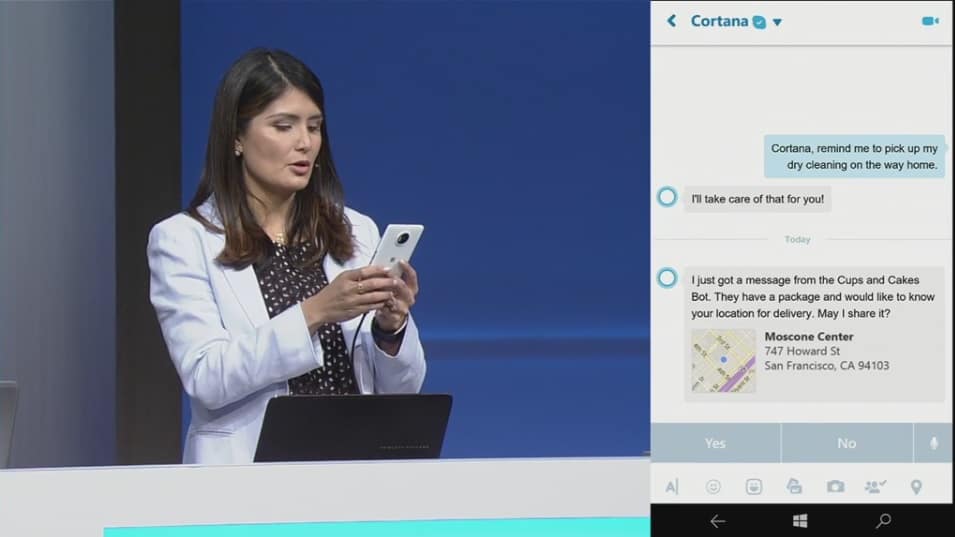
Microsoft has been working hard to integrate some great Cortana features  into Skype in order to provide some great features like that option to chat with a business bot from your local pizzeria, for instance. So, the idea of ordering Pizza Hut right from within Skype while chatting with your loved ones might soon become a reality.

With these improved features, users will be able to interact with Cortana using a chat-like interface to get their tasks and day to day tasks done, making Cortana more functional in the long run. When it comes to being able to chat with business bots, Cortana will automatically be able to detect a service that might be relevant through the context of a Skype chat so you could quickly speak to the bot to do what you want.

Companies like Facebook have been trying to do the same thing with services like Facebook Messenger but until now, only Microsoft has been able to show a functional prototype of such service. In the future, developers will be able to add multimedia bots which will respond to queries in real time. Bots will be launching in an update today itself but Microsoft hasn’t announced which bots will be made available initially.

Microsoft shows off the power of DirectX 12 for Windows 10 (video)

Earlier this month, Microsoft published a video showcasing DirectX 12 and the impact it has on Windows gaming. That video was eventually pulled and republished today during Build 2016, showcasing how Windows 10 is the best Windows ever for gaming — at least according to Microsoft. If you haven’t already seen it, now is your chance to check it out.

In the video, Microsoft showcases how DirectX 12 offers unparalleled graphic fidelity” and “up to 20% increase in GPU performance” as well as “up to 50% improvement in overall CPU usage.” These are definitely some amazing improvements.

“DirectX 12 is a ground-breaking Microsoft technology that gives game developers the ability to harness the full capabilities of a PC’s GPU(s) and raise the bar on graphic fidelity and immersive gameplay,” the video description reads. You can watch the vide below.

For those that did not know, DirecX is a collection of APIs designed to help Windows run multimedia content as efficiently as possible. DirectX 12 is the latest version which improves the quality of media processing, making your gaming experience so much better.

Star Wars: Trials on Tatooine trailer finally puts a lightsaber in our virtual hands

After Star Wars: The Force Awakens’ remarkable success, it’s no surprise to see Star Wars make the leap to VR through the upcoming for HTC Vive. While Star Wars: Trials on Tatooine is a virtual reality experiment and not a new Star Wars game, it still means Star Wars in a compelling virtual reality environment. Who could say no that?

Star Wars: Trials on Tatooine trailer released

With the HTC Vive running Star Wars: Trials on Tatooine, you’ll get the chance to experience Star Wars in virtual reality for the first time. A major plus for this experience is Industrial Light and Magic’s involvement in its development. As the studio famed for its graphical expertise after developing the now legendary special effects for the Star Wars series, we can expect to see an incredibly memorable Star Wars experience.

If you’re interested to see how Star Wars: Trials on Tatooine looks in action, you’ll be pleased to know that trailer for it was recently released. The trailer features icons like the Millennium Falcon, R2-D2, and even Stormtroopers you can fight off using a lightsaber in virtual reality. The trailer looks rather promising and judging by its footage, we expect to have amazing combat sequences in virtual reality.

Star Wars: Trials on Tatooine is our first chance to experience Star Wars in virtual reality, so obviously we’re pretty excited about it. Unfortunately, no information regarding its release is currently available but we expect to see it as a launch title for HTC Vive. As for the trailer, check it out below:

Windows 10 Redstone update wave 1, also known as RS1, slated for the summer

Microsoft has been releasing new Redstone builds to Windows 10 Insiders for quite some time now and we expect that to continue until the commercial release of the Redstone update, the release of which is expected to be in June of this year. But now, new information points to the first wave of the Redstone update possibly arriving in July instead.

Microsoft’s documentation for Xbox developers says the following (the page is now down):

“Xbox runs Windows 10, version 1607, which means that it shares the same core operating system as other devices in the Windows 10 family: desktop, mobile, and HoloLens. But, because this is the first release of the Universal Windows Platform (UWP) on Xbox, there are some feature areas that haven’t reached the same level of support on Xbox as they have on other devices. In this topic are details on some of the feature areas that your UWP app might use that don’t currently function as fully on Xbox. All APIs are callable and will fail gracefully if they’re unsupported. As we flight and service Windows, we’ll continue implementing, testing, and bugfixing until all of the Universal device family API surface is fully operational on Xbox.”

If Microsoft sticks with its policy of assigning version numbers to its major updates for Windows 10 — and we believe it will — “1607” should point to a  July 2016 release because the version number represents the year and the month in which the update is released. For example, the November update, also known as Threshold 2, was released in November last year and featured a version number of 1511.

windows 10 redstone july 2016 update

A lot of Redstone news yet to come

Although Windows 10 Preview Redstone builds are already available to Insiders, we can’t be sure about the details related to Microsoft’s upcoming major update for Windows 10. We do know that it will arrive in two waves, just like the Threshold update did (the RTM release of Windows 10 in July and the November update after), but release dates of both waves are still uncertain.

It was widely believed that the first wave would arrive in June but now that is subject to change. Also, people thought the second wave would have been ready by late 2016 but ultimately was pushed to 2017. Until Microsoft confirms anything, we can’t be sure.

As for possible features of the Redstone update, Microsoft released a few of them already with Microsoft Edge extensions the most notable addition so far, but we don’t know what else the company has prepared for us. Microsoft’s annual Build conference is starting today and the company promised it would talk about the Redstone update at the event. So, it’s possible we’ll have more information about the Redstone update and its features after the conference. (If you want to watch the conference live from your browser, you can do so from this link.)

As soon as Microsoft reveals more details about the upcoming Redstone update for Windows 10, we’ll make sure to let you know.

Microsoft shows why and how Windows 10 can run native Linux apps (video)

Earlier today, during Build 2016 Day 1, we learned that Microsoft was bringing the full Bash shell to Windows.  This won’t be a virtual machine but rather native Ubuntu binaries that are able to be used thanks to a subsystem.

In a new video posted on Microsoft’s Channel 9, the company goes over why and how they are enabling Windows 10 to run native Linux apps and tools directly on Windows thanks to Bash. If you are interested, watch the video embedded below for your viewing pleasure.

There are a few things to note about this technology. First, it is a preview of a brand new technology so there will be problems at this stage. Favorite Linux tools work well during testing such as Bash, apt-get, Ruby, git, and Python. Currently, Mysql and Top are not working as well as they should.

Microsoft’s 5 biggest announcements at Build 2016 Day 1

Microsoft just held an event in San Francisco — at the Moscone Centre, specifically — and used the time to talk about Windows, bots, Skype, Cortana, and lots more. Speakers included Satya Nadella, Terry Myerson, and Bryan Roper who wore his trademark fedora.

The company also talked about Tay, the AI that went on a rampage, acknowledging that it failed Microsoft’s own standards for decency. “It’s not going to be about man vs. machine,” Nadella said. “It’s going to be about man with machine.”

Microsoft has been working on some seriously cool things recently and Build was a good opportunity to show them off and, in the process, give some colour to how the company is shaping up under Nadella. Here were the biggest announcements.

Windows has 270 million users

What it means: The last count Microsoft gave for Windows 10 usage was back in early January when the company announced that over 200 million people were actively using the operating system. Now, almost 90 days later, the figure has risen to 270 million.

Why it matters: Windows 10 is free, which means that anyone who has Windows 7, 8, or 8.1 can get it quickly and easily. This is a break from tradition as it means the company makes no money from selling licenses to customers. Instead, Microsoft wants people — as many people as possible — to use its services and buy its software from the Windows Store.

Having the maximum number of people using Windows 10 is key to this goal. In the end, Microsoft wants one billion people to be using the operating system. At the current rate of growth, Windows 10 is on track.

What was missing: Microsoft didn’t talk about what it plans to do when the free trial ends in July. This could be a problem as users would have to pay for Windows 10 which, in turn, would likely have a dampening effect on sales.

Bots are the future

What it means: This announcement was hinted at earlier today and was born out at Build: Bots — pieces of software that automatically do stuff, like order food — are something Microsoft is very, very interested in. “Conversation as a Platform” is the new phrase, which was repeated on stage many times.

Why it matters: Microsoft is taking an idea that has been around for a while — bots — and making a big, bold bet on them. Bots will now work with Skype, Cortana, Windows, and almost every other piece of software that Microsoft makes, sells, or distributes. For end users, this means that some things get easier: mundane tasks are not automated in most Microsoft-made software.

This is also a big deal because Microsoft is one of the first big companies to do something like this — and do something so big. This wasn’t just a small announcement: A big chunk of the time on stage was spent explaining what bots are, why they matter, and where they can be found.

What was missing: While bots could be the future, Microsoft did not totally move past Tay. Unfortunately for Microsoft, the company’s future was preceded by a big — and very public — failure.

Taking on the iPad Pro

What it means: Apple recently revamped the iPad Pro and claimed that many users were coming from Windows. Microsoft spent a sizeable portion of its time on stage at Build demoing Windows Ink, a new piece of software that looks to pull the carpet out from underneath the Pro’s feet.

Essentially, Ink makes Windows more appealing to anyone who uses a stylus by adding new features, like a digital ruler, that could increase productivity.

Why it matters: The iPad Pro is a bit of a threat to Microsoft’s Surface tablets — although, perhaps not as much as some people think — and the new features are clearly a shot across the bows for Apple. Microsoft has long positioned the Surface as the perfect note taking device, a pitch that is especially appealing to students, and that continues.

Scribbling on a glass surface can, for some, feel like a strange experience but software tools can help reduce the weirdness and get stuff done which, incidentally, is what Microsoft wants. Smart features, like the virtual rule, help this and position the company as the go-to provider paper-like productivity software.

What was missing: Ink is cool, but this is an area that Apple does have more experience in having catered to creatives since 1984, when the original Macintosh was introduced. The iPad was not directly addressed — which is unsurprising — but it would have been nice to see a new version of the Surface Pen, to prove the commitment is there.

HoloLens is now shipping

What it means: People who paid $3,000 to get a pre-release version of HoloLens are, from today, going to start receiving their orders. The box, shown off onstage, looks cool and the device appears to work well — although Microsoft stressed that it was not to be considered as the final hardware.

Why it matters: HoloLens is one of the most exciting things Microsoft is doing, especially as no other company — not Apple, not Google, not Amazon, not Facebook — has anything like it. The applications for businesses, who are also Microsoft’s biggest clients, are enormous and the list of current partners includes some other giant companies, like Audi and NASA.

What was missing: The demos, while cool, were still a bit pie-in-the-sky and some of the real issues, like depth of field, were largely ignored. There was also nothing particularly new shown off on stage and the only reason it was there at all was because the units are shipping today.

Microsoft welcomes Xbox into the Windows family

What it means: Xbox, which runs Windows 10, is now much more closely associated with the brand and Microsoft as a whole. Apps are now going to be shared across both — which, it’s worth noting, isn’t a new decision — and the two App Stores are going to be combined into one.

Why it matters: Windows users in aggregate are going to get a better gaming experience while Xbox will benefit from Windows apps. This, Microsoft hopes, will make everybody happy and is the best embodiment of how well the Universal Windows Platform strategy can work.

What was missing: Very little. Microsoft did a good job of summarising why it matters and this is a decision that has been in the works over the past 6 months.

Microsoft Cognitive Services to help give apps “a human side”

Microsoft spoke at length at Build 2016 about its vision for the future of communicative computing. Microsoft CEO Satya Nadella expressed his belief that the next leap in consumer interactions with platforms will move beyond the traditional confinements of everyday operating system navigation to a more predictive artificial intelligence presence in people’s lives.

However, before Nadella’s utopian science fiction fantasy becomes an everyday reality for the average consumer, Microsoft along with the rest of the industry will need to refine the API’s, natural language frameworks, and machine learning of the bots that will be communicating with people.

Enter Microsoft’s Cognitive Services.

Shortly after Build 2016, Microsoft Cognitive Services page surfaced on the internet to help developers enable natural and contextual interactions between their services and the customers they link to. Specifically, the new service is described as:

Microsoft Cognitive Services let you build apps with robust algorithms using just a few lines of code. They work across devices and platforms such as iOS, Android, and Windows, keep improving, and are easy to set up.

Interested developers are free to get started using Microsoft’s list of open APIs, peruse background documentation, and explore “some of today’s most innovative apps” using machine intelligence API’s.

On top of exploring other significant innovations using Microsoft’s Cognitive Services, developers can also take a peek into Microsoft’s digital assistant, Cortana’s Intelligence Suite, as a marker for what’s possible using the framework.

For those interested in harnessing machine learning, predictive cloud intelligence or beefing up an app or service with powerful AI algorithms, head over to the Microsoft Cognitive Services page for a metric-ton of free information.

Microsoft Build 2016 live blog: everything you need to know

We’re just a few hours before Microsoft kickstarts its most important event of the year – Build 2016. Microsoft is expected to talk about Windows 10, Windows 10 Mobile, Xbox, HoloLens and many other products and services under its portfolio.

The event kicks off at 11:30AM ET / 8:30AM PT, and you will be available to follow it live. But if you don’t have time to watch the stream live, or you’re at work and must watch it muted, then we invite you to bookmark this page and rest assured that we will be as timely as possible.

Follow our liveblog of Build 2016 event

The Redstone update for Windows 10 is another big focus point of the event, and maybe other topics such as Ubuntu integration in Windows 10, talks about recent acquisitions and expansions.

Build 2016 live stream hours

build 2016 microsoft live

Our live blog are is further down the page, so make sure to scroll down in order to find. Our readers are from all over the world, so here are the hours at which the build starts:

  • United Kingdom – 16:30
  • India – 21:00
  • Brazil (Brasilia) – 12:30
  • Netherlands – 17:30
  • Italy – 17:30
  • Poland – 17:30
  • France – 17:30
  • Germany – 17:30
  • Spain – 17:30
  • Pakistan – 20:30
  • Bangladesh – 21:30
  • New York – 11:30
  • China – 23:30
  • Australia (Canberra) – 01:30
  • Japan – 00:30
  • Canada (Ottawa) – 11:30
  • Mexico (Mexico City) – 10:30
  • Bulgaria – 18:30
  • Romania – 18:30
  • New Zealand (Wellington) – 03:30
  • Russia (Moscow) – 18:30
  • Dubai – 19:30
  • Thailand – 23:30

We remind you that Build 2016 tickets sold out in just one minute (which explains why we aren’t there) so there’s huge interest this year. And before you’re asking, no, Microsoft won’t be announcing Windows 11, but what could surprise us all could be some sort of VR capability for the Xbox, considering all the fuss around the subject. And, who knows, maybe there’s a chance to see the Surface phone, as well?

Microsoft Build 2016 live blog

Free Killer Instinct Season 3 comes to Windows 10 users, requires 30GB of storage space

After a lot of hearsay and rumors, Killer Instinct Season 3 is now finally available on the Windows Store as a free download. Of course, the game has its own in-app purchases, nd if you want to get a bundle with more content, pricing starts at $20.

If you already pre-ordered the game, then you know there are some nice goodies that you should have received by now. Here are the main features of the game on Windows 10:

-Fight for Free! Play all game modes with a free fighter, including online multiplayer! Fighters are available for individual purchase or get the whole cast in a bundle.
-Extensive cast of powerful combatants with tons of customization options including Retro Costumes and Accessories.
-20 Stages with intense stage destruction.
-Competitive online matches with state-of-the-art fighting game netcode.
-Test your skill online in Monthly Ranked Leagues.
-Cinematic Story Mode.
-Extensive Dojo tutorial teaches all the core mechanics for Killer Instinct.
-Train an AI combatant and challenge your friends to asynchronous matches in Shadow Lab.
-Free Updates to the base game – all Fighter balance patches are included for free.

Here are its main features for Xbox Live play:

-Online multiplayer Cross Play with Xbox One. Pay attention to the Performance Grading test automatically performed before your first match.
-Play anywhere with Cloud Save between Xbox One and Windows 10.
-Killer Instinct includes rich Xbox Live features like Achievements, Game DVR, Leaderboards, and more.
-To play this game, you’ll need to use your existing account on Xbox Live or the same Microsoft account you used to purchase the game.

killer instinct season 3 windows 10

Here are its minimum PC specifications:

Killer Instinct has been built for Windows 10, but to ensure performance, the following MINIMUM PC specifications are needed: • Operating System: Windows 10 (64-bit) • Processor: Intel Core i5-750 @ 2.67 GHz | AMD Phenom II X4 965 @ 3.4 GHz • Graphics card: NVIDIA GeForce GTX 480 | AMD Radeon HD 5850 • RAM: 4 GB • Requires DirectX 11 • Hard Disk Space: 30 GB free (base game) • Supported peripherals: Windows-compatible keyboard, Xbox One Controller for Windows, Xbox 360 Controller for Windows, and Xbox 360 Fight Sticks.* Controller recommended. • Network: Broadband Internet connection

Here’s what are the recommended PC specs:

• Operating System: Windows 10 (64-bit) • Processor: Intel Core i5-4670K @ 3.4GHz | AMD FX-4300 @ 3.8 GHz • Graphics Card: NVIDIA GeForce GTX 670 | AMD Radeon HD 7950 • RAM: 8 GB • DirectX 11 • Hard Disk Space: 30 GB free (base game) • Supported peripherals: Windows-compatible keyboard, Xbox One Controller for Windows, Xbox 360 Controller for Windows, and Xbox 360 Fight Sticks.* Controller recommended. • Network: Broadband Internet connection SUPPORTED OS: Windows 10 (64-bit version only) with Windows 10 November update installed (Windows Version 1511).

Microsoft is making it clear that you should run the Windows 10 November update if you want to enjoy the most out of the game. Furthermore, Microsoft informs that in order to enable cross-save functionality between Xbox One and Windows 10, you must sign in on the same Microsoft Account associated with your Gamertag on Xbox One. Another important thing to take into account is that Xbox 360 Fight Sticks are supported, as well.

Before downloading the game, though, go ahead and have a look at the official launch trailer below:

Bring your desktop app to the Universal Windows Platform with the Universal App Converter

One of the more exciting things announced during Microsoft’s Build 2016 was just how easy it can be for developers to move their desktop Windows (Win32) apps over to the Universal Windows Platform. The Desktop App Converter is Microsoft’s new tool for enabling Live Tiles, notifications, Cortana, and more in Win32 apps while also making those traditional applications available in the Windows Store.

Essentially, the Desktop App Converter serves as a bridging tool between Win32 apps and Universal Windows Apps, in much the same way that Project Islandwood does for iOS apps. Run a Win32 app through the Converter, test it, plug in the additional UWP features and functions, and then push to the Windows Store.

Desktop App Convertor process

Most important, applications that are converted to Universal Windows Apps become available on all Windows 10 devices. That means a Win32 app can make it over to the Xbox (minus some unsupported features, of course) or even a Windows 10 Mobile device. That’s not to say every application will make sense on every device type, but it’s good to see that Microsoft is making it easier to “port” apps over where it makes the most sense.

Here are the key benefits that Microsoft envisions:

  • App model. The converted app has a well-defined app model and a deployment experience that ensures clean install, uninstall, and seamless updates. The behavior and performance (including startup) of users’ systems remain pristine.
  • App identity. A UWP app has an identity, which enables features such as push notifications, Live Tile updates, and in-app product offers for your app.
  • App enhancement. At your own pace, you can add UWP features to your app such as background tasks, app services, and many more. You can use the rich UWP feature set in your app.
  • Reach every Windows device. Once all functionality moves from the full-trust portion of your app and into the app container portion, your app will be able to reach every Windows device.

If you’re a Windows developer, head on over to the Microsoft developer site and get signed up. The sooner you start playing around with the Desktop App Converter, the sooner you’ll be able to help flesh out the growing Windows Store.

Windows 10 Anniversary Update brings Cortana to 13 new countries, adds lockscreen support

For anyone who follows Microsoft, Build is one of the biggest events of the year. The conference serves as a time for developers and consumers alike to get together and listen as Microsoft tells us all of the plans for the future. With HoloLens about to break ground in consumer technology and Microsoft Surface ready to move into its next stages, Build 2016 is shaping up to be an extremely significant event.

Marcus Ash, Group Program Manager for Cortana on Windows, came out on stage to talk about the future of Cortana on Windows 10. While Cortana is already a huge part of the experience of Windows 10 and Windows 10 Mobile, Marcus showed us that the anniversary update is going to be bringing us even more ways that the digital assistant is going to help us in our day to day lives. With the anniversary update, 13 more countries are going to be getting support for Cortana – an expansion of the service that’s going to make the digital assistant much more widespread, making Cortana a more integral part of the Windows 10 experience.

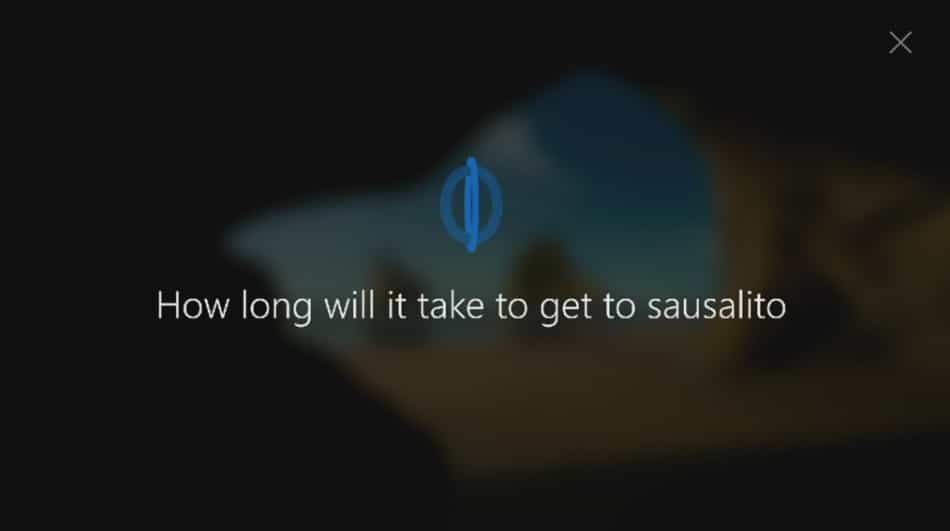
Beyond this expansion of audience, Cortana is also going to be getting support straight from the lock screen. As it stands now, if you want to use Cortana through Windows 10, you need to open up your Windows 10 device and unlock it. When the anniversary update hits, however, you’re going to be able to use many Cortana features straight from the lock screen, before you input any login information. The example shown in the demo on stage showed Marcus pulling out his device, saying “Hey Cortana” to launch the digital assistant, and asking it “How long will it take to get to Sausalito?” Cortana then immediately showed the map from his location to Sausalito, how far away it was, and how long it was going to take to get there by car.

Universal Windows Store officially announced at Build 2016

The goal of a universal Windows Store that supports Universal Windows 10 apps, Win32 apps, and Xbox games has been a unicorn for some time now. The ability to go to one location to get any app for any Windows 10 device will be a huge asset for the platform, and will allow Microsoft to leapfrog the competition.

We’ve know for some time now that such a Universal Windows Store would be made available eventually. Today at Build 2016, however, Microsoft Xbox chief Phil Spencer made its future official. The new Windows Store will support everything we’ve come to expect in Windows 10 apps, such as season passes, bundles, and other features, only across every device you own.

Developing story…

Microsoft releases HoloLens Galaxy Explorer app and source code

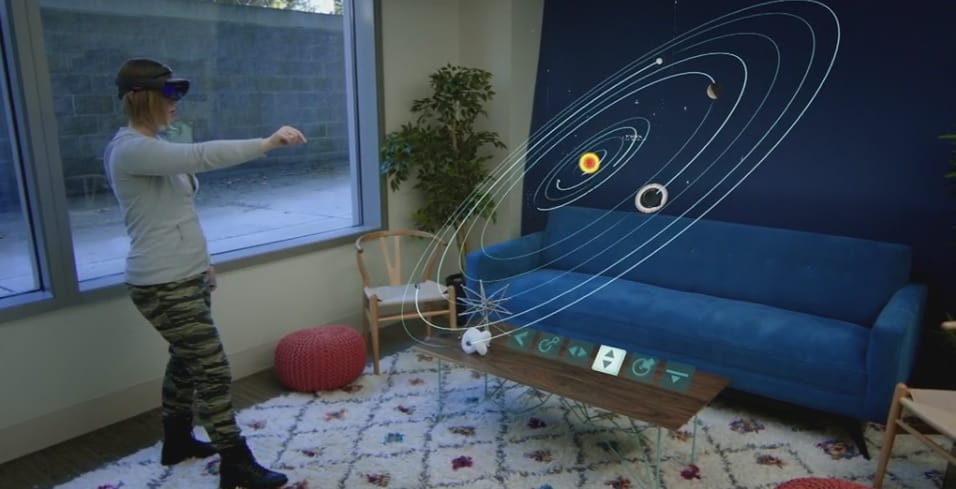
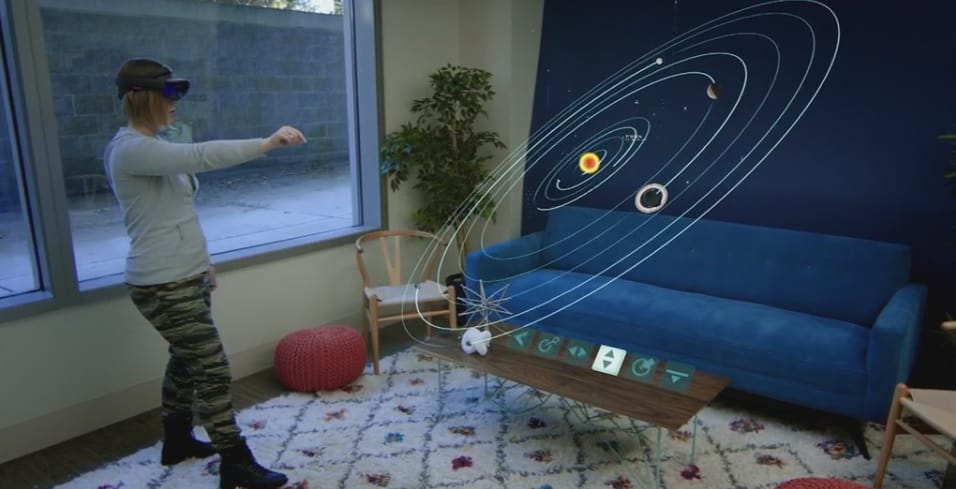
Microsoft’s “Share Your Idea” contest asked the HoloLens community to vote for the best example of what HoloLens can do. The winner was Galaxy Explorer, a space simulation app that takes users through the Milky Way with cool facts and stats about the galaxy. Today at Build 2016, Microsoft announced that the project has reached its completion.

Specifically, the app will be released to the Windows Store shortly. In addition, the source code will be made available so that developers can see just how easy it is to create HoloLens applications.

Developing story…

Microsoft announces Xbox Dev Mode, turns Xbox One into a dev kit

The Universal Windows Platform (UWP) is a great way for developers to make apps for Windows 10 and now it can be used for making apps for Xbox One too. Microsoft had announced a while ago that UWP apps were coming to the Xbox One as well as the planned functionality for the Xbox One to be used as a developer kit and at Build 2016 earlier today, Microsoft fully revealed how apps would work and how developers could use the console to design them.

During the conference, Microsoft’s Ashley Speicher demonstrated how easy it is for developers to transform their Xbox One console into a functional dev kit through a new mode called, Dev Mode. On the Xbox One, game developers can deploy apps made in Visual Studio and preview them on the Xbox One as a UWP app just like they would on other Windows 10 devices.

Developers will be able to incorporate all of the Xbox One’s features such as speech recognition and Microsoft has made it easy to switch in and out of the Xbox One Dev Mode to the new Retail Mode to preview their work, which is essentially the version of the operating system that consumers experience.

For more information on how to activate this new Dev Mode on the Xbox One and get started as an app developer on the console, check out our full guide here.

Microsoft adds new ruler function in Windows 10 Anniversary Update

When Bryan Roper came out on stage today to show off some of the new things that are coming to the Windows 10 Anniversary update, we got something of a surprise: a ruler that you could bring up on the monitor to help you work with a pen. We’ve seen tons of new ways to use a pen or stylus on touch-enabled Windows 10 devices but this new ruler function seems like it’s going to be adding an entirely new layer of depth to how users interact with their Windows 10 device.

As shown during the presentation, when users bring out the ruler, they can move it around with two fingers in any direction that they like. It can be used, as you might imagine, to measure things out to scale on the screen and can also be used to draw accurate lines when you’re drawing with the Surface Pen.

This promises to be very useful for artists who might need help making detailed lines look sharp, or even for people looking to write up a quick graph. Whoever you are, the ruler is going to be a huge asset when it comes to your pen toolkit.

Build is one of the biggest tech events of the year. The conference serves as a time for developers and consumers alike to get together and listen as Microsoft tells us all of the plans for the future. With HoloLens about to break ground in consumer technology and Microsoft Surface ready to move into its next stages, Build 2016 is shaping up to be an extremely significant event.

Windows 10 is the fastest growing Windows ever, and there are 1.2 billion Office users

Microsoft’s Build 2016 kicked off bright and early this morning, and CEO Satya Nadella was first up. He started off talking about optimism and the Microsoft platform’s bright future, and had some interesting numbers and facts to talk about.

First up, he mentioned that there are 1.2 billion Office users who will be able to access the platform from across the cloud. Developers will benefit from these users accessing their applications.

Next, he mentioned that Windows 10 is the fastest growing Windows ever, an important fact for developers and an incentive to get them developing Universal Windows Apps. Over 270 million people are running Windows 10, a significant jump from the previous 200 million metric.

“We’re also going to talk about how in gaming and consumptive applications we’re going to open up both the PC and the console for new opportunities for developers.”

Keep tuned to WinBeta for ongoing Build 2016 news!

Join us immediately after Build for a special WinBeta Podcast

You can join us live on one of the biggest days of the year for Microsoft news. Build conference is highly anticipated every year and with Redstone around the corner, the leaks we’ve seen, and teases from Microsoft there will be plenty to discuss.

Immediately after Build we will have a special WinBeta Podcast. This will be an excellent opportunity to share your thoughts in the live comment stream as well as hear a recap of today’s announcements.

The Podcast is easy to find on our live page so once you’re done watching the event on our stream page hop on over.

The Microsoft keynote at Build starts at 8:30am PST and is scheduled through 11:00 am. We’ll be on air pretty much right after that so stick around.

Microsoft introduces Parse Server on Azure Managed Services

Microsoft has come to the rescue, or is at least trying to help out, the numerous app developers who use the Parse platform. In response to Facebook’s intensions to shutter Parse back in January, Microsoft has today announced Parse Server on Azure Managed Services, an alternative way for Parse developers to continue developing in that format.

Parse Server incorporates Azure App Service and Notification Hubs to support Apache Cordova, Xamarin and native iOS andAndroid development processes, and can also support managed database services such as DocumentDB.

Microsoft’s Sr. Program Manager of Azure App Service Mobile Apps, Adrian Hall, says of the opportunities Microsoft is offering that, “These services provide a best-of-breed experience for your mobile backend going forward. You can easily scale your service to millions of users; just ask the Canadian Broadcasting Corporation about their experience with the scalability and reliability of the platform. You can move towards a DevOps mindset with our continuous deployment tools and staging environments, and get beta distribution, crash analytics and feedback using HockeyApp.”

To help developers migrate to the new Parse Server, Microsoft is offering a special introductory DocumentDB for Parse Service customers that will be free until June. They’re also holding a special Azure promotional campaign that gives new users a one-month free trial of Azure and up to $200 to spend on Azure services.

Adrian Hall has given detailed information for developers on the official Azure blog on how to get their Parse servers running and also on how to migrate their old data. The blog also has several comprehensive guides which provide more detailed walkthroughs on more advanced stages of Parse implementation.

Are you a Parse app developer who has begun to make the transition to Microsoft’s alternate Azure Server solution? Let us know about your experience in the comments below.

R.B.I. Baseball, Gryphon Knight Epic, and Active Soccer 2 DX launching on Xbox One today

After the big launch of The Walking Dead: Michonne Episode 2 and Killer Instinct: Season 3 on Xbox One yesterday comes the release of three more titles for Microsoft’s video game console.

The first is R.B.I. Baseball 16 which is the follow-up to last year’s, R.B.I. Baseball 15 (naturally). This latest entry in the series features Season, Postseason, Exhibition, and Multiplayer modes, the ability to modify teams with either complete MLB rosters or classic R.B.I. Baseball 16-player rosters, future downloadable updates throughout 2016, and improved graphics.

Here’s the official description:

Make the play with your favorite Major League Baseball team and win the World Series! R.B.I. 16 features enhanced lighting and graphics, revamped defensive AI, an improved batting system, and the ability to sim through games in Season mode. Feel the action with new fielding moves like dives, wall catches, pump-fakes and more! Take your skills to the next level and compete online.

Buy R.B.I. Baseball 16 on Xbox One

The second game out today on Xbox One is Gryphon Knight Epic, a new 2D shoot’em up with a medieval twist.

Here’s the official description:

Gryphon Knight Epic is a 2D Medieval Shoot’em up that mixes elements from classical shoot’em ups, exploration and duel-like boss battles. It tells the story of Sir Oliver and Aquila, an accomplished knight and his loyal gryphon that are forced back to adventure once again. Sir Oliver have already defeated a dragon, married a princess and saved the kingdom. But during his quest he will face adversaries he never imagined he would, because… in reality all of them were once friends.

Buy Gryphon Knight Epic on Xbox One

The final game out today is Active Soccer 2 DX, a top-down arcade soccer game which supports up to eight players locally, team and competition editors, weather conditions, and a soundtrack by Chris Huelsbeck.

Here’s the game description:

Active Soccer 2 DX is an exciting top-down arcade football game providing a fast-paced arcade experience, implementing amazing playability and responsive easy-to-learn/hard-to-master controls. With Active Soccer 2 DX you have full control of the game, no scripted goals, no CPU-driven decisions!

Active Soccer 2 DX provides a complete career mode, implementing many international leagues, cups and championships. Imagine being the manager of a 5th division English team – you have a budget and your goal is to be promoted to higher divisions, by purchasing players, creating tactics, managing the team and playing real matches!

Buy Active Soccer 2 DX on Xbox One

Have you picked up any of these titles or are you more interested in the larger games on Xbox One right now? Let us know in the comments below.

FitBit’s Windows 10 app receives graphical redesign and new features in latest update

The official Windows 10 FitBit app has updated with a host of design changes and several completely new features.

The past few updates have seen some visual improvements to the app’s graphics and layout and this one refines things even further by introducing new animated tiles which activate when goals are met, fresh animations throughout the app in other areas, and a new design for the exercise page which is now much more streamlined and uses exercise-specific icons for each activity instead of the generic walking man icon.

Water logging (to keep track of how much water a user drinks throughout the day) has been streamlined and is now much faster than before and stride length can now be edited from within the app.

On the more technical side of things, the FitBit app received several Continuum improvements and bug fixes and has also migrated from OAuth 1.0 to OAuth 2.0. OAuth is a method of providing secure access to services. OAuth 2.0 is the latest version of the protocol and is currently being used by tech companies such as Facebook and Google. Microsoft added OAuth 2.0 experimental support to their APIs in 2011 and the OAuth 2.0 Framework was published in 2012. It’s basically a simpler and more secure way to do what version 1.0 did.

FitBit is one of the more popular fitness tracking companies and has a variety of fitness tracking devices on the market. It has been a strong supporter of Microsoft devices and their users and frequently updates their apps on Windows phones and PCs to make sure they’re as supported as their iOS and Android counterparts.

Do you use a FitBit device or are you more of a Jawbone or Microsoft Band person? Let us know your preference in the comments below.

Fitbit
Fitbit
Developer:
Fitbit
Price:
Free