Name Your Game or get a Rainbow Six Seige deal with the latest Xbox One bundles

Well the holidays are over, but Microsoft’s penchant for bundling up the Xbox One with games at special prices is still going strong. Today, Microsoft announced two new bundles, the Rainbow Six Seige bundle, and the Name Your Game bundle.

If you’re a Tom Clancy fan, you can get a 1TB Xbox One complete with a copy of Rainbow Six Seige, and full-game downloads of Rainbow Six Vegas and Rainbow Six Vegas 2, both backward compatible Xbox 360 games, all for $399 at participating retailers or from the Microsoft Store.

If you can’t quite decide which game is right for you, or for example if you’re giving an Xbox One as a January gift, you can choose the Xbox One Name Your Game bundle, which comes with a 500GB Xbox One, and your choice of one of four games: Forza Motorsport 6, Rise of the Tomb Raider, Gears of War: Ultimate Edition, or Rare Replay.

The Name Your Game bundle will start shipping to Australia, Germany, Ireland, Mexico, New Zealand and the UK for $349 US on January 12th, and make its way to the US, Canada and Brazil in late January.

2016 is shaping up to be another great year for Xbox games, with hundreds of Xbox 360 games becoming backwards compatible on the Xbox One, and lots of new games, some yet to be announced, on the way, so it’s a good time to get ready with a new Xbox One

Microsoft looking for new presenters for its Women in Gaming Luncheon this year

Microsoft is looking to add some “presenters passionate about gaming” to its 16th annual Women in Gaming Luncheon. The Women in Gaming Luncheon this year will be held during the Game Developers Conference (GDC) in San Francisco, and will be home to more than 200 women looking to network in the gaming community.

Last year we wrote about the Luncheon, which Microsoft hosts as a means to celebrate women who are or have been a part of the gaming industry, and more specifically, those who have helped foster change and influence overall.

In preparation for the feminine-inspired celebration (which also includes the presence of men), Microsoft is putting the word out and accepting presenter submissions for the March 15th, 2016 Luncheon. For a bit of a rundown, presenters should expect to be in front of approximately 200 people consisting of press, college students and other industry professionals. Common among the previous year’s presentations, presenters should be prepared to adhere to a theme, and this year’s includes, “Share your Journey.” Microsoft is explicitly calling upon women to “share their experiences” entering, excelling or even perhaps exiting the gaming community.

Other Microsoft prerequisite and details include:

Optional questions to consider for your presentation:

  1. What was it like for you to pursue gaming as a career?
  2. Tell us about how you got your first job in the industry?
  3. What questions would you want to ask a veteran in this industry and why?
  4. What advice would you give to another woman who wants to pursue a career in gaming?
  5. Tell us about one of your greatest challenges or accomplishments?
  6. Did you have a mentor or role model that inspired you?

Submission Guidelines

  • Email the following to [email protected] by January 25, 2016, 11:59 pm PST:
  • A brief bio (no more than 100 words)
  • A .mp4 or link to a video describing your journey in Gaming (Max 5 mins)
  • Your presentation (No more than 8 minutes)

Potential applicants should have their submissions in by January 25, 2016, and no later than 11:59 pm PST. From there Microsoft will leave its Women in Gaming Leads to review applications and notify applicants of their submission status by February 2, 2015.

Microsoft further clarifies that it is looking for speakers who other women can relate or connect to with their well thought out and concise message. As a side note, Microsoft is encouraging presenters who also happen to engage conversation online and help drive attendance, will possible repeat appearances at subsequent Luncheons or publishings on various Microsoft blogs or social media.

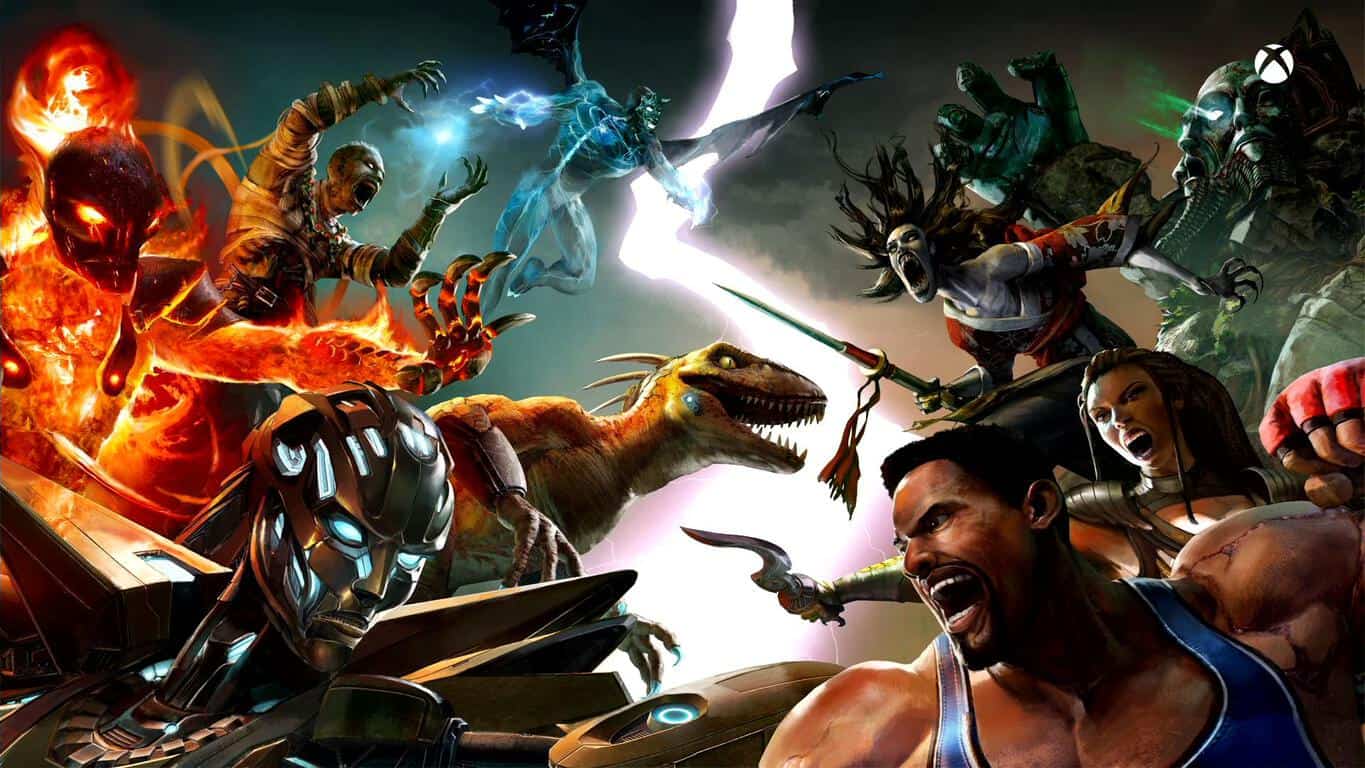
Killer Instinct: Season 3 still on track for March launch on Xbox One and Windows 10 PC

In a live stream done by the developers of Killer Instinct on Twitch.tv recently, a great number of things have been confirmed for the future of the fighting game. One of the most significant changes coming to the third season of Killer Instinct is its launch on Windows 10 PCs (that means that anyone running on Windows 7 or 8 won’t be able to play it on PC until they upgrade to the new OS).

This decision comes from the now inescapable ties between Xbox One and Windows 10, which are becoming one in the same more and more each day. With Xbox One itself running on Windows 10, it seems that supporting Killer Instinct on the now irrelevant versions of Windows would actively hold the game’s progress back. The decision is met with a lukewarm response from the community, many of which still have holdouts about upgrading to the improved version of Windows.

On top of the move to Windows 10, the stream also confirmed more community bundles, more ultimates for characters, and a larger roster of characters.  Season 3 should be rejuvenating many of the Killer Instinct fans that still need a reason to log in, and the new integration with the Windows 10 store is going to make it easier for the developers to support it. These new features, along with some unannounced changes on the way, show a bright future for Killer Instinct fans.

Microsoft releases Azure template for WordPress/MySQL

Microsoft’s Azure cloud service can host any number of Web services, from back-end business applications to video hosting services. Until recently, though, running a WordPress blog on Azure was a bit of a convoluted process. Today, however, Microsoft announced that they’re changing all of that, making WordPress on Azure a much more straightforward process.

In the past, using WordPress on Azure meant signing up for a ClearDB account for running the blogging platform against a MySQL database, or using a virtual machine set up to run MySQL. Now, Microsoft has created an Azure Resource Manager (ARM) template that automates the process of running WordPress via Azure App Service Web Apps–all backed by a MySQL server cluster running on Azure virtual machines.

While it’s all a bit esoteric, likely of interest only to the kinds of people who need to run WordPress on Azure as opposed to the typical hosting service, the template’s release bodes extremely well for the select few who will benefit from it. Here are the template’s properties:

– CentOS 6.6 are used for Azure virtual machines to host MySQL 5.6 server
– GTID-based replication is configured and tested
– Provisions a two-node MySQL master slave configuration in an Azure VNet where each has two data disks striped into Raid0, both Standard and Premium storage are supported
– A load balancer is provisioned in front of the two VMs so the VMs are not directly exposed to the internet; MySQL and SSH ports are exposed through the load balancer using Network Security Group rules
-Configures a HTTP-based health probe for each MySQL instance that can be used to monitor MySQL health

WordPress Azure Template
WordPress -> Azure deployment architecture.

There’s a ton of detail on how to utilize the template, if you’re ready to get your WordPress on Azure project started. And as always, make sure to provide your feedback to the Azure team to ensure that the template performs as you need it to do going forward.

Dramatic growth seen for Windows Store, powered by Windows 10 sales

This morning Microsoft’s Yusuf Mehdi released an impressive set of numbers for Windows 10 sales as the latest operating system has now reached 200 million installs, well on its way to the 1 billion installations the company expects in the next 2 years.

The Windows Store is one of the top selling points of Windows 10, with a completely revamped store to highlight Microsoft’s push into “universal Windows apps”, that is apps that, with little modification, can run on PC, Xbox One, and Windows 10 mobile devices including the Lumia 950 and 950 XL, and coming soon to Windows Phones previously running Windows 8.1.

The Windows Store, according to Mehdi, is gaining traction, and has already seen some 3 billion visits as more and more companies are releasing universal Windows apps. Netflix, NPR, Pandora, Shazam, and many more have joined the Store recently, and Mehdi describes an impressive set of numbers for the Store:

  • 2x increase in the number of paid transactions from PC and tablet customers this holiday season.
  • In December alone, 60% of paying customer were new to the Store.
  • In December, Windows 10 generated more than a 4.5x increase in revenue per device, as compared to Windows 8

For developers and users alike, this dramatic increase in Windows Store usage can only be a good thing, with more apps coming online bringing more users, and more users enticing more developers to work in the Windows ecosystem.

Windows 10 activations exceeds 200 million installs, includes Xbox One consoles

In a new blog post that reveals lots of new information on the company’s numbers for Windows, Xbox, Windows Store, and more, Microsoft’s Corporate Vice President for Windows and devices Yusuf Mehdi has confirmed what we exclusively told you last week, that Microsoft now has “more that 200 million monthly active devices around the world running Windows 10.” This figure includes the Xbox One.

More than 40% of those devices became active since Black Friday on November 29th, raising US retail PC share for Windows 10 by 16 points to 62%, and the number of sales of Windows 10 machines over the holiday season has also been impressive, with some 87% of PCs sold coming installed with Windows 10, versus only 58% before the holidays.

Demand for Windows 10 has also been picking up in both enterprise and education. According to the blog post, 76% of Microsoft’s enterprise customers are in active pilot programs for Windows 10, and the number of installs for enterprise and education has reached 22 million. Mehdi also offered some “fun facts” on Windows 10 usage:

  • Over 44.5 billion minutes spent in Microsoft Edge across Windows 10 devices in just the last month.
  • Over 2.5 billion questions asked of Cortana since launch.
  • Around 30% more Bing search queries per Windows 10 device vs. prior versions of Windows.
  • Over 82 billion photos viewed within the Windows 10 Photo app.
  • Gaming continues to grow on Windows 10 – in 2015, gamers spent over 4 billion hours playing PC games on Windows 10. Gamers have streamed more than 6.6 million hours of Xbox One games to Windows 10 PCs.

All in all, quite an impressive set of numbers, setting up 2016 as an even bigger year for Microsoft and Windows 10

Windows 10 news recap: Install numbers, achievements, and more

Welcome back to another weekly Windows 10 news recap. It’s been a busy week for Microsoft, especially with the company’s Windows 10 platform. Let’s take a look back at some of the hot stories relating to Windows 10 in a special feature we call “Windows 10 news recap.”

As 2015 comes to a close, Windows 10 surpasses 200 million installs

Microsoft announced back in October that Windows 10 had surpassed 110 million installations worldwide, which for October was an impressive achievement. But that was over 3 months ago, and since 2015 is coming to a close, we thought now was probably a good time to check in on that install count. Last time I checked, 120 million was the number.

According to my contacts, Windows 10 has now been installed on over 200 million devices worldwide.

Windows 10 was released to the public exactly 5 months ago today, meaning the operating system has averaged around 40 million new installs a month. That’s pretty impressive, but when you factor in Microsoft pushing Windows 10 for free straight from the desktops of Windows 7 and Windows 8.1 users, it’s not all too surprising.

This video montage looks back at Microsoft’s biggest 2015 achievements

2015 has been a super busy one for Microsoft, we saw the Redmond giant finally launch Windows 10, alongside new Surface hardware and Lumia hardware. There were also a few surprises, such as HoloLens and Surface Book. Since 2015 is pretty much at a close, we thought it’d be a good time to reflect on Microsoft’s biggest announcements these past 12 months in a quick video we threw together over the holidays.

From Windows 10 being free down to Panos Panay passionately unveiling new hardware, we’ve had one hell of a year as Microsoft fans. Starting back in January, with the announcement of Cortana coming to desktops, HoloLens, and then Continuum for Phones in April. We then switch over to hardware in October, with the new Surface Pro 4 and Surface Book, alongside new Lumia devices and the Microsoft Band 2.

Windows 10 jumps to nearly 10% of the desktop operating system market share

According to new stats from Net Applications, Windows 10 now commands 9.96 percent of the desktop operating system market share for the month of December 2015. This is nearly a 1 percent jump from the previous month. Windows 10 has been generally available to the public since July of 2015.

Windows 7 continues to dominate as the top desktop operating system with a market share of 55.68 percent while Windows XP retains its second place position with a share of 10.93 percent. Windows 8.1 comes in third place with 10.30 percent, and it should come as no surprise that Windows 10 will soon take over in third place.

That’s all for this week, what was your favorite story? Let us know below.

Here’s Windows 95 running on a Nintendo 3DS (video)

If there’s anything that could be added to a list of “Things I never knew I wanted,” having Windows running on my Nintendo 3DS is definitely it. While Windows 10 certainly hasn’t been cracked open and made fully-functional on Nintendo’s gaming handheld, YouTube user shutterbug20001 has given us video proof that they were able to put an old classic of Windows history up on the 3DS – Windows 95.

https://twitter.com/BenThePCGuy/status/683323284985794560

It’s definitely not a perfect port by any means. Even the video which was meant to serve as proof doesn’t make any effort to hide the fact that the conversion isn’t much more than a novelty at this point, almost immediately running into an error after it’s loaded up. Even so, seeing that there are people who are willing to put effort into getting Windows to run on unorthodox devices like this is, at the very least, a pretty good laugh. It wouldn’t be too surprising to see this become something a lot more usable in the future, however, and if that happens, it’s going to be a pretty interesting day for tech enthusiasts.

New interactive website highlights how Microsoft empowers the world

If you spend just a few minutes looking into some of the things that Microsoft has done around the world, you’ll notice immediately the dedication that they have to empowering humanity by using technology in positive, innovative ways. Even when Microsoft isn’t directly responsible, the products that they make are designed in such a way that individuals with ambition and passion can use them to forge a better world for themselves and the people around them.

When Microsoft is involved, however, it’s even more likely to result in fantastic doors being opened to a better future. A new interactive web page has been launched by Microsoft recently to help celebrate some of the advances that people have made with the assistance of Microsoft’s revolutionary technology, and it serves as a great reminder that we can all, as Microsoft has been so keen on reminding us, “do great things.”

The website features Microsoft CEO Satya Nadella reflecting on some of the stories in 2015 he found most inspiring, ranging from innovative use of games and apps to bringing internet connectivity somewhere that previously had no hope of getting online. The stories are all inspiring to the highest caliber, and should serve to give us all a bit of hope for the new year – certainly, the folks here at WinBeta are all eager to see what ground is going to be broken in the coming year, Microsoft-related or otherwise.

The website had 11 different examples of how technology has empowered people this past year, and they’re all excellent. Stories like the one behind Limbitless Solutions – an organization which designs bionic prosthetic limbs for children – and the one behind Minecraft’s “Hour of Code” tutorial – a program which used Minecraft to help kids use the pre-established game logic to learn coding – both made strides towards bettering the next generation. In other parts of the world, technology is being used to maintain sacred cultures, like it is for the Arhuacos, an indigenous community that makes their home in the Sierra Nevada de Santa Marta Mountains. Microsoft also had a hand in Mawingu’s effort to use TV “white spaces” to bring internet connectivity to previously unconnected parts of Kenya.

Microsoft has made too many strides to count in their effort to empower the rest of humanity this year, and with devices like HoloLens reaching out to the stars as the year begins, not even the sky can limit the potential that we have going forward. With Microsoft reaching out in every conceivable direction to make the world a better place, it’s hard to imagine being disappointed with any progress that they make in the near future. It’s a genuinely exciting prospect to think about the good being done in the world with the technology being brought about by Microsoft, and we can’t wait to see the list of their achievements grow larger each day.

Check out the website here. 

What I expect from Microsoft in 2016

2015 was an exciting and pivotal year for the storied software giant in its continual effort to reinvent itself in a tech environment where it is the canonical underdog. So what can we expect from Microsoft in 2016? Can Microsoft sustain the momentum its built for itself this year?

Confirmed

Windows 10 Redstone

As discussed recently, the next major Windows 10 update, code-named Redstone is already making its way into insider machines, with the insider program scheduled to expand with a faster Fast Ring in January. Little is known about what the update will feature other than it will have a strong focus on Continuum and Windows 10 and Windows 10 Mobile integration, with OS X continuity-like features.

redstonewinberlol

Edge Extensions

Not a single discussion about the Edge browser on the internet is complete without at least half a dozen people asserting “lack of extensions makes Edge absolutely useless to me.” Our prayers will be getting answered in 2016, as evident by a leaked Edge Extensions page found on the internet, Microsoft is getting ready to publicly showcase extension functionality for the first time soon.

Edge extensions should be coming alongside the Redstone update in 2016.

OneDrive Universal app

As Microsoft elucidated earlier this year, the company is preparing a universal app that will be available on Windows 10 and Windows 10 Mobile. I was under the distinct impression it was supposed to come out before the end of 2015, but given all the other delays, I’m not surprised it’s been pushed back. And really, I would rather they take as long as they need to get it right than rush it. Unfortunately, being as jaded as I am with Microsoft’s quality control as of late, I expect it will be delayed quite a bit, and once it does get released it will be quite buggy and missing essential and highly desirable features.

Speaking of highly desirable features, one of the biggest sore points of Windows 10 is how it got rid of the brilliant OneDrive file placeholders functionality. It’s something that a great many users want back, and while there’s been some “discussing” on it, nothing solid is on the horizon. I personally have my doubts it will return, for reasons I will discuss at a later point, but for now the most we can expect is a highly robust universal OneDrive app (hopefully).

All but certain

Surface 4

I expect a Surface 4 to be announced sometime in Spring or early Summer, exactly one year after the current Surface 3. I expect it will obtain similar revisions as the transition from Surface Pro 3 to Surface Pro 4: no physical start button on the right side, trimmed bezels to make the screen a bit larger, and a magnet on left side to store the new pen, which will be the same as the pen found in the Surface Pro 4 and Surface Book. Marginally slimmer and lighter chassis as well. I wouldn’t be surprised to see the Surface 4 get and additional kickstand position, or transition to the infinitely adjustable hinge as well.

Surface-3

I fully expect a reversible USB-C charging port, which should obviate the slower charging that plagues the current Surface 3. I expect the standard USB port to remain, as one of the biggest draws of the device is how PC-like it can be. Windows Hello facial scanning like the Surface Pro 4 is a realistic possibility as well.

What isn’t quite certain is what hardware will power the device. As far as I know, no visible successor to the Cherry Trail SoC (used in the Surface 3) has been given a firm release schedule as of yet. To that end, it’s entirely feasible the device may be delayed until after spring.

Surface Pro 5

I wouldn’t be surprised if the Surface Pro 5 retains the same chassis as the Surface Pro 4 (and Surface Pro 3 to some extent). I think this because Intel has announced that the shift to Skylake’s original successor, the 10nm Cannonlake, is taking longer than expected, so the current 14nm process will be elongated by another 14nm generation code-named Kaby Lake. Kaby Lake will inevitably have small CPU performance enhancements, small power efficiency improvements, and noticeable GPU improvements, and additional features, but probably not much else. As the current Surface Pro 4 chassis is already quite sleek, and can cool the 14nm Skylake very effectively, I think there isn’t a great urgency to replace it immediately. I would love for the Surface Pro 5 to be lighter though, even if it retains the similar chassis.

Surface Pro 4 b

I’d imagine that Microsoft will also bring improvements to remedy some of the flaws with the Surface Pen’s technology as discussed in my previous pen video, but it’s impossible to say, as it maybe be “good enough” for Microsoft’s needs.

As I elucidated in my Surface Pro 4 review, Microsoft has got the hardware almost down to perfection. It’s the software and firmware that’s holding them back at this point, as evident with the company’s recent apology and promise to fix in the new year.

Surface Book 2

Impossible to say at this point. As this is the first generation of Surface Book, I don’t have any logical anticipation that would be anything more than utter speculation.

I’d like to think that Microsoft would re-introduce the bottom half (with the keyboard, battery, and optional GPU) as an accessory that could be plugged into any Surface Pro 5, but that would mean no screen larger than the Surface Pro 4/5’s 12.3 inches. Unless of course Microsoft decides to introduce a bigger variant of the Surface Pro 5.

Rumors

Surface Phone

I have no idea how likely a Surface Phone is, and I’m not convinced by the really weak rumors we’ve been hearing. What really annoys me about the aforementioned discussion with Microsoft’s CMO Chris Capossela is that he asserts Microsoft needs to make a groundbreaking phone. Isn’t that what we were hoping the Lumia 950 and 950 XL were supposed to be? Why didn’t they do it then? Don’t get me wrong, they’re great phones, but not groundbreaking by any means, and if Microsoft really wanted to make a groundbreaking phone, it didn’t have to wait until 2016 to do it. Moreover, if a Surface Phone gets released this year, that means it’s been in the works for years now, long before Capossela made this discussion.

121102surfacephone

If a Surface Phone does come, I really want the Surface Phone to have some kind of kickstand. As a genetic trait of the Surface brand, it would obviate the need to attach a bulky case just to achieve this functionality. I really need to be able to comfortably watch YouTube videos while eating soggy medium-rare burgers that disintegrate as I eat them.

Something I can take or leave is an x86 architecture, which would allow it to run traditional desktop apps like a full PC. Many naysayers are very quick to assert that the Surface Phone being an x86 device that can run all traditional PC apps would be asinine, complaining that “it’s impossible to use traditional, non-touch designed apps on a screen that small.” I actually disagree. If such a thing were to happen, the goal wouldn’t be to run full Photoshop on the phone itself. It would be to run full Photoshop on an attached external monitor, just like Continuum does with the Lumia 950 brothers. People might argue that it’s a gimmick at best; a niche use case hardly anyone will want to use, and therefore not worth bothering with.

Literally everything starts out as gimmick. It’s only niche or gimmicky until everyone takes it for granted.

Being a pioneer in consumer tech isn’t about giving everyone a device that plays within the current day constraints. It’s about pushing and allowing for the possibility of new use cases so that consumers have the opportunity to adapt and rely on them. How could the general consumer envision using an iPhone as a credit card swiping machine until someone went ahead and made it possible?

If Microsoft can make such a thing possible without it being obtrusive, I see no reason why not.

New midrange Lumia devices

As confirmed by Microsoft, the Lumia 650 exists. You may thus be wondering why this isn’t in the confirmed or all-but-certain section. Well, I’ll reply to that by saying that technically, the Surface Mini “exists” as well, but we all know how that went. Simply put, the Surface flagships have had great success and I see no reason why Microsoft would stop pumping them out in 2016. I can’t say the same for Microsoft’s Windows Mobile — I mean Windows Phone, or rather, Windows 10 Mobile — efforts. We’ve seen what happens when Microsoft goes “all in” on something, and we don’t even have that strong a commitment under Nadella. Anything goes at this point.

We’ve also seen inklings of the higher-grade Lumia 850, but unlike the 650, its existence has yet to be confirmed, so we’ll have to wait and see.

Lumia 850

No matter what, Microsoft is in desperate need of more Windows 10 Mobile devices to saturate the market, and while I can’t guarantee the above two will be the answers, Microsoft will do something.

Slim Xbox One

Rumors are circling that Microsoft might be slapping the Xbox One label onto an Apple TV competitor known as the Xbox One Slim. Obviously, if this were to come to fruition, it would be a less functional, significantly cheaper, and noticeably more svelte device.

Regardless of whether this rumor actually pans out, expect Microsoft to inject some kind of new life into the Xbox One brand, as every console in made in the past few decades has gotten some kind of “mid-life refresh”, and I expect the Xbox One to be no different.

Typical Microsoft

Expect in 2016 for Microsoft to instigate yet another PR disaster with one of its products or services. We see this sort of foot-shooting pretty often from Microsoft, from the Xbox One DRM controversy, to the overly eager PC upgrading, to the OneDrive debacle very recently.

Expect 2016 to be no different.

Followed of course by “we just want to start off by saying we acknowledge and greatly appreciate all the feedback we receive from our users, and would love for our users to continue delivering great feedback.” And then some kind of half-hearted apology sprinkled with a nonsensical explanation that no other company on the planet would have ever had to make.

In fairness, Microsoft does actually listen to the feedback we give it and have reversed many of the boneheaded decisions that received a lot of backlash. We also see the company incorporate feedback into its recent upgrades to Windows 10 universal apps, such as GIF support, the translucent video control bar in the Movies app, to changing the location of the OneNote Mobile full-screen button.

And while there have been some setbacks in 2015, there have been many triumphs as well, especially with the new Surface flagships and the rapid adoption to Windows 10.

Microsoft’s got a really busy year ahead of it, and while it’s done great things in 2015, it needs to do more. Can Microsoft sustain its current momentum? Only time will tell.

Microsoft to promote “Fit Week” with opening bell ceremonies on January 4th

With health being so often a large focus of the New Year, it makes sense that “Fit Week” is kicking off about now. On January 4th, Microsoft is going to be coming out to the NASDAQ MarketSite out in Times Square to ring the bell that kicks off NASDAQ’s fifth annual Fit Week. Zulfi Alam, General Manager of Personal Devices at Microsoft, will have the honors of ringing the opening bell.

Microsoft is taking part in Fit Week due to their increasing involvement with and dedication to fitness, as displayed by the Microsoft Band, which have made significant strides in helping people stay in shape. As one of the few devices out there that can help you with your running, keep track of your heart rate, help you sleep better, and even keep tabs on your exposure to UV light, the device has marked itself as a major turning point in our integration with technology when it comes to our health.

The opening bell will be rung on January 4th at 9:15 AM ET, right at the NASDAQ MarketSite in Times Square. NASDAQ’s Facebook, Instagram, and Twitter pages will be putting up plenty of fitness tips to celebrate Fit Week up until January 8 when the closing bell will be rung by one of the other companies that are taking part. This is a great way for NASDAQ to bring companies together to celebrate fitness in the coming year, and hopefully, it will continue to run in the coming years.

Microsoft has a New Year’s Checklist collection in the Windows 10 Store

With the New Year finally coming around the bend, many of us have gone about putting together some New Year’s resolutions. This tradition has us resolving to better ourselves at the New Year in any number of ways – getting fit, gaining better education, reading more, anything to make ourselves be a bit better than we are. To that end, Microsoft has put out a handy list of apps on the Windows Store that might help you out when you’re trying to stick to those New Year’s resolutions.

The list is fairly comprehensive, offering an option to just about anybody who decided to make a resolution this year. If you’re looking to try and get fit, then you should check out apps like Daily Workout (or Runtastic Pro, which is now free for a short while) have you covered by giving you a workout regiment for each day, offering you 5-10 minute daily routines so you know what you should do to get the ideal workout.

Daily Workouts
Daily Workouts
Price:
Free

For those who are looking to get a bit more educated, Khan Academy is an incredible resource. The app can offer comprehensive lessons in anything from trigonometry to biology, and can even give you quizzes to help you retain the information. Whether you’re a student who needs supplementary lessons or just someone who likes to learn, Khan Academy is a massive help.

Khan Academy
Khan Academy
Developer:
Khan Academy
Price:
Free

Want to get into more books? Stories are all over the place, but in today’s day and age, it’s getting harder and harder to sit down and actually pick up a book to read. Audible has been trying to solve that problem for a while now and has gained a significant amount of success in doing so. Being one of the leading distributors of audiobooks online, this branch of Amazon offers free books to those who are just signing up, letting you get a taste of the service right off the bat. It’s definitely worth trying, as it doesn’t cost anything to get the trial.

Audiobooks from Audible
Developer:
Audible Inc
Price:
Free+

There are tons of other apps on the list for any number of resolutions, all of them totally free. It’s worth checking over if you have a spare moment, and any one of them could easily become a mainstay in your app collection. Most of them are immediately recognizable as being of a significant quality, so there’s really no going wrong here.

Say “Happy New Year” in different languages thanks to Skype Translator

Celebrating the new year is a fun thing to do. While many of you are texting or calling friends or family members and wishing them a Happy New Year, Microsoft’s Skype Translator has a helpful guide so you can say Happy New Year around the world in different languages.

Skype Translator uses machine learning to translate voice calls and video calls in various languages and comes built-in with Skype. Skype Translator is still in preview mode and is continuously learning and improving. If you haven’t used Skype Translator yet, just download the preview of Skype Translator from the Windows Store.

Head over here to view or download the helpful list so you can globally wish your friends and family members a Happy New Year!

Top 10 most popular WinBeta stories of 2015

Whew. What a year. Covering Microsoft in 2015 was a daunting task full of twists and turns and often the completely unexpected. We’re glad you stuck with us, and we look forward to bringing you fresh and fascinating new Microsoft coverage in 2016.

Through a combination of timing, search engine voodoo, and audience participation, a number of stories percolated to the top as the most popular among among WinBeta’s 17 trillion or so posts. We ranked them by the most pageviews, meaning that some were likely visited multiple times by the same readers. Also, keep in mind that some stories were live on the site for longer than others, and some were extremely timely–meaning that they were intensely popular, only for shorter periods of time.

Without further ado, then, here are WinBeta’s Top 10 most popular stories for 2015.

Number 1: Apple’s iPad Pro marketing speak tries to sidestep the Surface 3

With 102,132 pageviews as of this story’s publication, Kareem Anderson’s post on the diabolical genius of Apple’s PR machine ran away with the top spot. And that makes sense–anyone who’s actually used Windows 10 on a Surface knows that slapping a keyboard on an oversized iPad doesn’t turn Apple’s iOS-powered tablet into a real productivity device. Nor does calling it “Pro” constitute anything more than sticking some lipstick on a pig.

No, real productivity involves much more than that, as we covered in another piece that went into a little more detail. But WinBeta editor Kareem did a good job of encapsulating just what rubbed Windows fans wrong in Apple’s iPad Pro announcement:

I have to give it to Apple, marketing its newest tablet offering as a ‘Pro’ device is not only clever but almost diabolically genius. During the 40 minutes that Apple dedicated to the iPad Pro, few were spent on a convincing argument about how the new iPad is ‘Pro’. The demos of flowing ink and beautifully crafted CGI pens and tablets had many in the audience ‘oohing’ and ‘ahhing’. However, the same software and hardware limitations that relegate most iPads to consumption devices remain. The iPad Pro still has only one port, lacks expandable or portable storage management, and lacks support for mouse input. Perhaps more troubling for enterprise users is for better or for worse the lack of Active X support in the mobile version of Safari.

Number 2: Here’s a solution if Windows 10 build 10049 takes too long to install or fails to install

Coming in at number two, with 78,686 pageviews, was our post from April 4, 2015 on how to resolve an issue many readers were experiencing with installing Windows 10 Insiders build 10049. You’ll notice a trend here in terms of which stories generated the most pageviews at WinBeta–simply put, Windows 10 dominated.

There are two common issues with installing Windows 10 build 10049. First, attempts to install the build may be blocked due to insufficient disk space. Second, the amount of time needed to install the latest build is taking way too long — sometimes it takes hours to install.
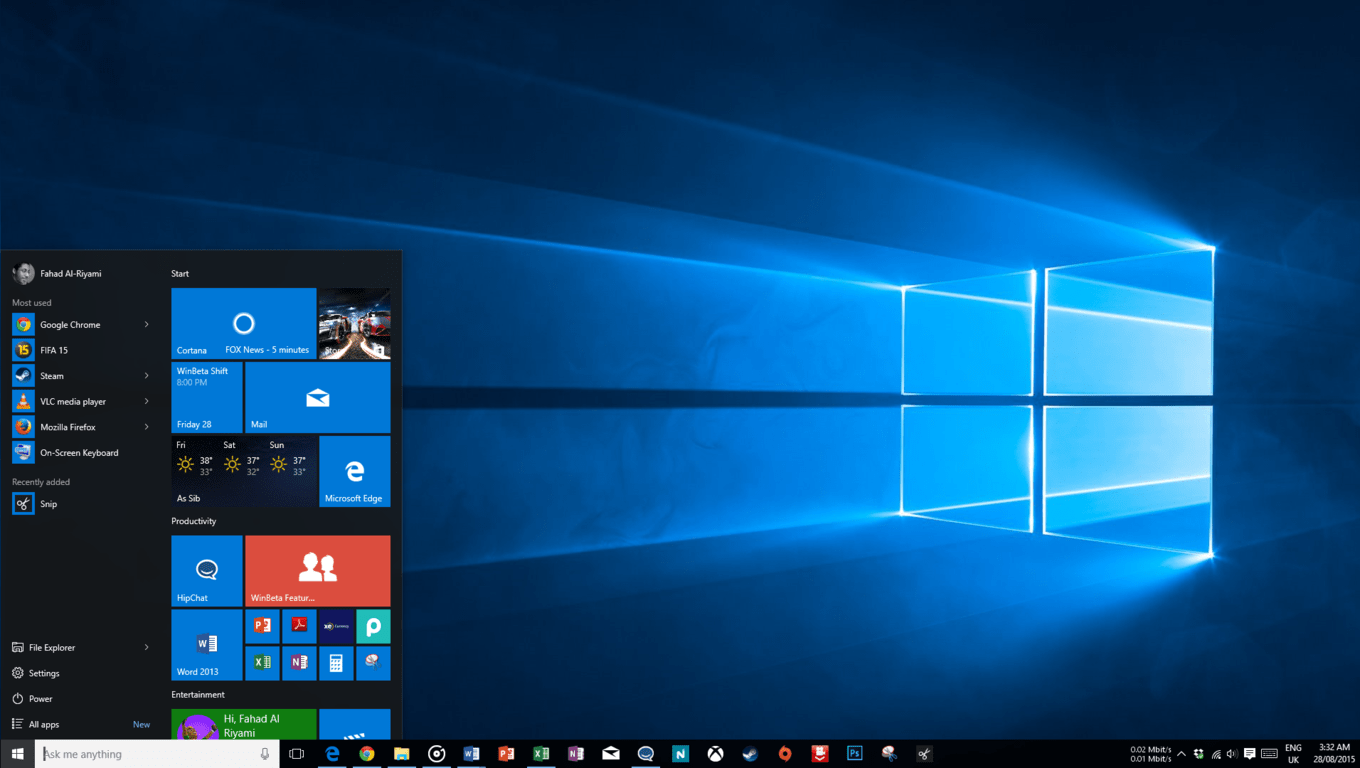
The solution? Free up some disk space. You can use disk cleanup or uninstall a large game that is taking up valuable space. You can also uninstall language packs from Windows by typing the following command in command prompt as an administrator: Lpksetup /u

Number 3: More than 5 Kinect games worth playing on Xbox One

Number three is a post from that keeps generating interest even a few months after its September 8, 2015 publication date, currently standing at 77,206 pageviews. Although Microsoft has reduced its emphasis on Kinect within the Xbox lineup, those users who like it seem to really like it–hence this story keeps popping up in our most-viewed list.

The Kinect has changed the way users control media on their television sets and it has also evolved the way many play games with a growing library of Kinect-enabled games now available on Xbox One that allow for gamers to play with their entire body as opposed to just a controller. Here’s a list of some of the better Kinect games on Xbox One accompanied by a mini-review and personal thoughts on each release. It’s by no means a complete list of Xbox One Kinect games but it is a good example of the variety of experiences available and a great place to get started.

Number 4: How to fix ‘this app can’t open’ on Windows 10 Technical Preview

Next, we have another bit of technical support, this time the resolution to a pesky Windows Store Licensing Service issue that stopped Windows apps from starting up in what was once known as the Windows 10 Technical Preview. That takes us back.

Originally published on March 17, 2015 enjoying 75,872 pageviews since, here’s the gist:

In a post on the official Microsoft support forums, we have learned that this issue stems from the Windows Store failing to acquire a new license for the apps.

“There was an issue with the Store Licensing Service which meant that the Preview Apps were given a license that timed out far too quickly. This was fixed on 2/23. Unfortunately, this exposed another issue whereby the Store would fail to acquire a new license if one already existed – regardless of whether the license had expired. Removing an app and installing again doesn’t clear the cache, so even if you do this the app still fails to acquire a new license on startup. So basically if you installed the app prior to 2/23 then you would hit this issue and removing and reinstalling the app won’t fix the problem.”

Number 5: The 5 best Windows 8.1 mini PCs of 2015, perfect for students, parents, and movie watchers

Coming in at 65,408 pageviews, our number five most-popular post of 2015 covered a mini-review of five excellent Windows 8.1 mini-PCs that were good choices for those with little space, little money, or little in the way of required resources. Although published back on May 26, 2015 and prior to the release of Windows 10, we’re willing to be that these machine (or their successors) would likely make for decent buys today.

Here are the machines we featured:

Number 6: Windows 10 “Threshold 2” update now slated for November release

Our number six most popular story, published on September 5, 2015, dealt with Microsoft’s “Threshold 2” update to Windows 10. It’s no surprise that the story attracted 59,822 pageviews given that Windows 10 has in just a few more months already exceeded 200 million users. Clearly, people care about Windows 10, and its continuous improvement as a service is an important topic.

Although there have not been any branding decisions made regarding the update, I understand Microsoft is now referring to Threshold 2 as “Windows 10 Update for November” or “Windows 10 November Update” internally and with close partners, whether one of those names ends up as being final remains to be seen, but November is definitely looking more likely now. Microsoft could very well opt to not give this update any name or identity, and simply release it as another standard Windows 10 update for consumers. We’ll see.

And see we did: Threshold 2 was indeed released as Windows 10 1511, or November 2015 Update.

Number 7: Microsoft begins pre-downloading Windows 10 on reserved PCs

Number seven, at 51,670 pageviews, demonstrates again just how excited people have been about Windows 10. Published on July 28, 2015, or just a day before Windows 10 was officially released, Microsoft started pushing the installation files to machines whose users had reserved their free upgrade. As storage devices around the world started getting a little more full with the Windows 10 bits, people noticed, and it was the beginning of a pretty exciting time.

Some eagle eye’d users have found that the GWX folder is now filling up with Windows 10 bits, and many already have the .ESD which contains the entire Windows 10 operating system for installation starting July 29th. It was revealed a couple of months ago that Windows 10 would automatically be pre-downloaded before the launch date to avoid day one server struggles.

Number 8: How to bring back the old resizable Start Menu running Windows 10 build 9926

Our number nine most popular story, at 50,730 pageviews, goes all the way back to January 24, 2015, with people expressing some displeasure of how Windows 10 January Preview (a.k.a., build 9926) mucked around with the Start Menu. The fix was an easy one, fortunately, and things were resolved not too much later, and so this was just another of Microsoft’s flash-in-the-pan controversies–inevitable when you’re making so many deep and strategic changes to such a large and established organization.

With the recent arrival of the new Windows 10 January Preview, a number of new features and changes came included. One new change is the Start Menu, which for some has become a pain to use with the new Continuum mode. Luckily, the code for the old-style 9879 Start Menu is still present, meaning it can be re-enabled with one simple registry tweak.

Number 9: Windows 10 RTM candidate build 10176 has been compiled — sign off imminent

Once again, the progression of Windows 10 was an important topic to our readers, and our story published on July 6, 2015 was viewed 50,253 to come in at number nine. While Windows 10, as a service, didn’t have the same kind of “release to manufacture” or RTM build as typical software releases, there was a point where a Windows Insider build transmogrified into the code that would be pushed in the official release. Build 10176 was just that build, and there was plenty of excitement as Insiders got a taste of what their non-Insider friends and family would soon enjoy.

The Windows 10 RTM will be a build of Windows 10 that is stable and not buggy, it will be missing a number of features that will be coming in later builds of Windows 10 as that is simply the nature of WaaS (Windows as a Service). As Terry Myerson put it recently, “we will never be done” as the software will always be updated. So this time round RTM is just a milestone, a starting point for OEMs and consumers if you will.

The story also provided some guidance on how the whole build staging process works:

​If you are unaware how the sign off process works, Microsoft will compile a number of builds they consider ‘worthy’ of RTM, these are called RTM candidates. These builds will be tested, and if the builds are found to have no bugs or issues, will be then voted on by employees. The build which is voted for the most is then selected as the RTM build, and recompiled into the winmain branch. The build number then usually jumps to a number which is divisible by 16 and 100, like 10400.

Number 10: Windows 10 How To: manually trigger reserved Windows 10 update

Finally, our number ten most viewed story, at 47,080 pageviews, was once again related to Windows 10. This time, on Windows 10’s official released date of July 29, 2015, we passed along a tip on how to give the Windows 10 update process a little nudge. Since this story had a very short lifespan, it was clearly helpful to a number of people who were just a tad impatient to get Windows 10 installed.

Before you kick off, make sure you’re ready to install the Windows 10 upgrade. You can check out our guide on how to prepare your system for Windows 10. Head over to C:\Windows\SoftwareDistribution\Download and delete the contents of the folder. Next, make sure your system can automatically download and install Windows Update. After you’ve enabled automatic Windows Update, open Command Prompt as an administrator and type “wuauclt.exe /updatenow“. This should start the Windows 10 download on your system. If it doesn’t start right away, head over to Windows Update to see if the update is available for you.

Conclusion

So, there you have it folks: the top ten most popular WinBeta stories of 2015. Although Microsoft is transitioning to a “cloud-first, mobile-first” company focused on building out a new productivity platform, the Windows platform remained the single most important topic to WinBeta readers throughout 2015. Because Microsoft is such a complex company with so many different products, services, and circumstances, we covered a ton of other topics as well, including:

Thanks again for making WinBeta such a blast. Without our readers, this site would be nothing but a lot of hot air, digitally speaking, and we appreciate you more than we can express. As we head into 2016, please keep the tips coming and the comments sections hopping. We have lots of new stuff planned for the new year, so stay tuned, and as always, let us know what you want us to cover. Because ultimately, it’s what you want to know that drives the content of this site.

EFF awards Microsoft with "Stupid Patent of the Month" for Slider design

To bring awareness to the increasing absurdity that is the US Patent and Trademark Office, the Electronic Frontier Foundation issues a monthly award called, ‘Stupid Patent of the Month’. For the month of December, Microsoft took home the crown for its Design Patent No: US D554,140 S (User Interface for a Portion of a Display Screen) or in the real world, a ‘Slider’. Microsoft’s ‘Slider’ patent crossed EFF’s desk for the month of December as the company finds itself in a suit against Corel Software.
Corel Software is the maker of productivity software such as CorelDRAW, Painter, PaintShop, WinZip, VideoStudio, and, more importantly, an office suite called WordPerfect. According to its site, WordPerfect enables users to:

Experience the difference with Corel® WordPerfect® Office X7 – Standard Edition. This all-in-one office suite delivers the power, productivity and compatibility today’s home and business users need. Create high-impact documents, spreadsheets, presentations and more. Enjoy unrivalled compatibility with support for over 60 file types, including the latest Microsoft Office formats. Work smarter and faster with all-new productivity software and collaboration tools, including powerful built-in PDF tools. Discover what an all-in-one office suite is supposed to be.”

Perhaps, unrelated to Microsoft’s development of Office, WordPerfect shares numerous visual similarities to Office, specifically in its WordPerfect word processor. Recently, Microsoft claimed Corel Software has infringed on several design patents awarded the company in its Office Suite.

2. The Microsoft Asserted Patents are directed to, among other things, graphic user interfaces used in productivity software applications, such as Microsoft Office.  Microsoft has given its interfaces, including menus and toolbars, a distinctive look and feel.  The Microsoft interfaces are recognizable and enjoy substantial goodwill.  For example, Microsoft has introduced and publicized the Microsoft Ribbon—a horizontal display of easily accessible and logically grouped controls whose layout can be dynamically adjusted based on the screen size or object of the program.
3.Corel has copied the look and feel of the Microsoft interfaces in its accused products.  Among many examples, Help for WordPerfect X7 suggests that the user “simulate the Microsoft Word workspace until you are accustomed to work in WordPerfect.”

Microsoft’s claim to its design unique to Office isn’t in and of itself unjustified. However, EFF finds the clear line between utility patents and design patents are increasingly being blurred and Microsoft’s latest claims aren’t helping matters.
Back in 2006, Microsoft filed for a design patent that included a plus and minus bracket with a notch in the middle to indicate positioning between an increase or decrease in a given environment. Since then, many Windows and Office user have come to associate the bracketing as the Slider that helps enhance the size of images, text, tables, charts, and other various content within a windowed environment.
Word2007
Microsoft’s slider was located at the bottom right-corner of its Windowed apps. Perhaps, to entice users who were coming from Office over to WordPerfect, Coral also placed its slider-like utility in the bottom right-corner.
CoralWrite
The EFF asserts that “design patents are meant for new, non-functional, ornamental aspects of articles. They have only one claim, little to no written description, and usually a series of images detailing what exactly is being claimed.” The problem the EFF sees here is that Microsoft along with most in the industry can take a shotgun approach to litigation. Corel only needs to be found guilty of infringing on a single design patent, be it the seemingly insignificant ‘Slider’ or what not, and Microsoft could be entitled to Corel’s profits carte blanche.
The EFF sums up its award decision of the month on a sobering note:

Putting aside whether Microsoft’s design was actually new and not obvious in 2006 (when Microsoft filed its application), whether Microsoft needed the patent incentive in order to come up with this design, and whether it is even desirable to grant a company a government-backed monopoly on a graphical slider (we don’t think so, that’s why this is a stupid patent), the scope of damages for design patent infringement has the potential to become a powerful tool to shut down legitimate competition based on the mere threat of a lawsuit.”

The ambiguity at which design patents are issued is a growing problem in patent litigation. The vaguer the description and the more of them that are issued are becoming ammunition for companies in the war of attrition for large sums of money. As it stands, the Supreme Court has yet to accept the case.


Users will now be warned if a "state sponsored" third party hacks into a Microsoft account

Back in 2011, the first public signals that over 1,000 Uighur and Tibetan leaders, and others with sensitive positions inside China, had their Hotmail accounts compromised by attacks coming from both within and beyond China. Further Microsoft investigation revealed that the attacks had started as early as 2009, and included Japanese and African diplomats as well as some human rights lawyers inside China.
According to a report in Reuters, at the time Microsoft, after some “vigorous internal debate,” decided not to alert these users that there was a problem. Instead the company just forced those users to reset their passwords, without offering any explanation as to why. Other companies like Yahoo and Facebook have been issuing generic warnings about hacking where the principal suspect was a government for years, and since 2012 Google, whose own servers in China were severely compromised, has been issuing explicit warnings of state sponsored hacking attempts on user accounts.
After a series of requests for more information by Reuters, Microsoft has taken steps to change its policy, as outlined in a Microsoft on the Issues blog post. Moving forward, Microsoft plans to begin explicitly warning users if their accounts, including Outlook.com and OneDrive accounts, have been hacked:

We already notify users if we believe their accounts have been targeted or compromised by a third party, and we provide guidance on measures users can take to keep their accounts secure. We’re taking this additional step of specifically letting you know if we have evidence that the attacker may be “state-sponsored” because it is likely that the attack could be more sophisticated or more sustained than attacks from cybercriminals and others. These notifications do not mean that Microsoft’s own systems have in any way been compromised.
If you receive one of these notifications it doesn’t necessarily mean that your account has been compromised, but it does mean we have evidence your account has been targeted, and it’s very important you take additional measures to keep your account secure. You should also make sure your computer and other devices don’t not have viruses or malware installed, and that all your software is up to date.

The blog post goes on to remind users of important steps they should take to help to prevent hacking, including turning on 2-step verification, using a strong password and changing it often, keeping your computer up to date and running a anti-virus/malware program, and watching for suspicious activity and being careful of suspicious emails and website.
Reuters interviewed a number of affected diplomats and media members whose accounts were broken into, and although some of them remembered the requests to change their passwords, none of them had any idea that anyone, let alone agents of the Chinese government, had accessed their mail.
 

Harmonix releases new Rock Band 4 tracks in time for New Years

Just in time for ringing in the New Year, Harmonix has released six new songs for their Xbox One video game, Rock Band 4; Coldplay’s “Adventure of a Lifetime”, Ellie Goulding’s “On My Mind”, Justin Bieber’s “What Do You Mean?”, One Direction’s “Drag Me Down”, Sam Hunt’s “Leave The Night On” and “Thank God for Girls” by Weezer.

Here’s what they had to say about these tracks:
Coldplay returns to the Rock Band franchise with “Adventure of a Lifetime” which brings a disco dance-pop sound to the band’s oeuvre. The platinum selling “On My Mind” from Ellie Goulding is the lead single from the English singer’s third studio album, Delirium. Canadian favorite Justin Bieber’s “What Do You Mean?” debuted at number one on the US Billboard Hot 100 upon its release in August. “Drag Me Down” is the Rock Band debut for British-Irish sensation One Direction and was the band’s 4th number one single in the UK. Sam Hunt’s “Leave The Night On” topped the US Hot Country Songs chart and adds some down home flavor to the stew. Rounding out this week’s releases is the latest from fan favorite, Weezer, with “Thank God for Girls”.
Each song is available for individual purchase for US$1.99 each and is available now in-game. Rock Band 4 creates a virtual experience for players where they get to be part of their own rock band through the use of real-world physical accessories such as a guitar or drum set. The game also allows for backwards compatibility with almost all of the music tracks purchased in previous versions of the game with the same Xbox Live account.
More and more content continues to get released for Microsoft’s current gen console. A new Kinect game, Beatsplosion, was also released today and the highly anticipated LEGO Marvel’s Avengers and Naruto Shippuden Ultimate Ninja Storm 4 titles are now up for pre-order and pre-download. Microsoft has also announced several massive sales around the world with massive discounts on Xbox One hardware, games, and accessories. Are you enjoying being an Xbox One owner right now? Let us know in the comments.

My Microsoft wishlist for 2016 – can Microsoft keep up the pressure?

2015 was a watershed year for Microsoft. For one, 2015 was the Year of Satya Nadella, as the newest Microsoft CEO took reinventing the company beyond mere buzzwords and actually delivered on new products, new approaches, and a new mindset for Microsoft. The contentious us-vs-them days of Steve Ballmer have been buried, and a new more collaborative, more real-world savvy Microsoft has emerged.

[pullquote align=”right” cite=”” link=”” color=”” class=”” size=””]reinventing the company beyond mere buzzwords[/pullquote]

It was, of course, the year of Windows 10, and of Windows Insiders. Instead of shutting users out of the development process, Insiders were encouraged to become a part of the process, and a number of Windows 10 decisions were made with the help of Insiders feedback. Windows 10 itself had a successful launch, taking the best bits of Windows 7 and Windows 8.x and combining them into an operating system that can finally begin to look forward.

Microsoft also took a sobering look at Windows mobile in 2015, writing down the Nokia acquisition, and releasing the latest Lumia line as what most perceive as a stopgap before next year’s Surface phone. Microsoft services found homes on Android and iPhone, and rather than being dragged down by a Windows First policy, services like Bing and Office 365 went to where the users are.

[pullquote align=”left” cite=”” link=”” color=”” class=”” size=””]But what do we WANT from Microsoft in 2016?[/pullquote]

So what’s to come in 2016? We know the outline: Edge Extensions and improvements, Windows 10 Redstone, more Windows phones and devices, and maybe even a limited HoloLens launch. We’ll be excited to see each one of these, and will be following them closely on WinBeta. But what do we WANT from Microsoft in 2016?

Keep Up the hardware pressure

2015 was a big year for Microsoft hardware. The company introduced both the Surface Pro 4 and the Surface Book. Microsoft also upgraded the Band with Band 2, released an Elite Controller for the Xbox, and limped in at the end of the year with two new “flagship” phones, the 950 and the 950 XL, along with the Lumia 550 as a mid-range offering. In 2016, Microsoft needs to keep up the pressure. We’re hoping to see a version two of the Surface Book, much more in the way of mobile hardware, including a Surface “phone”, further expansion of the Surface line, and maybe even another surprise or two along the way.

[pullquote align=”full” cite=”” link=”” color=”” class=”” size=””]Microsoft needs to keep the pressure up with HoloLens[/pullquote]

While the HoloLens should come out of development in 2016, don’t expect every kid to get one under the tree next year. We expect a far more limited HoloLens release, to academic and industrial types. How fast Microsoft can fix the limited field of view issue, and continue to iterate on the hardware remains to be seen, but even if there is a widely available HoloLens version one by Christmas, it’s going to be just that, version one. We do hope to see and hear a lot more about HoloLens by mid-year or so, however, and Microsoft needs to keep the pressure up with HoloLens, too or face getting lapped by the other players in the market.

surfacebookshotsh
Microsoft’s surprise of the year, the Surface Book

Deliver with mobile

Yes, we’ll see a Surface phone in 2016, and we may see Microsoft move to the Surface brand as their premium smartphone brand, leaving Lumia for low and mid-range devices. But we also need to see a clear strategy emerging for the future of Windows Mobile.  Hello and Continuum are both cool proof of concepts, and the hope is that the Universal Windows Platform will rise all boats, making it easier for developers to offer apps for both Windows 10 and Windows 10 Mobile. But Chris Capossela is right, Microsoft needs to “break through” with mobile, to open a new generation of mobile computing and not just try to catch up with iOS and Android. This is easier said than done, of course, but unlike PCs, where a 5-10-year-old computer is “good enough”, people want a new phone, with new capabilities, at least, every couple of years. Microsoft needs to find itself on the leading edge of the next generation of mobile.

Learn how to write apps

Microsoft, historically, has been a platform company: it delivers the tools and the platform for third party developers to fill out with apps that extend the platform. Only now Microsoft is more of a services company, and in 2016, the company needs to make sure its 1st party apps are world class, and not variations on the age old “hello world” app demonstrations.  Microsoft’s Mail app, for example, has been notoriously bad, and this needs to change.  1st party Microsoft apps need to be best in class, period.

[pullquote align=”right” cite=”” link=”” color=”” class=”” size=””] 1st party Microsoft apps need to be best in class[/pullquote]

Fix OneDrive

Need we say more? OneDrive has evolved from a promising and futuristic service for syncing files across devices to a bloated, slow, confusing and problematic embarrassment that doesn’t work well on almost any level. That was recently compounded by some serious miscues when trying to rein in the excesses of the past, understandably rushed because of outside influences, but still inexcusable that the marketing was so messed up to begin with.

Microsoft needs to get OneDrive working, get it working well, and offer it as a compelling alternative to the likes of Box and Dropbox.

leadonedrivelogo
OneDrive

Keep acquiring companies

2015 was a banner year for acquisitions, everything from Sunrise to Acompli to Talko, and Microsoft needs to keep up that pressure too.  While it may not seem obvious at first, having an exit strategy of being acquired by a “big fish” is something that both Google and Apple have used to their advantage. Start a company, use Google or Apple services, and get swallowed up it’s made a lot of small businesses rich and helps the ecosystem. Microsoft seems to have finally learned this trick, and hopefully, we’ll see not only more acquisitions but more young companies using Microsoft technologies in the hopes of getting acquired.

Azure and Visual Studio and Office 365, oh my

Microsoft will continue to build on cloud computing, tools, and Office subscription offerings in the new year, and we’d like to see some big news come out of each of these verticals in 2016. More small business offerings, more competition with the likes of Amazon, and more out of the box thinking with Visual Studio could all be big stories next year.

Clean up Windows 10

[pullquote align=”left” cite=”” link=”” color=”” class=”” size=””]Windows 10 needs to clean up Edge, or the Universal Windows Platform that powers it[/pullquote]

Windows 10, in many ways, is the best of both Windows 7 and Windows 8.x, but it still has some rough edges. Along with best in class apps (see above), Windows 10 needs to clean up Edge, or the Universal Windows Platform that powers it, and deliver on a browser that works.  At WinBeta, we’re constantly having to open Chrome to get work done, even as we try to “eat the dogfood” by using Edge. There are other problems, from USB drivers to Edge to the overly forced upgrade nags to continued questions about safety and privacy.  Sure we want new bells and whistles for Windows 10 with Redstone, but we want a stable and safe operating system, too.

Windows 10 fan
A dedicated Windows Insider

Do something fun

The HoloLens, the Surface Book, and Windows 10 itself are all good examples of “surprise and delight”, bringing people along from needing Windows to using Windows to loving Windows. In 2016, we’re expected to be surprised again, not just once but a number of times.  Will Microsoft offer a slimmed down Xbox or a Windows 10 IoT Band? Will it introduce yet another new class of hardware, a Surface Mini revisited?

2015 was a big year for Microsoft, but 2016 could be bigger, even without a new OS release. Microsoft needs to continue to build on the momentum it’s created, to continue to push. If they do, 2016 could be another exciting year.


Popular Reddit app for Windows 10 'Readit' gets update, supports jump lists

Readit, the popular Reddit app for Windows 10, recently received another update, bringing the version number to 3.2.0.0, and adding a number of new features including jump lists. Developer Caleb Keith posted the changelog on, of course, Reddit:

General Additions

  • Jump lists are now supported for desktop. Favorites are added as a group and synced to that list for quick access.
  • You can now set the flair of your own submissions (mobile: use the post content appbar menu, desktop: use the ellipsis menu of a post)
  • The flair dropdown now shows (cssclass) – (default text/current text) when choosing flairs
  • The random NSFW button will no longer appear when you have hide all nsfw content enabled in settings
  • Updated the desktop titlebar based on /u/PhilDunphy23’s concept

Bug Fixes

  • Fixed spoiler parsing and “title” parsing of links
  • Fixed reverse spoiler bug when a spoiler didn’t have a “title”
  • Flair images for comments are back
  • Fixed the link identifier icons setting not being respected
  • Fixed click + drag to select comment text – you can no longer click + drag to vote – only supports touchscreen manipulations now (kinda makes sense anyways)
  • The jump to subreddit textbox no longer autocorrects/spellchecks when typing
  • Fixed old comment sort not being available for mobile

If you’re a Redditor and a Windows user, either with Windows 10 or Windows 10 Mobile, you should give Readit a try:

Readit
Readit
Price:
Free

Rise of the Tomb Raider coming soon to the Windows Store

Recently, a listing on Steam seemed to verify that Rise of the Tomb Raider was on its way to Windows 10 gamers, sooner than originally expected. Taken as a rumor, there was no official word on the validity of this finding. Originally expected to be available via Steam, it now seems like Microsoft is going to be making the game available via their own venue.
Today, we get official confirmation from the Windows Store Twitter account that this information was in fact correct. We can expect to see Rise of the Tomb Raider in the Windows Store, sometime in January 2016.


Now, this does raise a few interesting questions. Specifically, we’ll have to do some digging to learn how Microsoft will be distributing the game via the Windows Store, given that Rise of the Tomb Raider is, as far as we know, a Win32 game and the Windows Store hasn’t yet been announced as delivering Win32 apps. That’s a coming feature, but we weren’t aware that the capability had already been launched or was coming so soon. As soon as we get some clarification, we’ll report back.
Rise of the Tomb Raider is set in remote parts of Siberia, where players must discover the secrets to immortality, while fending off an organization called Trinity. Using guerilla combat, searching skills and puzzle solving players are tossed into an beautifully immersive world of lost tombs, deadly traps and engaging exploration. If you haven’t had the chance yet to play Rise of the Tomb Raider, it’s available now on Xbox One.

Tweetium for Windows 10 gets updated, adds video upload support

One of the better Twitter apps on any platform is the excellent Tweetium, which has been a Universal Windows app for quite some time now as well as supporting Windows 8.X and Windows Phone 8.X app. On large-screen devices, Tweetium offers a unique horizontal view that’s perhaps the most efficient way to keep up with active Tweet streams, and the apps has consistently been one of the more consistently updated. Today, Tweetium is receiving an update for both Windows 10 desktops and Windows 10 Mobile, adding in a number of key features.
Here’s the developer’s tweet:


Those are some nifty updates to round out 2015, certainly. In case you’re unaware, here’s the app’s description.

Tweetium is the premium Windows Twitter client you’ve been waiting for. It’s slick. It’s fast. It’s been designed with ample feedback from serious Twitter users, with the goal of helping you get the most out of Twitter on Windows desktops, laptops, tablets, and phones.
The base app price gets you the fully featured Universal app with support for using one Twitter account at a time. You can then optionally subscribe to Tweetium Pro services from inside the app.
The Pro add-on service enables support for up to 7 accounts, push notifications (mentions, DMs, RTs, quotes, favs, and new followers), a richer Connect view powered by Tweetium Pro notification servers, TweetMarker sync, and integrated news reading powered by our other app, Newseen.

Yes, the app costs $2.99 but given that it’s simply an outstanding collection of bits, it’s well worth the price. The Pro option, while a bit pricier at $7.99 for a year, turns Tweetium into an, even more, powerful Twitter option. If you already have Tweetium, then just hit that update button on your Windows 10 and Windows 10 Mobile devices, and get tweeting.

Tweetium
Tweetium
Developer:
B-side Software
Price:
Free

These are my Top 5 Windows 10 features, what are yours?

It has been over a year since Microsoft first announced the future of Windows, skipping Windows 9 in favor of Windows 10, the last version of their popular OS. During the press conference back in September of 2014, Microsoft gave the world a preview of Windows 10 with the Windows Insider program, introducing the world to a slew of ambitious new features that got the tech world excited about Windows again.

When Microsoft officially launched Windows 10 back in July of this year, there were a number of features noticeably absent from the first public build, but Microsoft addressed many of these missing features with November’s update. As we close 2015 and await the release of Redstone, lets take a look at some of Windows 10’s best features–according to me, of course, and without incorporating the thoughts or opinions of the rest of the team.

1. Windows Hello
In an age where cybercrime runs rampant and clever evil-doers prey on unwary computer users, cybersecurity is extremely important. Yes, I am being dramatic; however, security is and should be a concern for everyone. With Windows Hello, Microsoft wants consumers to feel more confident in the security of their devices.

Windows Hello comes in a few forms. With a Real Sense camera, Windows Hello can unlock a computer, tablet, or smartphone (insert Lumia 950 or 950 XL here) by scanning a user’s iris. Windows Hello also works with a fingerprint scanner. Security is provided by storing all biometric information locally on the device, meaning that hackers cannot gain access to it through a network as with traditional passwords. Even if a device is stolen, the device and its contents are useless without the owners biometric authentication.

In my case, my primary device is a Surface Pro 3. Instead of making the leap to the Pro 4, updating my keyboard to the newer Surface Pro 4 type cover with fingerprint scanner seemed like a logical step. Not only does Windows Hello make logging into my computer easier, it also makes creating multiple accounts on my device much simpler. Rather than switching user profiles and creating a password for my wife or daughters, Windows Hello allows them to log into their separate profiles with a simple swipe of the finger.

2. Start Menu

For the record, I was a huge fan of Windows 8.1, although I will admit that the radically different Windows OS came with a rather steep learning curve. From charms to not-so-intuitive gestures, Windows 8.1 certainly catered to a younger, tablet- and touchscreen-oriented crowd. With the introduction of Live Tiles and the Start Screen, Microsoft began its venture into making Windows more modern.

Let’s be honest: Live Tiles, much like icons on a smartphone, are much more functional on a mobile device, as opposed to searching through menus to find applications on a smaller screen. However, as the primary means of searching for applications, they are a bit less convenient on desktop computers–not to mention, Windows users have become accustomed to the Start Menu since its introduction in Windows 95.

With that said, Windows 10 merged the functionality of the Start Menu with the versatility and ease of use of the Start Screen, creating a uniquely functional experience. Having moved from Windows 8.1 to Windows 10, I find that I would never give up Live Tiles for just a Start Menu. However, the combination of both creates a much more cohesive and fluid experience than Windows 8.1 provided.

Screenshot (50)
Windows 10 Start Menu

3. Continuum

One of my biggest complaints with Windows 8.1 was the experience of using both Modern (Metro) apps with legacy programs. This made the OS feel like an invention from Dr. Frankenstein. With the UI geared for tablets and touchscreen devices, I never felt as though the OS provided an overall a better Windows Experience as opposed to just a difference Windows experience. Microsoft’s solution to this issue is Continuum, whereby Windows 10 adapts its UI based on the device being used and the mode in which it is being used.

With Continuum and an attached keyboard, my Surface Pro 3 is suddenly a traditional desktop. When I remove the keyboard or flip it behind the device, however my experience transforms into what I would expect from a Windows tablet. The transition is seamless and users have the ability to even customize how Continuum functions for them.

contin
Continuum


4. Action Center

Coming from Windows 8.1, I was a fan of Windows Charms for quickly accessing menu options from within applications. While I’m not completely sold on removing the Charms in favor of hamburger menus, I am a huge fan of the new Action Center in Windows 10. With quick access to notifications from calendar alerts to Facebook posts to quick toggles for various settings, the Action Center is a much appreciated source for accessing useful information. Additionally, with November’s Windwos 10 1511 update, Action Center even allows for users to be notified of missed calls on supported smartphones.

Windows 10 Action Center

5. Voice calling and text messaging

Although these features are still in their infancy, I have to say that the prospect of voice calling and text messaging from my PC/tablet is extremely exciting. As of today, users can see missed calls in the Action Center and have Cortana send text messages. Granted both a messaging and video app through Skype are built into Windows 10, but they can only be used with Skype directly, meaning that if the recipient doesn’t have a Windows Mobile device or have their Skype app running, they will not receive messages right away. With that said, Microsoft is certainly working to integrate full calling and messaging features through Skype in updates to come, which is good enough to make it into my top five.

Of all the new features in Windows 10, the five above are the ones that stood out the most. That’s not to say that other features, such as improved multitasking with snap and Task View, Multiple Desktops, Quiet hours, and Cortana, weren’t worthy enough to be in someone’s Top 5 list. Let us know what are your top Windows 10 features in the comments below.

Unlocking an AT&T Microsoft Lumia 640 for use on T-Mobile

Some of you may recall that prior to Thanksgiving, Microsoft dropped the price on an AT&T locked Lumia 640 to a paltry $40 USD. For what the phone provides, it’s already dirt cheap at its current $60 USD, but $40 turned out to be my breaking point. Just one problem. I’m on T-Mobile.

I’ve never actually unlocked a smartphone prior to this, but I felt that it would be worth the effort for such a cheap backup phone, especially when the T-Mobile version of this same phone costs a lot more ($100 USD at the time, and isn’t even officially sold anymore). Combined with the fact that according to the paper specs, the AT&T locked version does in fact support all the T-Mobile LTE bands, my Excessive and Unnecessary American Consumerism Disorder promptly took over and forced me to buy the device.

Unlocking it turned out to be much easier than I expected. Head over to AT&T’s device unlocking portal, and after confirming your eligibility, check the box at the bottom and proceed to the next page.

AT&T unlock portal
Level T-Mobile security clearance, thank you very much.

Of particular note is the four options at the top. Being part of the T-Mobile master race, I didn’t have any sort of AT&T account, so I picked the non-AT&T Mobility customer option, which significantly trims down the forms that need to be filled out.

The IMEI number can be found in your device’s About page, found in Settings. You may have to tap a “show more info” button to expose all the complicated numbers.

Lumia 640 IMEI
Windows Phone 8 settings navigation is garbage.

Input this information, along with your name and email address, into the form, and you will get an email confirming that AT&T is working on providing you with an unlock code, and that it’ll take roughly two business days. You may get a supplemental email saying that they’re looking into it more, but they shouldn’t ask you for any more information than you’ve already provided.

About two days later, if all goes well, you’ll get an email with a morbidly obese unlock code, and warnings that you only get ten tries to unlock your device.

Plug your T-Mobile (or whatever) SIM card into the Lumia 640, and boot up the device. You’ll immediately be greeted a warning saying that you’re not using an AT&T SIM card, alongside a number pad instructing you to provide an unlock code. Enter the code that was emailed to you, and that’s it.

AT&T Lumia 640 works on T-Mobile
It works with T-Mobile LTE

Unfortunately, I haven’t been able to get T-Mobile specific features such as Wi-Fi calling working on the newly unlocked device, so don’t expect to get a fully baked T-Mobile-specific experience. Visual voicemail works. As does all the normal phone stuff, including LTE internet access.

And that’s all I need.

Buy an AT&T Microsoft Lumia 640 here. And of course, barring no bizarre circumstances, the Lumia 640 will be eligible to upgrade to Windows 10 Mobile when it gets released early 2016.

Your Windows 10 device encryption keys are stored on OneDrive

The Intercept – the government-busting news site funded by EBay founder Pierre Omidyar that popped up following Snowden – has dug up some not-exactly-new feature of Windows 10 for probing, which is automatic device encryption and key storage on OneDrive. Since their article is gaining some steam, let’s talk about it.

What’s it all about?

First of all, a quick description for the unfamiliar. Users signing in to a new shiny device using a Microsoft account will have their devices automatically encrypted by Windows behind the scene, after which the encryption key will be stored automatically on OneDrive. Automatic is the keyword here: users don’t need to use an ounce of effort for all this. They also may not ever know about it happening, either.
This is separate from BitLocker, which requires a user to open the Bitlocker service, start the encryption process manually, and choose where to store the key (in fact, we have a handy guide available that you can give a look). Also, unlike BitLocker, the built-in encryption is not limited to the Pro and Business version of Windows, instead it’s available to Home users as well. As a matter of fact, the feature has been available since Windows 8, which makes The Intercept’s article a bit old hat.

Convenience versus potential risk – the age-old tech dilemma

How is encryption secure? The encrypted device will be inaccessible, period, in case of recovery, without the key. Conversely, the key by itself is useless without the actual physical device for it to unlock; it’s a two-way system not too dissimilar to a physical lock. It means, however, that if you lose your key, prepare to kiss all your data goodbye, since there will be no way for you to get to it. Ever. Which is why the automatic key backup is more convenient for, and actually preferred by, most layman users (or so the quoted Microsoft spokesperson claims).
The security risk, the original article argues, starts the moment the key leaves your device, as it can then be intercepted by a third party, Microsoft or otherwise. Sure enough, the uploaded keys can be checked and deleted very easily by following this link , which Microsoft claimed would wipe them from existence, but at that point, it’s hard to be completely, absolutely sure that your key has not been tampered with. In the best world, according to the article, Microsoft would be doing the same as Apple with their built-in encryption FireVault, asking users whether they want the cloud backup during initial setup.
Paranoia aside though, as mentioned before having the key means nothing without the physical device to unlock, so you should be reasonably safe. If you’re still having doubts, the original article suggests using BitLocker to decrypt and encrypt the device again, rendering the uploaded key useless, after which you can keep a new local key handy.

Conclusion

All in all, it is really up to the users to evaluate the trade-off for convenience and draw the line on what they see as compromising their privacy. All business operates on a certain degree of mutual trust with its customers, and with the increasing frequency of data breach in recent years, that trust may be getting eroded, which is why articles like what The Intercept wrote are getting attention.
Nevertheless, given that Microsoft has always been a leader in cyber security, and that it, like most companies, want to stay in business, claiming that it actively tries to compromise customers’ data and trust is a bit far-fetched. We have reached out to Microsoft for comment regarding the original article, and will update you once more info comes.
 

SiriusXM coming to Windows 10 in 2016, according to Reddit report

According to a recent post on Reddit, SiriusXM is developing a Windows 10 app scheduled to arrive sometime in 2016. In an email sent to Reddit user, proneto911, a SiriusXM representative confirms the development of a Windows 10 Universal app:

“Yes, we are currently developing a SiriusXM Streaming app to support Windows 10. The app will be available in 2016 for Windows 10 smartphones, tablets, and computers.”

View post on imgur.com


Howard Stern is a big draw for many SiriusXM customers and the self-proclaimed “King of All Media” recently extended his 12 year contract with Sirius to continue The Howard Stern Show for another 5 years. Boasting over 29 million subscribers, Sirius XM has over 150 channels streaming music, sports talk, and other ad-free content.
Although there are browser-based streaming options, SiriusXM previously did not provide an app for Windows Phone 8.1. This will be a first SiriusXM app for the Windows ecosystem as SiriusXM currently only offers a streaming app for Android and iOS. Microsoft did say that Windows 10 apps will be gaining more traction, but there is still a long way to go.


Puzzle game Two Dots becomes a casual Windows 10 time waster

Microsoft’s plan of enticing PC developers to create mobile versions of their apps has snagged another win for users with Two Dots. For fans of the ultra-simplistic dot connecting world created by developers PlayDots, its most recent addition of Two Dots has made the tiny jump from Windows 10 PCs to Window 10 Mobile devices recently.
Two Dots mimics its predecessor Dots by sticking to the no-frills gameplay that made the original a hit on iOS and Android. The Dots world is one of sleek minimalism and fluid animations. Two Dots, however, expands on the famously Spartan-like engagement of Dots by imbuing the game with character and story.

Join two brave dots as they traverse arctic tundra’s, navigate fiery jungles, and plunge the ocean depths. Sharpen your skills across challenging levels while uncovering exciting new features along the way.”

TwoDotsGameplay3Two Dots also adds some new UI elements as well as some additional in-game mechanics. Differing from Dots, Two Dots now incorporates multi-tiered dot connections and elemental interference. The new game is free to play at the Windows Store, and avid fans of PlayDots can head over to their website or social media outlets to get even more.
At weplaydots.com, fans can also download original soundtracks as well as hi-res wallpapers of their favorite Dots levels.
For those looking to avoid awkward family conversations, boring car rides, or just a quick time waster in a long line, Two Dots delivers.
 

Two Dots
Two Dots
Developer:
PlayDots Inc.
Price:
Free

Plugging USB devices into the Lumia 950

The Continuum feature available on devices such as the Lumia 950 brings Windows 10 Mobile devices one step closer to truly being possible PC replacements for general consumers. Another often-overlooked capability that makes Microsoft’s smartphones more PC-like is the ability to plug USB devices into them. This feature, called USB On-the-Go, allows portable smart devices to act as a “host” for USB devices, much in the same way standard PCs do. As the Lumia 950 (and predictably its larger sibling the 950 XL) supports this protocol, I took the opportunity to play around with it on my Lumia 950 to see its limitations.

As most of my devices use standard micro-USB plugs, I had to use an adapter to plug them into the Lumia 950’s more modern USB Type-C port. These adapters can be had on Amazon for cheap. Some of you may remember seeing this adapter in action in my Actiontec ScreenBeam Mini2 Continuum Edition unboxing and demo (I swear if I ever have to type or say this amazing product’s name ever again I’m going to punch someone). As shown off in the video, USB keyboards work just fine, with all the familiar keyboard shortcuts and tricks present and accounted for. I don’t have any PS/2 based keyboards on me, so I unfortunately couldn’t test those out, but I see no reason why they wouldn’t when given the proper adapter.

USB-C adapter
Can’t wait until USB-C becomes common

Same with USB mice, with the familiar Du-dudu-Duh! (I know, shut up) Windows sound effect playing through the Lumia 950’s mediocre speakers. USB mice work exactly like you’d expect, with a white pointing cursor popping into the smartphone’s screen, highlighting everything it rolls over, and context clicking anything that can be tap-and-holded.

Interestingly, while there is a Mouse section in the Settings panel, it only has the option to change left or right as the primary button. It’s bizarre to me that Microsoft would omit the other options given that all elements of the underlying PC architecture are already there. Microsoft got the hard parts out of the way, but it didn’t finish the easy stuff. This is actually very problematic when using Continuum, as there’s currently no way (to my knowledge) to adjust mouse tracking sensitivity.

Lumia 950 mouse settings
The dark side of minimalism.

USB Microphones like my Yeti USB Microphone work as you’d expect as well, with the hardware mute button found on the microphone itself working to silence all sound recording from being inputted into apps like the generic Voice Recorder.

Devices that require a hefty amount of power to operate (external webcams, for instance), are detected, but don’t function, predictably.

Where things get really interesting is with external memory drives. Basic pen drives work as expected, allowing you to access them through the native File Explorer app, as well as target them as destinations for “Save As” functions. The issue, however, is not all of them work. Some work exactly like expected, some will give you a warning saying it may not function correctly (which they don’t), and some simply won’t register at all. No Du-dudu-Duh!

Some of my flash drives contain a bootable Windows images for installing into fresh PCs. These flash drives are the ones that aren’t detected by the phone at all. I could completely understand such formatted drives not working correctly, but I don’t understand why the phone doesn’t detect them at all.

Another file transfer use-case that didn’t work like a PC for me was when connected to my DSLR camera with flash memory inside. When plugging it into my PC, the memory card shows up as removable storage. When plugging into the Lumia 950, I get a warning saying the attached device may not work correctly. I found this one a bit concerning, as the USB OTG specification clearly allows for this.

Lumia 950 USB device might not work
Nope.

Things get even more bizarre when attaching to an external hard drive that has its own power supply. The phone detects it just fine, and gives me no warnings, but simply doesn’t work. The device never shows up anywhere in the accessible file system.

Now, of course, some of these issues may be specific to some of my particular hardware and may not reflect on other people’s devices. However, given what I’ve experienced, I’m a bit disappointed at how inflexible it turned out to be. The issue isn’t that it doesn’t work with all my devices; there’s no way it’d be fair to expect that. My issue is that what kinds of devices are supposed to work isn’t very predictable.

The functionality I’ve seen so far is great. Unfortunately, in my experience, even with such basic things as external memory, it doesn’t seem robust enough to fully obviate the need to carry along a portable PC.

Buy a USB Type-C adapter on Amazon here.

Microsoft to set up Center of Exellence in Indian city of Visakhapatnam

Microsoft India recently signed an agreement with the local government that, among other things, will see it set up a Center of Excellence in the Indian city of Visakhapatnam, reports Times of India.
The center is part of Microsoft’s commitment to supporting the government in adopting cloud techonology for analysis and policy planning, and improving citizen services. Three proof-of-concept (POC) solutions will reportedly be built to apply Microsoft Azure’s capabilities in education, agriculture and e-citizen services. Microsoft will also offer exclusive workshop and training on Microsoft technologies to key IT and administrative officers
https://twitter.com/TimesNow/status/681402666417688576/photo/1
The agreement was further confirmed by Microsoft CEO’s Satya Nadella during a private meeting with the local chief minister, N Chandrababu Naidu this morning. The meeting happened in conjunction with Nadella’s visit to Hyderabad, where he also had a talk with the local startups.

Microsoft's Chris Capossela: We handled OneDrive communications "badly"

In this past week’s Windows Weekly, the Microsoft-centric podcast hosted by Leo LaPorte, special guest and Chief Marketing Officer Chris Capossela delivered a fun and frank assessment of what’s becoming a new Microsoft under the leadership of CEO Satya Nadella.  He talked about Windows Phones (and to clarify, Capossela misidentified the Lumia 550 as the 650, he didn’t accidentally reveal a new Microsoft product, something he’s been known to do), about HoloLens and creating Christmas caroling commercials, and about OneDrive. It’s a great interview and well worth watching.
But among all the talk about the new Microsoft and the changing culture, Capossela offered some behind the curtain insights into one recent episode that left Microsoft with egg on its face.
Beginning at about 1:07:00 of the podcast, LaPorte introduces the subject of the botched communication around scaling back OneDrive’s free subscriptions and how Microsoft handled it. “Badly, as it turns out”, Capossela replies and goes on to offer an interesting and somewhat revealing version of the events leading up to the OneDrive announcements.

“OneDrive takeback is a way to anger a bunch of diehard fans, particularly in the way we did it. In that case, if anyone had seen the math, I don’t think they would have questioned the economics.
Why did we put ourselves there in the first place, that was another mistake that we had made a year earlier. The economics were totally unsustainable, the way we did the communications was very rushed, because of a major publication that was going to publish something that was very damaging, and was not true. And so we felt like we had to get in front of it and we just weren’t ready.
We had given ourselves a couple more months to get everything lined up, all in one fell swoop. OneDrive for Business, OneDrive for consumer, how we grandfathered people, blah, blah blah.
We just were not ready. But the alternative of having a very damaging, borderline false story run in a massive publication, Frank (Frank Shaw, Microsoft’s head of communications) and I just couldn’t let that happen. We just didn’t do a good enough job in the sprint to beat the story to get the communications in the shape that they needed to be.
The economic decision was easy. We made the economic decision, incorrectly, a year earlier, and then when we saw the usage just take off and you have 400 million or whatever it is, and you’re upgrading a gazillion Windows 10 machines, and they’re all using OneDrive, which is great, but you’ve got to use it in a way that’s economically sustainable. Those were some of the things that went into it.”

So what did we learn from Capossela?  Apparently when you offer people massive amounts of free storage, they take advantage of it, and it turns out that’s not economically sustainable, who knew?
Since the initial communications disaster, Microsoft has indeed pulled their messaging together enough to offer OneDrive users at least some of their storage back, and hopefully Microsoft and Capossela have learned something about the importance of openness in communicating hard decisions (and that the company makes better decisions in the first place) moving forward.

Rise of the Tomb Raider coming to Windows 10 PC in January 2016

It appears that Rise of the Tomb Raider will arrive on Windows 10 PCs this January, according to a new listing on Valve’s Steam gaming service. This also means that the Xbox One timed exclusive for the game may be coming to an end a lot sooner than expected (spotted by our friends at Neowin).
Originally, the game was set for Windows 10 PC in “early 2016” but now a new listing on Steam suggests that this game will arrive in January of 2016. No pricing details were revealed, aside for the usual description and review snippets on the game description page. We totally expect to see system requirements, price details, as well as an exact release date in the near future as January 2016 rapidly approaches. For those curious, here’s the game description:
“Featuring epic, high-octane action moments set in the most beautiful hostile environments on earth, Rise of the Tomb Raider delivers a cinematic survival action adventure where you will join Lara Croft on her first tomb raiding expedition as she seeks to discover the secret of immortality.”
Hopefully this little revelation isn’t a “caching issue.”

The best tips and tricks for your new Lumia 950 or Lumia 950 XL

Did you buy a brand new Lumia 950 or Lumia 950 XL over the holidays? Did you get one of these flagship Windows 10 Mobile devices for Christmas? Here are some of our best tips and tricks for your new Lumia device.

I just bought a Lumia 950 or Lumia 950 XL, what’s next?

Here are our top recommendations on what you should do first upon unboxing a brand new Lumia 950 or Lumia 950 XL.

Lumia 950: How to configure the Glance screen

The Lumia 950 supports the Glance screen, which is a cool feature that allows you to check the time and see other small tidbits of information when your screen times out. Here’s how you can configure the Glance screen.

Lumia 950: How to get 4 columns of tiles on your home screen

You can easily add a fourth column of tiles on your home screen with this cool trick, allowing you to see more tiles on the home screen and more information on the Action center.

How to increase text size on your Lumia 950 and Lumia 950 XL

If you are new to Windows 10 Mobile and Microsoft’s Lumia 950 or Lumia 950 XL, and wish you could make the text size just a tad bit larger, there’s one setting you should take a look at. You can easily adjust the text size to make the interface better suited to your needs.

Diving into the File Explorer on Windows 10 Mobile with the Lumia 950

A quick crash course on the File Explorer, so you can learn how to get around your Lumia 950’s file system.

How to take a screenshot on the Lumia 950 and Lumia 950 XL

Here’s how you can take a screenshot on the Lumia 950 and 950 XL.

How to find your lost or stolen Lumia 950 or Lumia 950 XL

There’s a neat feature in Windows 10 Mobile that allows you to find your phone in the event it gets lost or stolen. This feature is called, “Find My Phone” and it has been around for quite a while. If you are a new Lumia 950 or Lumia 950 XL owner, follow these steps to ensure you can find your missing phone or wipe it clean so no one can view your personal data.

Switching from iPhone to Lumia 950: How to set up iCloud

Here’s a quick tutorial on how you can migrate your contacts and calendar via iCloud. The process is super easy!

How to share WiFi using WiFi Sense on Lumia 950 and Lumia 950 XL

Windows 10 Mobile comes with a cool feature called WiFi Sense, which allows you to share WiFi with your friends or your family members. Setting it up on your Lumia 950 or Lumia 950 XL is really easy, here’s how.

How to record phone calls on the Lumia 950 and Lumia 950 XL

Did you know that you can record phone calls on Windows 10 Mobile? If you are a proud owner of a Lumia 950 or Lumia 950 XL, here’s how you can set up native call recording, without having to install any extra apps.

How to use one-handed mode on your Lumia 950 or Lumia 950 XL

As phones get bigger in size, so does the hassle of reaching the top of your screen with one hand. Sure, we can do it, but it takes extra effort and often times we end up using our other hand to bring down the notifications pane. But what if you could do everything with just one hand?

Top tips to improve battery life on your Lumia 950 or Lumia 950 XL

Here are some battery saving tips for your new device so you can keep that phone running longer without having to plug it in for a charge.

Lumia 950 and Lumia 950 XL tip: Hey Cortana

For those of you who are new Lumia 950 or Lumia 950 XL owners, you have your very own personal digital assistant called Cortana. But did you know you can train your personal assistant to recognize your voice and wake it up just by calling its name?

How to enroll your Lumia 950 in the Windows 10 Mobile Insider preview program

If you want to test out the latest and greatest Windows 10 Mobile builds from the Redmond giant, here’s what you need to do.

How to hard (factory) reset your Lumia 950 or Lumia 950 XL

Here’s how you can do a factory reset of your phone, for those times where you need to reset your device to factory settings.

There you have it! These are our top tips and tricks for the Lumia 950 and Lumia 950 XL. Please bookmark this page, as well as our dedicated Lumia 950 and Lumia 950 XL pages for all the latest news. You can also check out our review of the Lumia 950 and Lumia 950 XL.

Microsoft and Virgin Atlantic team up to find Santa at 35000 feet

Many companies – Microsoft included – tend to put some effort into the holiday spirit when December rolls around, whether it be to gain the favor of the masses or just to improve employee morale.  It’s not often, however, that companies go as far as to stage their holiday celebrations simultaneously on two planes, flying from opposite sides of the world at 35,000 feet. This year, Virgin Atlantic and Microsoft teamed up to make that sort of holiday magic become a reality.


Microsoft and Virgin Atlantic have come together to work on this holiday project, which got two Virgin Atlantic flights – one from Shanghai, one from London – connected midair via WIFI to play an ARG (Augmented Reality Game) where their goal was to find Santa, and help him get back on track for the holiday. The game came as part of an effort from Virgin Atlantic to say “Thank you, deer” to their customers.
The ARG had the Virgin Atlantic customers working together from their respective planes to solve clues so as to find Santa, and eventually they were able to bring him on board the plane with them. The passengers of each plane were handed out Christmas presents to thank them for playing along, as well as some cards that read “Thank you, deer.”


The game is a step up from the sorts of things that many companies have been doing in order to celebrate the holidays and even one-ups previous efforts from Microsoft. It’s refreshing to see companies like Virgin Atlantic and Microsoft come together to make a real effort to bring the holiday spirit to us in new and exciting ways – more than that, it’s great to know that these two companies are almost certainly going to be raising the bar yet again next year.

myTube app for Windows 10 is free on Christmas day

A popular app on Windows 10 is now free for Christmas day, for those who want a cool app to check out today. myTube is a third-party YouTube app for Windows 10 and Windows 10 Mobile, offering a unique and modern video playback experience. Grab the app from the download link below. The app will cost 10 cents starting tomorrow.
“myTube is a YouTube app built to keep your video playing no matter what. By lightly fading the video into the background, you can continue to watch while you read comments, browse channels and videos, and everything else you can do in the app. If you can do something in the app, then you can do it while watching a video,” the app description reads.


myTube!
myTube!
Developer:
Ryken Studio
Price:
Free

First Open Live Writer Update is Here, Fixes Google Blogger Issues

Windows Live Writer was very popular tool for a lot of bloggers and writers, because it allowed them to easily create and manage their blog content within the program. Unfortunately, Windows Live Writer was part of Windows Live, and when Microsoft decided to move on from this set of web services, Windows Live Writer faded away.

But there are still people who think that Windows Live Writer was a good idea, and that it could be useful even today. One of them is Scott Hanselman, a Microsoft employee who works on source ASP.Net and the Azure cloud. Hanselman decided to bring Windows Live Writer back to life, as he will try to resurrect it as an open source project.

Open Live Writer was released two weeks ago, and now it will receive its first update! The update will fix some issues with Google’s blogging platform, Blogger, as well as some additional problems. You can check out the complete changelog which was posted on GitHub, below:

This release extends the initial version of Blogger support using their latest API to unblock users of Blogger

Additional notes:

  • Fixed issue #170 – The remote server returned an error: (403) Forbidden affecting Google Blogger posts.
  • Fixed issue #26 – OLW won’t open local drafts or published posts, throws an UnauthorizedAccessException
  • Fixed issue #188 – Unexpected Error Occurred in OpenLiveWriter.Mshtml.IMarkupPointerRaw.MoveAdjacentToElement
  • Fixed issue #66 – No blogs accounts found on SSL WordPress Multisite
  • Enabled tags (aka labels) for Google Blogger
  • Enabled split post for Google Blogger

If you’re interested in using Open Live Writer, you can download it from OpenLiveWriter.org. If you already have this tool installed, go to the site, download the installer, and it will update the program when you launch it.

Have you ever used Windows Live Writer to get your blogging job done, and will you used the open source version again? Tell us in the comments.

Fix: Update KB3124200 Causes Word 2016 Errorr

We already told you about issues that hit Windows 10 with cumulative update KB3124200, but we missed to report that users are also having problems with their Office 2016 apps, after installing the update.

Namely, it looks like KB3124200 causes the Word 2016 template file Normal.dotm to be renamed. This file stores all saved macros, spellchecks, and autocorrect features, so renaming this file basically means that Word 2016 restarts to factory defaults every time.

The good part of this is that Normal.dotm file doesn’t get deleted completely, as it only gets renamed to Normal.dotm.old, so you can get all your settings back, by replacing the new file with the old one.

How to Prevent Renaming of Normal.dotm Word 2016 File

Luckily guys from Microsoft didn’t remained silent about this issue, as one of the members of Microsoft’s product team gave us a solution. Here’s exactly what you need to do, to prevent World 2016 Normal.dotm file from being renamed:

  1. Close Word (and all other Office 2016 applications)
  2. Press Windows key + R and enter, following path, and press Enter: %appdata%MicrosoftTemplates
  3. Now, find file called “Normal.dotm” (this is a new ‘Normal’ file, which doesn’t contain your settings), and rename it to “NormalBeforeRestore.dotm”
  4. Now, we have to find a file to restore, so look for the file named Normal.dotm.old (under some circumstances, it might be named differently, so if you can find Normal.dotm.old, look for some of the following names: Normal.dotm.old”, “NormalPre”, “NormalPre15”, “NormalOld”, or “OldNormal”)
  5. Select Normal.dotm.old, and click Copy
  6. Now, paste it in the same directory
  7. Rename dotm.old file to Normal.dotm
  8. You’ll be warned about file extension change, just click Yes
  9. Close File Explorer, and open Word again. All your settings should be there

That’s about it, we hope this solution helped you with the annoying Word 2016 issue. If you have any comments or questions, or you encountered some other problem after installing the KB3124200 update, just let us know in the comments.

Lay down some beats with Figure, Microsoft's App of the Week

Microsoft’s App of the Week, Figure, is the latest music app to hit the Windows Store as a Windows 10 Universal app. Figure allows you to use your finger to create songs with drums, bass, and lead synth. Figure is reminiscent of other Windows Store apps like Grantophone
Whether you are an experienced musician or just starting out, Figure allows you to create and share your beats with people all over the world through Propellerhead’s community music library. Figure is designed for mobile use, with a touch-friendly design and quality beat-making tools.

Here is a look at what Figure offers:

  • Bass & lead parts use Reason’s Thor synthesizer
  • Drums powered by Reason’s Kong drum machine
  • Use the arpeggiator to create melody lines from chords
  • Turn up Pump to add a club sound to your tracks
  • Adjust levels using Propellerhead’s legendary mixer
  • Save your songs in the cloud
  • Share and collaborate on Propellerhead

Download Figure from the Windows Store and try your hand at making your own beats.

Figure
Figure
Developer:
Allihoopa
Price:
Free