Microsoft has added new admin capabilities to Sway

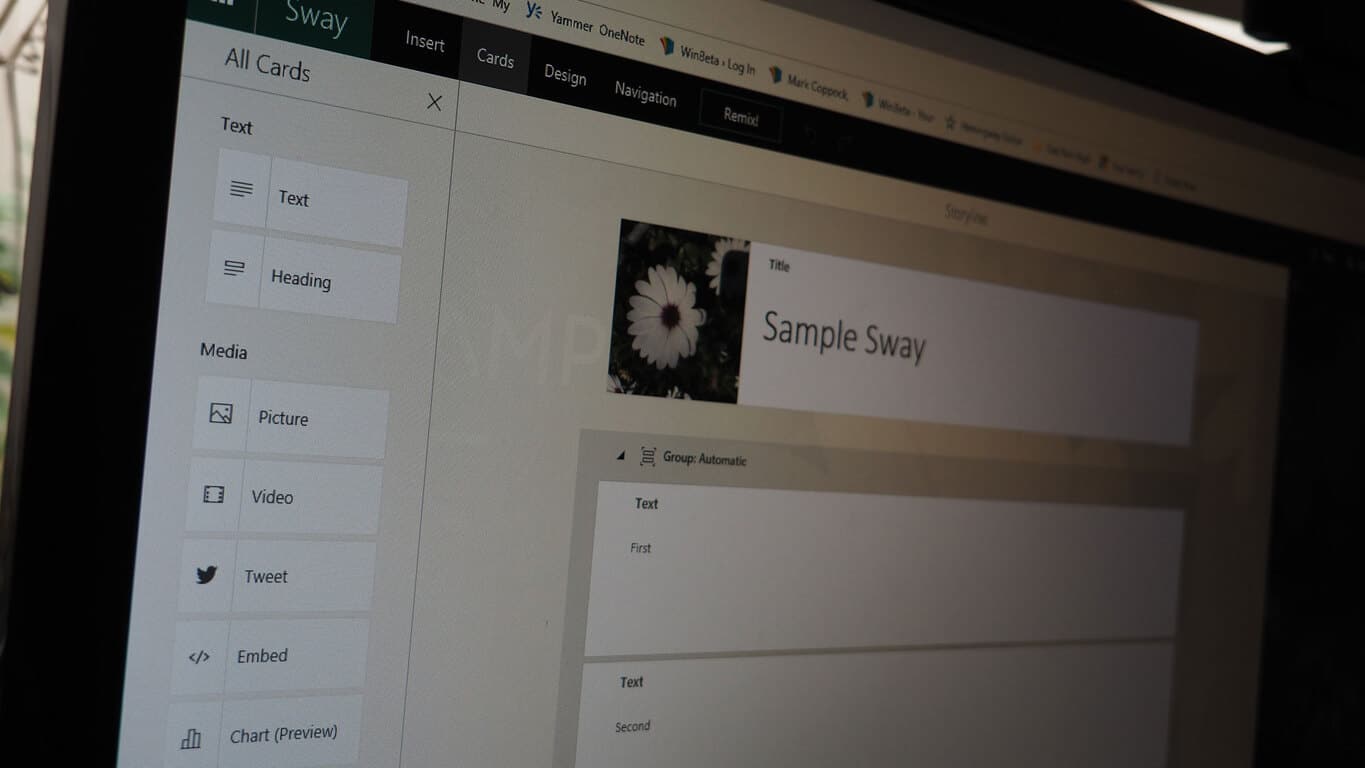
Microsoft Sway is a relatively new member of Office 365 that allows users to more easily create and share compelling multimedia presentations, and Microsoft has implemented some new administrative tools for managing Sway, as outlined at the Microsoft Office blog.
Three tools have been added, specifically the ability to license on a per-user basis as opposed to organization-wide, Office 365 admins can now choose Insert tab sources, and Sway status is now included in the Office 365 Service Health Dashboard.

Per-User Licensing

Previously, organizations could only enable Sway use on an organizational basis. This limited the ability to enable Sway use by certain users and to test the app via pilot groups. Only users for whom Sway has been enabled will see the app in their Office switchers and home pages. By default, users will have access to Sway, and admins will need to disable them specifically.

Insert tab sources

One of the Sway’s more powerful features is the ability to select content from a number of sources in creating Sway presentations. Flickr, Twitter, and Youtube are only a few sources that are supported, and the new admin functionality allows IT departments to control what sources are available to users on a granular basis. An example sited is educational customers who need to be able to limit access to certain sources by students.

Service Health Dashboard

Finally, Sway is now included in the Office 365 Service Health Dashboard, which provides updated information on how well various Office components are running.
The more administrative control that organizations have over products like Sway, the more likely they are to roll them out to their users. Microsoft understands this well after decades of providing solid business solutions, and so it’s no surprise to see the company implement such tools for a powerful new solution like Sway.
As always, Microsoft solicits feedback on these and other changes to Sway and other Office 365 apps. Don’t be shy in letting the company know exactly how you feel.

Sign in to Windows 10 using Kinect and Windows Hello

One of the more intriguing new features in Windows 10 is the ability to sign in to your computer or phone using Windows Hello facial recognition.  In essence, you just sit down in front of your computer, or hold your phone to your face, and the system recognizes you and signs you in.
The problem with the system is that it doesn’t work with a regular webcam or phone camera, you need special equipment, either a computer or phone shipping with Windows 10 capabilities, or up until now, the use of an Intel Realsense hardware development kit.
Now however, according to a post over at Windows SuperSite by our friend Rich Hay, you can use a Kinect, either a Kinect for Windows or an Xbox One Kinect using a Kinect Adapter for Windows connected to your computer to get Windows Hello working.
It’s all still a bit experimental, using beta drivers, but basically you set up your Kinect connected to your computer, set up the drivers, and make some changes to the registry, as Windows SuperSite explains:

You can follow the instructions here to set up your registry by hand, or you can use the following text to create a .reg file to right-click and import the settings:

Windows Registry Editor Version 5.00

[HKEY_LOCAL_MACHINE\SOFTWARE\Microsoft\DriverFlighting\Partner]

“TargetRing”=”Drivers”

(You can get a refresher on creating reg files from Tom’s It Pro)

Next, you can use Device Manager to update to the preview version of the Kinect driver and runtime:

  • Open Device Manager (Windows key + x, then m).
  • Expand “Kinect sensor devices”.
  • Right-click on “WDF KinectSensor Interface 0”.
  • Click “Update Driver Software…”
  • lick “Search automatically for updated driver software”.
  • Allow it to download and install the new driver.
  • Reboot.

After that, set up Windows Hello (here’s some instructions), and you should be good to go.
In the long run, it’s probably better to buy a computer with Windows Hello technology built in, but if you have an unused Kinect sitting around, this looks like a fun project. Let us know how you do!

Microsoft releases pricing details for Windows Server 2016

Microsoft’s consumer versions of Windows 10 have been out since July this year, and just got their first major update last month in Version 1511. An upcoming release from Microsoft, however, is barely getting its pricing. Microsoft’s Windows Server 2016, both the Standard and Datacenter Editions, have gotten pricing officially set for companies to prepare for. The two versions of server software are set to release in the latter half of 2016, but today Microsoft published various documents detailing a change in the way they will be pricing Server 2016.
Previously, Microsoft had a model for licensing that was cost per-server. The Client Access Licensing model, known as CAL for short, has a different pricing scheme than the new to-be-implemented per-core model. Both, however are different than the to-be-defunct per-server model.  What is important to note is that the new pricing model, according to Wes Miller, Research VP at Directions on Microsoft, will be utilizing a CAL and per-core model, instead of a CAL and per-server one. Miller also notes on Twitter that “Client-side licensing of Windows Server 2016 is effectively unchanged. This is a Per-Core+CAL model, where it was previously a Server+CAL.”
Miller also told ZDNet that “The change won’t likely have much of an impact for most customers,”and that the largest portion of people to be affected by the change are those with older servers that utilize many processors with a low per-server core count and those with high core-counts. This pricing datasheet that Microsoft provided on the Server 2016 page shows a small table of comparative aspects of the Standard and Datacenter Editions. The table is below, but the gist of it is that the Standard Edition will cost $882 while the Datacenter Edition will be $6,155 to license 16 cores. Microsoft is also, according to ZDNet, set to share more details regarding licensing and pricing on Windows Server 2016 in the Q1 of next year, so more information will be coming soon.

Windows Server 2016 Price Example Table

Microsoft's HoloLens applications highlight the need for special skills and teams

There’s no doubt that HoloLens is one of the more interesting members of the Windows 10 platform family. While every other Windows 10 platform member displays information on a 2D screen (or perhaps no screen, as with many IoT applications), HoloLens displays its information in an immersive 3D space. That makes developing HoloLens applications a bit more complex than the typical Windows 10 project, and Microsoft has some suggestions over at the Windows blog as to the best practices for building apps for HoloLens.
Of course, Microsoft is doing its part to generate a strong HoloLens ecosystem. They’ve been giving out development funds to academics, as well as soliciting ideas from the general HoloLens community. So far, according to the company, the latter effort has been paying dividends, with scads of new ideas pouring in over just the last couple of days.
Microsoft stresses that any app developed via the Universal Windows Platform can be made to run on HoloLens, but that doesn’t mean the environment is precisely the same. Microsoft recognizes that developing strong HoloLens solutions will require some different thinking:

With HoloLens you can both develop 3D content and see that 3D content in the world around you. Apps targeting the features of HoloLens take advantage of volume, environment and human interaction. These apps are no longer confined to a two-dimensional plane. You can bring the solar system into your living room, you can see a mime run across a piano or create holographic greeting cards and share those experiences through mixed reality capture. Ideas like the Animated Storybook take advantage of placing holographic content into the real world, letting you walk around it and see everything with full volume.

In all likelihood, developing HoloLens apps will also require different team members, and Microsoft highlighted the team that will produce the winning app in their Share Your Idea project:

• 3 Developers
• 2 Artists
• 1 Designer
• Some additional help from an audio designer

The blog post uses the example of HoloChess, which will require additional work to turn the typical 2D (or even on-screen 3D) chess implementation into a good augmented reality experience. Just intuitively, it’s clear that creating a chess game that can be manipulated in a fully 3D environment will require additional artwork and attention to detail that typical chess games don’t require.

HoloChess sounds absolutely awesome.

It’s a short piece full of generalities, but the post does highlight just how much more complex the process will be of creating truly immersive, compelling HoloLens applications. We’re chomping at the bit to see how HoloLens develops over the years, and are certainly happy to see Microsoft focusing on the skills and teams necessary to turn HoloLens into a real-world solution.

Microsoft's Project Oxford helps MyMoustache.net gather Movember data from 145 countries

Microsoft’s Project Oxford has proven an impressive machine learning tool with various applications. And it has powerful potential as Microsoft has introduced machine learning APIs so developers can integrate Project Oxford’s capabilities into their platforms. These changes have included the addition of “emotion, video, spell check, speaker recognition, the Custom Recognition Intelligent Service and improvements to our existing Face APIs.”
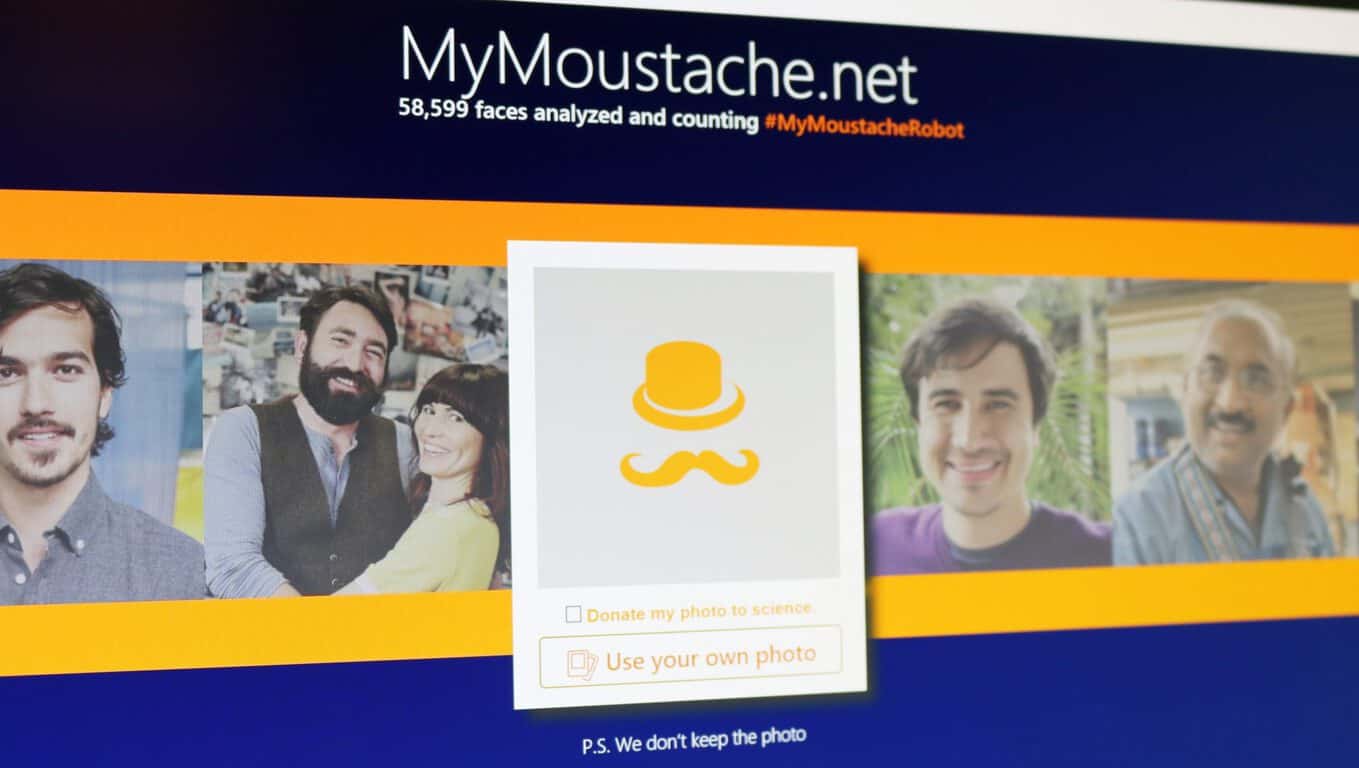
And of course, Microsoft’s machine learning team has taken multiple opportunities to create fun showcase sites using Project Oxford such as How-old.net and TwinsOrNot.net. Most recently, the team created MyMoustache.net, which uses Project Oxford’s Face API to detect and quantify facial hair to again showcase the technology, but also to help raise awareness for Movember and the Movember Foundation. The website works by allowing the user to upload a photo of their facial hair, and having machine learning algorithms rate your stache and compare it to the rest of the world.
Now that Movember is officially over, the machine learning team has posted the results of all the submissions, and there was quite a global response to MyMoustache.net. In total, 145 countries participated. The continent with the highest average mustache length was North America, but when broken down country by country, the island nation of Mauritius topped the charts with the greatest average moustache length. Of all the participants, 27% received the “ultimate mo” status for achieving a perfect score for moustache length. To see more of the results, you can read about MyMoustache.net and Movember here.

Via TechNet.com
Via TechNet.com

Via TechNet.com
Via TechNet.com

For all the fun with showcase sites like MyMoustache.net, there was some serious computer science behind it. On technet.com, the Machine Learning team writes:

Jokes aside, one might ask what it takes to train a new ML algorithm, specifically one that measures facial hair? We took it as a classification problem. Face hair normally grows on three face areas: moustache above lips, beard under lips, and sideburns in front of ears. “Density” is introduced to describe how bushy that facial hair is in those face areas – level ranges include clean-shaven (no facial hair) stubble, medium and bushy.

If you missed your chance to participate in Movember, fret not. MyMoustache.net is still up and raising money for men’s health through collaboration with the Movember Foundation.

Microsoft expands and updates Windows 10 IoT, supporting more hardware and development tools

Windows 10 runs on all kinds of devices, including desktops, notebooks, hybrids, tablets, smartphones, and even the Xbox One. However, one of the device types that receives the least coverage is Windows 10 for the Internet of Things, or Windows 10 IoT. Just because many people don’t pay attention to it, though, doesn’t mean that Microsoft isn’t constantly improving it, and the Windows blog wants us all to know what’s new in Windows 10 IoT.
The focus of Windows 10 IoT includes many of the same factors as other versions of Windows, including security, and adds in some serious attention given to machine-to-machine and machine-to-cloud connectivity. IoT makes up millions and eventually billions of very small footprint, low cost devices that need to communicate with each other and cloud services like Microsoft Azure, and Windows 10 will be the framework that holds everything together.
IoT devices including applications such as ATMs, handheld terminals, and retail point of sale systems, and Microsoft has already outlined the versions that will support these sorts of applications, Windows 10 Enterprise, Windows 10 Mobile Enterprise, and Windows 10 IoT Core. The latter version is for devices with the least resources, and it’s this version that Microsoft would like to talk about.
The two areas that Microsoft is focusing on at the moment are commercialization of Windows 10 IoT core, and improvements to the platform in terms of performance via various hardware configurations, connectivity via serial/UART support, Wi-Fi dongle support, and support for more development capabilities.

Commercialization

Microsoft already offers a royalty-free Windows 10 IoT Core edition that utilizes automatic updating. Today, the company is announcing a Windows 10 IoT Core Pro SKU for OEMs that enables update deferral and controlled update distribution via Windows Server Update Services. Microsoft also created a commercialization process to allow early adopter businesses to access Windows 10 IoT Core on a commercially licensed and royalty free basis.
In addition, Windows IoT Core will be offered as a part of a Raspberry Pi service offered by Raspberry Pi Trading and Element 14. This will make it possible for commercial OEM/ODMs to utilize maker hardware to produce products.

Platform improvements

Microsoft is adding support for a number of hardware enhancements to improve performance, manageability, and access to peripherals. These improvements include:

  • GPIO performance improvements via a direct memory access bus driver enabling the use of native code. Pin Muxing support and 100X performance improvements are some of the advantages of the new driver.
  • Serial/UART support on the Raspberry Pi with built-in FTDI USB-to-serial chipset driver. An example of applications that use these ports are home automation systems.
  • Support for additional Wi-Fi dongles, including the Raspeberry Pi dongle and the RTL8188EU and RTL8192EU Realtek Wi-Fi chipsets.

Finally, Microsoft is making it easier to create Windows 10 IoT Core Universal Windows apps using Arduino Wiring Sketches, libraries, and hardware. Visual Studio can be added to projects via drag-and-drop and Arduino wiring code can be debugged on Windows 10 IoT Core devices.
There’s a ton of technical detail available in Microsoft blog post, and so be sure to read the whole thing if you’re a Windows 10 IoT developer or your company is looking to leverage the platform in your products. It looks like Microsoft is making the platform ever more useful, and you can download the latest release today and get started.

No new Windows Insider builds today, unless you have a Xiaomi Mi4

Ahh, another week, another round of “no new builds” tweets from Gabe.  The news came early in the day this time, read into that what you will:


The tweet was in response to another bit of news coming from Gabe Aul, on the Xiaomi Mi4, which just released a Windows 10 Mobile ROM for the Android device:


Of course the Mi4 won’t be getting newer builds than the rest of us, but it’s good to see that Microsoft is supporting the Android to Windows 10 Mobile experiment with the latest Insider builds. Still no news on Windows Insider availability for the Lumia 950 or 950 XL, and although we’re anxiously awaiting a new mobile (or any) build, we sure would like to be able to run it on the new flagships when it does arrive.
There are lots of expectations for a new set of builds to drop before the end of the year, including the first Redstone builds for Windows 10, including a first look at Microsoft Edge browser extensions.  Stay tuned to WinBeta and we’ll keep you posted on all the latest Windows Insider news!

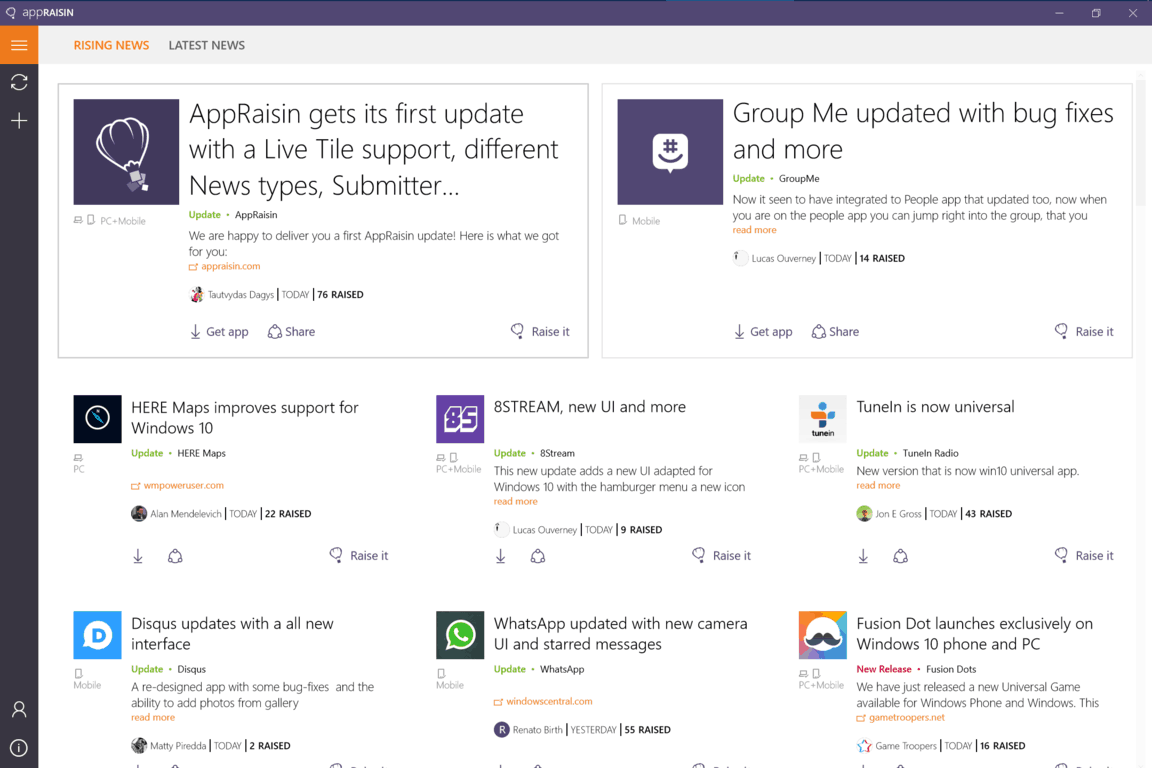
Windows Store news portal AppRaisin version 1.2 released

Windows-dedicated ad network AdDuplex has notified us of an update to their AppRaisin app, pushing the version number to 1.2 while introducing several UX and performance improvements.
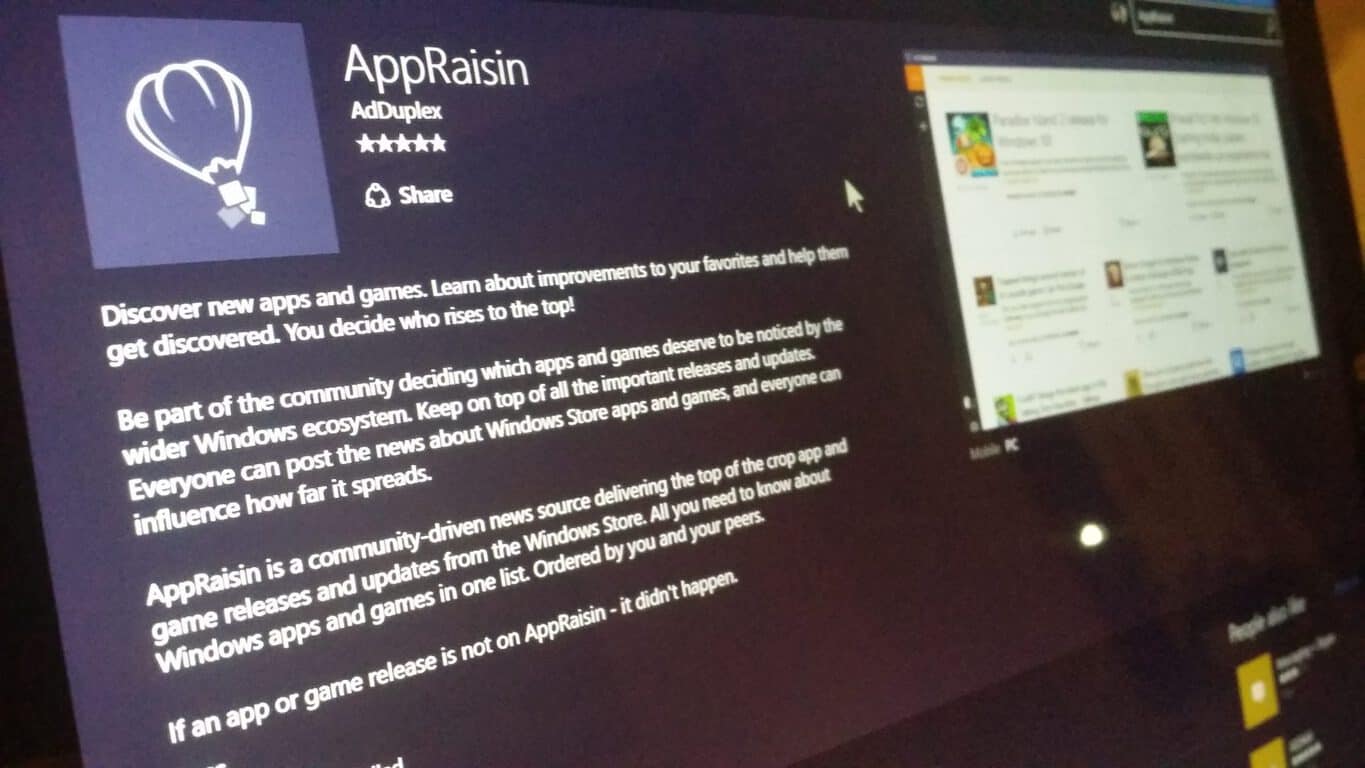
A quick recap for those unfamiliar with AppRaisin: think of it like Reddit for Windows Store. A “community-driven news source,”  AppRaisin provides a platform for its users to post news related to apps and games on the Windows Store, including updates, releases, deals and more. Other users will then be able to “raise” the news they find interesting, pushing its visibility up in the news panel, share the news, or get the app with a directly to the Store. It’s a novel and interesting idea, and from the positive user feedback, many seems to share the same sentiment (of course, helped along by the app’s polished Modern UI and well-doneness.) The app was released in November this year.

Exemplary UI for the new Windows apps.

A list of what’s new in version 1.2 of AppRaisin is as follows:

  • Pin AppRaisin to your start screen and get an update on the top app news with just a glance at our new Live Tile;
  • Each news item is now classified as either a New release, Update, Price drop or Discover (just an app recommendation from the fellow community members);
  • Now you can see who posted the news;
  • In case you have questions about AppRaisin and how it works – check out the help section in the About dialog;
  • Error messages are improved with more details. This will hopefully help us eliminate bugs faster;
  • Some users were getting a blank screen after posting news via sharing from the Store – this is now fixed;
  • Other minor improvements, UI tweaks and under the hood optimizations.
Overall AppRaisin is a very interesting app that’s an example of what we would want to have more on the Windows Store: a well-done, dedicated experience. By the nature of the app, the more users there are, the better and more useful it would be, so we suggest you dive in and start raisin’ your favorite app. Also, dark theme in next update please.

AppRaisin
AppRaisin
Developer:
AdDuplex
Price:
Free


Microsoft expand advertising partnership with AppNexus

As part of the ongoing restructuring, Microsoft continues to make moves to streamline its business even more, especially in lagging parts like display advertising. The latest move involves expanding its partnership with ad tech giant AppNexus, reports Business Insider.
Specifically, the partnership has been expanded to cover 58 global markets, up from the previous 39, in which Microsoft ads will be bought programmatically using AppNexus’ technology. This extends from AppNexus’ previous announcement last week of bringing Microsoft ad sales 100% programmatic in 10 European countries, as well as the formation of a Supply Evangelist Team (SET) being set up specifically to work with Microsoft ads. No jobs were affected as a result of the expansion.

“Microsoft has a long standing relationship with AppNexus and we’re expanding our existing global technology partnership to simplify the buying process for our customers and resellers, across both reserved and programmatic inventory.” – Microsoft spoke person.

The partnership expansion marks another step of Microsoft moving away from the display advertising business.  Microsoft already transferred 1200 advertising employees and a large part of the business to AOL earlier this year in exchange for a sweet search deal, and initiated the partnership with AppNexus. Microsoft’s deeped relationship with AppNexus also poses interesting questions regarding another big advertising partner, AOL, as profit has reportedly risen dramatically in markets AppNexus took over. It should also be noted that Microsoft is a big investor of AppNexus, pouring $50 million into the company in 2010.
The other part of Microsoft’s advertising business is Bing, which finally stopped being a money black hole for the company, bringing in more than $1 billion in revenue and becoming profitable this year. With the extended partnership, it’s clear Microsoft is focusing on the parts that work while cutting away excess to improve its bottom line; it will be interesting to see how the company will evolve in the future.

Microsoft reveals top search queries via Bing this year

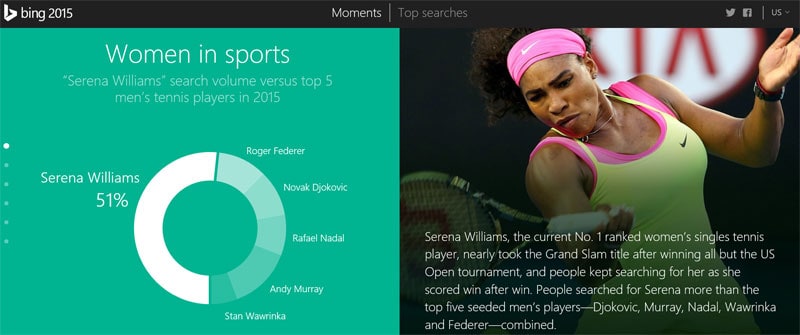
Microsoft has released the list of top searched queries via Bing this year. There are a number of categories, ranging from top news stories of 2015 to most searched athletes, most search celebrities, and more. Here’s the list:
Top news stories of 2015

  1. Paris attacks & the threat of ISIS
  2. The EU refugee crisis
  3. Earthquake in Nepal
  4. Snowstorm buries NE US
  5. Germanwings 9525 crash
  6. Wildfires & drought devastate
  7. US-Cuba relations restored
  8. Planned Parenthood faces potential defunding
  9. Ashley Madison hacked, data leaked
  10. Discoveries on Pluto & Mars

Most searched athletes

  1. Tom Brady
  2. Ronda Rousey
  3. Jordan Spieth
  4. Stephen Curry
  5. Aaron Rodgers
  6. Serena Williams
  7. Caroline Wozniacki
  8. LeBron James
  9. Danica Patrick
  10. Cristiano Ronaldo
Serena Williams Bing

Most searched celebrities

  1. Caitlyn Jenner
  2. Miley Cyrus
  3. Taylor Swift
  4. Kim Richards
  5. Kim Kardashian
  6. Bindi Irwin
  7. Chris Brown
  8. Kylie Jenner
  9. Justin Bieber
  10. Kelly Clarkson

Strange but true stories

  1. Hulk the pit bull challenges views
  2. Man has surgery to remove car part, 51 years later
  3. ‘The Dress’ debate
  4. Rare fawn raised by humans
  5. Huge gold nugget discovered in China
  6. Goliath fish caught by kayaker
  7. Kermit-like frog discovered
  8. Stowaway cat survives flight on plane’s wing
  9. Pizza Rat
  10. Spiders rain from sky

Top sports moments of 2015

  1. Seahawks shocker at Super Bowl
  2. American Pharoah wins Triple Crown
  3. The world watches the cricket World Cup
  4. US wins Women’s World Cup
  5. Deflategate
  6. FIFA corruption scandal
  7. Pacquiao-Mayweather fight
  8. Riley Curry outshines MVP dad
  9. Devon & Leah Still’s emotional story
  10. The Royals wins the world series

These are not just the only things searched using Bing this year, there are more categories like “People we lost” this year, celebrities on the rise, and more. The Bing Moments page also lists some of the events which took place this year, good and bad both. Head over to the Bing Moments page to read more details about them.

Fresh Updates for Windows 7, 8.1 Make it Easier to Upgrade to Windows 10

In case you still didn’t upgrade your Windows 7 or Windows 8.1 to Windows 10, Microsoft lets you to know that it really wants you to do so. Namely, the company just released two updates for Windows 7 and Windows 8.1, which make it easier for all genuine Windows 7/Windows 8.1 users to upgrade to Windows 10.

KB3112343 and KB3112336 Updates Are Here to Make Your Upgrade to Windows 10 Easier

The update for Windows 7 and Windows Server 2008 goes by the code of KB3112343, while the update for Windows 8.1 and Windows Server 2012 is KB3112336. Both updates basically do the same thing, only the operating system is different.

As we already mentioned, the purpose of these updates is to give you a few more upgrade options, and convince you to switch to Windows 10 as soon as possible.

“This update enables support for additional upgrade scenarios from Windows 8.1 to Windows 10, and provides a smoother experience when you have to retry an operating system upgrade because of certain failure conditions. This update also improves the ability of Microsoft to monitor the quality of the upgrade experience.”

Microsoft decided to release an update for older versions of Windows, besides releasing Threshold 2 for Windows 10, and the first update for Visual Studio 2015. But the only new feature that this update is bringing to Windows 7 and Windows 8.1 is an easier way to upgrade to Windows 10, as we didn’t notice any other changes to the system.

In case this new update didn’t convince you to upgrade your system to Windows 10, and you want to stick with your current version of Windows, you might want to check out this tool, which prevents the installation of Windows 10 on your computer.

Are you still using Windows 7 or Windows 8.1, and do you plan to upgrade to Windows 10 soon? Tell us in the comments below.

New Gameloft game Gods of Rome announced for Windows platforms

Gameloft has just announced a new fighting game called, Gods of Rome. A trailer has been released which shows off some of the gameplay and featured characters such as Spartacus and Zeus. Of particular interest is the platform icons listed towards the end which indicate it will launch on iOS, Android, and Windows platforms.

Bizarrely, a “Get it from Microsoft” icon is used in place of the usual Windows Store or Windows Phone ones so it’s unclear right now exactly which Windows platform will be getting it, Windows Phone or Windows PCs and Tablets. Details will likely be revealed closer to the game’s release date, which has yet to be announced.
Not much else is known about the game beyond a brief description and a hint at rewards for those who pre-register for the game on the official site.

Lead the world’s mightiest warriors in the fight against an ancient evil that threatens to enslave their souls! Pre-register to embark on your quest with great rewards when the epic battle begins! Receive your rewards by logging into Facebook and sharing.

Would you like to see this game on a phone or tablet? Let us know in the comments below.

Microsoft's new U.S Channel Chief reveals his main priority

In a recent interview, Microsoft’s new U.S. Channel Chief, Stephen Boyle has discussed his transition from being the vice president in the international Enterprise Partner Group to his new, more domestic position, dealing with Microsoft’s numerous partners. In the interview, he reveals that one of his main goals for the immediate future is to help transition existing Microsoft partners to the cloud.
“What I’m very happy to see is a lot of the partners are already on board with the cloud transformation that’s required,” he says. “Not just the new, what we like to refer to as born-in-the-cloud partners, but very much the partners who have been with Microsoft along the way for many, many years. I haven’t had to spend a lot of time selling or explaining why we think this transformation is important.”
One of his main priorities in general seems to be the empowering of partners. “Partner enablement, partner recruitment, making sure that I have the right partners in the ecosystem, and then the activation, working with the partner sellers and the Microsoft field sellers to bring business benefit to our joint customers — those are our high-level short-term priorities,” he explains when discussing his aims. “But my largest priority is making sure that I get the enablement engine right because, from there, it will help me recruit the right partners. Once I’ve got them in the ecosystem, it will help me better engage those partners in a selling motion.”
One of the ways in which Microsoft is helping to enable partners is through a variety of programs built to inform and train. Boyle explains. “We’re taking advantage of high-touch and doing two-to four-day workshops. We’ll bring systems integrators and other partner types, LSP-type partners into a room and give them deep-dive classroom experience. But we’re also leveraging new technologies like Massive Open Online Courses, the new acronym is MOOC, to reach a broader community.” An example of how they’re using technology to train partners is their use of edX which has been implemented quite a bit recently.
“One in particular launched in late September,” Boyle reveals about their experience with the edX platform. “It was around the Cortana Analytics Suite. There was a five-week self-paced learning through this MOOC offered by edX, and we had in excess of 20,000 participants.”
Microsoft has a long history of communicating with its partners through a variety of events and programs. Do you think they could do more or are you impressed with their efforts so far? Let us know in the comments below.

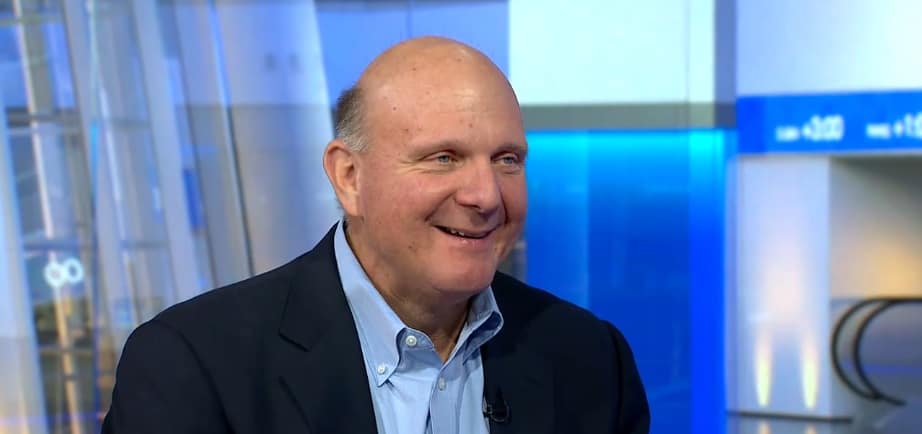
Steve Ballmer says Microsoft should disclose profits, sales from hardware and cloud businesses

Microsoft ex-CEO Steve Ballmer left the company in current CEO Satya Nadella’s capable hands a couple of years ago, after setting up some of the company’s current strategies and requiring some other changes. For example, Ballmer got the Surface ball rolling, but he was also behind the Nokia acquisition. Win some, lose some.
Now that he’s just another Microsoft shareholder, albeit one of some significance, Ballmer has some ideas on how the company should be run. As Bloomberg Business reports, Ballmer really wishes that Microsoft would release their hardware sales and margin numbers so that investors like him can more easily analyze the company’s performance. Microsoft reports run rates for annualized revenue for the entire cloud business and revenue/margin information on only some specific businesses, which isn’t as much detail as Ballmer would like to see.

“It’s sort of a key metric — if they talk about it as key to the company, they should report it,” said Ballmer, who is the company’s biggest individual shareholder, in a conversation in the audience at the software maker’s annual meeting in Bellevue, Washington.

We might comment that when Ballmer was the head of Microsoft, the company didn’t typically report these very same metrics, either. Perhaps it’s simply that Ballmer enjoyed having access to such information as Microsoft CEO.
Microsoft’s response was cordial and diplomatic, as can be expected:

“We enjoy a regular dialogue with Steve, and welcome his input and feedback, as we do from our other investors.” said Chris Suh, Microsoft’s general manager for investor relations.

We can’t help but notice a little zinger in there, though, namely “as we do from our other investors,” and we don’t expect Microsoft to make any significant changes just to please Ballmer. But it’s fun to watch the former Microsoft CEO as he interacts with his old company and its new (and old) ways of doing business.

Windows Insiders line up to buy the Lumia 950 or 950 XL

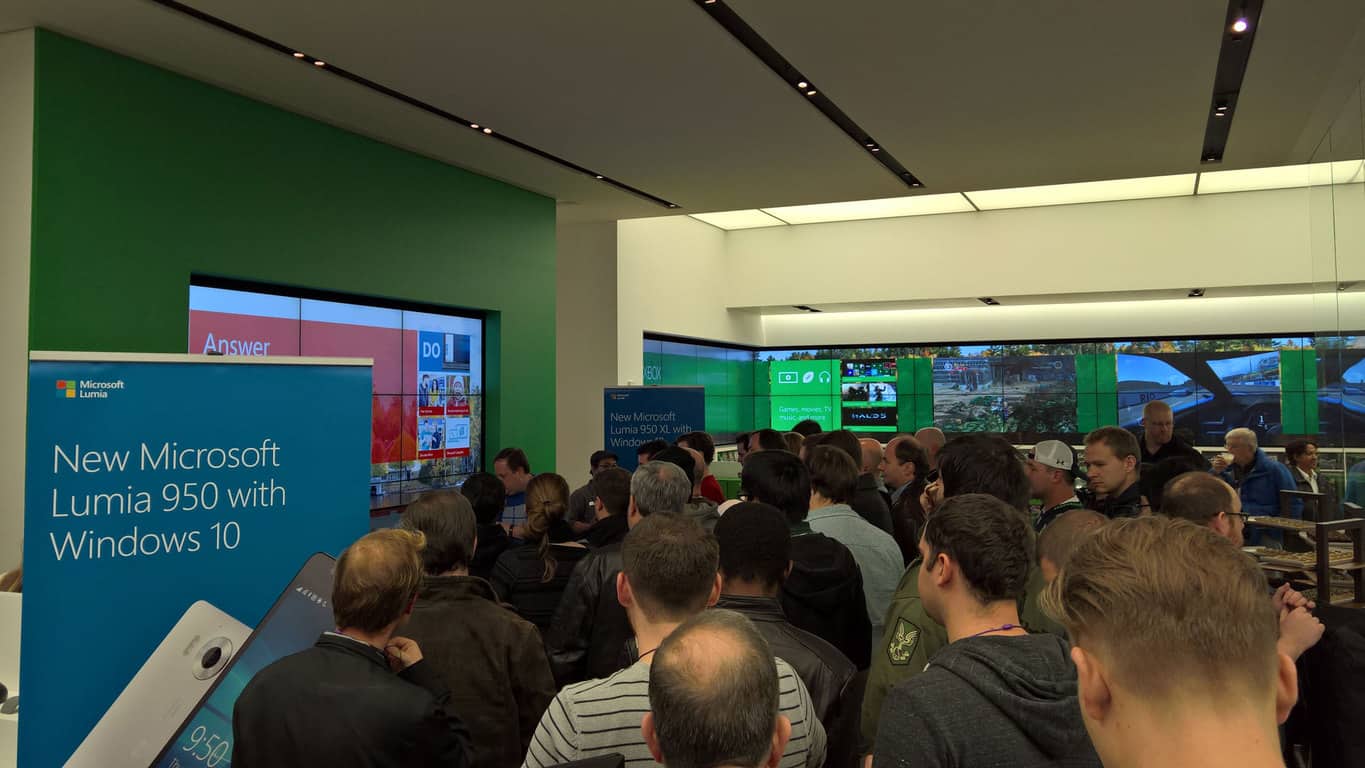
Last night at Microsoft Stores in New York City and Bellevue, WA, Windows Insiders were given an opportunity to learn a bit more about the latest Lumia phones and to purchase them with a bonus offer of an (in hand) Display Dock, for Continuum.
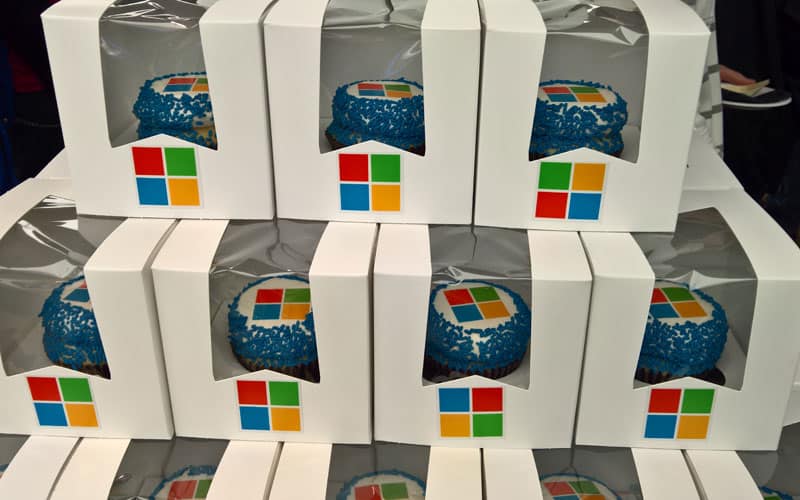
I braved the rain and the traffic to Bellevue for the event, arriving at Bellevue Square at around 6:30 pm, and Insiders were already lined up at the door. My guess is that there were over 100 Insiders. As we were let into the Store in bunches, we gathered in the demo space in the back and were greeted with an assortments of chocolates, a hot chocolate bar with all the trimmings, and a demonstration of Continuum. The room was pretty crowded, and I let others move to the front to see the demo, which gave me time to gaze upon the Windows cupcakes:
Windows cupcakes
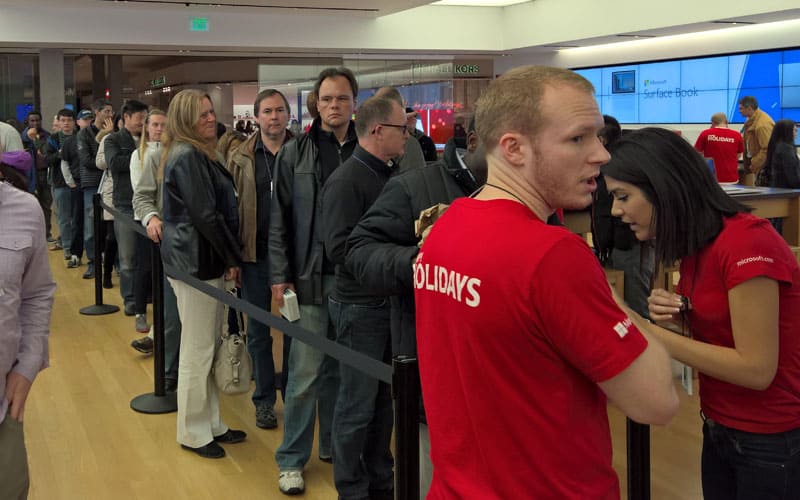
While there wasn’t much in the way of meeting ‘Softies (the only Microsoft employees I saw there were marketing types, no Gabe or anyone from the Insider team), Windows Insiders did line up for phones, and they bought them in droves:
Windows-Insider-line
Again, purely a rough estimate, but this line to buy phones was quite a bit longer than this, and I would guess that the Store sold 50-75 phones to Insiders. As I’ve already purchased a Lumia 950 XL, I was hoping to grab a Display Dock, but they ran out of their allotment. I stopped by the AT&T store across the street from Bellevue Square after the event, and picked one up for $119, a typical AT&T markup on the $99 device.  Still, the dock I have coming with my online purchase of the 950 XL is not due for “10-12 weeks”, and I wanted one before they’re totally old news.
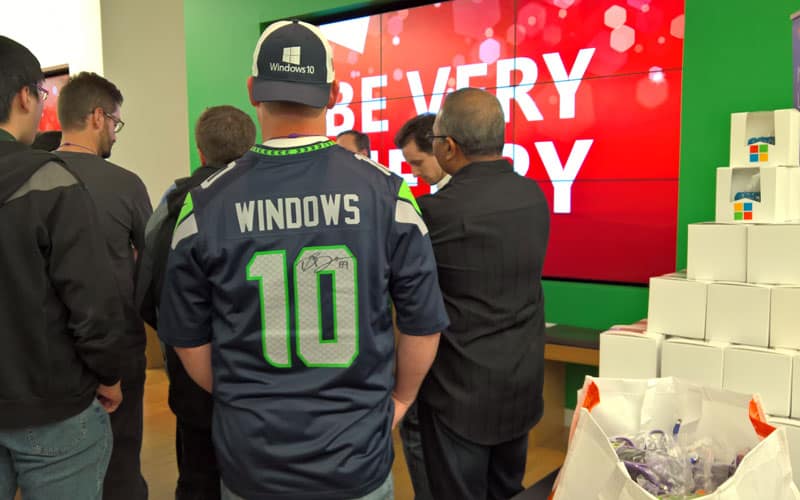
Anyway, Insiders seemed to be having a good time lining up to buy the latest Lumia phones, and Microsoft’s investment in Windows Insiders sure looked like it was paying off. There were some serious Windows fans in attendance:
Windows 10 fan
I talked to this guy a bit later as he was longingly looking at the HoloLens at the front of the store, lamenting that his wife would kill him for spending $3,000 on a developer unit. It sure is nice to see Windows enthusiasm on display, though.
While maybe a bit short on content, the Windows Insiders night at the Microsoft Store looked to be a success, with lots of phones sold and lots of seemingly happy customers.
(btw all photos taken with a Lumia 950 XL)

Reverend Jesse Jackson issues a call to action at Microsoft shareholders' meeting

We reported earlier this morning Microsoft is shaking up its Board of Directors once again. As the technology company gets ready to make some changes, the Reverend Jesse L. Jackson and his Rainbow PUSH Coalition is taking the opportunity to make a few remarks at Microsoft’s Shareholder Meeting.
Reverend Jackson notes in general in the tech industry, African Americans and Latinos are underrepresented on their Board of Directors. His PUSH Coalition’s research revealed that in 2014, out of twenty tech companies with a total of 189 directors, only three African Americans and just one Latino are represented on the Boards. Reverend Jackson takes the time to commend Microsoft for adding two women to the Board of Directors earlier this year but calls for Microsoft to add African American and Latino directors. He also offers the services of the PUSH Coalition to help Microsoft identify qualified appointments.
jesse-jackson-e6b49146192338b7
The Reverend feels Microsoft is in a unique position to lead a new era in diversity. He applauds Microsoft for their recent efforts to expand the diversity of its employees and reach out to underrepresented communities. Reverend Jackson thinks Microsoft’s Law Firm Diversity program should be replicated throughout the industry to support more African American firms and lawyers. Reverend Jackson and the PUSH Coalition are also excited by the expansion of the TEALS and Youth Spark program, which offers computer science education for underrepresented backgrounds.
But he also feels Microsoft needs to reinvigorate its multi-cultural advertising to engage African American and Latino media, advertising and marketing agencies. The PUSH Coalition research notes that African Americans and Latino are now total at almost 100 million people in the US and possess some $2 trillion in purchasing power. He further asks specifically what targets and timetables Microsoft is going to set for itself to measure progress for expanding its diversity and inclusion.
Stay tuned for more from Microsoft’s Shareholder Meeting, currently underway. If you wish to read more of the Reverend Jesse Jackson’s remarks, you can read his prepared remarks here on GeekWire.

Microsoft shaking up its board once again amidst MSFT share price gains

Microsoft’s last Board of Directors shakeup saw two retirements and two new additions, and as with all corporate boards, the changes aren’t stopping there. According to The Seattle Times, Microsoft’s board will be experiencing some additional changes soon.
First, we have Maria Klawe retiring after six years on the board. With her departure, only three board members remain who were on the board prior to 2012. Co-founder Bill Gates, of course, remains the longest-running board member.
Two women were nominated to succeed Klawe, which of course requires another board seat (for a total of 11 directors). Sandra Peterson from Johnson & Johnson and Padmasree Warrior from Cisco are the nominees.

Sandra Peterson, group worldwide chairman of Johnson & Johnson.

Padmasree Warrior, former chief technology officer of Cisco.

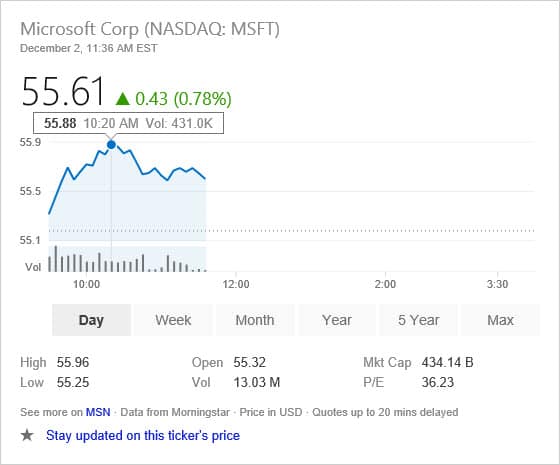
In more news, Microsoft stock hit very close to an all-time high earlier this morning, trading at $55.96. You have to go back to December 31, 1999 for a higher share price, when MSFT traded at $58.38.

Today is a good day to own shares in MSFT.

With Microsoft showing some strength with its stock price, CEO Satya Nadella shouldn’t suffer too much from seeing his salary cut from $84,308,755 in fiscal 2014 to $18,294,270 in fiscal 2015. He also received a grant of up to 2.7 million MSFT shares based on the MSFT price, which at today’s price would equal $151,092,000. Clearly, Nadella is being well-compensated for the recent success of Microsoft’s “cloud-first, mobile-first” strategy, while sharing in the risk of the strategy’s future performance.
Finally, we note that Bill Gates decreased his ownership stake in Microsoft, with his shares dropping from 290 million in 2014 to 222 million shares in 2015. That’s a decrease from 3.6% to 2.8% of outstanding MSFT shares.
Microsoft is making some serious fundamental changes to how the company is doing business, and apparently the stock market agrees with what they’re trying to do. We’ll be keeping a close eye on how the company performance financially, because of course that will determine whether Nadella stick with the current strategy or tries something even more different.

German Windows Insiders offered €50 off, more, on Lumia 950 and Lumia 950 XL purchases

German Windows Insiders are in for a treat if they’re thinking about purchasing the newly announced Lumia 950 or the Lumia 950 XL. Microsoft has started sending out emails to Windows Insiders in the country, informing them about a €50 price cut on the Lumia 950 and the Lumia 950 XL, along with free accessories as well (via Windows Central).
This means the Lumia 950 can be purchased for €549 instead of €599, while the Lumia 950 XL is down to €649. However, the discount is only available on unlocked handsets purchased from T-Mobile Germany. The deal doesn’t only offer a €50 discount, the bundle also includes a free Display Dock as well as a Mozo cover for the device.
If you’re received the email, make sure to act fast as the promotion is set to expire on December 13th. This is definitely a great offer, especially for Windows Phone fans out there who want to save their hard-earned cash.
In the meantime, if you’re confused, you can check out our first impressions of the Lumia 950 and Lumia 950 XL to help you make up your mind. We’ll also post our detailed review of both devices soon.

Microsoft and UK charity Guide Dogs improve technology for the visually impaired

For the visually impaired, being able to hear their surroundings is imperative to their daily lives. Microsoft collaborated with UK charity Guide Dogs to take this a step further last year, with a headset designed to help them navigate their cities. This headset used bone conduction to send physical and aural cues to the user, as they moved around. Vibrations, clicks, and other aural cues are used to help inform the user of their surroundings. However, in the ever-changing world of technology and to further help people who are visually impaired, Microsoft set off to push those features even further.
Jamail Chudge, head of the Cities Unlocked program for Microsoft stated:

After phase one last year we started to think deeply about how we can empower people to be more independent, more mobile and act in much the same way as a sighted person would do.

In the latest update to this headset, Microsoft has enabled the user to receive voiced information about their surroundings. Utilizing technology like GPS, Bluetooth beacons within buildings, Bing Maps and software designed with the help of Guide Dogs, Microsoft has allowed the user to paint a mental image of their town. When traveling about, the user is prompted through voice about approaching businesses, landmarks, obstacles to avoid, locations within a building and transportation, with arrival/departure notifications. Coupled with the previous technology of using vibrations to pinpoint direction, Microsoft has created a “3D” way for people visually impaired to experience their own homes. To further enhance the users immersion, an embedded microphone offers the ability to talk out questions, gaining further information about their surroundings.

With Microsoft, their goal is to empower people and to do more. Giving people who are visually impaired a way to interact with their surroundings, like us who are sighted, is a further step towards that goal.

Tip: Pin Any Folder or Disk Drive to the Home Location in Windows 10

Many users love having their favorite folders available for quick access, and in Windows 10 this is achieved by using the Home location. If you have folders that you access regularly today we’re going to show you how to pin any folder or disk drive to Home location in Windows 10.

How to Pin Any Folder or Disk Drive to the Home Location in Windows 10

Using Home location for quick access is great, especially if you’re working on a project and you work with same folders on regular basis. With Home location you can access any folder in just two clicks instead of navigating to the exact folder location. As you can see, using this method is a lot quicker and simpler, and if you want to try this feature out, here’s how to pin a folder or disk drive to Home location:

  1. Open File Explorer and navigate to Home folder. Home folder should be located in the left pane of File Explorer.pin folders to home windows 10 1
  2. Once you’re in Home folder open another File Explorer and find the folder you want to add to Home location.
  3. Click and drag desired folder to Home location and it will be added there. Now you can easily access it at any time.pin folders to home windows 10 2
  4. If clicking and dragging seems like too much work, you can simply right click a folder and choose Pin to home from the menu.pin folders to home windows 10 3

If you want to unpin folder from the Home location all that you have to is to find that folder in Home folder, right click it and choose Unpin from home from the menu.

As you can see, adding folders to Home location in Windows 10 is quite simple and you can add folders, disk drives or This PC to Home location by following these steps.

Lenovo reveals three new Windows 10 machines due out in Q1 2016

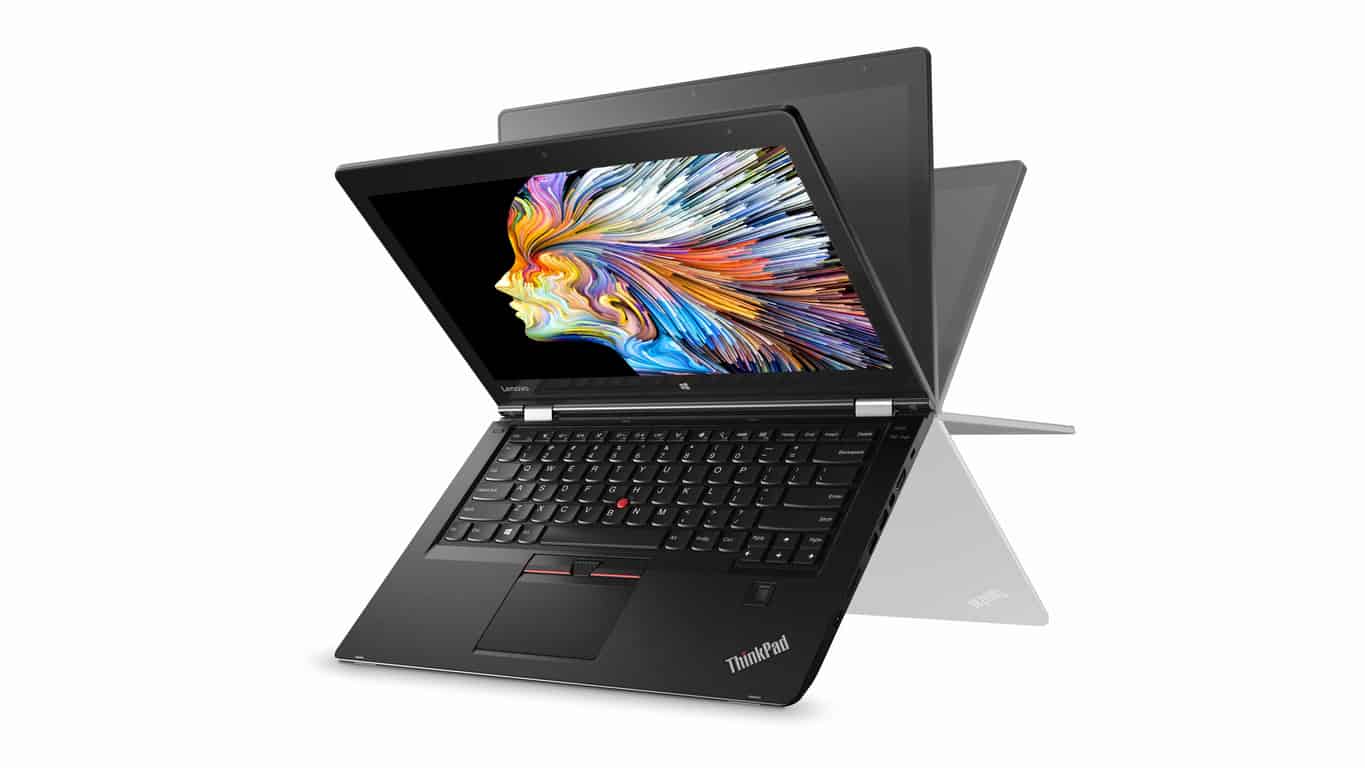
Lenovo has just announced three new devices aimed at the higher end of the personal computing market. The first is the ThinkPad P40 Yoga which appears to be the company’s answer to Microsoft’s Surface Book. Like previous Yoga PC models, the ThinkPad P40 Yoga features the adjustable screen and keyboard which allow for the device to be set in a variety of positions but also includes an improved pen and touchscreen, powered by the Wacom Active ES technology, that provides 2,048 levels of pressure sensitivity on a high-res (2560 x 1440) IPS display. The ThinkPad P40 Yoga also comes with the rechargeable ThinkPad Pen Pro which itself comes with several adjustable pen tips for a more nuanced creative experience for designers and artists.
The ThinkPad P40 Yoga is powered by a NVIDIA Quadro M500M GPU with 2GB VRAM and features an Intel Generation CoreTM i7 CPU and up to 16GB of RAM and 512GB SSD storage. In a first for the Yoga line of devices, the ThinkPad P40 Yoga has incorporated a newly designed Lift ‘n Lock keyboard whose frame automatically rises to protect the keys when the keyboard’s position is changed.
Along with the announcement of the ThinkPad P40 Yoga was the reveal of a cheaper device, the ThinkPad P50s, which is similar to the P40 but is thinner, more affordable, and lacks the support for ThinkPad Pen Pro. Interestingly, the ThinkPad Pro 50s will also be available with a pre-loaded Windows 7 option in addition to Windows 10 while the ThinkPad Pro 40 Yoga is purely a Windows 10 machine.

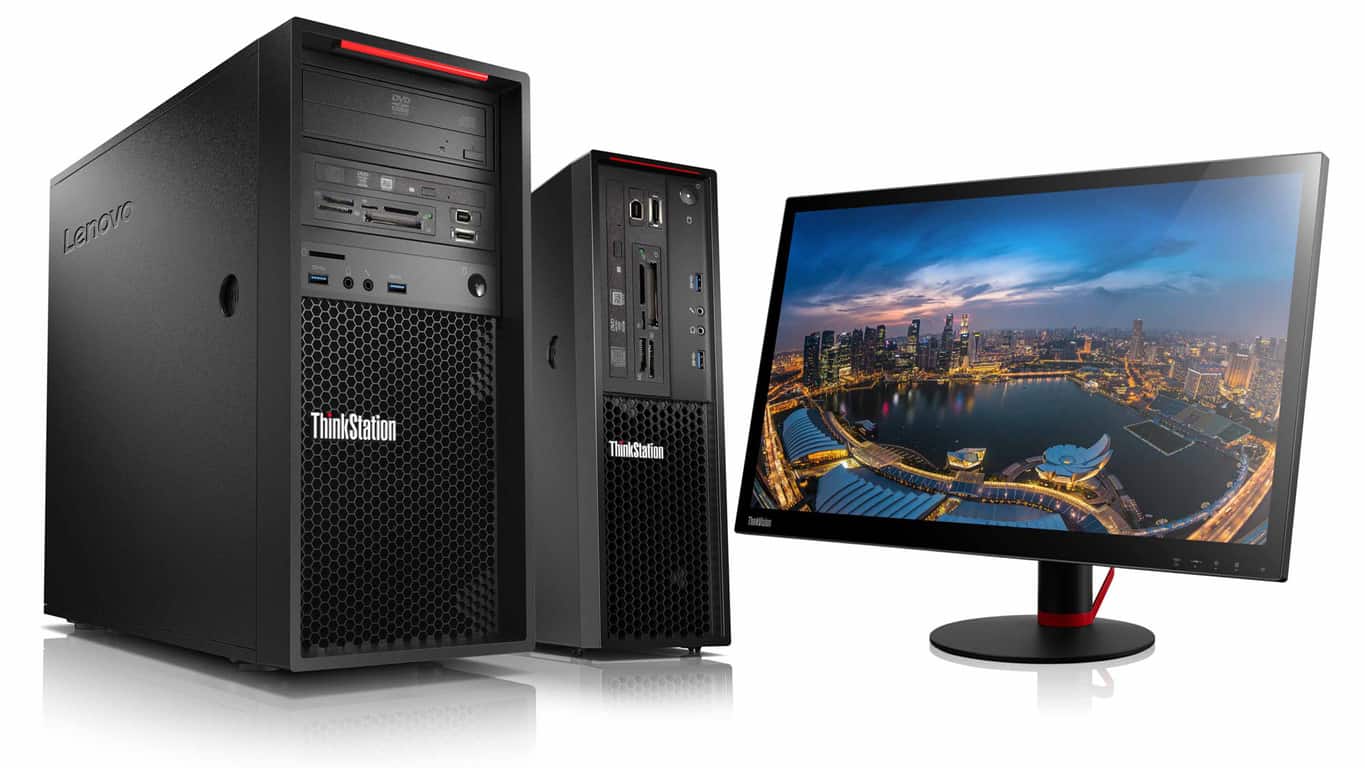
Lenovo ThinkStation P310

A new addition to the Lenovo ThinkStation P Series, the ThinkStation P310, was also announced. This new workstation is designed to be an affordable entry-level high-end machine. It’s powered by the new Intel Xeon E3-1200v5 and the latest NVIDIA GPU technology. The system also doubles the memory capacity of previous workstations with up to 64 GB of DDR4 RAM and support for FLEX drives with Samsung M.2 NVMe SSDs.
The ThinkPad P40 Yoga, ThinkPad P50s, and ThinkStation P310 will all be available within first quarter 2016. Pricing for the ThinkPad P40 Yoga begins at US$1399, while the ThinkPad P50s cheapest model will start at US$1299 and the Lenovo ThinkStation P310’s at US$729.
Just over a month ago Lenovo revealed two other new upcoming devices, the Yoga 900 Convertible Laptop and Yoga Home 900 Portable All-in-One Desktop. You can read more about those machines here. They also released the new Windows 10-powered Lenovo Yoga 700 which is available now.
Lenovo’s Windows devices have long been a popular alternative for consumers looking for something other than a Surface Pro to run the latest version of Windows and both their entry-level and high-end machines regularly get fairly popular reviews from the press and consumers. In our reviews of the Lenovo Yoga 3 and the Lenovo Yoga Tablet 2 for example, we found both to be fairly good cheaper alternatives to a Microsoft Surface or Surface Pro.
Are you interested in any of these new Lenovo Windows 10 computers? Which one catches your eye? Let us know in the comments below.

Microsoft solicits HoloLens ideas from the community, will build the best one

Microsoft HoloLens is one of the company’s more innovative and pioneering efforts as of late and promises to make some serious noise over the next few years. The company recognizes the value of its augmented reality tool to all sorts of industries and has been pushing for ideas from developers and academia alike. Now, Microsoft is soliciting your ideas, through a program aimed directly at implementing feedback from the HoloLens community.
Autodesk 360 fusion
Starting now and running through January 11, 2016, you can submit your HoloLens development ideas directly to Microsoft. To help you out, Microsoft will be providing information on HoloLens development concepts to help you flesh out your notions and provide the most useful feedback.
First, give a quick watch to the overview video:

Then, once all of the ideas are in, the HoloLens development team will choose the three most viable ideas and solicit votes from the Twitterverse. The winning idea will be brought to life by the development team, and everyone can follow along via weekly build reviews, Q&A, and much, much more. Finally, the result will be open sourced and made available for the HoloLens community to work their magic.
We’re sure that you’ve already thought of many awesome uses for Microsoft’s HoloLens, so what are you waiting for? Submit your ideas now, and may the best idea win.

Microsoft brings Cortana, Quick Insights to Power BI for better business intelligence

Microsoft’s Convergence conference for business professionals is being held this week in Barcelona, Spain (it’s coming to New Orleans, LA next April) has been bringing us a number of business oriented announcements, including a new Office 365 E5 tier, Power Apps, and more. Now today, from day 2 of the event, Microsoft has some more news, this time around its business intelligence platform, Power BI.
First, for a quick overview of Power BI, Microsoft recently released this video explaining what visualizing business intelligence is all about:

Today, Microsoft announced some new features to Power BI, including integration with Cortana, and Quick Insights. Cortana, along with the Cortana Analytics Suite, can query Power BI data and either return results directly, or connect with previously generated reports:

By utilizing Power BI’s data visualization capabilities, answers can range from simple numerical values (“revenue for the last quarter”), charts (“number of opportunities by team”), maps (“average customer spending in California by city”), or even complete reports from Power BI all provided directly from Cortana. Potential answers are either determined by Cortana on the fly directly from the data, or by using reports already created in Power BI that help answer a question. To further explore an answer, users can simply open a result in Power BI.

There are new features in Power BI to make it easy for Cortana to return and display reports. You can give reports alternate names, so that Cortana can find a report using a variety of queries, and set special report sheet sized to get the most out of displayed results.
Microsoft also introduced Quick Insights, a set of algorithms developed in partnership with Microsoft Research that can search your data for potential insights “hidden” in your data. These insights can highlight category outliers, time series outliers, trends in time series, seasonality, steady share, and major factors, where a single factor contributes to the majority of a total value when broken down by another dimension.
Microsoft is holding a new conference, the Data Insights Summit, next March in Redmond, for business analysts to learn more about best practices and new tools for business intelligence, as the company continues to extend Office 365 to provide new tools and insights to keep Office relevant for a new generation of users.


Microsoft Store carolers send message of peace and joy to Apple Store staff

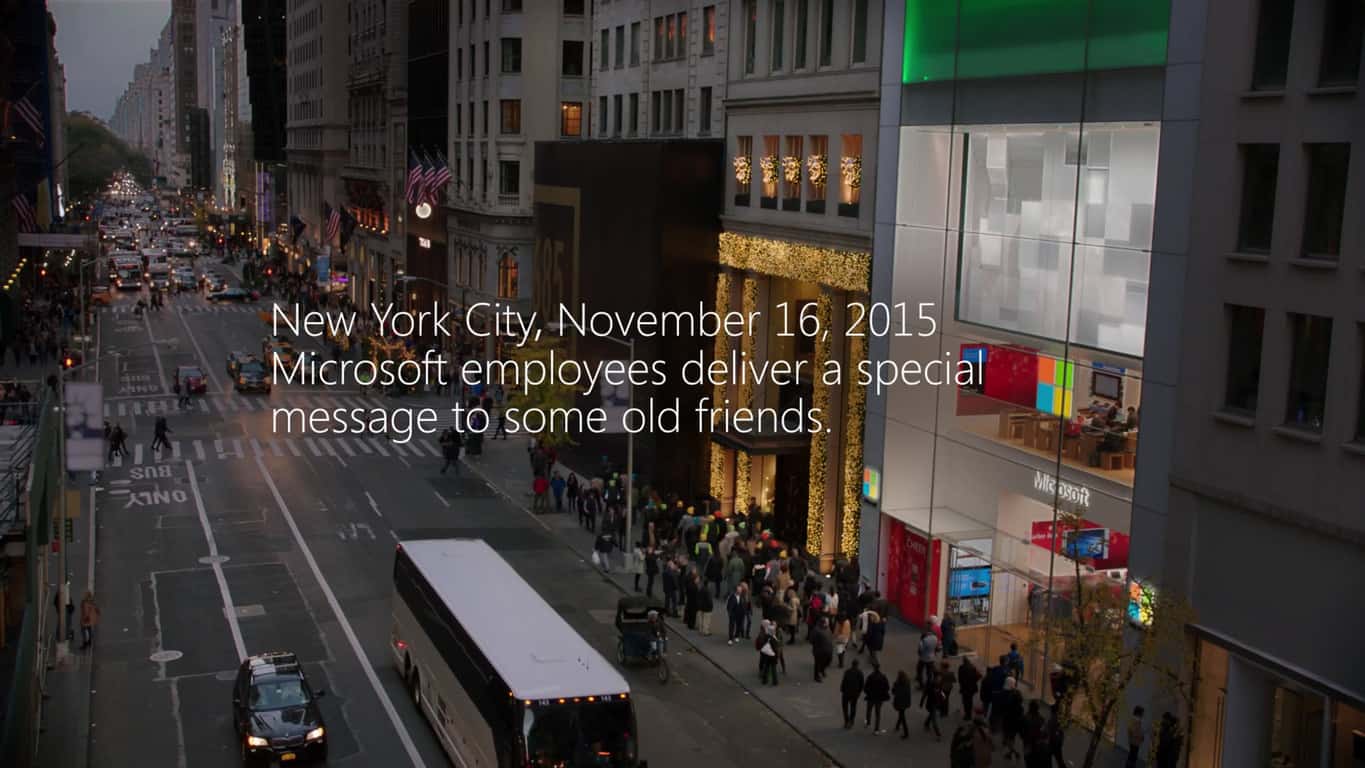
Hugs and tears abounded on November 16, 2015 as Microsoft’s New York flagship Microsoft Store sent some holiday cheer to their frenemies at the Apple Store up the street. Microsoft and Apple have enjoyed a colored history over the years, acting as both bitter enemies and the BFFs as their fortunes have waxed and waned. Today, of course, Microsoft is leveraging Apple’s strengths in mobile devices with a wide range of cross-platform productivity solutions while Apple has refrained from raining on Microsoft’s parade quite so regularly.
Here’s the video, full of the holiday spirit:

Because the cynic in us recognizes that this was a marketing effort at its root, we turn to AdvertisingAge for some context:

Kathleen Hall, corporate VP-global advertising at Microsoft, said that because New York has strict security rules, Microsoft had to get permission from Apple to perform the song on the store’s plaza. Apple, she said, knew Microsoft would be filming something, they just weren’t sure what. In the spot, Microsoft employees begin singing, while Apple employees spill out of the store to watch. Employees from the two rival companies hug, a move Ms. Hall said was a moment of “setting differences aside and coming together.”

The video will be aired starting on December 3 as a 60-second ad, while a longer version will be available online. The song “Let There Be Peace on Earth” serves as the soundtrack, as well as a strong contrast with last year’s ad blitz that focused on how the Surface Pro 3 kicks Apple’s butt by providing a more flexible and productive notebook/tablet hybrid than the MacBook Air.
We’ll be watching for Apple’s response, likely to be something similar to handing out candy canes at Microsoft headquarters. If the holidays could bring about a truce on the Western Front during World War I, then there’s no reason to believe that Microsoft and Apple can’t put aside their differences this holiday season.

Microsoft and HPE make their hybrid cloud partnership official

We reported that Hewlett Packard Enterprise (HPE) and Microsoft would be partnering in the hybrid cloud space, with Azure becoming HPE’s “preferred cloud alternative” and HPE becoming a Microsoft “preferred” cloud services provider for consulting and other services. Today, Microsoft made it official with the obligatory press release.
As expected, the partnership centers around Azure, HPE’s infrastructure and services offerings, and some new programs that should bring some enhanced cloud services to Microsoft and HP customers. Both company CEOs had statements to make on the new partnership:

“Hewlett Packard Enterprise is committed to helping businesses transform to hybrid cloud environments in order to drive growth and value,” said Meg Whitman, President and CEO, Hewlett Packard Enterprise. “Public cloud services, like those Azure provides, are an important aspect of a hybrid cloud strategy and Microsoft Azure blends perfectly with HPE solutions to deliver what our customers need most.”
“Our mission to empower every organization on the planet is a driving force behind our broad partnership with Hewlett Packard Enterprise that spans Microsoft Azure, Office 365 and Windows 10,” said Satya Nadella, CEO, Microsoft. “We are now extending our longstanding partnership by blending the power of Azure with HPE’s leading infrastructure, support and services to make the cloud more accessible to enterprises around the globe.”

The partnership will focus on three primary areas:

  • “Product Integration and Collaboration”: The HPE Hyper-Converged 250 for Microsoft Cloud Platform Standard will be the partnership’s hardware centerpiece, built around HPE ProLiant technology customized for Azure. The CS 250, for short, can be ordered starting today.
  • “Extended Support and Services to Simplify Cloud”: HPE Centers of Excellence will be established in Palo Alto, CA and Houston, TX, where investments in advancing Hybrid IT and Composable Infrastructure technologies will be aimed at improving hybrid cloud experiences. HPE will also certify 5,000 additional Azure Cloud Architects, pumping up its Global Services Practice.
  • “Partner Program Collaboration”: For its part, Microsoft will become a member of the HPE Composable Infrastructure Partner Program aimed at innovating and advancing in the automation and integration of Microsoft System Center and HPE OneView. HPE will also leverage its participation in the Microsoft Cloud Solution Provider program to market Azure, Microsoft Enterprise Mobility Suite, and Office 365 cloud solutions.

Whew, that’s quite a mouthful of buzzwords, but it all seems to imply a strong move in Microsoft’s “cloud-first, mobile-first” strategy. Because HPE has been split off from the HP that’s selling Microsoft Surface competitors, any conflicts of interest should be minimized. HPE and Microsoft should therefore present a formidable cloud services competitor, and we’ll be keeping an eye on the partnership’s progress.

Top tips to improve battery life on your Lumia 950 or Lumia 950 XL

The Lumia 950 and Lumia 950 XL are powerful Windows 10 Mobile devices with an amazing camera and superb performance under the hood. Here are some battery saving tips for your new device so you can keep that phone running longer without having to plug it in for a charge.

One of the biggest features of Windows 10 Mobile is Battery Saver. This app lets you stop pulling in emails and calendar updates automatically, as well as delays the updating of Live Tiles and prevents certain apps from running in the background. An excellent tool to preserve battery life, especially during situations where you are unable to charge your phone for a while. Go to Settings > System > Battery Saver > and enable the option to have Battery saver. You can also set Battery Saver to automatically turn on if your battery falls below a certain percentage (like 20% for example).

You can also turn off WiFi and location if you are not using them to help preserve battery life. For example, when you leave your home, you are no longer connected to your home WiFi, causing your Lumia 950 to continue scanning for a fresh WiFi connection. This will definitely reduce your battery life. All you have to do is swipe down from the top of the screen, tap on expand, and tap on Location as well as your WiFi to turn it off. You can re-enable it just by tapping on it when you need it. Note that you will not be using WiFi or location services (for maps) with these two options turned off.

Reducing your screen brightness is another way to preserve battery life. There are times where you want the brightness level at the max, especially when outdoors during a sunny day, but leaving it at the highest brightness setting will eat up your battery. Swipe down from the top of the screen and simply tap on the brightness shortcut to adjust the brightness percentage.

You can also disable vibrate on your phone to help boost battery life. Your Lumia 950 is set to vibrate by default whenever you receive a call or text message, but you can turn this off by going into Settings > Personalization > Sounds, and turning off vibrate.

Your phone has Airplane mode, which turns off all network connections so you won’t receive any phone calls, text messages, or emails. If you are in an area that has no signal and you know you are going to be there for a while, Airplane mode is a fantastic way to keep your phone from constantly looking for a connection, resulting in your battery draining. When all else fails, you can just turn off your phone to save battery, but that’s not always ideal in certain situations.

Hope you enjoyed these tips for preserving battery life on your new Lumia 950. For those of you who are seasoned Windows Phone users, do you have any battery saving tips for new Lumia 950 owners?

Microsoft unveils E5, an enterprise calling plan for Office 365

Consumers have been using Skype, Microsoft’s online text and video chat client, for over a decade. Even though Microsoft rebranded their business-friendly program, Lync, to Skype for Business, the target audience still has been slow to adopt the service. Today, Microsoft announced that they will be including a new bundle for the business-oriented Office 365. The new bundle, dubbed E5, is Microsoft’s bet on getting the corporate world to utilize yet another workplace tool from the company.
But why, with its apparent targeting of users, did Skype for Business and Lync not have the userbase Microsoft had hoped for? John Case, the corporate vice president of Office, felt that business-class phone service wasn’t ready in general. He is quoted by the Wall Street Journal as saying that “Companies like Microsoft haven’t given [businesses] enterprise solutions they can bet on”, and E5 is Microsoft way of changing that.
E5 will be a new Office 365 bundle, with pricing starting at $35 for one user per month, which will include Office 365, as expected, with unlimited conference calls included in that price. Microsoft has also priced international calling at a $24 premium with this new bundle. Aside from just including new features and software into products that businesses might already pay for, Case discussed the ability of a business to use the service instead of traditional carrier-based and conference services.
In the United States, the carrier model is a strong one that people are familiar with and opt to subscribe to for business operations. In a similar way, PBX, or private branch exchange, phone service is ideal specifically for a business that deals with a lot of in-calling and cross-device communication such as managing mobile, landline, and online-based phone calls together.
Case has said that these features would be part of the E5 bundle, but the struggles of managing both carrier and conferencing service provider would be lessened by using Microsoft’s service. To challenge the hardware-level offerings that carriers provide, Microsoft has said that Polycom Inc. will be among the hardware makers to utilize the new calling plans and features coming with the new Office bundle for businesses.

Microsoft co-founder Bill Gates offers a rare look into his personal life in new video

In an interview with Geekwire, Bill Gates reflects on his father’s impact on his life as his father celebrates his 90th birthday. The elder Bill Gates has had a great life so far, even without now being known for having one of the co-founders of Microsoft as a son. Microsoft’s Bill Gates reflects on what it has meant for him to have his father in his life and how his father’s presence and guidance made him go on to create Microsoft and the Bill & Melinda Gates Foundation to help people throughout the world.
Bill Gates posted a video on his blog, announcing his father’s birthday and posting a video that the Gates family put together in honor of his father.

“My dad has had an enormous influence on my life. He is the wisest person I know. Like a lot of sons and daughters, I didn’t always recognize my father’s wisdom when I was growing up. But eventually I figured it out and I have turned to him for advice more times than I can count. My dad is also one of the most generous and kind people I know. Our foundation would not be what it is without his guidance and inspiration. Our family had a party for Dad yesterday. We put together a video celebrating him and I thought I would share a part of it here. Thanks, Dad, for all your love. I am lucky and proud to be your son.”


The video is a rare look into Bill Gates’ personal life and how his father shaped his life. With all his father’s wisdom and guidance, I wonder what his father thought of his son dropping out of Harvard to start what would ultimately become Microsoft?

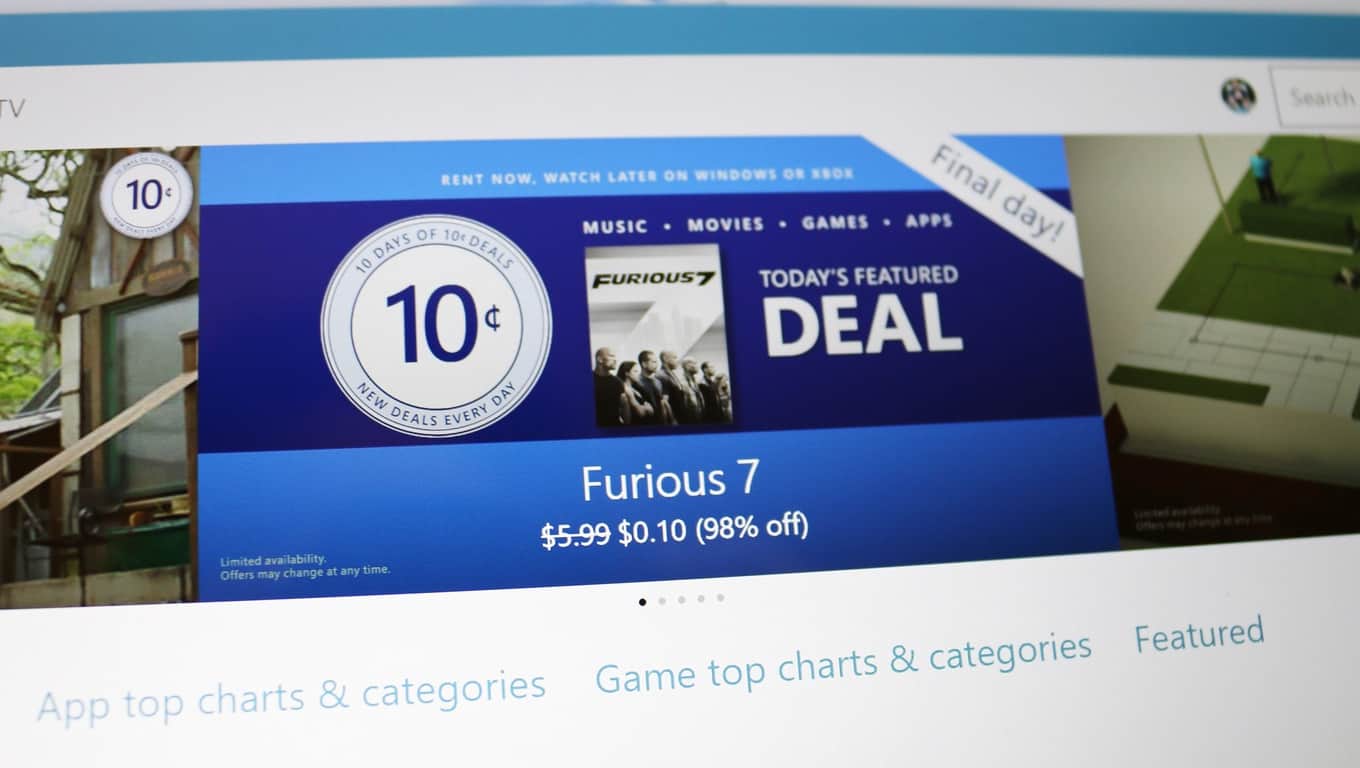
Microsoft declares "10 days of 10 cent deals" a success, adds one more day

Microsoft was supposed to wrap up their 10 Days of 10 Cent Deals in the Windows Store last night. The 10 Days of Deals Windows Store promotion reduced the price of a number of apps, games, movie, and music to just 10 cents over the past 10 days. But early this morning, the Windows blog announced Microsoft is extending their 10 Cent Deals for one more day because of the promotion’s success.
As one would expect with 10 cent deals, the promotion was not about increasing sales revenue, so the measure of success was different in a very important way for Windows 10. Instead Microsoft is describing the success of the promotion in terms of increasing customer engagement for the Windows Store. Today’s announcement revealed a few metrics from the promotion to demonstrate the success of driving higher customer engagement.
10 Days of 10 Cent Deals screenshot
On average the Windows Store saw the number of customers increase by 10 times, along with a 29 times increase in the number of purchase of apps, games, movies, and music from the Windows Store. Critically, 75% of deal purchasers were new to the Windows Store. Increasing new customers and driving engagement for multiple purchases is an important part of ensuring success for the new unified Windows Store, and by extension Windows as a platform for app developers, for both Windows 10 and Windows 10 Mobile.
So if you missed out on the past 10 Days of Deals, or want to grab a few more 10 cent apps, movies, and games, head over to the Windows Store. Here is a highlight of the new deals added on top many of the existing deals that are still going on from the past 10 days for today only.
Movies

  • Rent Furious 7 for 10 cents.
  • Rent Tomorrowland for 10 cents.
  • Rent Frozen for 10 cents.


Games

  • Buy Angry Bird StarWars for 10 cents.
  • Buy Hitman Go for 10 cents.

Music

  • Buy The Weeknd Trilogy for 10 cents.
  • Buy Drake Nothing was the Same for 10 cents.
  • Buy Imagine Dragons Night Visions for 10 cents.

Apps

  • Buy Back to the Drawing Board for 10 cents. Back to the Drawing Board is a 2D CAD and technical drawing app for creating “2D plans, elevations, details, schematics, diagrams and charts, right from your Windows device.”
  • Buy IM+Pro for 10 Cents. IM+Pro is a single app for consolidating all of your major instant messaging accounts into one place. From IM+Pro you can access everything “from Facebook, Google Talk and Yahoo! to Vknotakte, Odnoklassniki, Fetion and Gadu-Gadu.” The features “text messages and photo sending, support for group chats in AIM and ICQ, and more.”

What did you think of Microsoft’s 10 Days of Deals? Which apps, games, movies and music did you pick up for just 10 cents? Let us know in the comments section below.

Microsoft continues to innovate, announces new solutions for enterprise modernization

Microsoft continues to invest in new and expanded products and services for its business customers, likely the company’s most important market segment according to its “cloud-first, mobile-first” strategy. Whether it’s Office 365 for business, Dynamics, or Azure, Microsoft recognizes the need for solutions to keep enterprises in the fold. And as the Microsoft news site reports today, Microsoft is announcing a host of new enterprise-orients solutions aimed at solidifying their hold on this market.
It seems like not a day goes by when Microsoft isn’t holding a conference or even somewhere and announcing some new offerings. This year’s Convergence EMEA conference in Barcelona, Spain is no different, and Microsoft took advantage of the business-oriented audience to make three principle announcements.

Office 365 enterprise enhancements

Office 365 is the linchpin in Microsoft efforts to reposition itself as the productivity platform company, and so Office has been transitioning from a standalone software suite aimed at Windows users to a cross-platform subscription service aimed at everyone who uses virtually any kind of computer.
Today’s announced enhancements to Office 365 for business are intended to “modernize the enterprise across meetings and voice, intelligence, and security and privacy.” Microsoft considers the following to be some of the most important new functionality for enterprises added to Office 365 since its inception:

• A complete meeting and voice solution. With Skype Meeting Broadcast, Public Switch Telephone Network (PSTN) Conferencing, PSTN Calling and Cloud Private Branch Exchange, Office 365 customers now have one platform for calling, conferencing, video and sharing integrated with the Office applications they use every day.
• Analytics and data visualization. Delve Analytics empowers individuals by providing rich, interactive dashboards that surface insights into how they spend their time and who they spend it with, so they can focus on the tasks and people that matter most.
• Advanced security and compliance. Customer Lockbox offers customers full control over access to their data in Office 365 by giving them ultimate approval rights in the rare instances when a Microsoft engineer must request access to the service. Office 365 Advanced eDiscovery brings machine learning and text analytics that reduce the costs and risks inherent in managing large quantities of data for e-discovery.

Between these three new offerings, Microsoft is linking Office 365 with Skype for Business to enable enterprises to utilize one platform for both productivity and communications services. The combination results in cost savings and a less complex environment for IT staffs to manage. Customer gain more control over their cloud data via Customer Lockbox, while Advance eDiscovery makes Office 365 a more powerful platform for enterprises in accessing data for e-discovery purposes. And Delve Analytics enhances productivity by making data more easily accessible and insights more readily apparent.
Taken together, these new offerings make up a new Office 365 for business subscription tier, Office 365 E5. Lower tiers will also be able to buy into the features at add-on prices.

General availability of Dynamics CRM 2016

Dynamics CRM 2016, which Microsoft dubs “the most comprehensive CRM release to date,” becomes generally available today and provides a number of important enhancements:
Dynamics CRM 2016 utilized Azure Machine Learning to provide deeper access to data and intelligence that enhances the ability for sales, marketing, and service professionals to know their customers and make better decisions in pursuing sales and providing customer service.
Mobile professionals benefit from enhanced offline capabilities, along with the ability for enterprise to create task-centered mobile apps. Cortana integration further enhances the ability to access information and drive processes for mobile users.
Microsoft customers recognize the value in focusing on customers rather than internal business needs:

Jumeirah Hotels & Resorts is one such customer that knows the benefits firsthand. “To transform how you operate and to become a leader requires an internal transformation,” said Abdullatif Awadh, director of customer relationship marketing at Jumeirah Hotels & Resorts. “We found Microsoft Dynamics CRM had what we needed, and now we’re shifting our focus to ensure our campaigns are relevant to the guest, rather than the business, because it’s the guest who drives our business.”

PowerApps

Microsoft is also introducing a new set of tools aimed at enabling enterprises to create apps that connect to Microsoft business systems securely and collaboratively. As the industry continues to migrate to mobile environments, PowerApps will help Microsoft leverage the dominant trend and help enterprises make their cloud services, line-of-business systems, and mission critical apps available throughout their organizations:

• Employees. Quickly create apps that work on any device, using the familiar Microsoft Office experience, with no coding required.
• Professional developers. Expose data and services to empower employees to innovate on their own, and continue to create native Web and mobile apps and APIs with Azure App Service.
• IT professionals. Manage organizational data and app sharing in a controlled and secure way.

PowerApps is intended to allow app development to be quick and easy, offering up prebuilt connections to Microsoft and third-party services such as Office 365, Dynamics, Salesforce, DropBox, and OneDrive. The PowerApps development environment is similar to Office and offers tools such as templates and a visual designer to make automating workflows an easier and more dynamic process.
Simply put, Microsoft is clearly focused on ensuring that it continues to provide deeper value to enterprises. The days of locking businesses into Office running on Windows and utilizing on-premise Windows Server implementations are over. Today’s announcements demonstrate that Microsoft recognizes the threat of mobile platforms like iOS and Android, competing cloud services from the likes of Amazon and Google, and the proliferation of simpler, mobile-centric productivity offerings like Google Docs.
Windows fans will always be perturbed as Microsoft pushes its solutions to platforms other than Windows, and sometimes first, but ultimately that’s the only way the company can ensure that companies stay in the Microsoft camp. Their new focus on “cloud-first, mobile-first” and productivity is aimed at helping customers build enterprise-wide workflows around Microsoft’s platform and thus make it far more difficult to competitors to push Microsoft out the door.

How to use one-handed mode on your Lumia 950 or Lumia 950 XL

As phones get bigger in size, so does the hassle of reaching the top of your screen with one hand. Sure, we can do it, but it takes extra effort and often times we end up using our other hand to bring down the notifications pane. But what if you could do everything with just one hand?

Windows 10 Mobile comes with a cool one-handed mode for those of you who own a Lumia 950 or Lumia 950 XL and find it hard to maneuver around the screen with one hand. All you have to do is tap and hold the Start button, which will cause your screen to slide down about half-ways so you can easily reach the top of the screen without fumbling with your phone in one hand.

This feature was originally intended for devices that had screen sizes larger than five inches, but Microsoft has made it available to all phones running Windows 10 Mobile. Once you activate one-handed mode, the top half of your screen turns black and you can use your thumb to scroll or interact with content that was previously at the very top of the screen.

Give it a try and see if you like it!

How to record phone calls on the Lumia 950 and Lumia 950 XL

Did you know that you can record phone calls on Windows 10 Mobile? If you are a proud owner of a Lumia 950 or Lumia 950 XL, here’s how you can set up native call recording, without having to install any extra apps.

Head over to Settings > System > Phone, and swipe to the very bottom of the page. You will see an option that allows you to chose the app you want to use to manage recorded phone calls. In the drop-down menu, select Voice Recorder. You’re all set.
During a phone call, you will see a new button on-screen called Record. Just tap on the button to begin recording your phone call and the party on the other end will not know you are recording the call. You will have to tap this button manually during each phone call, it does not record automatically.

So how do you listen to your recorded calls? Tap on the Phone tile to open up the dialer. Go into the phone history tab and at the very bottom of the screen is the settings menu (the three dots). Tap on that and select Recorded calls. You will now be taken to all your call recordings!

Listen to these ten amazingly awkward songs about Microsoft

There is a list of songs for your Spotify playlist that are all about Microsoft. Whether it be Cortana, Outlook, or even Microsoft’s Zune, there’s a song on Spotify about Microsoft. While Spotify has a nearly endless collection of songs, it’s only fitting that someone, somewhere, posted a song they wrote about Microsoft.
You can pick a song from almost every music genre; hip-hop, punk, blues, or country. You will need a free or paid subscription to Spotify to listen to the tracks below. In a special holiday deal, Spotify is offering 3 months of premium for $0.99 ($9.99 every month after that) for new users. Offer ends January 2, 2016. Be warned, some tracks contain EXPLICIT language:
A Microsoft Farewell by Andy Browning
Andy Browning sings about he can’t love Microsoft anymore and it is time for him to take his heart elsewhere.
The Skype Song by Cynthia Wang
Taiwanese actress and singer Cynthia Wang, who surprisingly has a number of songs under her belt already, sings about love, and distance and how Skype can help connect two people’s worlds through a video call.
Microsoft Bob by The A La Mode (featuring Spencer Kennedy)
Microsoft debuted Bob more than 20 years ago, and The A La Mode take a funky groove to get you dancing to everything about Microsoft Bob.
Skype Me Baby by Urban Gumbo
Urban Gumbo delivers a Skype Me Baby ballad that is the VOIP equivalent of “Netflix and chill.”
No Microsoft by Cool Guy Willy, (featuring Joey Marx)
Cool Guy Willy and Joey Marx name-check Microsoft Vista, Macs, and throw in a little Lord of the Rings’ Smeagol in this hip-hop anthem.
Microsoft Works for Me by JK-47
JK-47’s mixes smooth beats with a collection of samples like AOL’s “You Got Mail” notification and uses a number of Windows startup sounds from the past.
Microsoft Zune Commercial (AKA the STD of MP3s) by JA!
JA! meant this song to act as a Microsoft commercial for Microsoft’s now-defunct Zune player.
Microsoft Outlook by PowerPoint
PowerPoint is obviously upset with all the problems with Microsoft’s Outlook over the years and takes it out in this heavy metal speed rant.
Microsoft by Scram C Baby
Scram C Baby’s rock ballad is about all the things Microsoft received without much effort from them. This song is too short to know what they were trying to say about Microsoft.
Cheef and Cortana
J.T. Machinima’s love song about growing up as a gamer and the only girl you love is Cortana, the AI from the Halo series.
That’s the list of all songs about Microsoft. Let us know which one is your favorite in the comments below.

How to Disable Windows Shadows in Windows 10

Windows 10 has brought some interesting changes that have improved our user experience, but not all changes are accepted by users. Some users don’t like the new window shadows and if you’re one of those users, today we will show you how to disable window shadows in Windows 10.

Windows 10 brought some major changes such as virtual assistant Cortana and improved Start Menu, but there are some minor changes as well. With Windows 10 Microsoft has introduced one new visual change that looks like something from OS X. By default all windows in Windows 10 have drop a shadow effect that gives user a sense of depth while using Windows 10.

Although this is just a subtle change, some users don’t like it and wish to turn it off permanently. If you don’t like the new window shadows on Windows 10, there’s a quick and simple way to permanently disable them, so let’s get started.

Disable Shadows Under Windows in Windows 10

Disabling shadows under windows in Windows 10 is very easy. To do that, you need to follow these instructions:

  1. Open Control Panel and go to the System and Security section. Next navigate to the System section and click Advanced system settings. disable shadows windows 10
  2. In addition, you can just type advanced system settings in the Start Menu and click View advanced system settings from the list of results.
  3. In the Advanced tab of System Properties you need to find Performance section and click Settings button.
  4. You should see list of options. Locate and uncheck “Show shadows under windows”.windows 10 shadows
  5. This will disable window shadows in Windows 10. Now Click Apply and OK to save the changes.

There you go, after unchecking this option, shadows won’t appear under windows anymore, quick and easy. If you have any comments, or questions, just reach for the comment section below, and we’ll provide you additional answers.

Lenovo is partnering with Razer to co-brand cutting-edge Windows 10 gaming PCs

Lenovo has announced that they are partnering with Razer to co-brand Lenovo Y series Razer Edition devices designed for gamers. Lenovo made this big announcement at the DreamHack Winter 2015 in Sweden which is currently under way.
“We are thrilled to partner with Razer and bring out the best from both companies to deliver a better, more immersive gaming experience for customers,” said Victor Rios, vice president and general manager, Workstation BU, Gaming and Industry Solutions, Lenovo. “While we bring to the table our engineering expertise, design muscle and scale, Razer adds in the finesse and experience of serving the gaming community for the last decade. We believe our partnership is a strong first step that will lead to the delivery of winning PC gaming solutions and a brand new experience to our customers.”
With this new partnership, the special Razer Editions of Lenovo’s Y series are set to provide cutting-edge graphics performance, superior processing power, and peripherals designed for hardcore gamers. Detailed specs have yet to be revealed.
All forthcoming Lenovo Razer Edition products will be co-branded and reflect the edgy Lenovo Y series look and feel with iconic Razer elements like customizable Chroma lighting effects.
Lenovo Y Series Razer Edition Gaming Desktop Prototype_3

Razer Co-Founder and CEO Min-Liang Tan said, “This agreement opens opportunities to advance the gaming lifestyle through world-class product in unprecedented ways. Lenovo is the world’s #1 PC maker. Razer is the world’s #1 gaming lifestyle brand. Together we have the passion, insight and operational capabilities to delight and empower the PC gaming community worldwide.”
Expect to hear more about this partnership in the near future!

Remove Apps Recommendations from Start Menu in Windows 10

Windows 10 Threshold 2 Update is already here for the majority of users. And while it brought some useful features and improvements, it also caused some problems, but it introduced some features that users seemed not to like, as well.

One of the features that wasn’t so welcomed by the users are app suggestions from the Store, that show up in the Start Menu. So, if you’re wondering why app you didn’t install appear in your Start Menu, where the most recent installed app should show up, Microsoft decided to analyze your use of the store, and give you suggestions on what app you should install, based on that info.

A lot of people don’t agree with Microsoft’s decision to bring ‘ads’ to the Start Menu, and they’re looking for a way to remove them. Fortunately, Microsoft managed to avoid even more criticism, by creating an option in Settings to disable these suggestions.

Actually, it’s pretty easy to turn off apps recommendations in Windows 10 Start Menu, all you have to do is to change one thing in Settings.

How to Disable Apps Recommendations in Windows 10

To disable apps suggestions in your Start Menu, go to the following path:

  • Settings>Personalization>Start>Occasionally show suggestions in Start

And just make sure the option is set to off.

Although a lot of people call these suggestions ‘ads,’ we can’t really consider them ads, because their purpose is to improve the overall operating system experience, by recommending you apps that might actually be useful.

However, the feature is enabled by default on Windows 10, after installing the Threshold 2 update, so users need to disable it manually, if they don’t want to receive suggestions in the Start Menu. Many believe that it would be a better strategy to keep these suggestions off, unless users specifically want to receive recommendations in their Start Menu.

Windows 10 Threshold 2 update supposed to be the biggest update for Windows 10, since its release back in July, but it caused a lot of problems to users, and people are generally not satisfied with it. So, it’s good for Microsoft that it provided a way to users to change at least something they don’t like in the most recent update.