
PowerPoint Gets New Themes, Smart Layouts, and File Opening Experience


 2 min. read
  Published on
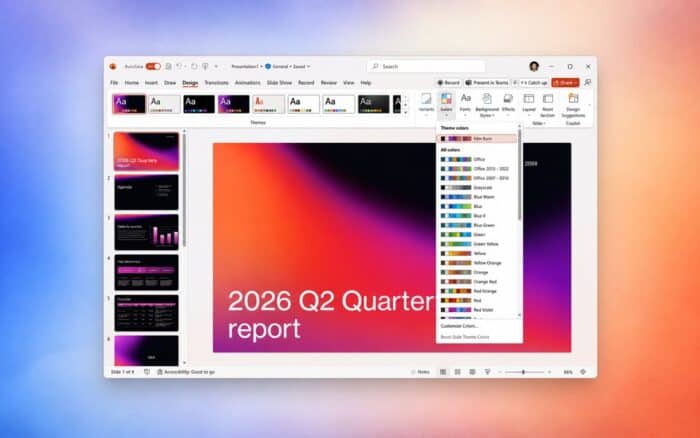
Microsoft has revealed several upcoming PowerPoint features, including a redesigned file-opening experience, new Smart Layouts, and 13 additional presentation themes.
Most improvements will become widely available on Windows and Mac by next month.
PowerPoint gets a redesigned file-opening experience
Microsoft has modernized how PowerPoint opens presentations.
Instead of showing several separate dialog boxes for authentication, loading, and other processes, PowerPoint will display a single progress window. The window will explain each step as the application opens the file.
The redesigned experience has already reached most PowerPoint users on Windows and Mac. Microsoft expects to complete the rollout next month.
Microsoft adds 13 new Smart Layouts
PowerPoint is also gaining 13 Smart Layouts designed to help users organize information more quickly.
The new layouts include timelines, lists, Meet the Team designs, and multi-image arrangements.
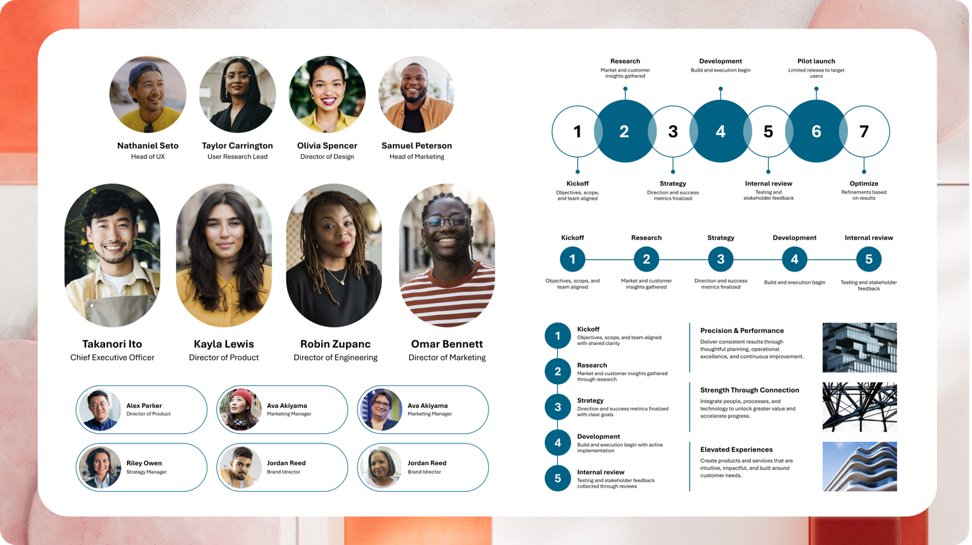
Microsoft has reorganized the layout categories to make available options easier to find. The company has also improved multi-image insertion and added clearer placeholder text to unedited layout elements.
The new Smart Layouts are rolling out now, with full availability expected next month. Microsoft plans to add more layouts in future updates.
PowerPoint receives new themes and an updated Design tab
Microsoft has added 13 themes to PowerPoint’s Design tab while removing some older themes from the default selection.
Users can restore retired themes through PowerPoint’s Backstage menu. Presentations that already use those themes will continue to display normally.
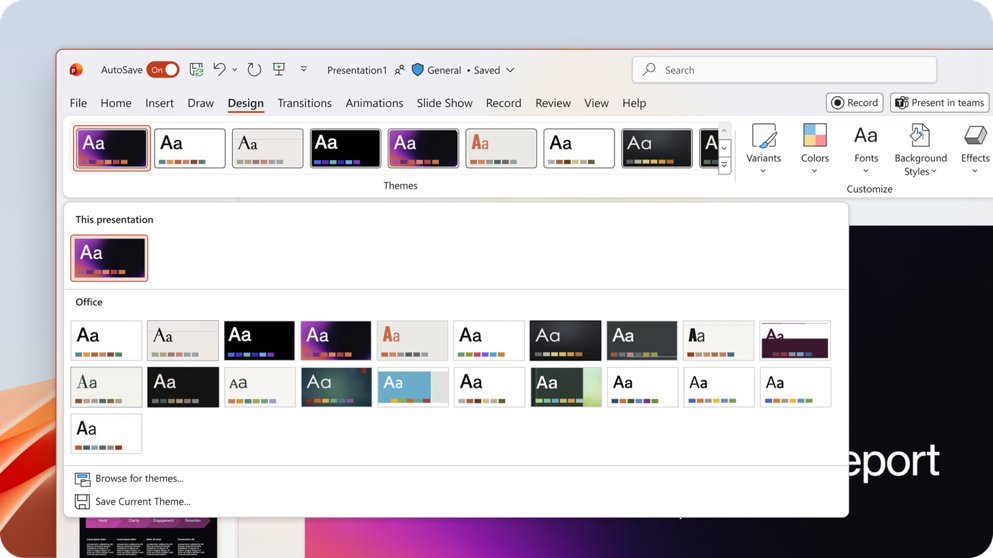
Microsoft has also redesigned the Design ribbon to make themes and visual tools easier to navigate.
The new themes and ribbon changes are currently available to Beta users on Windows and Mac. Microsoft plans to make them generally available next month.
The PowerPoint updates arrive as Microsoft continues expanding its productivity tools. Microsoft Planner Agent is now available to all Microsoft 365 Copilot users, while Excel on the web usage has reportedly increased tenfold.

Read our disclosure page to find out how can you help Windows Report sustain the editorial team. Read more



Improve this guide




User forum
0 messages