
Signal Desktop High CPU Usage: 4 Ways to Fix it
This is a known bug that is fixed by app update


 2 min. read
  Published on
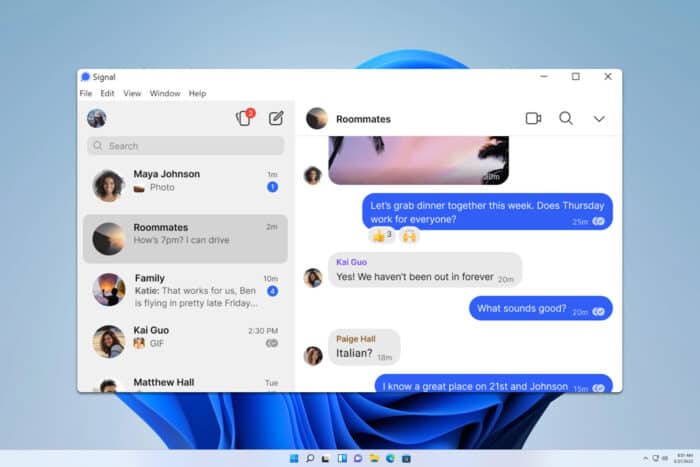
Many users encounter an issue with Signal Desktop and high CPU usage. While this won’t affect the application, it might impact your performance, so let’s see how to fix it.
How can I fix Signal Desktop high CPU usage?
Before we start, try using Ctrl + Shift + C to close the chat. This is a workaround, but it might help you.
1. Install the latest version
- If a Signal update is available, you’ll see a blue banner in the application.
- Click it and wait for the update to download.
- Once downloaded, check if the problem is gone.
If there’s no update available, you can try using the beta version instead.
2. Reinstall the app
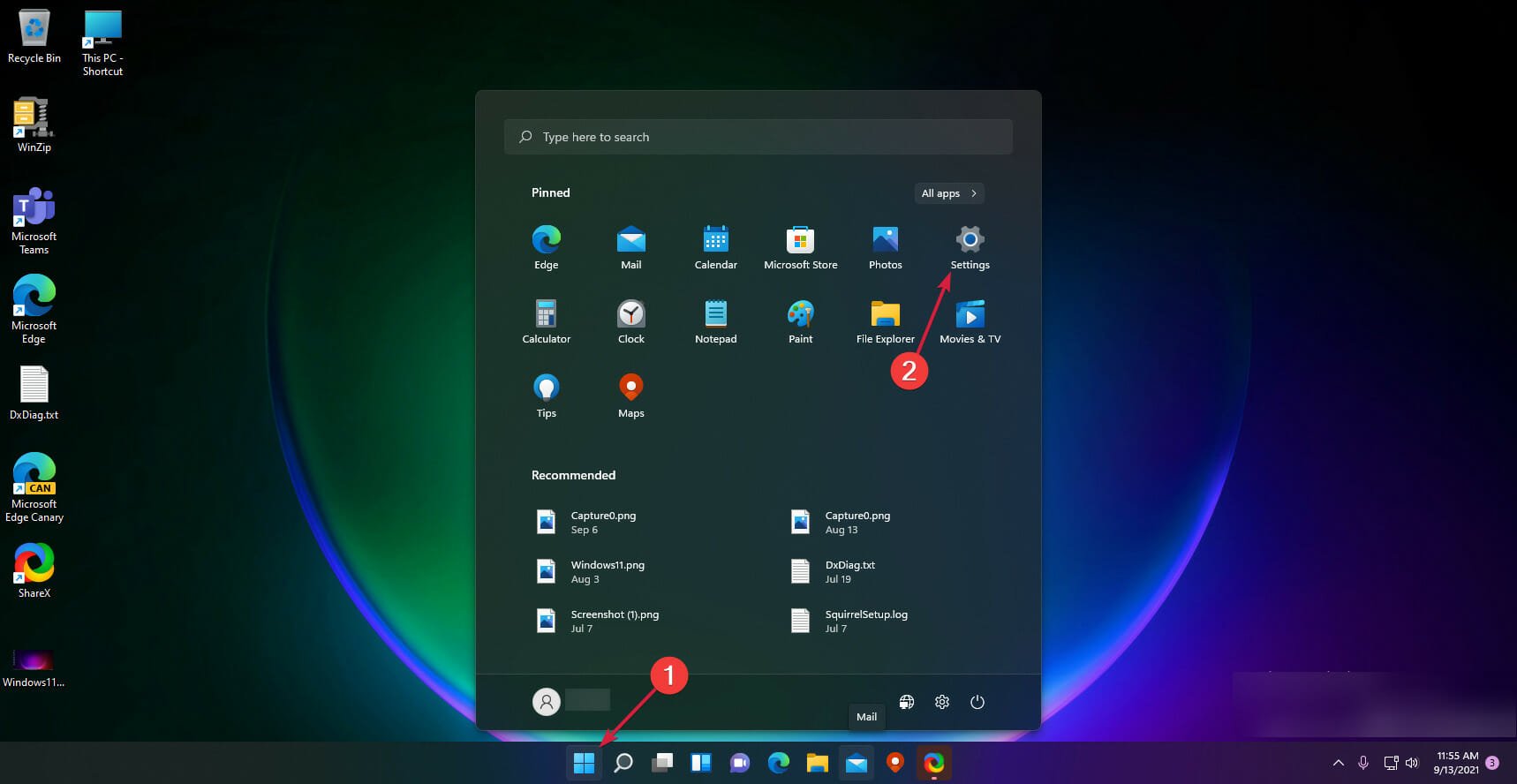
- Click the Start Menu and select Settings.
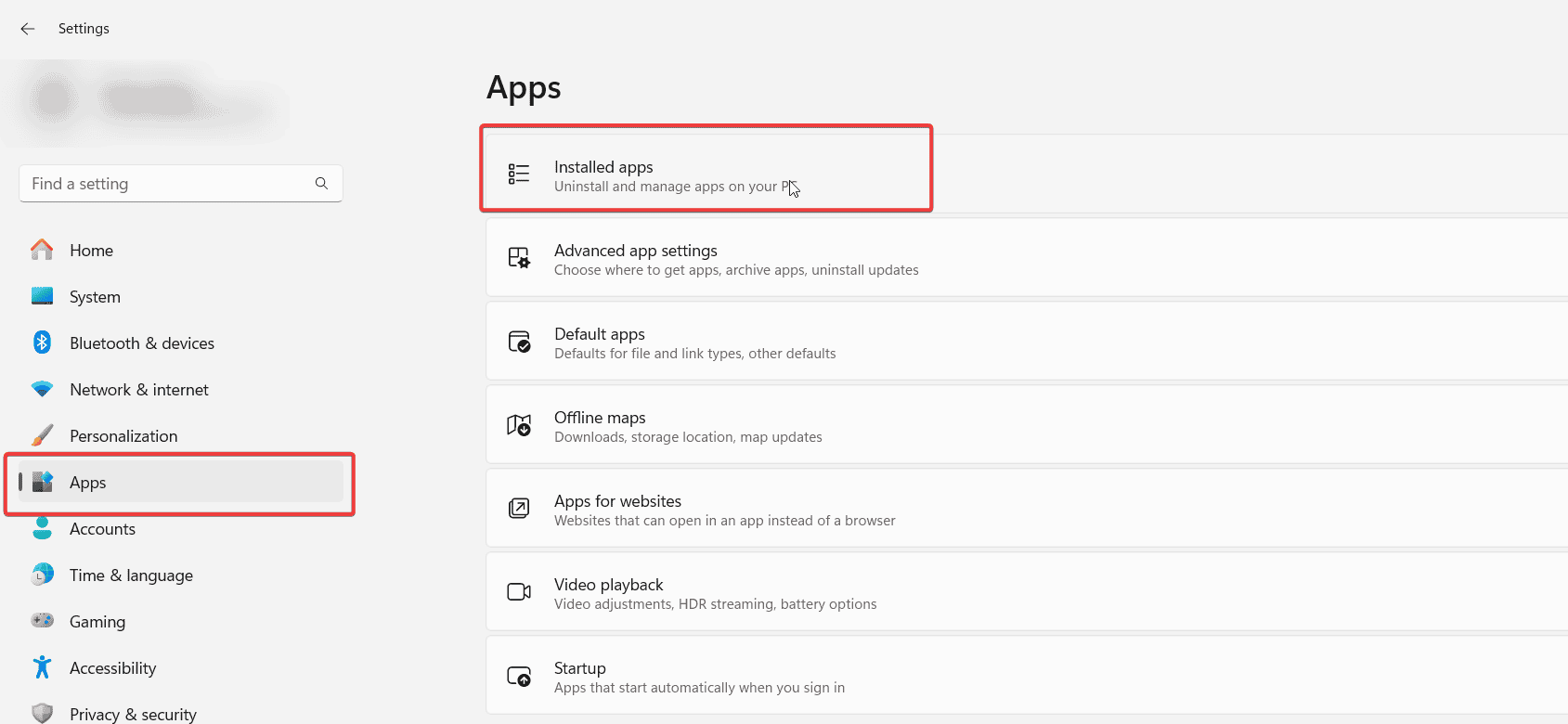
- Next, go to Apps and then Installed apps.
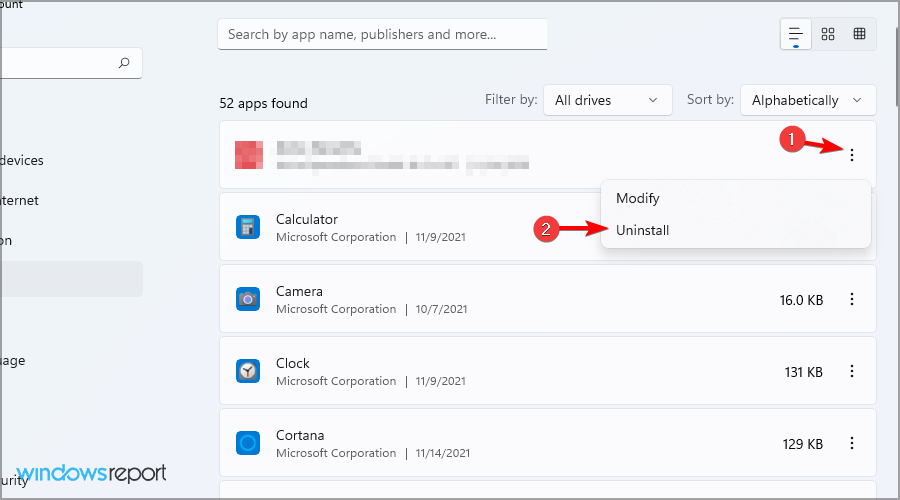
- Locate Signal on the list, click the three dots next to it and choose Uninstall.
- Once removed, go ahead and download Signal Desktop again.
A few users reported that using the older version worked for them, so you can try that as well.
3. Remove Signal data
- Press the Windows key + R and type
%appdata%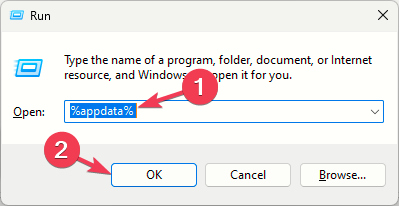
- Navigate to the Signal directory.
- Delete everything from it.
- Start the application again.
Bear in mind that this method will reset Signal to default, so you’ll lose all your settings and messages. Users recommend using this solution after uninstalling the app to ensure that all Signal files are gone.
4. Disable sound notifications
- Open Signal settings.
- Navigate to Notifications and uncheck Play notification sounds.
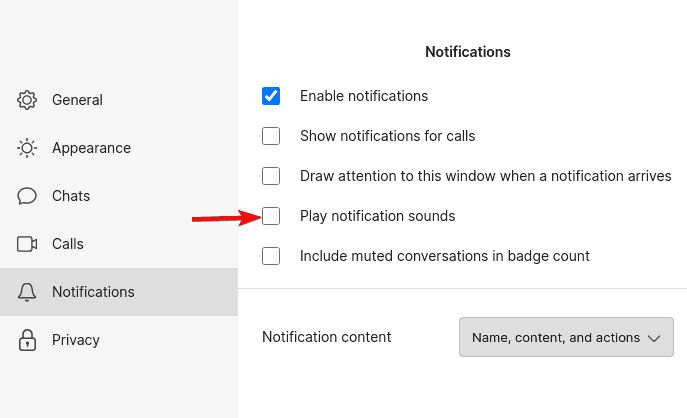
- Save changes.
High CPU usage in Signal Desktop will negatively impact other applications and your general performance, and the best way to fix it is to keep the app up to date or reinstall it.
Before you leave, don’t miss our guide on what to do if Signal Desktop cannot connect to server, or our guide on Database error in Signal Desktop.

Read our disclosure page to find out how can you help Windows Report sustain the editorial team. Read more



Improve this guide




User forum
0 messages