
Snipping Tool v11.2504.38.0 rolls out Color Picker to Windows 11 Insiders
The features should soon roll out to everyone


 2 min. read
  Published on

Last week, Microsoft announced a bunch of new AI features coming to Windows 11 apps. One of them was Snipping Tool. The company previously said version 11.2504.38.0 would include a new Color Picker feature, and now, according to Windows Latest, that update is rolling out to Insiders.
Snipping Tool’s new Color Picker and AI Text Extractor is rolling out to Windows 11 Insiders
This latest version of the Snipping Tool introduces a built-in Color Picker, letting you instantly scan any part of your screen to grab color codes without taking a full screenshot first. It’s a smoother, faster way to work with visuals, especially for designers or anyone working with on-screen graphics.
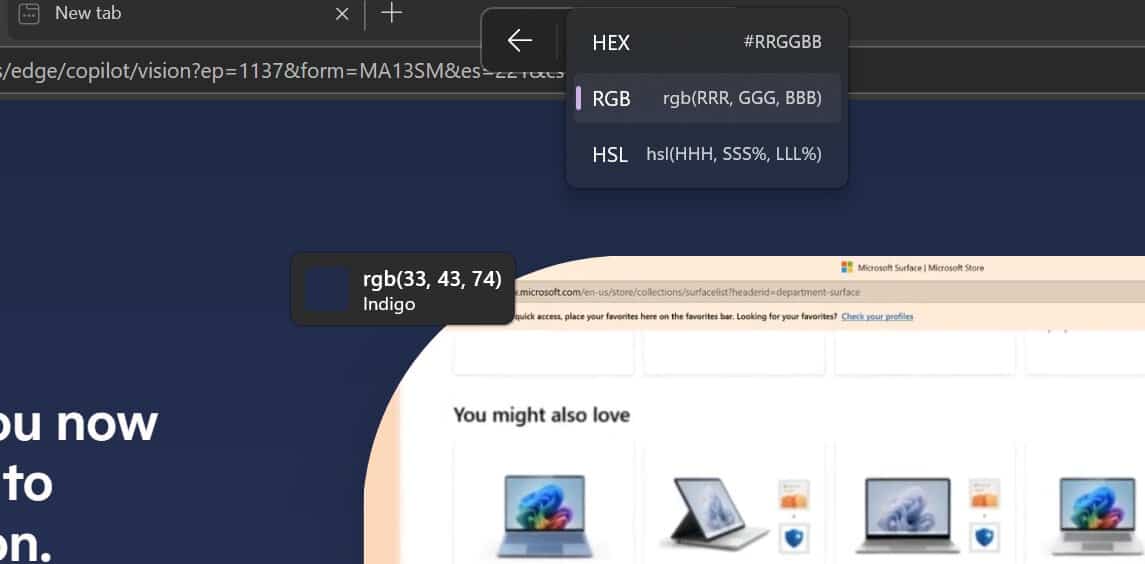
As soon as you open the Snipping Tool with Win + Shift + S, you’ll notice a small pencil icon next to the screenshot mode selector. Tap that, and you can hover anywhere on your screen to view a live color preview. You just have to click once, and it copies the color code directly to your clipboard.
The Windows 11 Snipping Tool’s color picker supports HEX, RGB, and HSL formats. You can switch between them using a dropdown—no need to convert codes manually anymore. It’s all built in.
You can also zoom in or out using Ctrl + or Ctrl –, or scroll with your mouse wheel to get a closer look before picking the color. It’s a small feature, but it’s polished and practical.
Interestingly, this tool mirrors the existing PowerToys color picker, but with tighter Snipping Tool integration and easier access for average users.
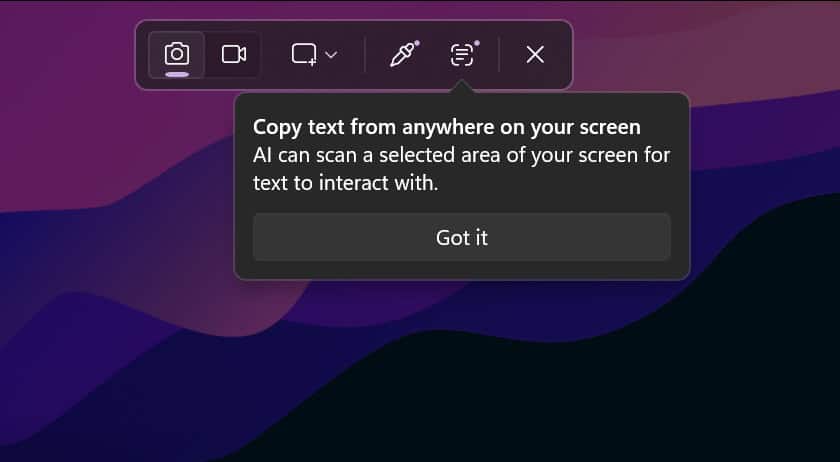
Not to forget, the AI-powered text extractor is also rolling out alongside Color Picker in Snipping Tool, which helps you scan and copy text directly from screenshots.

Read our disclosure page to find out how can you help Windows Report sustain the editorial team. Read more



Improve this guide



User forum
0 messages