
Spotify Now Allows You to Turn Off All Videos, Including Music & Podcast Clips
New controls give you full audio-only mode


 2 min. read
  Published on
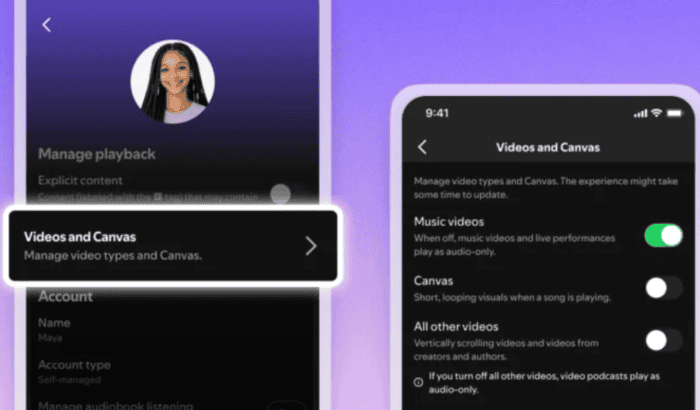
Spotify has been adding new features lately, with SongDNA being the latest one. Spotify is rolling out a way to cut all the all video content clutter across music and podcasts, which gives users more control over their listening experience. Canvas clips, music videos, and podcast videos will be optional and would be a big relief for anyone who finds the visuals distracting or data-heavy.
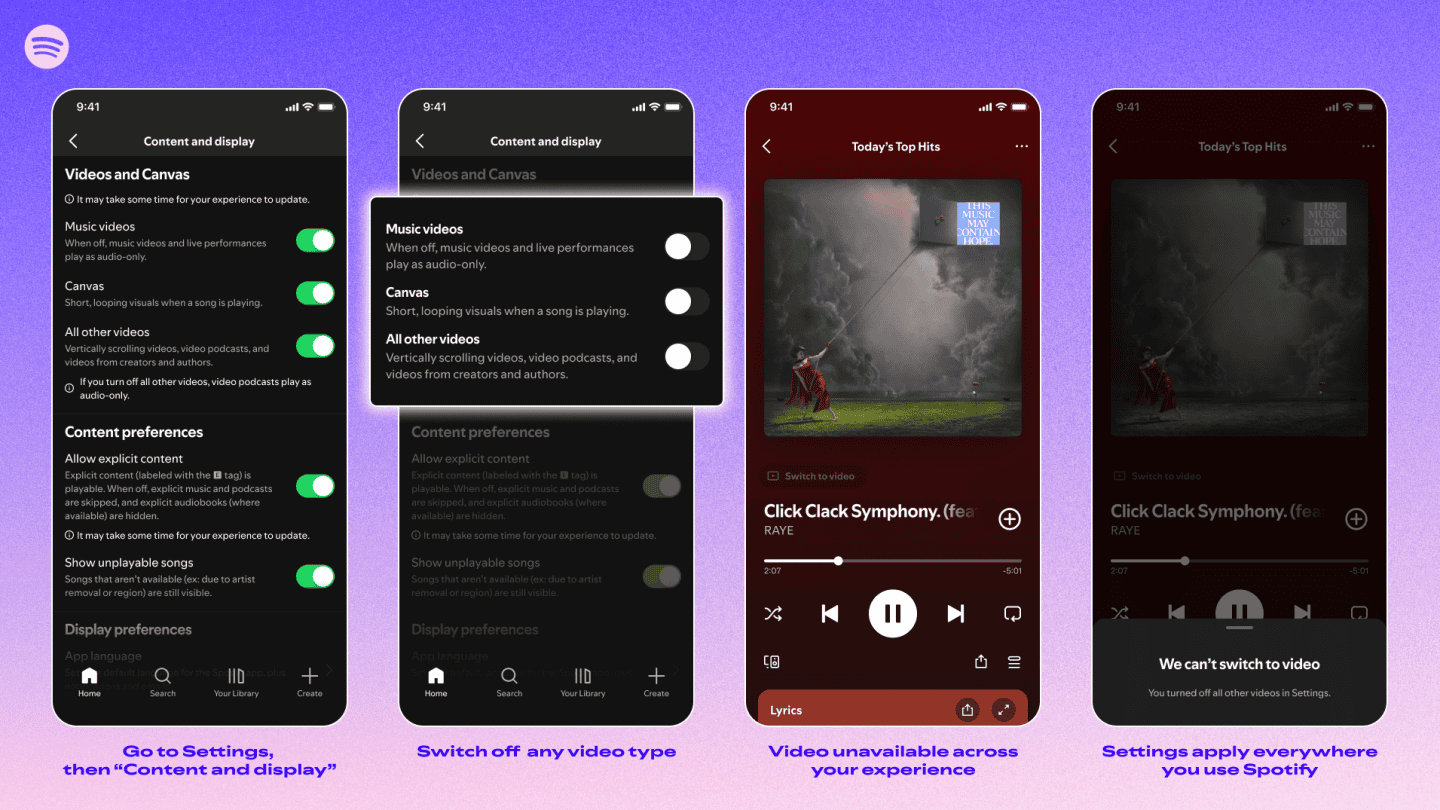
The official announcement came earlier today, while The Verge reported about it first. Per the announced changes, the new toggles will live in the app’s settings, under “Content and display” on mobile and “Display” on desktop. There will be three separate controls: one for Canvas clips, one for music videos, and one for all other video content, including podcasts.
To manage video settings, head to Settings > Content and display, where you can toggle Canvas visuals, music videos, or podcast videos on or off. Once set, your preferences carry across mobile, desktop, web, and TV. Video ads will still appear, along with some visual elements in audio ads.
All the aforementioned toggles make sure that you get to personalize your choices, so you can decide exactly how much video appears while you listen. Interestingly, Spotify is expanding these controls to Family Plan subscribers. That means admins will be able to enforce audio-only listening for specific members, preventing them from switching back to video.
The audio streaming giant has also announced that it will also be introducing new settings so all Premium and Basic users, whether on Individual, Duo, Family, or Student plans, and all users on our free service can control how video appears in their app. Speaking of rollout, Spotify says that the settings update will be out for all users globally this month.

Read our disclosure page to find out how can you help Windows Report sustain the editorial team. Read more



Improve this guide




User forum
1 messages