
Windows 11 KB5095093 Update Adds Point-in-Time Restore, New Update Pause Controls


 3 min. read
  Published on
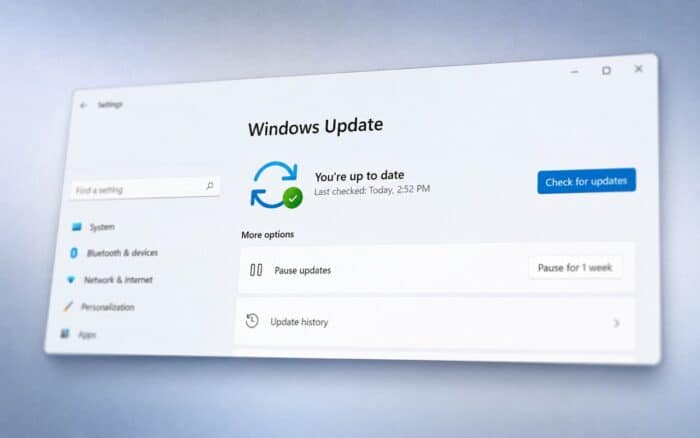
Microsoft has released a new optional preview update for Windows 11, introducing several quality-of-life improvements, accessibility enhancements, and a new recovery feature designed to make it easier to restore a PC to an earlier state.
The June 2026 preview update is available as KB5095093 and brings Windows 11 to Build 26200.8737 for version 25H2 and Build 26100.8737 for version 24H2. As a C-release, the update contains non-security changes that Microsoft plans to include in future monthly updates.
One of the biggest additions is a new Point-in-time restore feature, which allows users to roll back their PC to a recent restore point created automatically by Windows. Unlike traditional restore options that mainly affect system files and settings, the new feature can also restore applications, settings, and personal files, offering a more comprehensive recovery experience.
Windows Update gets easier pause controls
Microsoft is also rolling out a redesigned pause updates experience that was first spotted in testing earlier this year.
Instead of selecting a predefined number of days, users can now choose an exact end date when pausing updates through Settings > Windows Update. Updates can remain paused for up to 35 days, and users can extend the pause period by selecting a new date. Once the pause period ends, updates resume automatically, though users can pause them again if needed.
The change gives users more flexibility while maintaining Microsoft’s overall update schedule.
Widgets become less distracting
Widgets are receiving several changes aimed at reducing interruptions and improving reliability.
Under the new experience, Widgets will no longer open automatically when users hover over the Widgets icon. Microsoft has also reduced notifications and taskbar badges by default to create a quieter experience.
Additional Widgets improvements include:
- Widgets open directly to the dashboard on first launch.
- Settings are now easier to access through the navigation bar.
- Dashboard icons display the number of active alerts.
- Alert badges automatically clear after users leave the dashboard.
- Improved reliability, responsiveness, and visual quality.
Microsoft says these changes should make Widgets more useful without constantly competing for attention.
New accessibility features arrive
Accessibility receives several notable upgrades in this release.
A new Screen Tint feature allows users to apply a full-screen color overlay to reduce eye strain and improve readability. Users can select from preset tint options, customize tint intensity, or enable the feature automatically based on their preferences.
The Magnifier tool also gains more precise controls. Users can now enter an exact zoom percentage instead of relying solely on preset zoom levels.
Microsoft has also added the ability to:
- Adjust zoom levels in precise increments directly from the Magnifier window.
- Change Magnifier zoom increments from the Magnifier bar.
- Modify zoom behavior without opening the Settings app.
These updates should make Magnifier easier to use for people who require specific zoom levels for reading, navigation, or accessibility purposes.
Rolling out gradually
As with many recent Windows 11 preview releases, Microsoft is delivering some of these features through a gradual rollout. This means not all users will see every new capability immediately after installing KB5095093.
The June 2026 preview update is available now through Windows Update as an optional installation for supported Windows 11 24H2 and 25H2 devices.

Read our disclosure page to find out how can you help Windows Report sustain the editorial team. Read more



Improve this guide




User forum
0 messages