
You could soon customize on-screen indicators' position in Windows 11
There's a new setting showing up in preview builds


 2 min. read
  Published on
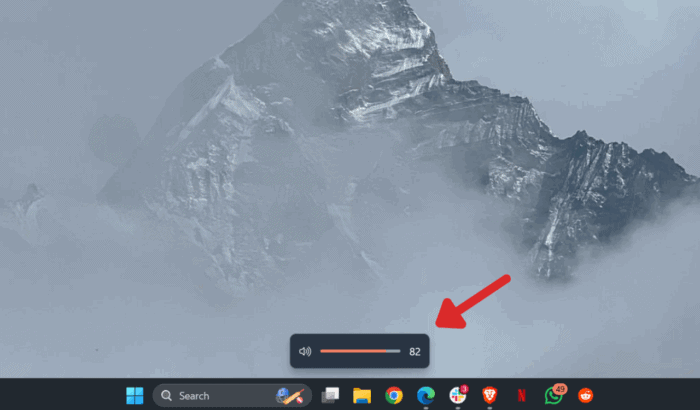
Microsoft has experimented extensively with personalization in Windows 11. Well, the company isn’t stopping just yet. A recent tweet from popular Windows tipster @phantomofearth shows an early version of the on-screen indicator’s position customization in Windows 11.
Yes, the feature will enable you to choose how the indicators, like volume and brightness, are visible on your PC. Windows 11 currently always shows the on-screen indicators at the bottom center.
However, the new customization option would let you move them to the top left, as in Windows 10, or top center. You can also keep them at the bottom center if that’s what you prefer.
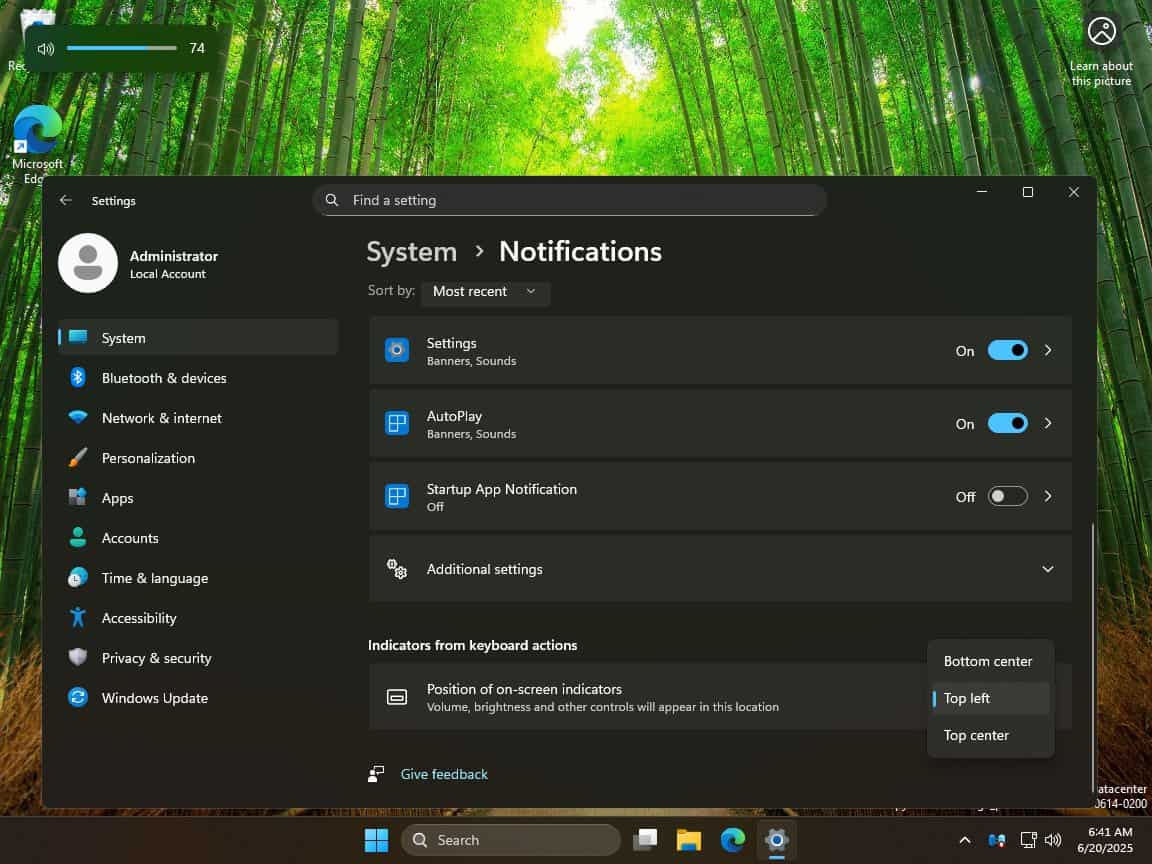
If you’ve used a PC for more than a few years, you probably remember the old-school flyouts in the top left corner. Windows 11 kept them centered at the bottom, and while they do look modern, there wasn’t any way to move them, until now.
Once available, you can view the on-screen indicators customization option in Windows 11 by going to Settings > System > Notifications > Position of on-screen indicators. It covers more than just volume and brightness.
The feature’s short description also mentions “other controls.” So, you might also get to reposition other system indicators like camera access or virtual desktops.
Microsoft hasn’t officially confirmed the setting, but it’s already showing up in preview builds. So, it could be a hint that it might hit public Insider channels soon.

Read our disclosure page to find out how can you help Windows Report sustain the editorial team. Read more



Improve this guide



User forum
0 messages