
YouTube Shorts Gets Clear Screen, Heart (Like) Button, 2x Playback Speed & More
The dislike option in Shorts has been removed completely


 2 min. read
  Published on
YouTube is giving Shorts one of its biggest overhauls since the format launched. Google-owned video platform is redesigning how millions of people actually watch short-form videos. Announced on YouTube’s official blog, the update started rolling out yesterday and introduces several changes that makes Shorts cleaner and easier to navigate.
YouTube Shorts gets revamped video playing experience
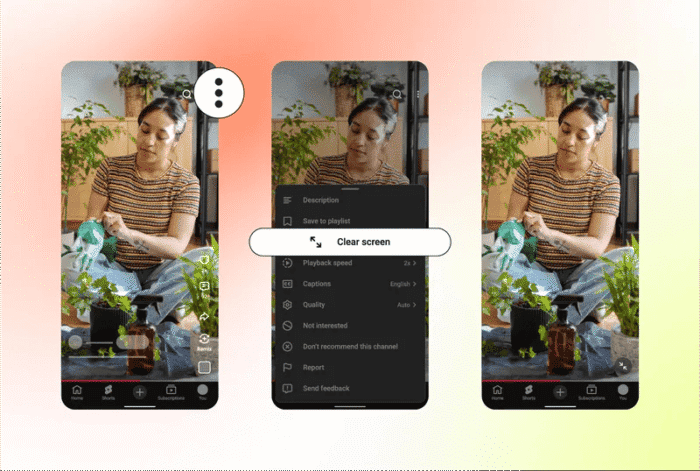
Rather than completely redesigning the experience, YouTube is tweaking the player itself, with new viewing controls and interaction options arriving gradually over the coming weeks. One of the highlights is Clear Screen, a new mode that temporarily hides on-screen buttons, captions, usernames, and other interface elements.
If you just want to watch the video without distractions covering the screen, one tap gives you a much cleaner viewing experience. The feature closely resembles TikTok’s own Clear Mode, although YouTube says it’s designed around feedback from Shorts users.
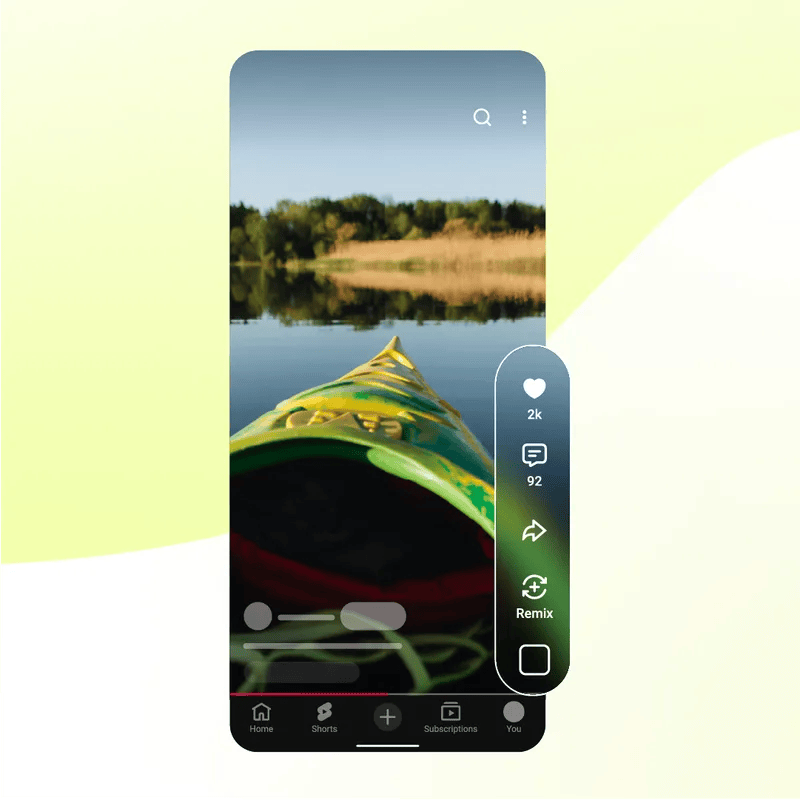
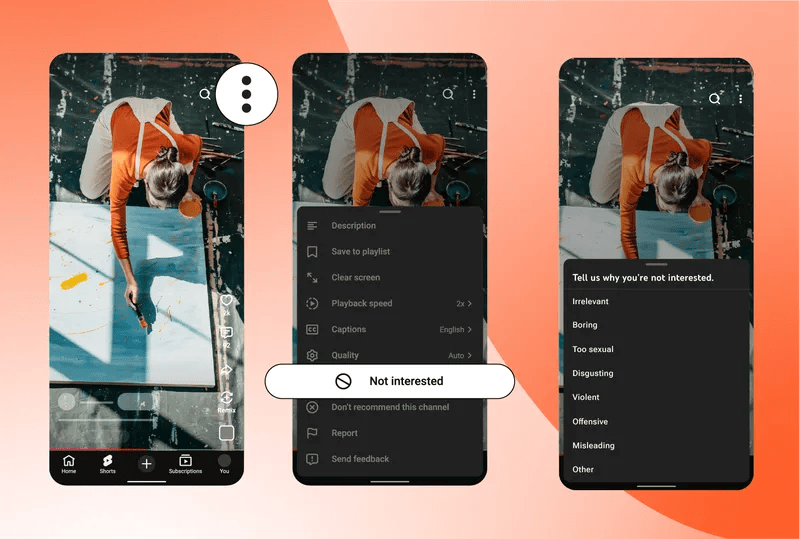
Image credit: YouTube
YouTube is also finally delivering one of the community’s most requested features. Shorts now supports 2x playback, which allows viewers to speed through videos or quickly revisit certain moments. The update also introduces easier audio controls, including the ability to mute Shorts directly during playback, alongside expanded timer options for people who want more control over how they consume short-form content.
The most interesting change is the removal of the familiar thumbs-up icon. Going forward, YouTube will replace it with a Heart button, bringing Shorts more in line with other short-video platforms. At the same time, the company is retiring the Dislike button from the Shorts player altogether. Instead of relying on dislikes, users will now be encouraged to shape recommendations using Not Interested and Don’t recommend this channel, which YouTube believes provide much clearer signals for improving individual feeds.

Read our disclosure page to find out how can you help Windows Report sustain the editorial team. Read more



Improve this guide




User forum
0 messages