
Outlook Mobile can now hide declined meetings to help keep your calendar clutter-free


 2 min. read
  Published on

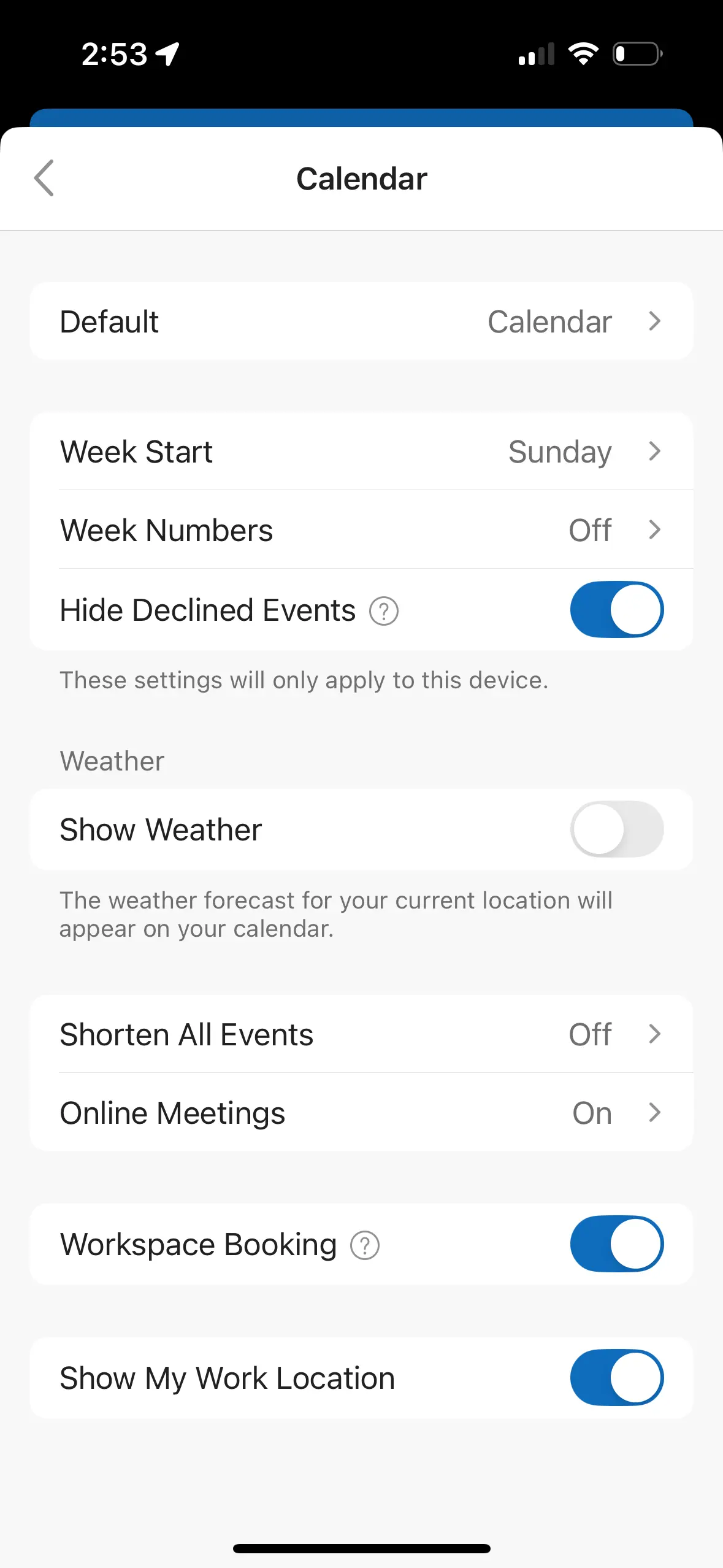
Microsoft is updating Outlook Mobile to let users hide declined meetings, so that you have a decluttered busy calendar. The feature brings the mobile app in line with New Outlook and Outlook for the Web, where users can already choose to show or hide declined events. This change aims to give users a simpler, more focused view across devices.
What users can expect
Once the setting is available, users can toggle declined meetings on or off directly in the app. This gives calendars a cleaner appearance by removing events that were declined, without affecting other settings. Importantly, this feature respects existing preferences set on web and desktop versions, and no changes are required from admins. Microsoft also notes there are no compliance implications associated with the update.
Organizations may want to inform helpdesk teams or update internal documentation so employees know about the new option. Aside from awareness, there’s no required action, making adoption straightforward.
Rollout timeline and availability
While the Microsoft 365 Roadmap still shows rollout in January 2026, a report by Neowin now hints that the rollout actually began in early February, but it won’t reach all users until mid-February. With just a few days left, everyone should have access soon.
Users who previously enabled “Show declined meetings” in New Outlook or on the web will now see the same option appear in Outlook Mobile. At a time when calendar overload is common, this update could improve productivity for mobile users who juggle multiple meetings. That said, adoption may vary depending on user habits and awareness of the new toggle.
Will decluttering calendars on mobile finally make scheduling less stressful for busy teams? Let us know in the comments below.

Read our disclosure page to find out how can you help Windows Report sustain the editorial team. Read more



Improve this guide




User forum
0 messages